> For the complete documentation index, see [llms.txt](https://hacking-notes.jord4n.pro/llms.txt). Markdown versions of documentation pages are available by appending `.md` to page URLs; this page is available as [Markdown](https://hacking-notes.jord4n.pro/de/web/websockets/cross-site-websocket-hijacking.md).
# Cross-Site-WebSocket-Hijacking
Notizen zum Cross-Site-WebSocket-Hijacking für die Labs der PortSwigger Web Security Academy, einschließlich Ausnutzungsablauf, Payload-Tests, Burp-Suite-Validierung und Behebungskontext.
### Cross-Site-WebSocket-Hijacking
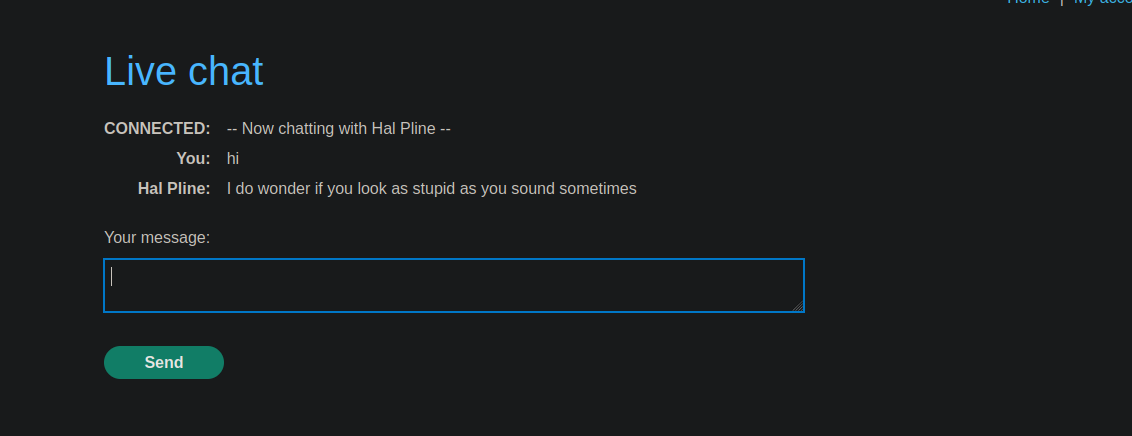
Die App ist ein Online-Shop mit einer **Live-Chat** Funktion, implementiert mit **WebSockets**. / Jedes Mal, wenn Sie die Chat-Seite besuchen, **wird der gesamte Gesprächsverlauf automatisch geladen**, ohne strikte Kontrolle des Ursprungs der Anfrage.
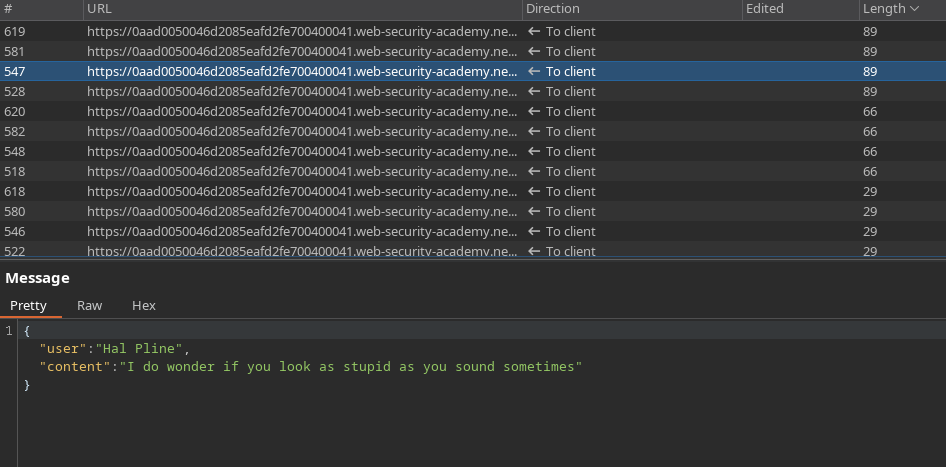
Die ausgetauschten Nachrichten verwenden das folgende JSON-Format:
```json
{
"user":"Sie",
"content":"hi"
}
```
Exfiltrieren Sie den Verlauf des Chats des Opfers durch einen Angriff auf \*\*Cross-Site-WebSocket-Hijacking\*\*, und verwenden Sie dann die wiederhergestellten Informationen, um auf sein Konto zuzugreifen.
***
#### Angriffsprinzip
L的**Exploit-Server** wird verwendet, um eine HTML-/JavaScript-Payload zu hosten, die:
1. Stellt eine WebSocket-Verbindung zum Ziel-Chatserver her.
2. Sendet die erforderliche Nachricht, um die Kommunikation zu initialisieren (`READY`).
3. Fängt alle über den WebSocket empfangenen Nachrichten ab.
4. Schleust diese Nachrichten nach der Base64-Kodierung zum Exploit-Server aus.
***
#### Verwendete Payload
A `data.js` Datei wird mit folgendem Inhalt erstellt:
```javascript
```
Dieses Skript wird im Browser des Opfers ausgeführt, wenn sie den Exploit-Server besucht, und führt automatisch ihre authentifizierte Sitzung aus.
#### Exfiltrierte Daten
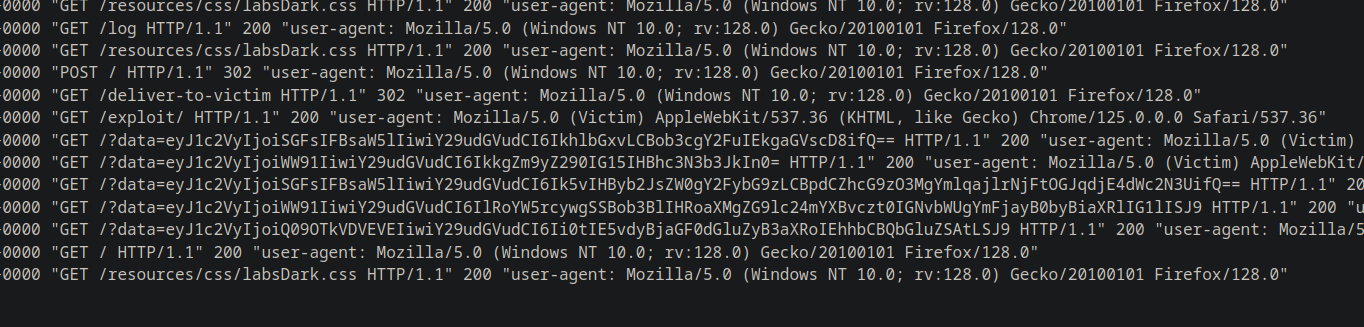
Der Betriebsserver empfängt mehrere in Base64 kodierte Zeichenfolgen, zum Beispiel:
{% code overflow="wrap" %}
```bash
eyJ1c2VyIjoiSGFsIFBsaW5lIiwiY29udGVudCI6IkhlbGxvLCBob3cgY2FuIEkgaGVscD8ifQ==
eyJ1c2VyIjoiWW91IiwiY29udGVudCI6IkkgZm9yZ290IG15IHBhc3N3b3JkIn0=
eyJ1c2VyIjoiSGFsIFBsaW5lIiwiY29udGVudCI6Ik5vIHByb2JsZW0gY2FybG9zLCBpdCZhcG9zO3MgYmlqajlrNjFtOGJqdjE4dWc2N3UifQ==
eyJ1c2VyIjoiWW91IiwiY29udGVudCI6IlRoYW5rcywgSSBob3BlIHRoaXMgZG9lc24mYXBvczt0IGNvbWUgYmFjayB0byBiaXRlIG1lISJ9
eyJ1c2VyIjoiQ09OTkVDVEVEIiwiY29udGVudCI6Ii0tIE5vdyBjaGF0dGluZyB3aXRoIEhhbCBQbGluZSAtLSJ9
```
{% endcode %}
Nach dem Dekodieren wird der vollständige Verlauf des Chats wiederhergestellt:
```json
{"user":"Hal Pline","content":"Hallo, wie kann ich Ihnen helfen?"}
{"user":"Sie","content":"Ich habe mein Passwort vergessen"}
{"user":"Hal Pline","content":"Kein Problem, carlos, es ist bijj9k61m8bjv18ug67u"}
{"user":"Sie","content":"Danke, ich hoffe, das fällt mir nicht auf die Füße!"}
{"user":"VERBUNDEN","content":"-- Jetzt mit Hal Pline chatten --"}
```
#### Ergebnis
Die wiederhergestellten sensiblen Informationen ermöglichen die Identifizierung der Zugangsdaten des Opfers:
* **Benutzer**: carlos
* **Passwort**: `bijj9k61m8bjv18ug67u`
Diese Zugangsdaten können dann verwendet werden, um sich mit Carlos' Konto zu verbinden und das Lab zu verifizieren.
---
# Agent Instructions
This documentation is published with GitBook. GitBook is the documentation platform designed so that both humans and AI agents can read, navigate, and reason over technical content effectively. Learn more at gitbook.com.
## Querying This Documentation
If you need additional information that is not directly available in this page, you can query the documentation by asking a question.
Perform an HTTP GET request on the following URL with the `ask` and `goal` query parameters:
```
GET https://hacking-notes.jord4n.pro/de/web/websockets/cross-site-websocket-hijacking.md?ask=&goal=
```
`ask` is the immediate question: it should be specific, self-contained, and written in natural language.
`goal` is what the user is ultimately trying to achieve, the reason they need the answer. Sharing it helps GitBook give you a better, more relevant answer. A goal is most helpful when it describes the outcome the user wants rather than restating the question. For example, with `ask=how do I create an API token`, a goal like `automate deployments from our CI pipeline` lets GitBook tailor the answer to that use case.
The response will contain a direct answer to the question and relevant excerpts and sources from the documentation.
Use this mechanism when the answer is not explicitly present in the current page, you need clarification or additional context, or you want to retrieve related documentation sections.