> For the complete documentation index, see [llms.txt](https://hacking-notes.jord4n.pro/llms.txt). Markdown versions of documentation pages are available by appending `.md` to page URLs; this page is available as [Markdown](https://hacking-notes.jord4n.pro/hacking-tools/web/burpsuite.md).
# Burp Suite
Burp Suite web penetration testing notes for Proxy interception, Repeater validation, Intruder automation, Comparer analysis, HTTP request manipulation, payload testing, authentication testing, vulner
{% hint style="info" %}
**Burp Suite** is a widely used cybersecurity tool for assessing vulnerabilities in web applications. It offers a set of features that enable security professionals to identify, exploit and mitigate potential weaknesses in websites and applications through penetration testing and security analysis.
{% endhint %}
## Burp Suite Workflow
1. Configure the browser proxy and capture the request that represents the target behavior.
2. Use Proxy history to understand parameters, cookies, headers, redirects, and authentication state.
3. Send interesting requests to Repeater for manual validation with minimal payload changes.
4. Use Intruder only after confirming the payload position and expected response signal.
5. Compare requests and responses when the vulnerability depends on subtle differences in status, length, headers, or body content.
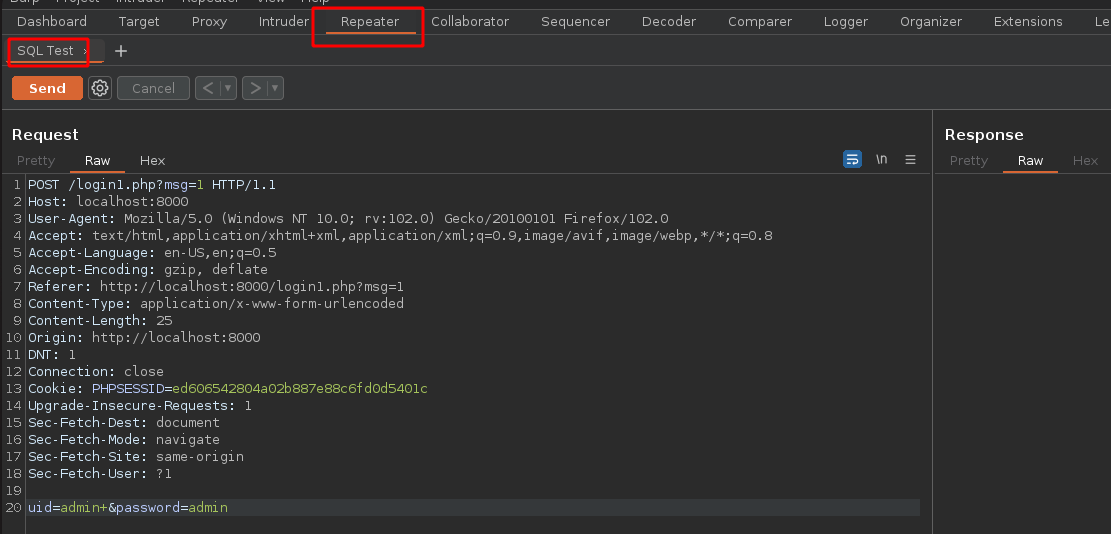
## Repeater:
> Repeater is a tool that allows users to resend and repeat HTTP and HTTPS requests. This is useful for testing different inputs and checking the server response. It is also useful for identifying vulnerabilities, as it allows users to test different values and detect unexpected responses.
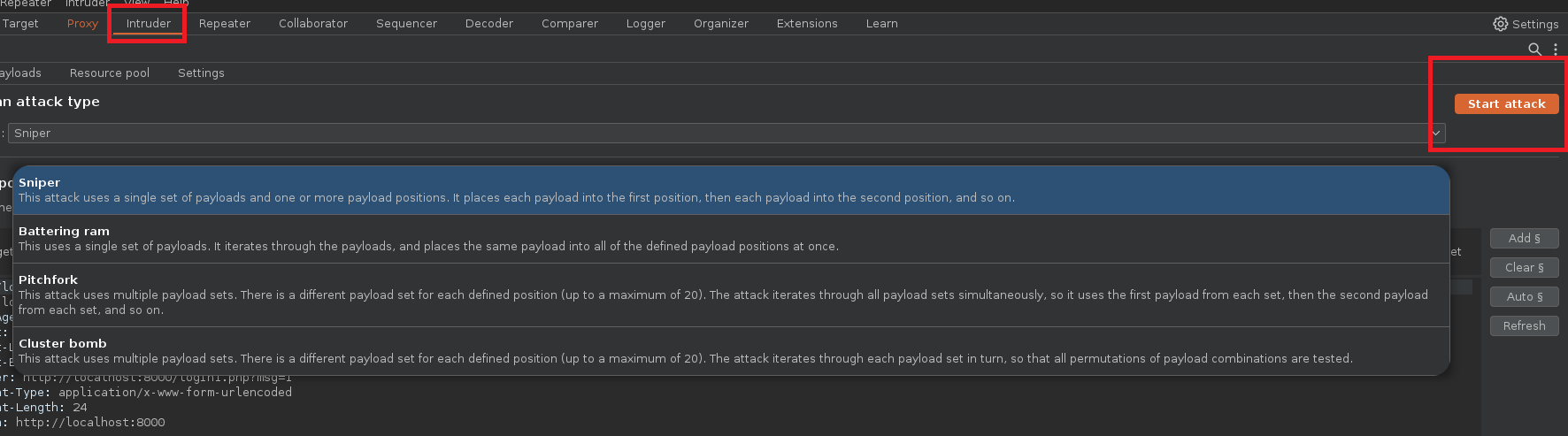
## Intruder :
> Intruder: It is a tool used to automate brute force attacks. Users can set different payloads for different parts of the request, such as the URL, request body, and headers. Then, Intruder automates the execution of requests using different payloads and users can examine the responses to identify vulnerabilities.
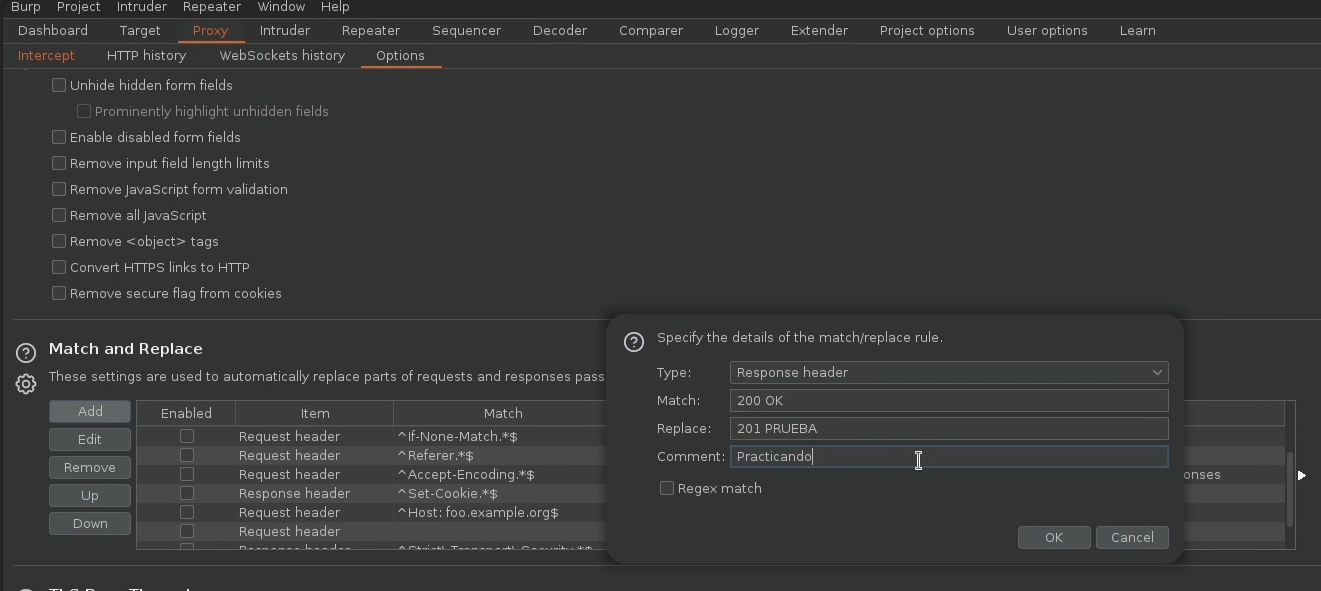
## Proxy :
> Proxy: This is the main tool of Burp Suite and acts as an intermediary between the web browser and the web server. This allows users to intercept and modify HTTP and HTTPS requests and responses sent between the browser and the server. The Proxy is also useful for identifying vulnerabilities because it allows users to examine traffic and analyze requests and responses.
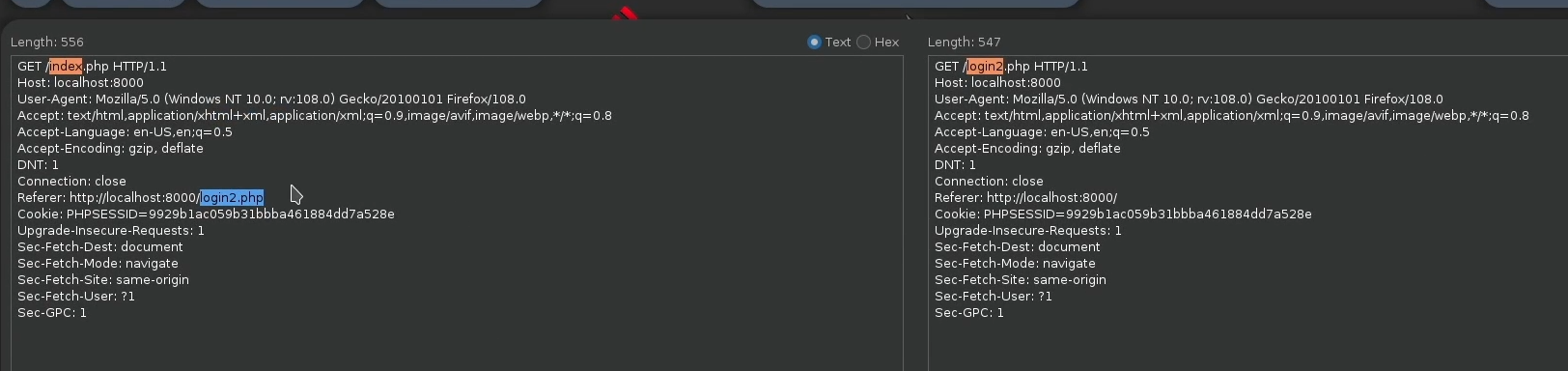
## Comparer :
> Compare: It is a tool used to compare two HTTP or HTTPS requests. This is useful for detecting differences between requests and responses and analyzing application security.
---
# Agent Instructions
This documentation is published with GitBook. GitBook is the documentation platform designed so that both humans and AI agents can read, navigate, and reason over technical content effectively. Learn more at gitbook.com.
## Querying This Documentation
If you need additional information that is not directly available in this page, you can query the documentation by asking a question.
Perform an HTTP GET request on the following URL with the `ask` and `goal` query parameters:
```
GET https://hacking-notes.jord4n.pro/hacking-tools/web/burpsuite.md?ask=&goal=
```
`ask` is the immediate question: it should be specific, self-contained, and written in natural language.
`goal` is what the user is ultimately trying to achieve, the reason they need the answer. Sharing it helps GitBook give you a better, more relevant answer. A goal is most helpful when it describes the outcome the user wants rather than restating the question. For example, with `ask=how do I create an API token`, a goal like `automate deployments from our CI pipeline` lets GitBook tailor the answer to that use case.
The response will contain a direct answer to the question and relevant excerpts and sources from the documentation.
Use this mechanism when the answer is not explicitly present in the current page, you need clarification or additional context, or you want to retrieve related documentation sections.