> For the complete documentation index, see [llms.txt](https://hacking-notes.jord4n.pro/llms.txt). Markdown versions of documentation pages are available by appending `.md` to page URLs; this page is available as [Markdown](https://hacking-notes.jord4n.pro/ja/cms/duplicati-cms-exploitation/duplicati-backup-reading-files.md).

# Duplicati - バックアップファイルの読み取り

バックアップ先制御、ホストマウントされたソースディレクトリ、機微なファイル復元、SSH鍵復元、データ流出のためのDuplicatiバックアップ悪用ノート。

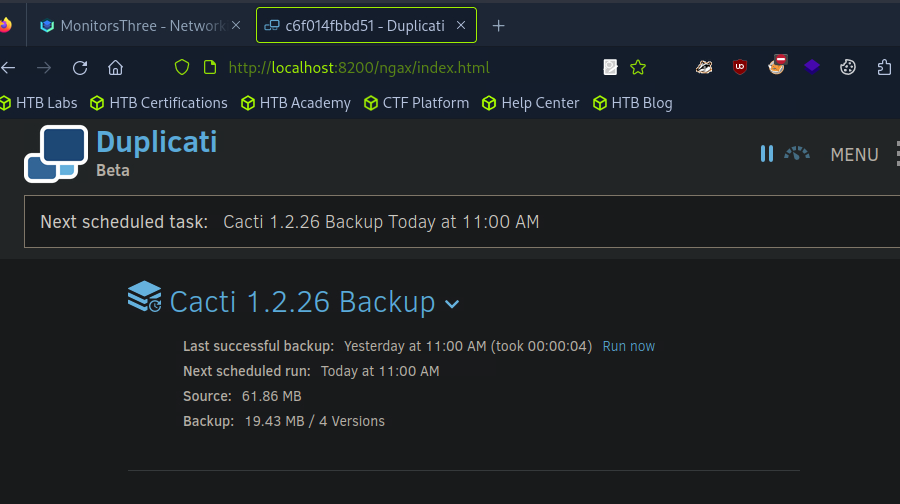
<figure><img src="https://2001299964-files.gitbook.io/~/files/v0/b/gitbook-x-prod.appspot.com/o/spaces%2Fl4EVJpcOrsgjSGsLI7p2%2Fuploads%2Fgit-blob-f647d0efc993987e0f41ba16071fe595f116a3b4%2F%7BC96AF78B-42D3-40F0-9D12-AFBFE252A742%7D.png?alt=media" alt=""><figcaption></figcaption></figure>

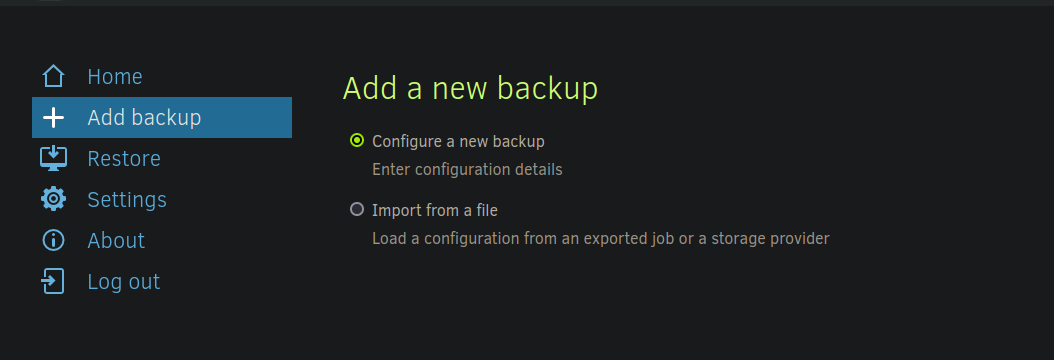
〜にアクセスできれば **Duplicati管理パネル**、新しいバックアップを作成して対象を持ち出す **SSHキー**.

<figure><img src="https://2001299964-files.gitbook.io/~/files/v0/b/gitbook-x-prod.appspot.com/o/spaces%2Fl4EVJpcOrsgjSGsLI7p2%2Fuploads%2Fgit-blob-63fd287f3c3821203f862badfd09a721522c73c5%2F%7BC581B276-030B-4F73-8D7F-FD97292E159D%7D.png?alt=media" alt=""><figcaption></figcaption></figure>

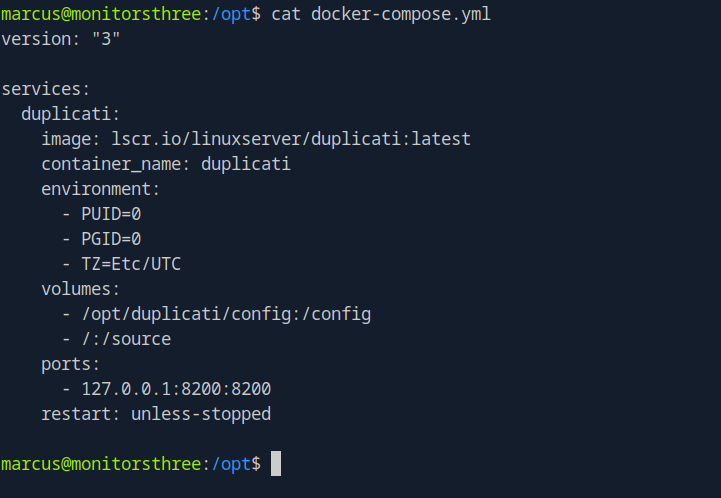
**Docker設定の分析**/ その `docker-compose.yml` ファイルは、ホストシステムに保存されていることを示しています **ソース** ディレクトリがコンテナにマウントされています。

<figure><img src="https://2001299964-files.gitbook.io/~/files/v0/b/gitbook-x-prod.appspot.com/o/spaces%2Fl4EVJpcOrsgjSGsLI7p2%2Fuploads%2Fgit-blob-f75ef1ff85fa80518ad9b88949df7f9fac07fb22%2F%7B107BE729-A34A-4F6E-B0DB-91C479FB46A3%7D.png?alt=media" alt="" width="541"><figcaption></figcaption></figure>

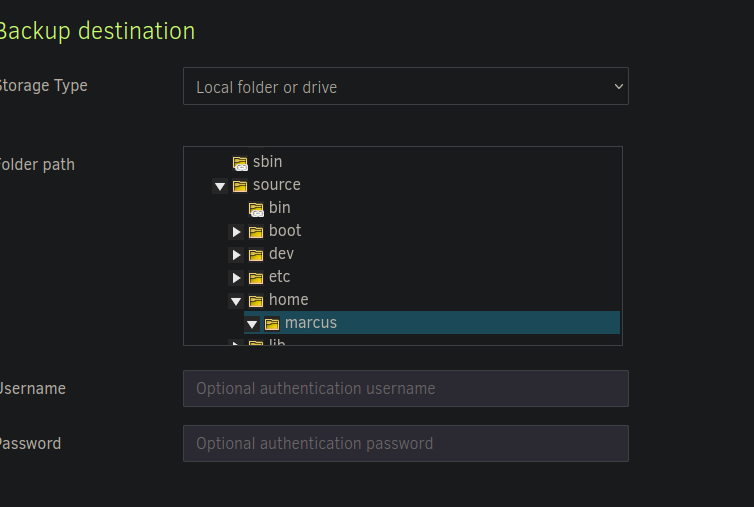
**対象ディレクトリの選択**/ 機密ファイルにアクセスするには、 **backup** 保存先をそのディレクトリに設定するには、次を選択します：

* **ソースディレクトリ** : `/source/home/marcus/`

<figure><img src="https://2001299964-files.gitbook.io/~/files/v0/b/gitbook-x-prod.appspot.com/o/spaces%2Fl4EVJpcOrsgjSGsLI7p2%2Fuploads%2Fgit-blob-9e0c4380caa27ceef9c18a8cb7286206d1b61a39%2F%7B05793313-D41C-4DBC-A0CA-DEC0A07890FE%7D.png?alt=media" alt="" width="563"><figcaption></figcaption></figure>

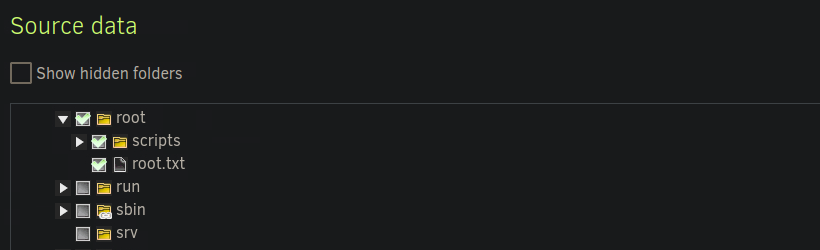
* **ソースデータ：** `source/root/`

<figure><img src="https://2001299964-files.gitbook.io/~/files/v0/b/gitbook-x-prod.appspot.com/o/spaces%2Fl4EVJpcOrsgjSGsLI7p2%2Fuploads%2Fgit-blob-057b589f5a5506d824d8788f81a40dd35afa5dd5%2F%7B2D9AB280-A31A-4777-B3E3-FA09A52CFC4B%7D.png?alt=media" alt=""><figcaption></figcaption></figure>

**設定の完了**

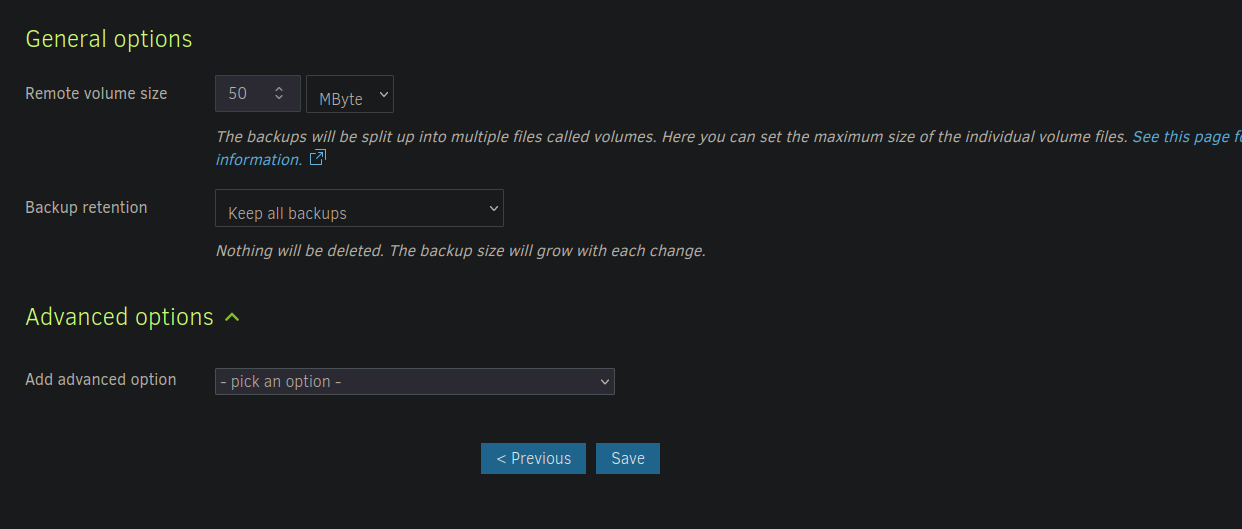
* 設定を保存します。

<figure><img src="https://2001299964-files.gitbook.io/~/files/v0/b/gitbook-x-prod.appspot.com/o/spaces%2Fl4EVJpcOrsgjSGsLI7p2%2Fuploads%2Fgit-blob-cfeec3c143b8e52ad9368e659839bb40f071fb8b%2F%7BA0AEFD64-7E82-4546-A016-7CC67F8E0BF5%7D.png?alt=media" alt=""><figcaption></figcaption></figure>

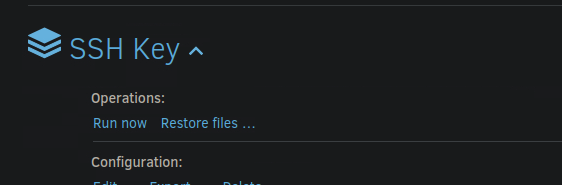
* 次を実行し、 **backup** 対象ファイルを復元するために。

<figure><img src="https://2001299964-files.gitbook.io/~/files/v0/b/gitbook-x-prod.appspot.com/o/spaces%2Fl4EVJpcOrsgjSGsLI7p2%2Fuploads%2Fgit-blob-940de8919cd61a1fbba989928fc302b0bc7150f4%2Fimage%20(768).png?alt=media" alt=""><figcaption></figcaption></figure>

### バックアップ済みファイルの抽出

〜の後 **backup** が実行されると、3つのZIPアーカイブが生成されます。

<div data-full-width="true"><figure><img src="https://2001299964-files.gitbook.io/~/files/v0/b/gitbook-x-prod.appspot.com/o/spaces%2Fl4EVJpcOrsgjSGsLI7p2%2Fuploads%2Fgit-blob-6099c67d2c9f9e37168585614a7b85cc1c774d14%2F%7B3FC97933-3DD0-4039-BDE0-6B62873924D3%7D.png?alt=media" alt=""><figcaption></figcaption></figure></div>

* **ファイルアクセス**
  * アクセス制限のため、ファイルを直接開くことはできません。
  * 〜を通じて **Duplicati**、使用して **ファイルを復元** コンテンツを復元します。

<figure><img src="https://2001299964-files.gitbook.io/~/files/v0/b/gitbook-x-prod.appspot.com/o/spaces%2Fl4EVJpcOrsgjSGsLI7p2%2Fuploads%2Fgit-blob-ec54e3f0ed8ea4d007256c161d0ffdfe656eeac8%2F%7B02FC31AE-3131-47E1-9403-9CCBB58EA1FF%7D.png?alt=media" alt=""><figcaption></figcaption></figure>

**復元と持ち出し**

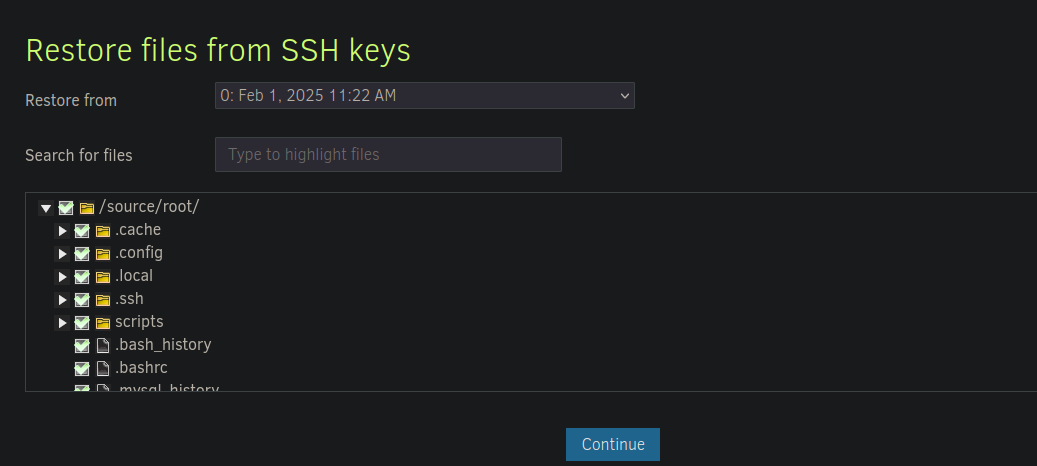
* バックアップからファイルを抽出します。

<figure><img src="https://2001299964-files.gitbook.io/~/files/v0/b/gitbook-x-prod.appspot.com/o/spaces%2Fl4EVJpcOrsgjSGsLI7p2%2Fuploads%2Fgit-blob-50ccf3216d56749d24bdc6afd7726dab7ae3d52e%2F%7BCD5A6CE4-10C7-4C87-AA56-90B2B3119F1F%7D.png?alt=media" alt=""><figcaption></figcaption></figure>

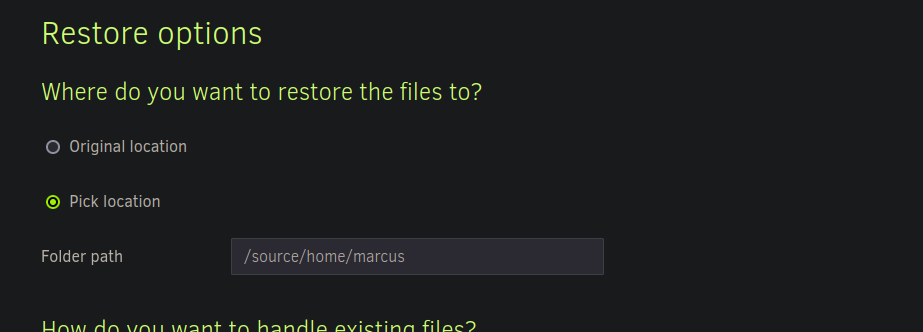
選択 **`/source/home/marcus/`** を復元元として。

<figure><img src="https://2001299964-files.gitbook.io/~/files/v0/b/gitbook-x-prod.appspot.com/o/spaces%2Fl4EVJpcOrsgjSGsLI7p2%2Fuploads%2Fgit-blob-d8b76f42db8dee5c034085221758048575b8465f%2F%7BAE27CF6D-8AC7-4CF2-BE09-04E27D1C2E4F%7D.png?alt=media" alt=""><figcaption></figcaption></figure>

<figure><img src="https://2001299964-files.gitbook.io/~/files/v0/b/gitbook-x-prod.appspot.com/o/spaces%2Fl4EVJpcOrsgjSGsLI7p2%2Fuploads%2Fgit-blob-26ab313940673dc83beef4151061f8d03385b96f%2F%7B2243C849-3106-4083-B692-2F0EE5A311B6%7D.png?alt=media" alt="" width="563"><figcaption></figcaption></figure>


---

# Agent Instructions
This documentation is published with GitBook. GitBook is the documentation platform designed so that both humans and AI agents can read, navigate, and reason over technical content effectively. Learn more at gitbook.com.

## Querying This Documentation
If you need additional information that is not directly available in this page, you can query the documentation by asking a question.

Perform an HTTP GET request on the following URL with the `ask` and `goal` query parameters:

```
GET https://hacking-notes.jord4n.pro/ja/cms/duplicati-cms-exploitation/duplicati-backup-reading-files.md?ask=<question>&goal=<user_goal>
```

`ask` is the immediate question: it should be specific, self-contained, and written in natural language.
`goal` is what the user is ultimately trying to achieve, the reason they need the answer. Sharing it helps GitBook give you a better, more relevant answer. A goal is most helpful when it describes the outcome the user wants rather than restating the question. For example, with `ask=how do I create an API token`, a goal like `automate deployments from our CI pipeline` lets GitBook tailor the answer to that use case.

The response will contain a direct answer to the question and relevant excerpts and sources from the documentation.

Use this mechanism when the answer is not explicitly present in the current page, you need clarification or additional context, or you want to retrieve related documentation sections.